
Introduction
This manual provides detailed instructions for the safe and efficient use of your Huawei P20 Pro (CLT-L29) smartphone. Please read this manual thoroughly before operating your device to ensure optimal performance and longevity. The Huawei P20 Pro is a high-performance smartphone featuring a 6.1-inch OLED display, advanced camera system, and dual SIM capabilities.

Image: Front view of the Huawei P20 Pro smartphone.
What's in the Box
Upon unboxing your Huawei P20 Pro, verify that the following items are included:
- Huawei P20 Pro Smartphone
- Adapter
- USB Cable
Setup
1. SIM Card Installation
The Huawei P20 Pro supports dual SIM cards. To install your SIM cards:
- Locate the SIM card tray on the side of the device.
- Insert the SIM ejector tool into the small hole next to the tray to open it.
- Place your Nano-SIM cards into the designated slots on the tray, ensuring the gold contacts face downwards.
- Carefully reinsert the tray into the phone until it clicks into place.

Image: Side view of the Huawei P20 Pro, indicating the SIM tray location.
2. Initial Power On
Press and hold the power button located on the side of the device until the Huawei logo appears. The device will then boot up.
3. Basic Setup
Follow the on-screen prompts to complete the initial setup, which includes selecting your language, connecting to a Wi-Fi network, setting up your Google account, and configuring security features.
Operating Your Device
1. Display and Navigation
The Huawei P20 Pro features a 6.1-inch OLED touchscreen display. Navigate the interface by tapping, swiping, and pinching. The fingerprint sensor, located on the front bezel, can also be used for navigation gestures in addition to unlocking the device.
2. Camera Usage
Your device is equipped with a powerful rear camera system designed for high-quality photography. Open the Camera application to access various modes, including photo, video (up to 1080p resolution), and professional settings. Tap the screen to focus and press the shutter button to capture images or start/stop video recording.
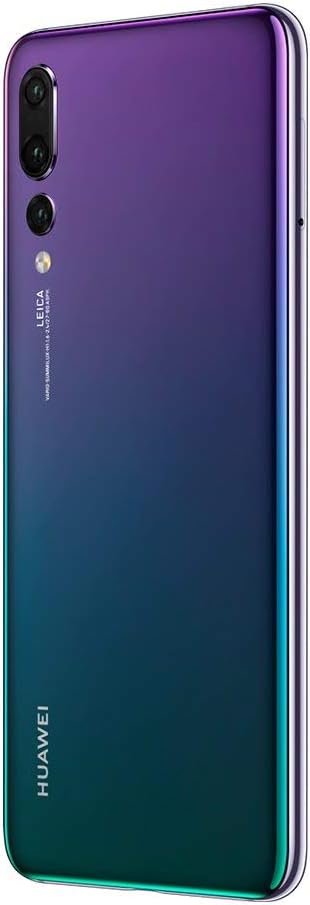
Image: Rear view of the Huawei P20 Pro, highlighting the camera system.
3. Connectivity
- Wi-Fi: Connect to wireless networks via Settings > Wi-Fi.
- Cellular Data: Utilize 4G LTE connectivity through your installed SIM cards. Manage data settings in Settings > Wireless & networks > Mobile network.
- Bluetooth: Pair with other Bluetooth devices via Settings > Bluetooth.
- USB Connection: Connect to a computer using the provided USB cable for data transfer or charging. The device uses a Micro USB connector.
4. Security Features
The Huawei P20 Pro includes biometric security features such as Face Recognition. Configure these options in Settings > Security & privacy > Face Unlock to enhance device security.
Maintenance
- Battery Care: To prolong battery life, avoid extreme temperatures and fully discharging the Lithium-Polymer battery frequently. Use the original charger and cable.
- Cleaning: Use a soft, lint-free cloth to clean the screen and body of the device. Avoid abrasive materials or harsh chemicals. The device is water resistant, but avoid intentional submersion.
- Software Updates: Regularly check for and install system updates to ensure your device has the latest features and security patches. Go to Settings > System > Software update.
Troubleshooting
If you encounter issues with your device, consider the following steps:
- Device not powering on: Ensure the battery is charged. Connect the device to its charger for at least 15 minutes before attempting to power it on again.
- Poor network signal: Check your SIM card installation. Move to an area with better network coverage.
- Applications crashing: Close and restart the application. Clear the app's cache in Settings > Apps. If the issue persists, consider reinstalling the app.
- Device unresponsive: Press and hold the power button for approximately 10 seconds to force a restart.
- Wi-Fi connection issues: Restart your device and your Wi-Fi router. Forget the network and reconnect.
For more complex issues, refer to the official Huawei support website or contact customer service.
Specifications
| Feature | Detail |
|---|---|
| Brand | HUAWEI |
| Model Name | P20 Pro |
| Operating System | Android |
| Memory Storage Capacity | 128 GB |
| Screen Size | 6.1 Inches |
| Display Type | OLED |
| Resolution | 1080 x 2340 (Display Resolution Maximum: 1080 x 2240) |
| Cellular Technology | 4G LTE |
| Connectivity Technology | Wi-Fi, Bluetooth |
| SIM Card Slot Count | Dual SIM |
| Connector Type | Micro USB |
| Biometric Security Feature | Face Recognition |
| Water Resistance Level | Water Resistant |
| Headphones Jack | 3.5 mm |
| Camera Description | Rear |
| Video Capture Resolution | 1080p (30 fps) |
| Battery Description | Lithium-Polymer |
| Item Weight | 6.4 ounces |
| Manufacturer | Huawei |
| UPC | 034722795937 |
| ASIN | B07MSGB9N3 |
Warranty Information
This product comes with a 90 days limited warranty. For specific terms and conditions, please refer to the warranty documentation provided with your device or visit the official Huawei support website.
Support
For further assistance, technical support, or service inquiries, please visit the official Huawei support website or contact their customer service department. Keep your device's model number (P20 Pro, CLT-L29) and serial number readily available when seeking support.
You can often find additional resources, FAQs, and software downloads on the manufacturer's support pages.


