
1. Introduction
Thank you for choosing the BSEED N1S-11W 1-Way 1-Gang Touch Light Switch. This manual provides essential information for the safe installation, operation, and maintenance of your new touch light switch. Please read these instructions carefully before installation and keep them for future reference.
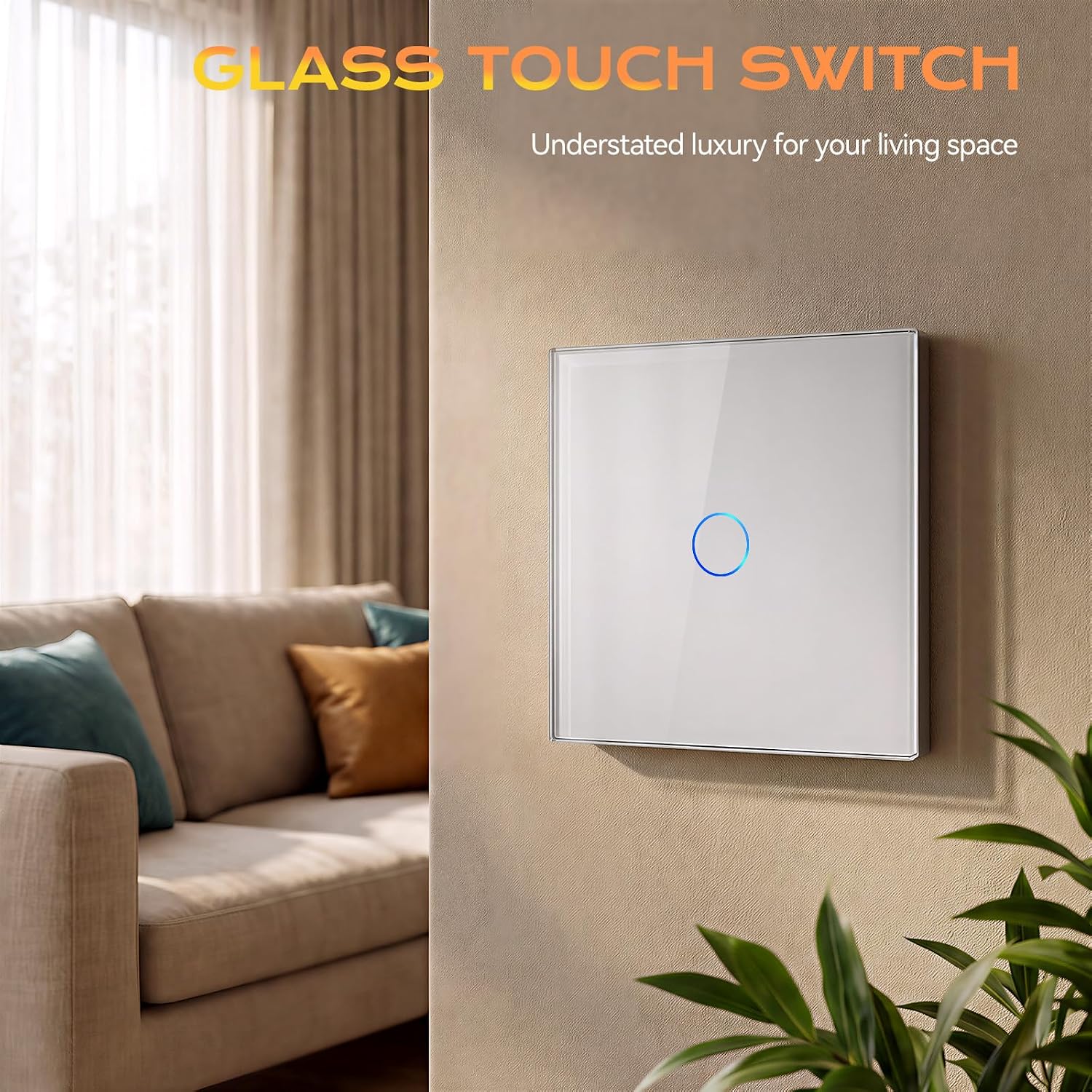
Image 1: BSEED Touch Light Switch in a living room setting.
2. Safety Information
- Electrical Safety: Installation must be performed by a qualified electrician or a person with a thorough understanding of electrical wiring. Always turn off the main power at the circuit breaker before beginning any electrical work.
- Voltage: This switch is designed for standard 110V - 240V AC circuits. Ensure your electrical system matches these requirements.
- Load Capacity: The maximum load for this 1-gang switch is 3-500W. Do not exceed this wattage to prevent damage or fire hazards.
- Environment: Made of flame-retardant ABS and a waterproof tempered crystal touch panel. It is fireproof and waterproof, designed to protect against electric shock.
- Non-Dimmable: This switch is not dimmable. Do not connect it to dimmable light fixtures or circuits requiring dimming functionality.
- Non-2-Way: This is a 1-way switch, meaning it controls a single light point from one location only. It is not suitable for 2-way (multi-location) control.
3. Product Features
- Touch Control: Responsive tempered crystal glass touch panel for easy operation.
- LED Backlight: Each touch switch is equipped with backlighting, allowing for easy location and control in the dark.
- Power Outage Memory: The switch automatically remains off after a power outage, preventing unexpected light activation and enhancing safety.
- Durable Design: Constructed with flame-retardant ABS and a waterproof tempered crystal panel for enhanced safety and longevity.
- Anti-Fingerprint Glass: The glass surface is smudge-resistant and easy to clean.

Image 2: Anti-fingerprint glass feature.
4. Specifications
| Model Number | N1S-11W |
| Dimensions (L x W x H) | 86 x 86 x 35 mm |
| Operating Voltage | 110V - 240V AC |
| Max. Load | 3-500W |
| Current Rating | 10 Ampere |
| Switch Type | Touch, 1-Way, 1-Gang |
| Material | Tempered Crystal Glass Panel, Flame-retardant ABS |
| Color | White |
| International Protection Rating | IP67 |
| Operating Temperature | Up to 70°C |
5. Installation Guide
Important: Always disconnect power at the circuit breaker before installation to prevent electric shock.
5.1 Wall Box Requirements
Ensure your wall installation box meets the following minimum dimensions:
- Inner diameter: > 60 mm
- Inner depth: > 35 mm

Image 3: Product dimensions and wall box requirements.
5.2 Wiring Diagram
Carefully distinguish between the Live Wire and the Light Wire. Connect the wires according to the circuit diagram provided below. Incorrect wiring can damage the switch or cause electrical hazards.

Image 4: Wiring diagram showing Live Wire, Neutral Wire, and Light Wire connections.
5.3 Installation Steps
- Prepare the Mounting Frame: The logo on the metal mounting frame should be located at the bottom. Secure the frame to the wall box.
- Install the Function Key Module: Insert the switch's function key module into the mounting frame.
- Connect Power Supply: Connect the electrical wires to the appropriate terminals on the switch module as per the wiring diagram (Live, Light).
- Attach Glass Panel: After testing the touch function of the switch, turn off the main power again. Gently slide the glass panel onto the switch module, ensuring it clicks securely into place with the clips.
- Restore Power: Turn on the corresponding circuit breaker. Wait at least 3 minutes before operating the switch to allow it to initialize.

Image 5: Visual guide for installation steps.
6. Operating Instructions
The BSEED Touch Light Switch features a simple touch interface for controlling your lights.
- Turning On/Off: Gently touch the circular icon on the glass panel to toggle the connected light on or off. The LED backlight will change color (e.g., blue for off, brighter blue for on) to indicate the switch status.
- Backlight: The integrated LED backlight helps you locate the switch easily in low-light conditions.
Video 1: Demonstration of the BSEED Glass Touch Switch in various settings, showing its operation and design.
7. Maintenance
To ensure the longevity and optimal performance of your touch light switch, follow these maintenance guidelines:
- Cleaning: Use a soft, dry, or slightly damp cloth to clean the glass panel. Avoid abrasive cleaners, solvents, or harsh chemicals, as these can damage the surface.
- Inspection: Periodically check the switch for any signs of damage or loose connections. If any issues are found, disconnect power and consult a qualified electrician.
- Avoid Impact: While the tempered glass is durable, avoid strong impacts or dropping heavy objects on the switch.
8. Troubleshooting
If you encounter issues with your BSEED Touch Light Switch, refer to the following common problems and solutions:
| Problem | Possible Cause | Solution |
|---|---|---|
| Light does not turn on/off. | No power, incorrect wiring, faulty bulb, or switch malfunction. | Check circuit breaker. Verify wiring according to diagram (Image 4). Test the light bulb. If issues persist, consult an electrician. |
| Switch LED backlight is off or flickering. | Power issue, loose connection, or internal fault. | Ensure power is supplied. Check wiring connections. If flickering, it might indicate an unstable power supply or a faulty switch. |
| Touch response is inconsistent. | Dirty panel, moisture, or environmental interference. | Clean the glass panel with a dry cloth. Ensure the panel is dry. Avoid installing in areas with excessive moisture. |
If the problem persists after attempting these solutions, please contact BSEED customer support or a qualified electrician.
9. Warranty and Support
BSEED products are manufactured to high-quality standards. This product comes with a standard manufacturer's warranty. For specific warranty details, technical support, or service inquiries, please refer to the warranty card included with your product or visit the official BSEED website.
EU Spare Parts Availability: 1 Year


