
1. Introduction
Thank you for purchasing the Paladone Game Boy Light. This product is a faithful replica of the classic Nintendo Game Boy, designed to function as a mood light and collectible figure. This manual provides essential information for the safe and effective use of your new Game Boy Light.
2. Product Overview
The Paladone Game Boy Light features a retro design, complete with the iconic Super Mario Land start-up screen displayed on its illuminated screen. It is battery-powered for convenient placement without the need for cables.

Image: The Paladone Game Boy Light, showcasing its illuminated screen with the Super Mario Land title.
3. Setup
3.1 Battery Installation
- Locate the battery compartment on the rear of the Game Boy Light.
- Open the battery compartment cover.
- Insert 3 x AAA batteries (not included), ensuring correct polarity (+/-).
- Close the battery compartment cover securely.
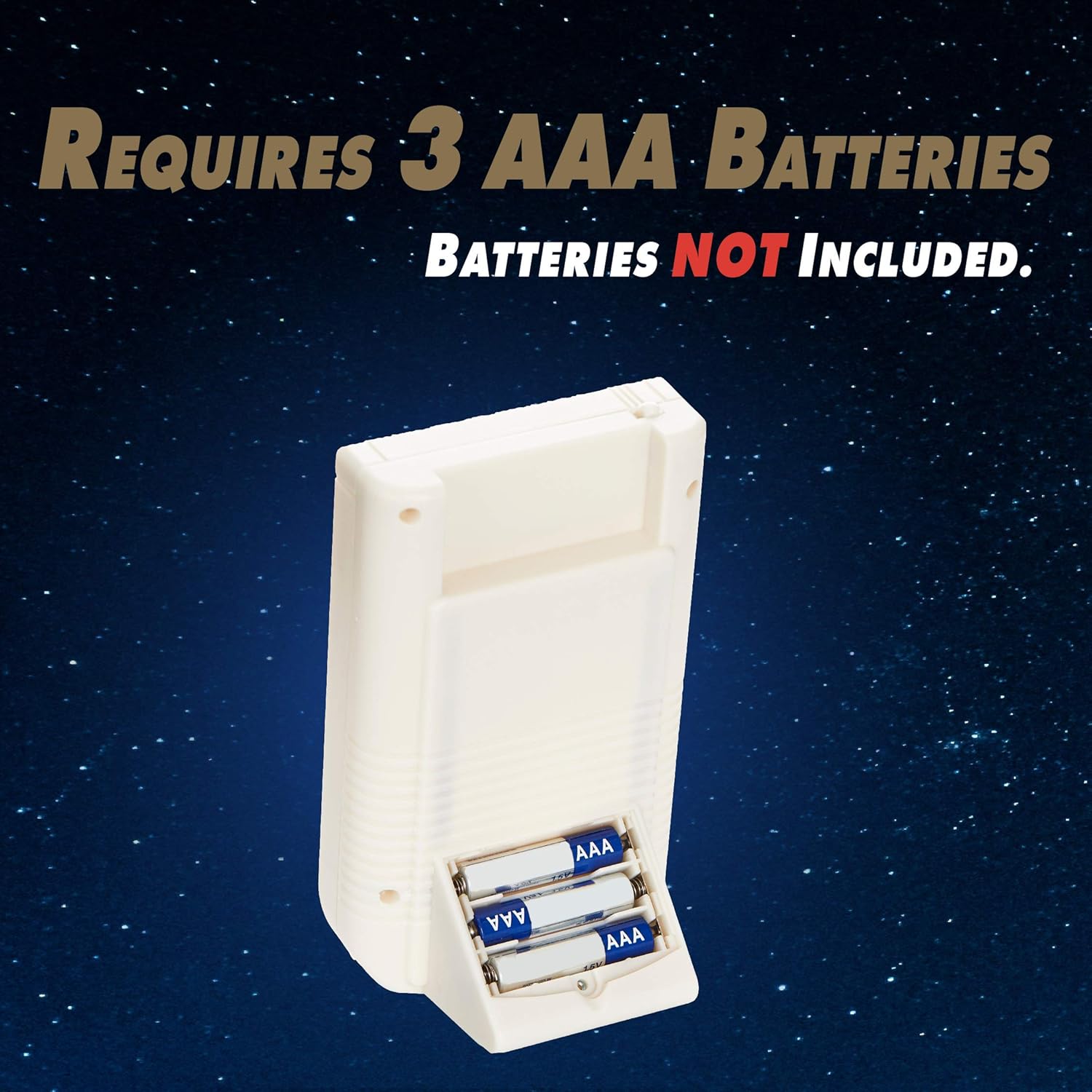
Image: Rear view of the Game Boy Light, illustrating the battery compartment and battery placement.
3.2 Placement
Place the Game Boy Light on a flat, stable surface. Its compact size allows for versatile placement in bedrooms, desks, shelves, or gaming areas.

Image: The Game Boy Light positioned on a bedside table, demonstrating its use as ambient lighting.
4. Operation
4.1 Turning On/Off
To turn the Game Boy Light on or off, locate the power switch on the top edge of the unit. Press the switch to toggle the light.
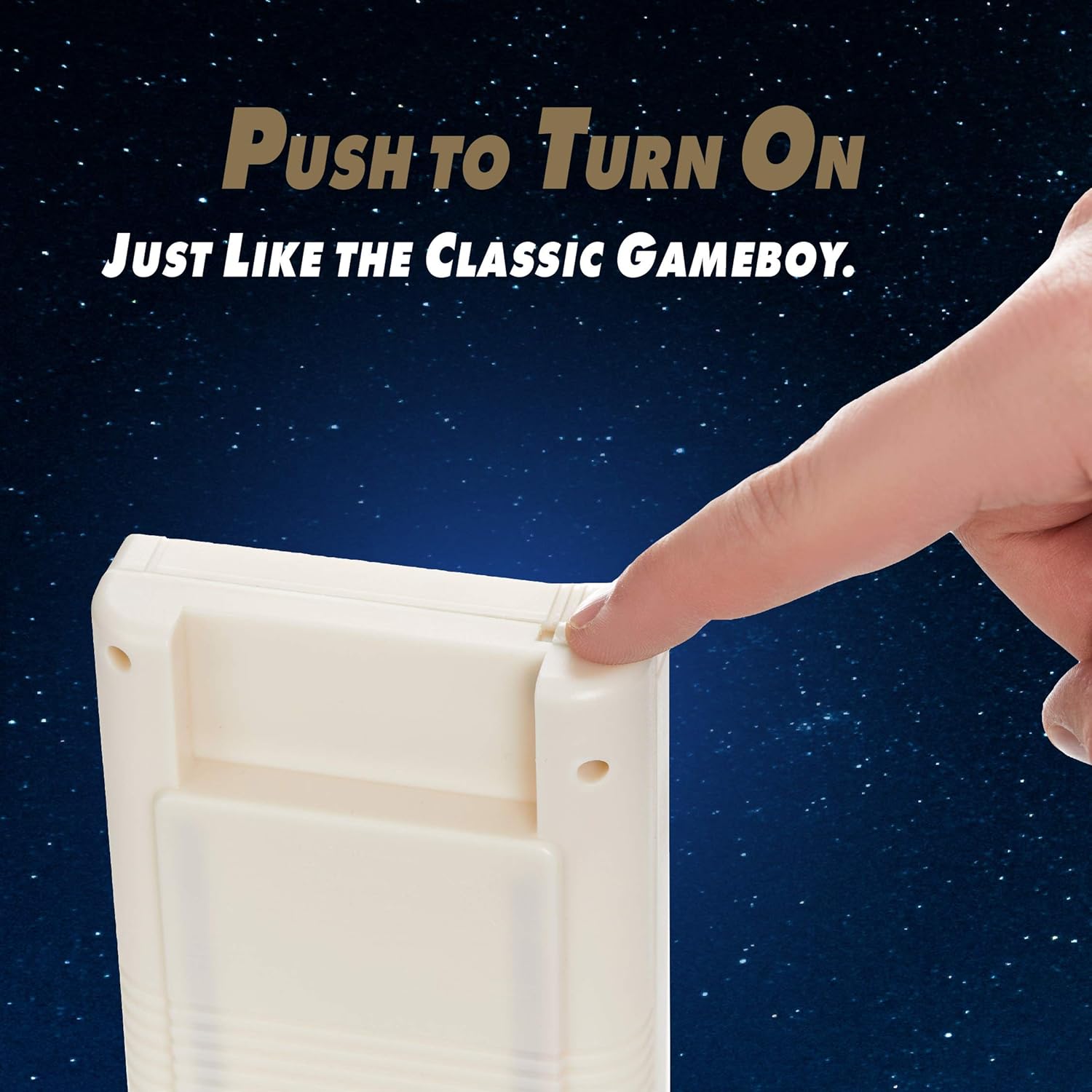
Image: Close-up view of the Game Boy Light, highlighting the power switch located on the top.
5. Maintenance
5.1 Cleaning
To clean the Game Boy Light, gently wipe the surface with a soft, dry cloth. Do not use abrasive cleaners or solvents, as these may damage the finish.
5.2 Battery Replacement
When the light appears dim or stops functioning, it is time to replace the batteries. Follow the battery installation steps in Section 3.1.
6. Troubleshooting
| Problem | Possible Cause | Solution |
|---|---|---|
| Light does not turn on. | Batteries are not installed or are depleted. | Ensure 3 x AAA batteries are correctly installed. Replace with new batteries if necessary. |
| Light is dim. | Batteries are low. | Replace all 3 x AAA batteries with new ones. |
7. Specifications
- Brand: Paladone
- Model Name: Gameboy Light V4
- Model Number: PP5103NNV2
- Manufacturer Part Number: PP5103NNTX
- Color: Gray
- Power Source: 3 x AAA Batteries (not included)
- Item Weight: 0.13 Kilograms
- Dimensions: Approximately 15 cm (5.75 inches) tall, 9 cm (3.5 inches) wide, 7 cm (2.75 inches) deep.

Image: Visual representation of the Game Boy Light's dimensions.
8. Warranty & Support
This product is sold without a manufacturer's warranty. For any product-related inquiries or support, please refer to the retailer where the product was purchased or visit the official Paladone website for further assistance.
9. Product Video
Video: Official product video demonstrating the features and operation of the Paladone Game Boy Light.