
Introduction
This instruction manual provides important information regarding the safe and efficient use of your ASHATA 21W 15V 1.4A DC Power Adapter Charger. Please read this manual thoroughly before using the product and retain it for future reference.
Safety Information
To ensure safe operation and prevent damage, observe the following safety precautions:
- Ensure the power adapter's voltage and current specifications match the requirements of your device.
- Do not expose the adapter to water, moisture, or extreme temperatures.
- Avoid dropping or subjecting the adapter to strong impacts.
- Do not attempt to disassemble or modify the adapter. Refer all servicing to qualified personnel.
- Unplug the adapter from the power outlet when not in use for extended periods.
- Keep the adapter away from children.
- The adapter is designed with multiple protection features including overvoltage, overload, temperature, and short circuit protection for enhanced safety.
Package Contents
Verify that all items are present upon opening the package:
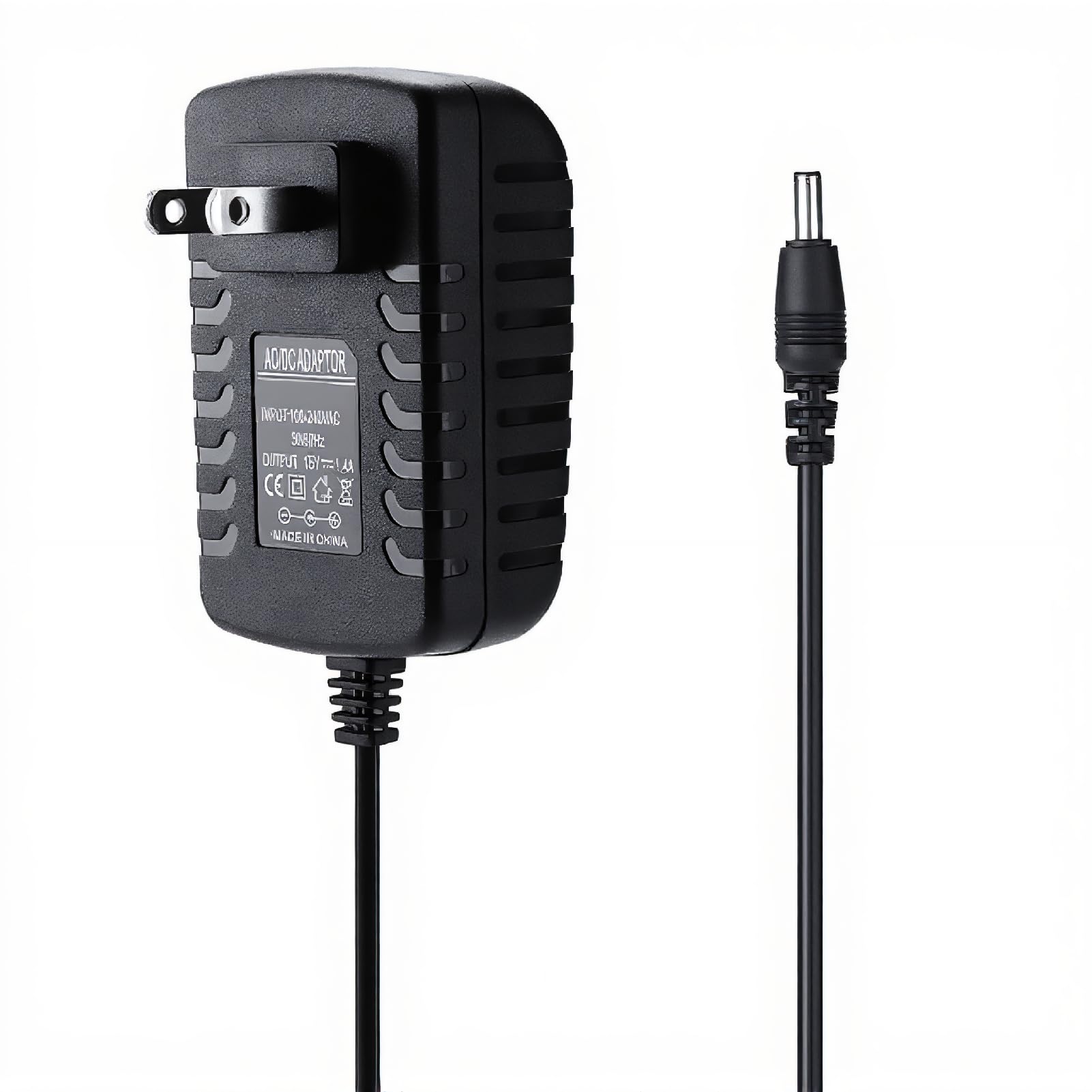
- 1 x ASHATA 21W 15V 1.4A DC Power Adapter Charger (Model: ASHATApg40kho1im-01)
Product Overview
The ASHATA 21W 15V 1.4A DC Power Adapter Charger is a reliable replacement power supply designed for compatible devices requiring 15V DC input. It features a durable 6.7-foot cable and is constructed from environmental-friendly ABS material. The adapter has passed UL certification and conforms to US Energy Star VI for energy efficiency.


Setup
Follow these steps to set up your power adapter:
- Verify Compatibility: Before connecting, ensure your device requires a 15V DC input and a 1.4A current or less. Check your device's power specifications.
- Connect to Device: Insert the DC plug of the ASHATA power adapter firmly into the power input port of your electronic device.
- Connect to Power Outlet: Plug the AC prongs of the power adapter into a standard 100-240V wall outlet.
- Power On Device: Once connected, power on your device as usual. The adapter will begin supplying power.
Operating Instructions
The ASHATA power adapter operates automatically once connected. It converts AC wall power to the required DC voltage for your device.
- The adapter is designed for continuous operation within its specified input and output parameters.
- Its low energy consumption complies with US Energy Star VI standards.
- The special design and materials help maintain a low operating temperature for safety and longevity.
Maintenance
Proper maintenance ensures the longevity and optimal performance of your power adapter:
- Cleaning: Disconnect the adapter from the power outlet and your device before cleaning. Use a soft, dry cloth to wipe the exterior. Do not use liquid cleaners or solvents.
- Storage: Store the adapter in a cool, dry place when not in use. Avoid tightly coiling the cable to prevent damage.
- Inspection: Periodically inspect the cable and connectors for any signs of wear, fraying, or damage. If damage is observed, discontinue use and replace the adapter.
Troubleshooting
If you encounter issues with your ASHATA power adapter, refer to the following common problems and solutions:
| Problem | Possible Cause | Solution |
|---|---|---|
| Device not powering on | 1. Adapter not properly plugged in. 2. Device not compatible with adapter specifications. 3. Faulty power outlet. 4. Damaged adapter or cable. | 1. Ensure both ends of the adapter are securely connected. 2. Verify your device's power requirements (15V DC, 1.4A). 3. Test the power outlet with another device. 4. Inspect the adapter and cable for visible damage. If damaged, replace the adapter. |
| Adapter feels hot during use | 1. Normal operation (slight warmth is expected). 2. Overload or poor ventilation. | 1. A slight warmth is normal. If it's excessively hot, disconnect immediately. 2. Ensure the adapter is not covered and has adequate airflow. Confirm the connected device does not exceed the adapter's 1.4A current rating. |
| Intermittent power supply | Loose connection or damaged cable. | Check all connections for tightness. Inspect the cable for damage. Replace if necessary. |
If the problem persists after attempting these solutions, please contact ASHATA customer support.
Specifications
| Feature | Specification |
|---|---|
| Model Number | ASHATApg40kho1im-01 |
| Input Voltage | AC 100-240V, 50/60Hz |
| Output Voltage | DC 15V |
| Output Current | 1.4A |
| Total Output Power | 21W |
| DC Plug Dimensions | 3.5mm (Outer Diameter) x 1.35mm (Inner Diameter) |
| Cable Length | 6.7 feet (approximately 2.04 meters) |
| Material | Environmental-friendly ABS |
| Certifications | UL Listed, US Energy Star VI compliant |
| Item Weight | 3.73 ounces (approximately 105.7 grams) |
| Manufacturer | ASHATA |
Support
For any questions, concerns, or assistance with your ASHATA Power Adapter Charger, please contact our customer service. We are committed to providing comprehensive after-sales support.
Please refer to the retailer's website or your purchase documentation for specific contact details.