Introduction
This manual provides instructions for the safe and effective use of your Breville Barista Touch Espresso Machine, model BES880BSS. Please read all instructions thoroughly before operating the appliance and retain this manual for future reference.
Important Safeguards
- Always ensure the appliance is properly assembled before use.
- Do not immerse the power cord, power plug, or appliance in water or any other liquid.
- Unplug the appliance from the power outlet before cleaning, attempting to move, or when not in use.
- Keep hands and cords away from hot parts of the appliance during operation.
- Use only cold, filtered water in the water tank.
Components Overview
Familiarize yourself with the various parts of your Breville Barista Touch Espresso Machine.

Image: The Breville Barista Touch Espresso Machine, showing the bean hopper, water tank, portafilter, steam wand, and touchscreen interface.
- Bean Hopper: Holds fresh coffee beans for grinding.
- Integrated Conical Burr Grinder: Grinds beans directly into the portafilter.
- Touchscreen Display: Intuitive interface for selecting and customizing drinks.
- Portafilter: Holds ground coffee for espresso extraction.
- Steam Wand: Used for texturing milk for lattes and cappuccinos.
- Drip Tray: Collects excess water and coffee spills.
- Water Tank: Removable tank for water supply.
- Knock Box Mini: Included accessory for discarding used coffee pucks.
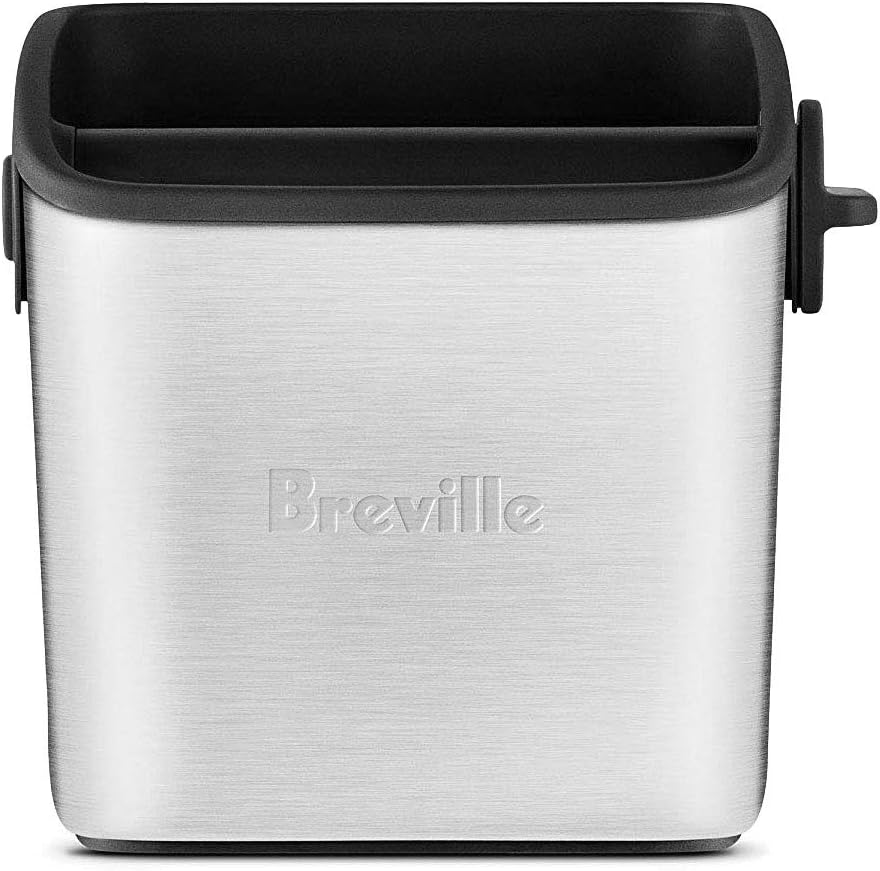
Image: The Breville Knock Box Mini, a brushed stainless steel container for disposing of used coffee grounds.
Setup
Unpacking and Initial Cleaning
- Remove all packaging materials and promotional labels from your espresso machine.
- Wash the water tank, portafilter, filter baskets, milk jug, and drip tray in warm soapy water. Rinse thoroughly and dry all parts.
- Wipe the exterior of the machine with a soft, damp cloth.
Assembling the Machine
- Place the machine on a flat, stable surface.
- Insert the water filter into the water tank, then fill the water tank with cold, filtered water and slide it into place at the back of the machine.
- Attach the bean hopper to the top of the machine and lock it into position by turning the dial.
- Plug the power cord into a grounded power outlet.
First Use / Priming the Machine
Upon first use or after a period of inactivity, the machine needs to be primed.
- Follow the on-screen instructions on the touchscreen display to complete the initial setup, including water hardness testing.
- The machine will guide you through a flush cycle to prepare it for use.
Operating the Machine
Touchscreen Interface
The Barista Touch features an intuitive touchscreen display for selecting and customizing your coffee.
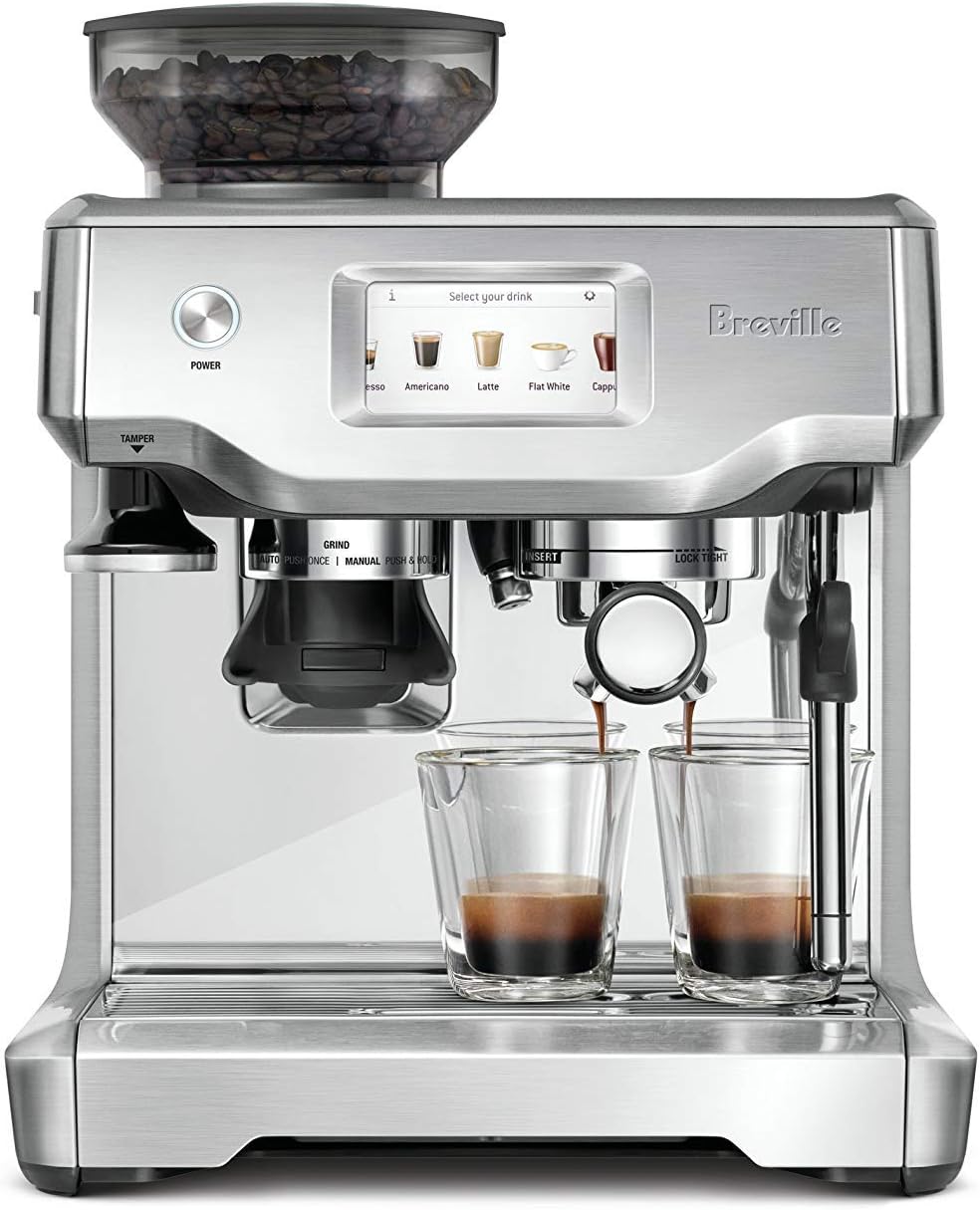
Image: The touchscreen display of the Breville Barista Touch, showing options for Espresso, Americano, Latte, Flat White, and Cappuccino.
Making Espresso
- Select Drink: On the touchscreen, select your desired espresso-based drink (e.g., Espresso, Americano).
- Grind: Place the portafilter under the grinder outlet. The machine will automatically grind the correct amount of coffee for your selected drink.
- Tamp: Use the integrated tamper to press the ground coffee firmly and evenly into the portafilter.
- Extract: Insert the portafilter into the group head and lock it into place. Place your cup(s) under the spouts. Press the 'Brew' button on the screen to start extraction.

Image: A close-up of the Breville Barista Touch Espresso Machine, showing espresso being extracted simultaneously into two glass cups.
Texturing Milk
The automatic steam wand allows for hands-free milk texturing.
- Fill the milk jug with cold milk to just below the spout.
- Position the steam wand into the milk jug.
- Select your desired milk temperature and texture on the touchscreen.
- Press the 'Milk' button to start texturing. The machine will automatically stop when the desired temperature is reached.
- Wipe the steam wand immediately after use with a damp cloth.

Image: A person pouring perfectly textured milk from a stainless steel jug into a cup of espresso, creating latte art.
Customizing Drinks
You can customize grind size, shot volume, milk temperature, and texture for each drink.

Image: The touchscreen display showing customization options for a Cappuccino, including grind time, brew volume (double), milk temperature (65°C), and milk texture level.
After customizing, you can save your personalized drink settings for future use.
Maintenance
Daily Cleaning
- Steam Wand: Wipe the steam wand immediately after each use with a damp cloth. Purge the wand briefly to clear any milk residue.
- Portafilter and Filter Baskets: Rinse under hot water after each use.
- Drip Tray: Empty and rinse the drip tray daily.
Weekly Cleaning
- Group Head: Use the cleaning brush to remove any ground coffee from the group head. Perform a backflush cycle using a cleaning tablet as instructed by the machine.
- Grind Burrs: Clean the grind burrs periodically using the provided brush. Refer to the machine's menu for specific instructions on removing and cleaning the burrs.
Descaling
The machine will prompt you when descaling is required. Follow the on-screen instructions and use a Breville descaling solution.
Water Filter Replacement
Replace the water filter every 3 months or after 40L of water, whichever comes first. The machine will indicate when a replacement is due.
Troubleshooting
| Problem | Possible Cause | Solution |
|---|---|---|
| No coffee flow | Water tank empty, clogged filter basket, or machine needs descaling. | Refill water tank, clean filter basket, or perform descaling cycle. |
| Espresso extracts too fast/slow | Grind size too coarse/fine, or incorrect dose. | Adjust grind size (finer for too fast, coarser for too slow) and ensure proper tamping. |
| Milk not texturing properly | Steam wand clogged, or milk jug not positioned correctly. | Clean steam wand thoroughly. Ensure steam wand is fully immersed in milk. |
| Machine not turning on | Power cord not plugged in, or power outlet issue. | Check power connection and try a different outlet. |
Specifications
- Brand: Breville
- Model: BES880BSS
- Material: Brushed Stainless Steel
- Coffee Maker Type: Espresso Machine
- Special Feature: Touch Screen, Integrated Conical Burr Grinder, Automatic Milk Texturing, PID Temperature Control
- Color: Silver
Warranty & Support
Manufacturer's Warranty
Your Breville Barista Touch Espresso Machine is covered by a manufacturer's warranty. Please refer to the separate warranty card included with your product for full terms and conditions, including warranty period and coverage details.
Customer Support
For product support, spare parts, or service inquiries, please visit the official Breville website or contact their customer service department. Contact details can typically be found on the Breville website or in your product packaging.


