1. Product Overview
The hizpo 8-inch Android 13 Car Stereo is an advanced infotainment system designed for select Mercedes-Benz models, including W169, W639, W906 Sprinter 2500, Sprinter 3000, Vito, Viano, and B200. This unit integrates a high-resolution touchscreen with Android 13 operating system, offering features such as GPS navigation, wireless Apple CarPlay, Android Auto, Bluetooth connectivity, RDS radio, Steering Wheel Control (SWC) compatibility, and a Digital Sound Processor (DSP) for enhanced audio.
This manual provides essential information for the proper installation, operation, and maintenance of your car stereo system.
2. What's in the Box
Carefully unpack all components and verify that you have received the following items:
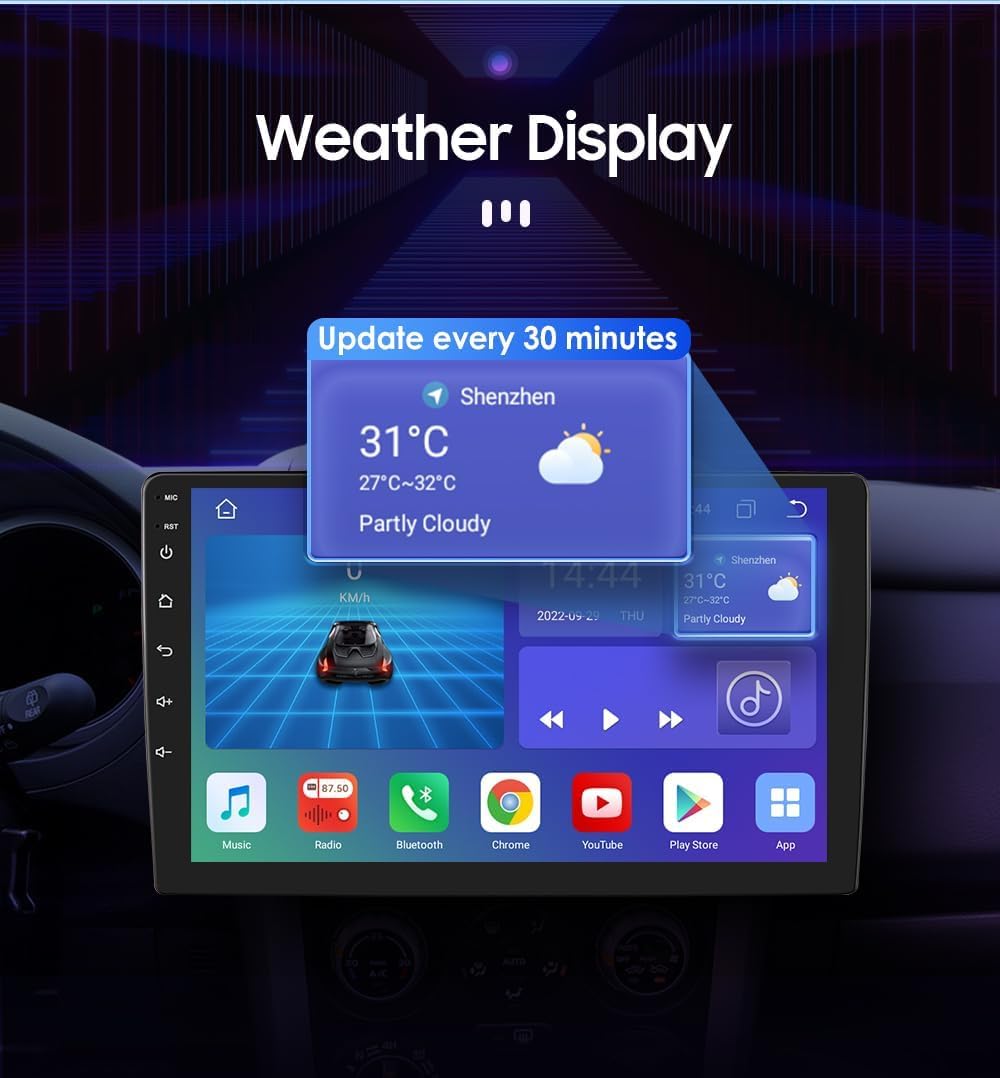
Image: Contents of the hizpo car stereo box.
- hizpo 8-Inch Car Stereo Main Unit
- Power Cable & Canbus Decoder
- RCA Harness with 4G SIM Card Slot
- Rear Camera Input RCA Cable
- 2*USB Adapter Cables
- 4G LTE Antenna
- GPS Antenna
- External Microphone
- Radio Antenna Adapter Cable
3. Installation Guide
Installation of this car stereo system requires technical knowledge and experience. It is highly recommended to have the unit installed by a qualified professional to ensure proper functionality and avoid damage to your vehicle or the device.
3.1 Wiring Connections
Refer to the wiring diagram and connector pin pictures for correct connections. Ensure all cables are securely connected to prevent intermittent issues.

Image: Connector Pin pictures and wiring diagram.
Important Connection Notes:
- If connected to "Connector 1" Power Interface, connect "I" and "A" interfaces.
- If connected to "Connector 2" Power Interface, connect "Z" and "A" interfaces.
- If connected to "Connector 3" Power Interface, connect "Z" and "A" interfaces.
- For Mercedes-Benz B-class models, choose the appropriate connector (1, 2, or 3) for installation.
- The Canbus Box decodes the steering wheel control functions of your original car system.
- The tandem valve bridges the connection and disconnection of cables for replacing the male connector and Canbus Box.
- If your car has a Command system, this unit is not compatible.
- This device cannot decode the air-conditioning information of your car.
4. Operating Instructions
4.1 Apple CarPlay & Android Auto
Connect your smartphone to the stereo for seamless integration of Apple CarPlay or Android Auto. This allows for voice control of phone calls, GPS navigation, music playback, and messaging.
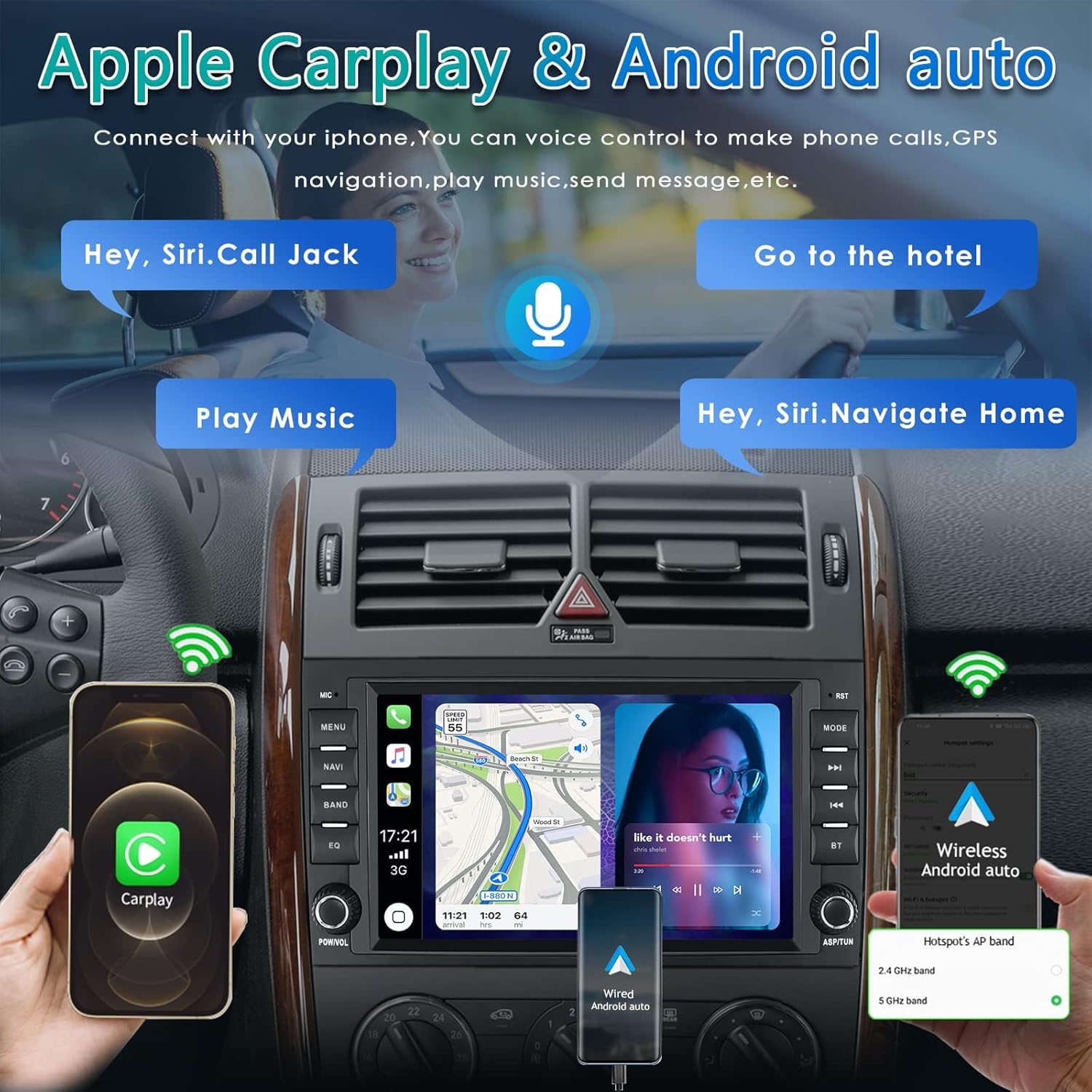
Image: Apple CarPlay and Android Auto interfaces on the car stereo.
Video: Demonstration of the 8-core radio with CarPlay and Android Auto features, including UI navigation, music playback, radio functions, Bluetooth calls, and sound settings.
4.2 Bluetooth Hands-Free Calling and Music
Pair your phone via Bluetooth for hands-free calls and wireless music streaming. The system automatically connects to previously paired devices.

Image: Bluetooth hands-free calling and music streaming.
4.3 FM Radio and Music Playback
Enjoy FM radio with a tuning range of 87.5 - 108MHz and AM radio with a frequency range of 522 - 1620 kHz. The system supports lossless music playback. You can save your favorite stations for quick access.
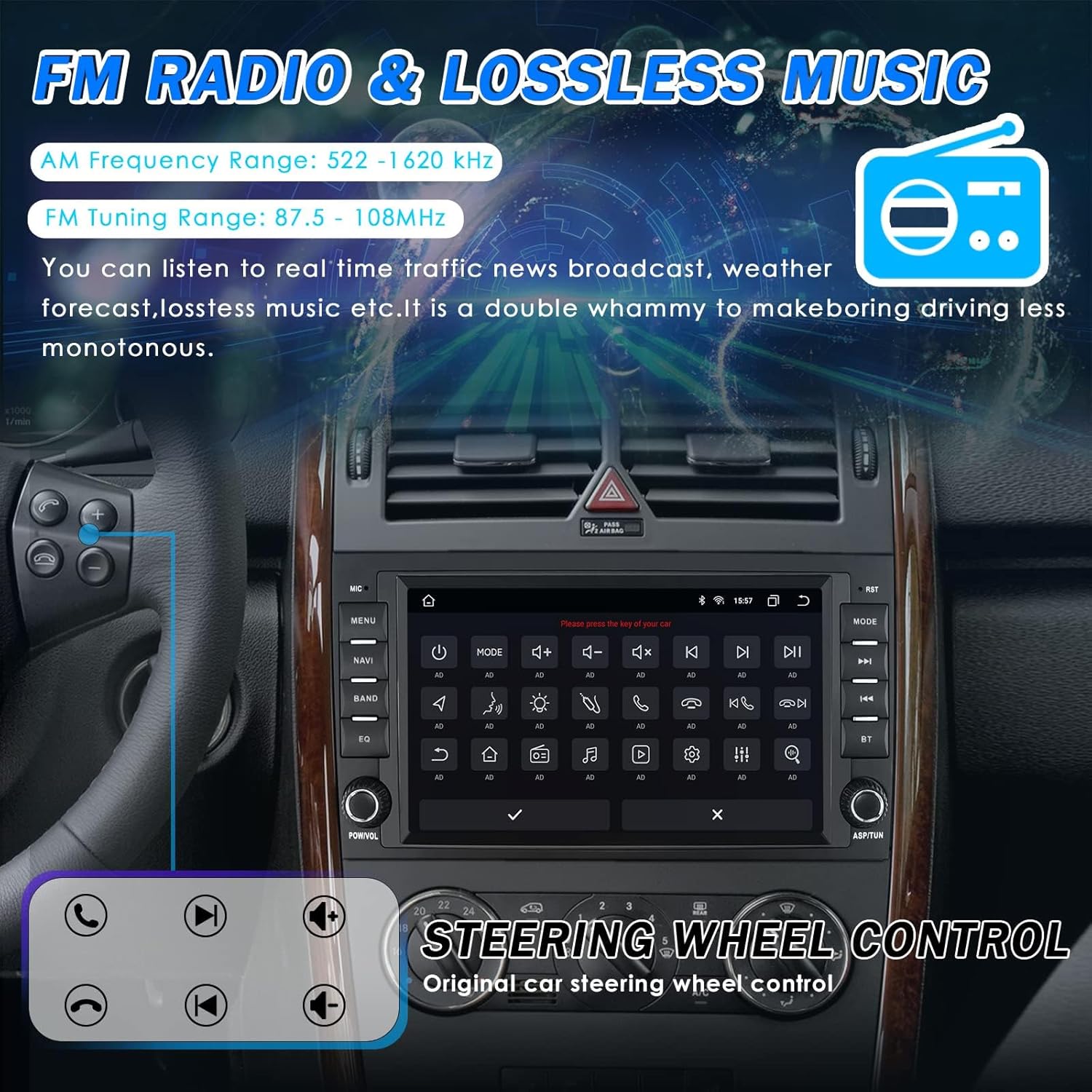
Image: FM Radio and Music Playback interface.
4.4 Steering Wheel Control (SWC)
The unit supports original car steering wheel controls. Follow the on-screen instructions in the 'KeyStudy' or 'SWC' settings to program your steering wheel buttons for convenient control of the stereo functions.

Image: Steering Wheel Control setup interface.
4.5 HD Rearview Camera Input
Connect a compatible rearview camera to the dedicated input. The system will automatically display the camera feed when reversing, assisting in parking and maneuvering by showing blind spots.
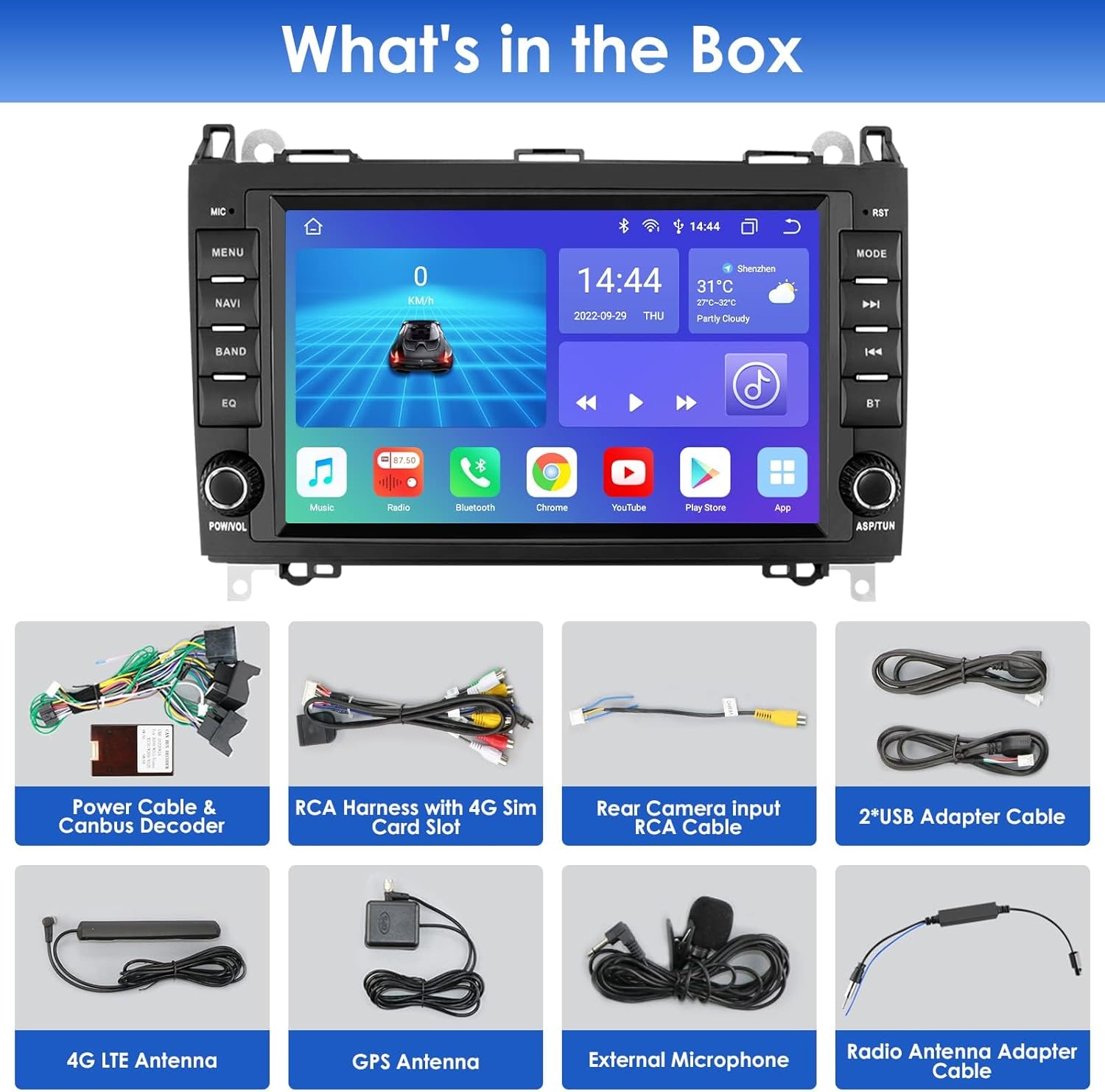
Image: HD Rearview Camera Input functionality.
4.6 Digital Sound Processor (DSP)
The built-in DSP (BU32107EFV) allows for extensive audio customization. Adjust equalizer settings, bass enhancement, sound field, and bass filtering to optimize your listening experience.

Image: DSP Equalizer settings.

Image: Optical and coaxial digital audio output ports.
4.7 Weather Display
The system can display real-time weather information, updating every 30 minutes to keep you informed about current conditions and forecasts.

Image: Weather display on the car stereo.
4.8 Day and Night Mode
The screen brightness automatically adjusts for optimal visibility during day and night driving. Day mode provides plenty of brightness, while night mode ensures the screen is not harsh in low light conditions.

Image: Day and Night Mode display.
4.9 Split Screen Functionality
Utilize the split-screen feature to run two applications simultaneously, such as navigation and music playback, enhancing multitasking capabilities.

Image: Split Screen feature in use.
5. Maintenance
5.1 Cooling System
The unit is equipped with a small cooling fan to dissipate heat and maintain optimal operating temperature. Ensure the fan vents are not obstructed to allow for proper airflow.

Image: Small cooling fan on the rear of the unit.
5.2 Cleaning
Use a soft, dry cloth to clean the touchscreen and exterior of the unit. Avoid using abrasive cleaners or solvents, as they may damage the screen or finish.
6. Troubleshooting
If you encounter any issues with your hizpo car stereo, please refer to the following common troubleshooting steps:
- No Power: Check all power connections and fuses. Ensure the car's ignition is on.
- Poor Radio Reception (AM/FM): Verify that the radio antenna is correctly connected and not damaged. Ensure the antenna adapter cable is properly installed. In some areas, signal strength may vary.
- Volume Issues (Adjusts on its own, too low/high): Check the volume settings in the system's audio menu (DSP). If using steering wheel controls, ensure they are correctly calibrated. A system reset may resolve software glitches.
- GPS Navigation Inaccurate: Ensure the GPS antenna is installed in a location with a clear view of the sky. Verify that GPS settings are configured correctly in the system. Update map data if available.
- Bluetooth Connection/Music Playback Issues: Ensure Bluetooth is enabled on both the stereo and your phone. Unpair and re-pair the device. Check the phone's media output settings.
- Poor Call Quality: Ensure the external microphone is properly connected and positioned. Check Bluetooth connection stability.
- Screen Freezes or Touchscreen Unresponsive: Perform a soft reset of the unit (refer to the device's specific reset procedure, often a small reset button). If the issue persists, a factory reset might be necessary (note: this will erase all user data).
- Manual Buttons Not Switching on Touch Screen: Verify that the physical buttons are functioning correctly. This could indicate a software or hardware issue. Try a system reset.
If these steps do not resolve the issue, please contact hizpo customer support for further assistance.
7. Specifications
| Feature | Detail |
|---|---|
| Brand | hizpo |
| Model Number | BENZB2007001 |
| Package Dimensions | 13.19 x 11.02 x 7.48 inches |
| Item Weight | 6.91 pounds |
| Connectivity Technology | Bluetooth, Wi-Fi |
| Controller Type | Android |
| Special Feature | Built-In Bluetooth |
| Compatible Devices | Smartphone |
| Connector Type | USB |
| Surround Sound Channel Configuration | 4.0 |
| Video Encoding | MPEG-1, MPEG-2, MPEG-4, H.263, H.264, VP8, VC1, RV, RMVB, DivX, Sorenson SparK, Spark, AVS Stream |
| Color | Black |
| Number of Channels | 4 |
| Manufacturer | JBY TECH |
| Date First Available | July 3, 2019 |
8. Warranty and Support
For warranty information and technical support, please refer to the documentation included with your product or contact hizpo customer service directly. Keep your purchase receipt as proof of purchase for warranty claims.