1. Product Overview
The Goojodoq Bluetooth Sleep Headphones are designed for comfort and convenience, offering a wireless audio experience with noise isolation. Ideal for relaxation, sleep, gym, and sports, these in-ear earbuds provide stable sound transmission and hands-free calling.

Figure 1: Goojodoq Bluetooth Sleep Headphones, showcasing the in-ear earbuds and flexible neckband.
Key Features:
- Soft and Comfortable Earplugs: Noise-isolating design effectively blocks background noise, suitable for sleeping, gym, and relaxation.
- Extended Battery Life: Up to 18 hours of music playback with only 1-2 hours of charging.
- Ergonomic Double Layer Design: Soft and flexible silicone ear tips fit most ear sizes for secure and comfortable wear.
- HD Sound & Hands-Free Calls: Bluetooth 4.2 technology provides superior acoustic quality and a built-in HD microphone for clear calls.
- In-line Controls: Easy access to volume, track control, play/pause, and call management.
2. Package Contents
Please check the package to ensure all items are present:
- Goojodoq Bluetooth Sleep Headphones
- USB Charging Cable
- User Manual (this document)
3. Setup and Pairing
3.1 Charging the Headphones
Before first use, fully charge your headphones. The charging time is approximately 1-2 hours for up to 18 hours of music playback.
- Connect the provided USB charging cable to the charging port on the headphones.
- Connect the other end of the USB cable to a USB power adapter (not included) or a computer's USB port.
- The indicator light will show charging status (refer to LED indicator section for details).
- Once fully charged, disconnect the cable.
3.2 Bluetooth Pairing
The headphones use Bluetooth 4.2 for stable connection. They are compatible with iPhone, iPad, iPod touch, Samsung smartphones, and tablets, and other Bluetooth-enabled devices within a 10-meter range.
- Ensure the headphones are turned off.
- Press and hold the Multi-function button (usually the center button on the in-line control) for 3-5 seconds until the LED indicator flashes red and blue alternately, indicating pairing mode.
- On your device (smartphone, tablet, etc.), go to Bluetooth settings and turn Bluetooth on.
- Search for available devices. You should see "goojodoq" or a similar name in the list.
- Select the headphone name to connect. Once successfully paired, the LED indicator will flash blue slowly, and you may hear a confirmation tone.

Figure 2: Example of a device's Bluetooth pairing screen, showing the "goojodoq" headphones ready for connection.
Note: Once paired, the headphones will automatically connect to the last paired device when turned on, if the device's Bluetooth is active and within range.
4. Operating Instructions
4.1 Wearing the Headphones
The soft silicone earplugs are designed for comfortable, long-term wear, including during sleep. The flexible neckband allows the headphones to be worn around the neck when not in use.
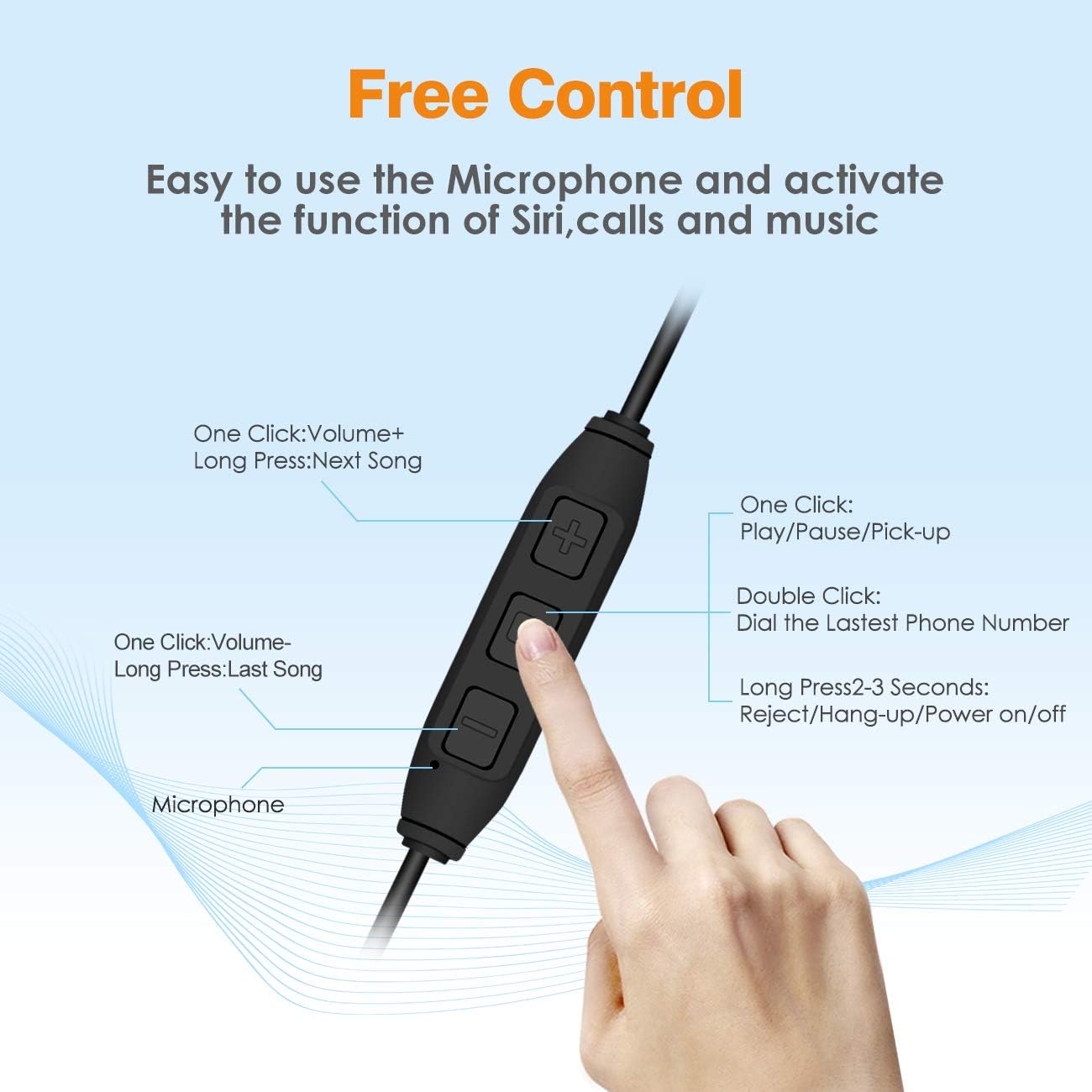
Figure 3: Illustration showing how to properly insert the soft earplugs for optimal fit and noise reduction.
4.2 In-line Control Functions
The in-line control unit allows for easy management of music playback and calls.
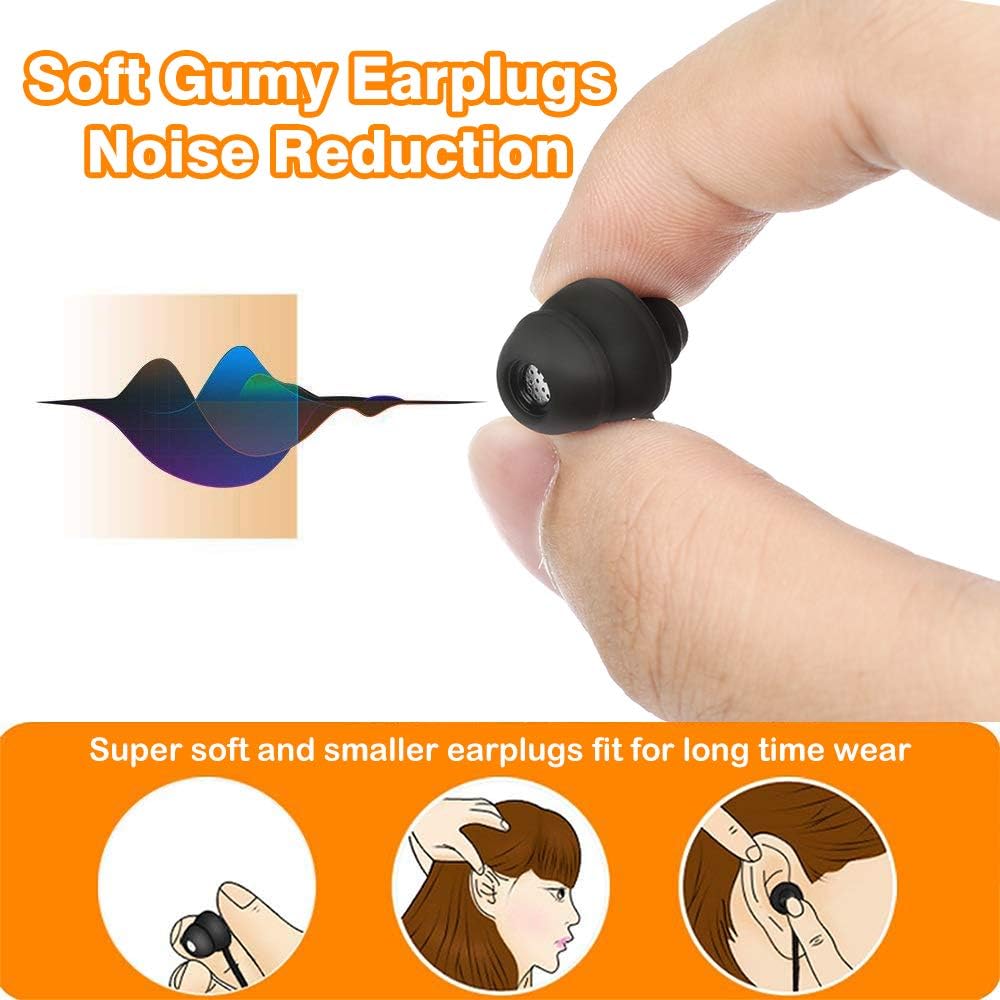
Figure 4: Diagram illustrating the functions of the in-line control buttons, including volume, track navigation, play/pause, and call management.
| Button/Action | Function |
|---|---|
| Multi-function Button (Center) |
|
| Volume + Button |
|
| Volume - Button |
|
4.3 Noise Isolation
The in-ear earplug design is specifically engineered to effectively block out background noise, providing a peaceful listening environment. This feature is particularly beneficial for users seeking to block out snoring, ambient room noise, or other distractions.

Figure 5: Image demonstrating the noise reduction capability of the in-ear earplug design, showing how it effectively blocks out external sounds.
5. Maintenance and Care
To ensure the longevity and optimal performance of your Goojodoq Bluetooth Sleep Headphones, please follow these maintenance guidelines:
- Cleaning: Gently wipe the earbuds and neckband with a soft, dry cloth. Do not use harsh chemicals or abrasive cleaners.
- Storage: Store the headphones in a cool, dry place away from direct sunlight and extreme temperatures. Avoid tangling the cables.
- Water Resistance: While designed for sports and exercise, these headphones are not fully waterproof. Avoid submerging them in water or exposing them to heavy rain.
- Charging: Use only the provided USB charging cable. Avoid overcharging the battery.
6. Troubleshooting
| Problem | Possible Cause | Solution |
|---|---|---|
| Headphones won't turn on. | Low battery. | Charge the headphones fully. |
| Cannot pair with device. |
|
|
| No sound or poor sound quality. |
|
|
| Battery low warning frequently. | Battery nearing end of charge cycle. | Recharge the headphones. |
7. Specifications
- Model: GOOJODOQ-J09
- Brand: Goojodoq
- Connectivity: Bluetooth 4.2
- Wireless Range: Up to 10 meters (33 feet)
- Frequency Response: 20Hz - 23KHz
- Battery Capacity: 260mAh
- Music Playback Time: Up to 18 hours
- Charging Time: Approximately 1-2 hours
- Standby Time: Up to 500 hours
- Material: Silicone
- Weight: 2.89 ounces (approx. 82g)
- Control Type: Media Control (in-line buttons)
- Microphone: Built-in HD microphone
- Noise Control: Sound Isolation
- UPC: 709327354741, 709327353096
8. Warranty and Support
Goojodoq provides a 6-month warranty for these Bluetooth Sleep Headphones, covering manufacturing defects. Additionally, a 30-day return policy is offered for customer satisfaction.
For any questions, technical support, or warranty claims, please do not hesitate to contact Goojodoq customer service. Refer to the product packaging or the seller's information on the purchase platform for specific contact details.
We are committed to providing kind customer service and ensuring your satisfaction with our products.
9. Product Video Overview
Video Description: An official product video from Goojodoq showcasing the features and benefits of the Bluetooth Sleep Headphones, including their design, comfort, and functionality.