
1. Introduction
This manual provides essential instructions for the safe and efficient operation of your De'Longhi PACN82ECO Portable Air Conditioner. Please read this manual thoroughly before using the appliance and keep it for future reference. This appliance is designed to provide cooling and dehumidification for indoor spaces.
2. Safety Information
Important Safety Instructions:
- Always ensure the appliance is connected to a properly grounded power outlet.
- Do not operate the appliance with a damaged cord or plug. If the cord is damaged, it must be replaced by the manufacturer, its service agent, or similarly qualified persons to avoid a hazard.
- Do not block air inlets or outlets. Maintain a minimum distance from walls and furniture to ensure proper airflow.
- This appliance uses R290 refrigerant, which is odorless and flammable. Ensure the appliance is installed, operated, and stored in a room with a floor area larger than 4 m².
- Do not use means to accelerate the defrosting process or to clean, other than those recommended by the manufacturer.
- Keep the appliance away from heat sources and direct sunlight.
- Unplug the appliance before cleaning or performing any maintenance.
- This appliance is not intended for use by persons (including children) with reduced physical, sensory or mental capabilities, or lack of experience and knowledge, unless they have been given supervision or instruction concerning use of the appliance by a person responsible for their safety.
3. Product Overview
The De'Longhi PACN82ECO is a portable air conditioner designed for efficient cooling and dehumidification. It features a compact design with integrated handles and wheels for easy mobility.

Figure 1: Front view of the De'Longhi PACN82ECO Portable Air Conditioner. This image shows the appliance's sleek white design with the De'Longhi logo and "Pinguino" branding.
Key Features:
- Cooling Capacity: 9,400 BTU/h for rooms up to 80 m³.
- Energy Efficiency: Class A rating.
- Dehumidification Function: Removes up to 32 liters of moisture per 24 hours.
- Fan Function: Three different fan speeds for optimal comfort.
- Control Panel: Frontal display with Sensor Touch function for easy settings adjustment (temperature, fan speed, timer).
- Remote Control: Included for convenient operation.
- Timer: 12-hour programmable timer.
- Refrigerant: Uses eco-friendly R290 propane gas.
- Portability: Equipped with handles and wheels for easy movement.
4. Setup
Follow these steps for initial setup of your portable air conditioner.
- Unpack the Appliance: Carefully remove the air conditioner from its packaging. Retain packaging for future storage.
- Positioning: Place the air conditioner on a flat, stable surface. Ensure there is at least 30 cm (12 inches) of clear space around the unit for proper air circulation.
- Install the Exhaust Hose:
- Screw the hose connector onto one end of the exhaust hose.
- Insert the other end of the hose into the air outlet opening on the back of the appliance.
- Extend the exhaust hose and place the window outlet adapter through an open window or sliding door. Ensure the hose is as short and straight as possible to maximize efficiency.
- Power Connection: Plug the power cord into a suitable grounded electrical outlet.
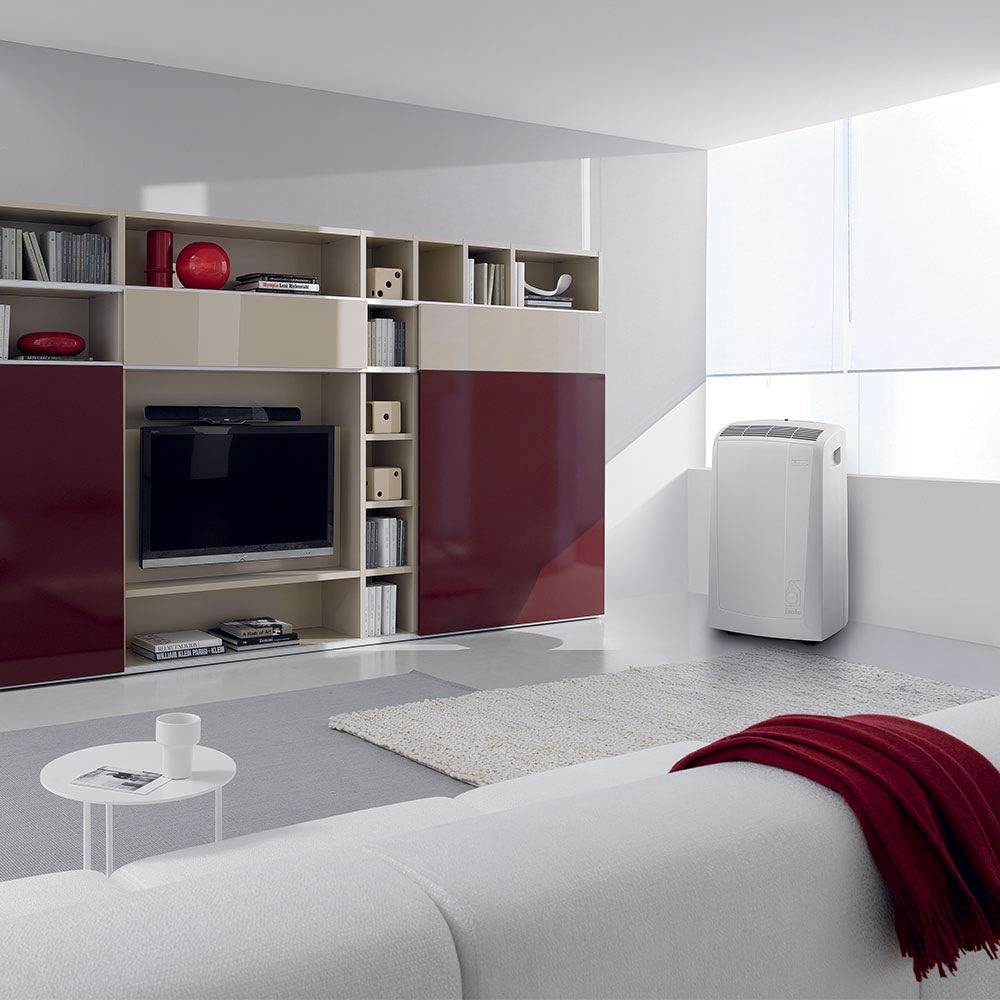
Figure 2: The De'Longhi PACN82ECO positioned in a living room, demonstrating typical placement near a window for exhaust.
5. Operating Instructions
Control Panel:
The control panel is located on the top of the unit and features touch-sensitive buttons and a digital display.
Operating Modes:
- Cooling Mode (❄):
Press the MODE button until the cooling symbol appears. Use the + and - buttons to set your desired temperature. The fan speed can be adjusted using the FAN SPEED button.
- Dehumidification Mode (💧):
Press the MODE button until the dehumidification symbol appears. In this mode, the appliance removes moisture from the air without significant cooling. The fan speed is typically set to low or automatic.
- Fan Mode (💨):
Press the MODE button until the fan symbol appears. In this mode, the appliance circulates air without cooling or dehumidifying. Use the FAN SPEED button to select from three fan speeds (low, medium, high).
Timer Function:
The 12-hour timer allows you to program the appliance to turn on or off automatically.
- To program auto-off: With the appliance running, press the TIMER button. Use the + and - buttons to set the desired delay time (in hours) before the unit turns off.
- To program auto-on: With the appliance off, press the TIMER button. Use the + and - buttons to set the desired delay time (in hours) before the unit turns on.
Remote Control:
The remote control duplicates most functions of the control panel for convenient operation from a distance. Ensure there are no obstructions between the remote control and the appliance.
6. Maintenance
Regular maintenance ensures optimal performance and extends the lifespan of your air conditioner. Always unplug the appliance before performing any maintenance.
Cleaning the Air Filter:
The air filter should be cleaned regularly (every two weeks or more often if used frequently).
- Turn off the appliance and unplug it from the power outlet.
- Locate the air filter panel (usually at the back or side of the unit).
- Remove the filter.
- Clean the filter using a vacuum cleaner to remove dust, or wash it gently with lukewarm water and a mild detergent. Rinse thoroughly.
- Allow the filter to dry completely before reinserting it into the appliance. Do not expose to direct sunlight.
Draining Condensate Water:
During dehumidification or in very humid conditions, water may accumulate in the internal tank. The appliance will usually indicate when the tank is full.
- Turn off the appliance and unplug it.
- Place a shallow pan or container under the drainage outlet (usually located at the bottom rear of the unit).
- Remove the drain cap and plug.
- Allow all water to drain completely.
- Replace the drain plug and cap securely.
Storage:
If the appliance will not be used for an extended period:
- Drain all condensate water.
- Clean the air filter.
- Cover the appliance to protect it from dust.
- Store in a dry, cool place.
7. Troubleshooting
Before contacting customer service, please refer to the following troubleshooting guide for common issues.
| Problem | Possible Cause | Solution |
|---|---|---|
| Appliance does not turn on. | No power supply; power cord not plugged in; fuse blown; timer active. | Check power connection; check household fuse/circuit breaker; deactivate timer. |
| Appliance cools insufficiently. | Windows/doors open; exhaust hose blocked or improperly installed; air filter dirty; room too large; temperature setting too high. | Close windows/doors; ensure exhaust hose is clear and correctly installed; clean air filter; adjust temperature setting lower. |
| Appliance is noisy. | Unit not on a flat surface; air filter dirty; internal components vibrating. | Place on a flat surface; clean air filter. Note: Portable air conditioners produce some operational noise due to the compressor and fan. |
| Water leaks from the unit. | Drain plug not securely closed; internal water tank full (in dehumidification mode). | Ensure drain plug is tightly closed; drain the water tank. |
8. Specifications
Technical specifications for the De'Longhi PACN82ECO Portable Air Conditioner.
| Feature | Specification |
|---|---|
| Brand | De'Longhi |
| Model Number | PACN82ECO |
| Cooling Capacity | 9,400 BTU/h |
| Recommended Room Volume | Up to 80 m³ |
| Energy Efficiency Class | A |
| Dehumidification Capacity | 32 Liters/24 hours |
| Noise Level | 52 Decibels |
| Refrigerant | R-290 |
| Voltage | 230 V |
| Power | 2.4 KW |
| Dimensions (L x W x H) | 6.12 x 6.96 x 11.62 cm |
| Weight | 30 Kilograms (66.14 Pounds) |
| Special Features | Dehumidifier, Silent Mode, Portable, Remote Controlled, Fan, Low Consumption |
9. Warranty and Support
Your De'Longhi PACN82ECO Portable Air Conditioner is covered by a manufacturer's warranty. For specific warranty terms and conditions, please refer to the warranty card included with your product or visit the official De'Longhi website.
For technical support, spare parts, or service inquiries, please contact De'Longhi customer service in your region. Contact information can typically be found on the official De'Longhi website or in the product packaging.
Note: Do not attempt to repair the appliance yourself. Unauthorized repairs may void the warranty and pose safety risks.