
1. Introduction
This manual provides detailed instructions for the installation, operation, and maintenance of the Notifier FSP-951R Photoelectric Sensor Head. The FSP-951R is an intelligent photoelectric smoke sensor designed for use in fire alarm systems, featuring FlashScan Technology and remote test capability.
It is crucial to read and understand all instructions before proceeding with installation or operation to ensure proper functionality and safety.
2. Setup and Installation
The Notifier FSP-951R sensor head is designed for easy installation onto a compatible detector base (e.g., AB111 or AB116 UL Listed Base for duct applications). Ensure the power to the control panel is disconnected before beginning installation.
2.1 Unpacking and Inspection
Carefully remove the sensor head from its packaging. Inspect the device for any signs of damage during shipping. Do not install damaged units.
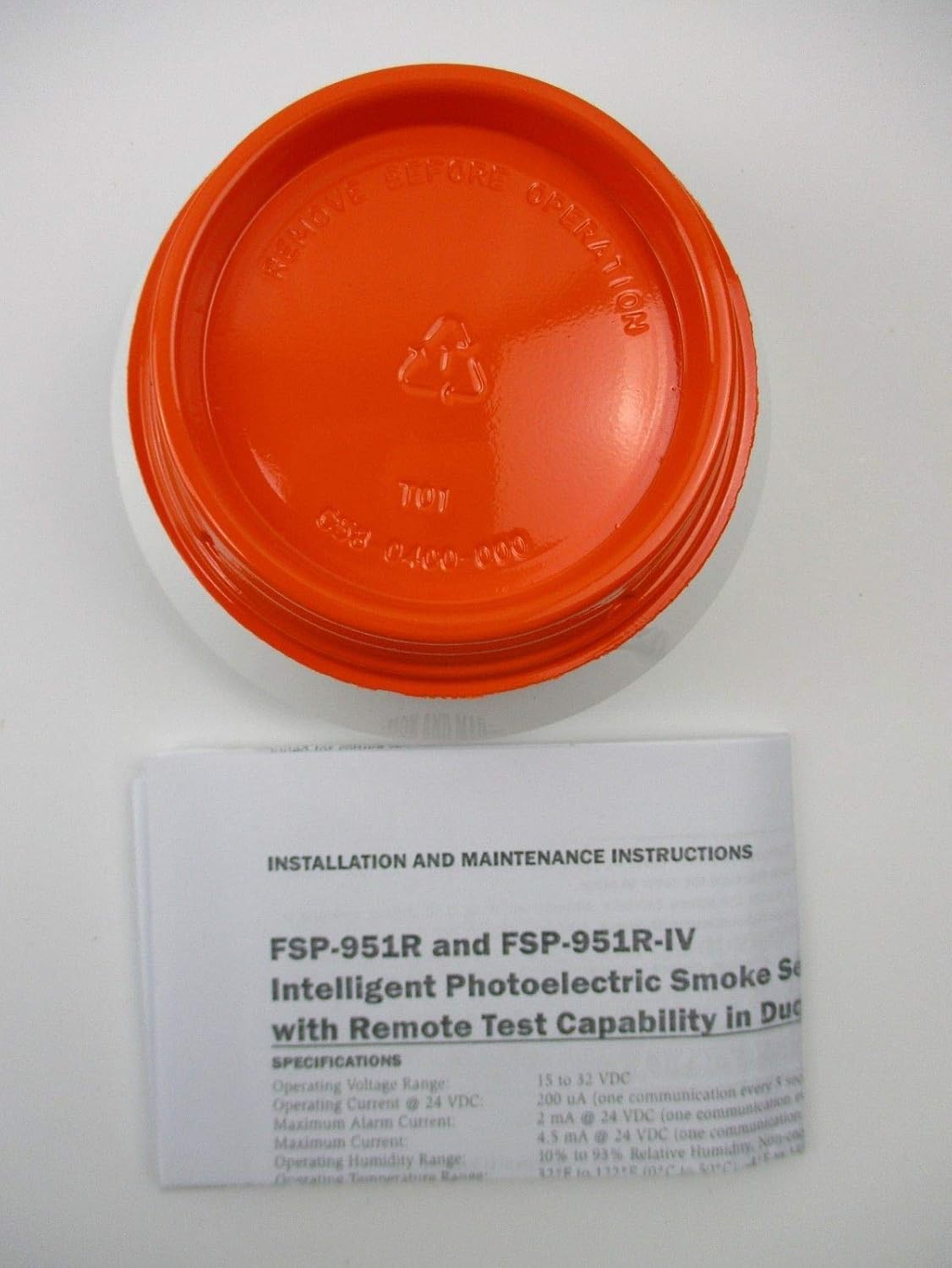
Image: Notifier FSP-951R sensor head with its orange protective cap and a portion of the installation manual. The cap must be removed before operation.
2.2 Mounting the Sensor Head
- Ensure the detector base is securely mounted according to its own instructions and local codes.
- Remove the orange protective cap from the sensor head. This cap is labeled "REMOVE BEFORE OPERATION".
- Align the sensor head with the mounting base. The sensor head typically twists into place on the base.
- Turn the sensor head clockwise until it seats firmly into the base. Refer to the base's instructions for specific alignment marks.
WARNING: Connect the detector only to a properly specified intelligent fire alarm control panel. Improper connection may prevent the system from functioning correctly.

Image: Underside view of the Notifier FSP-951R sensor base, displaying the model number, UL listing, and other technical specifications.
The FSP-951R is suitable for duct applications when used with an AB111 or AB116 UL Listed Base.
3. Operation
The Notifier FSP-951R is an intelligent photoelectric smoke sensor that detects smoke particles in the air. When smoke enters the sensing chamber, it scatters light from an internal LED, which is then detected by a photodiode. This triggers an alarm signal to the connected fire alarm control panel.
3.1 FlashScan Technology
The FSP-951R utilizes FlashScan Technology, which allows for rapid communication between the sensor and the control panel. This technology enables the panel to poll thousands of devices in seconds, providing quick and accurate status updates.
3.2 Remote Test Capability
The sensor includes a remote test feature, allowing for functional testing without direct access to the sensor head. This is particularly useful for sensors installed in hard-to-reach locations, such as ducts. Refer to your fire alarm control panel's manual for specific instructions on initiating a remote test.
3.3 Alarm Indication
Upon detecting smoke and entering an alarm state, the FSP-951R provides an audible alarm indication. The specific sound pattern and duration are typically configured at the fire alarm control panel.
4. Maintenance
Regular maintenance is essential to ensure the continued reliable operation of the Notifier FSP-951R Photoelectric Sensor Head. Adhere to all local and national fire safety codes regarding inspection and maintenance frequency.
4.1 Cleaning
Dust and debris can accumulate in the sensing chamber, potentially leading to false alarms or reduced sensitivity. Periodically clean the exterior of the sensor head using a soft, dry cloth. If the sensing chamber requires cleaning, consult a qualified fire alarm technician.
4.2 Testing
Perform functional tests regularly as required by local codes and manufacturer recommendations. This can be done using the remote test capability or by introducing approved test smoke into the sensing chamber. Always notify relevant personnel before conducting tests to avoid unnecessary alarm activations.
5. Troubleshooting
If the Notifier FSP-951R sensor head is not functioning as expected, consider the following common issues:
- No Power/Communication: Ensure the sensor is correctly seated in its base and that the base is properly wired to the fire alarm control panel. Verify the control panel is powered on and functioning.
- False Alarms: Check for sources of dust, steam, or other aerosols near the sensor. Ensure the sensor is clean and free of obstructions.
- No Alarm During Test: Confirm the remote test function is initiated correctly from the control panel. If using test smoke, ensure it is applied correctly and in sufficient quantity. Verify the sensor is not in a trouble state.
For persistent issues or complex troubleshooting, contact a qualified fire alarm technician or Notifier technical support.
6. Specifications
| Attribute | Value |
|---|---|
| Brand | Notifier |
| Model Number | FSP-951R |
| Part Number | NFSP951R |
| UPC | 734038305140 |
| Sensor Type | Photoelectric |
| Alarm Type | Audible |
| Operating Voltage Range | 15 to 32 VDC |
| Operating Current @ 24 VDC | 200 µA (one communication every 5 seconds) |
| Maximum Alarm Current @ 24 VDC | 2 mA (one communication every 5 seconds) |
| Operating Humidity Range | 10% to 93% Relative Humidity, non-condensing |
| Operating Temperature Range (FSP-951R) | 32°F to 120°F (0°C to 49°C) |
| Operating Temperature Range (FSP-951R in Duct Apps) | 4°F to 158°F (-20°C to 70°C) |
| Dimensions (Product) | 4.5 x 4.5 x 2 inches |
| Item Weight | 6.4 ounces (0.18 Kilograms) |
| Manufacturer | NOTIFIER |
| Country of Origin | Mexico |
7. Support and Contact Information
For further information, technical assistance, or support regarding the Notifier FSP-951R Photoelectric Sensor Head, please contact Notifier directly.
Notifier
Northford, CT USA
Additional resources may be available on the official Notifier website or through authorized distributors.
Patent information: www.firepat.net