
1. Introduction
This manual provides comprehensive instructions for the proper use and maintenance of your Zerone Replacement TV Remote Control, model BN59-01199G. This remote is designed as a direct replacement for compatible Samsung Smart TVs, ensuring seamless operation without complex setup.

Image 1.1: The Zerone Replacement TV Remote Control, showcasing its button layout and ergonomic design.
2. Package Contents
- 1 x Zerone Replacement TV Remote Control (Model: BN59-01199G)
3. Specifications
| Feature | Detail |
|---|---|
| Shell Material | ABS |
| Remote Control Distance | Greater than 8 meters (actual distance may vary based on TV model and environment) |
| Battery Model | 2 x AA batteries (not included) |
| Product Dimensions | Approx. 175 x 45 x 20 mm (6.9 x 1.8 x 0.8 inches) |
| Item Weight | Approx. 67 g (2.46 ounces) |
| Compatible Devices | Samsung Smart TVs requiring BN59-01199G remote |

Image 3.1: Dimensions of the remote control: 175mm (6.9in) length, 45mm (1.8in) width, and 20mm (0.8in) thickness.
4. Setup
4.1 Battery Installation
- Locate the battery compartment on the back of the remote control.
- Slide the battery cover downwards to open it.
- Insert two (2) AA batteries, ensuring the positive (+) and negative (-) terminals align correctly with the markings inside the compartment.
- Slide the battery cover back into place until it clicks securely.
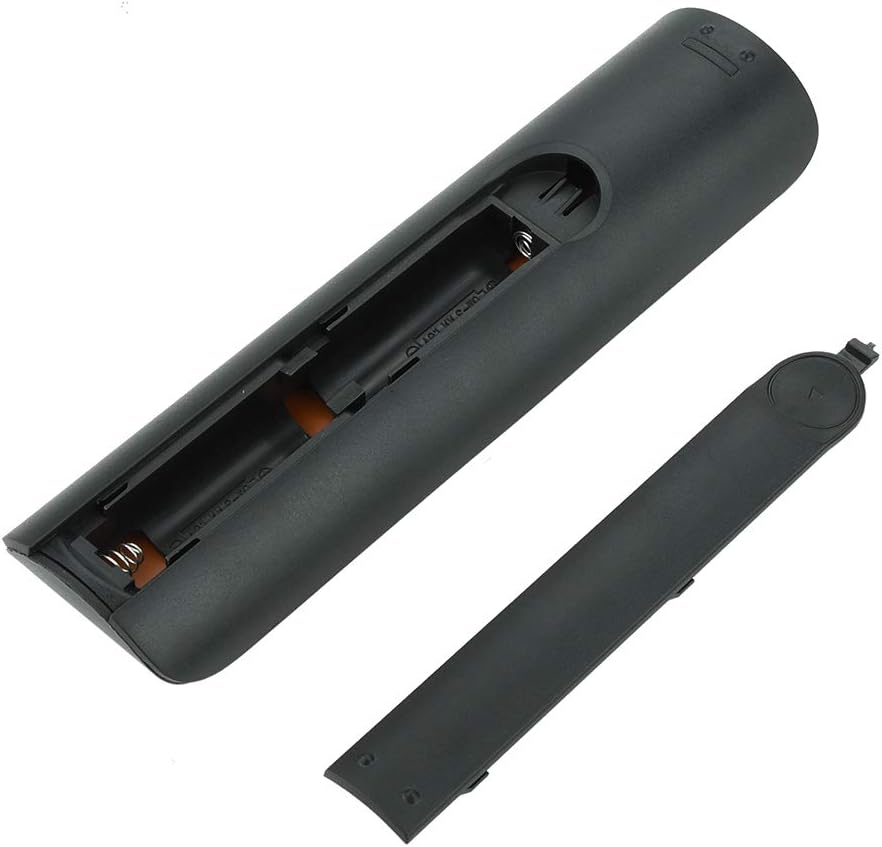
Image 4.1: View of the remote control with the battery cover removed, showing the two AA battery slots.
4.2 Initial Use
This remote control is designed to work directly with compatible Samsung Smart TVs that originally used the BN59-01199G model. No programming or pairing is typically required. Simply install the batteries and point the remote towards your television.

Image 4.2: The remote control positioned near a television, illustrating its intended use with compatible Samsung models.
5. Operating Instructions
The remote control features standard buttons for TV operation. Refer to the image below for a visual guide to the button layout.

Image 5.1: A detailed view of the remote control's buttons, including power, number pad, volume, channel, and smart functions.
- Power Button (Red): Turns the TV on or off.
- Number Pad (0-9): For direct channel input.
- Volume Up/Down (+/-): Adjusts the TV volume.
- Channel Up/Down (CH +/-): Changes TV channels.
- Mute: Silences the TV audio.
- Smart Hub: Accesses the Smart Hub interface for apps and streaming services.
- Menu: Opens the TV's main menu.
- Tools: Provides quick access to common TV functions.
- Info: Displays information about the current program or input.
- Navigation Pad (Up, Down, Left, Right, Enter): Used to navigate menus and select options.
- Return: Goes back to the previous screen or menu.
- Exit: Closes the current menu or application.
- Colored Buttons (A, B, C, D): Functionality varies by TV model and application.
- Playback Controls: Play, Pause, Stop, Fast Forward, Rewind for media playback.
6. Maintenance
6.1 Cleaning
To clean the remote control, gently wipe it with a soft, dry cloth. For stubborn dirt, slightly dampen the cloth with water or a mild, non-abrasive cleaner. Avoid using harsh chemicals or excessive moisture, as these can damage the remote's electronics.
6.2 Battery Replacement
Replace batteries when the remote control's response becomes sluggish or stops working. Always replace both AA batteries at the same time with new ones. Do not mix old and new batteries, or different types of batteries.
7. Troubleshooting
- Remote not responding:
- Check if the batteries are inserted correctly with the correct polarity.
- Replace the batteries with fresh ones.
- Ensure there are no obstructions between the remote control and the TV's infrared receiver.
- Confirm the remote is pointed directly at the TV.
- Short remote control distance:
- This can indicate low battery power; replace the batteries.
- Environmental factors or strong light sources can interfere with the infrared signal. Try using the remote in different lighting conditions.
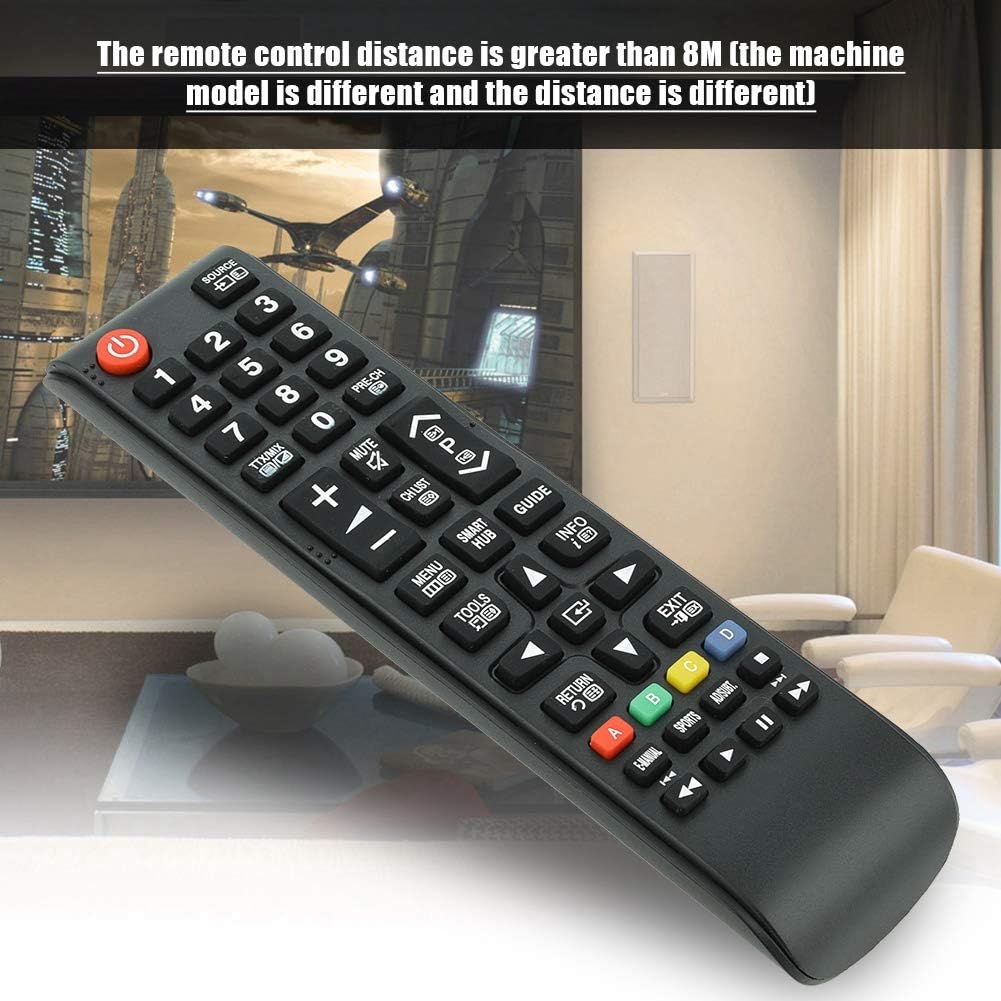
Image 7.1: The remote control in a typical home environment, demonstrating its effective range for TV operation.
8. Warranty and Support
Zerone products are manufactured with quality in mind. If you encounter any issues or are not satisfied with your product, please contact the seller or manufacturer for support. Refer to your purchase documentation for specific warranty terms and contact information.