
GROWNEER WP550-3
GROWNEER 550GPH Submersible Pump
Model: WP550-3
Instruction Manual
Introduction
Thank you for choosing the GROWNEER 550GPH Submersible Pump. This pump is designed for versatile applications, including aquariums, fish tanks, ponds, hydroponic systems, and statuary. Its ultra-quiet operation and adjustable flow rate make it an ideal choice for maintaining water circulation and aeration. Please read this manual thoroughly before installation and operation to ensure safe and efficient use.

Image: The GROWNEER 550GPH Submersible Pump, showcasing its compact design and included nozzle attachments.
Safety Information
- Always disconnect the power supply before handling, installing, or performing maintenance on the pump.
- Ensure the pump is fully submerged in water during operation to prevent overheating and damage.
- Do not operate the pump with a damaged cord or plug. If the cord is damaged, the pump must be discarded.
- This pump is designed for water only. Do not use it for flammable liquids or other corrosive substances.
- It is recommended to use a residual current protection socket or circuit breaker when using the pump outdoors.
- Keep out of reach of children.
Package Contents
- 1 x GROWNEER 550GPH Submersible Water Pump
- 1 x 0.51" Nozzle
- 1 x 0.62" Nozzle
- 1 x 0.75" Nozzle
Setup
- Choose a Nozzle: Select one of the three provided nozzles (0.51", 0.62", or 0.75") based on your desired water flow rate. The larger the nozzle, the higher the flow rate. Screw the chosen nozzle firmly onto the pump's outlet.
- Position the Pump: Place the pump in the desired location within your aquarium, pond, or hydroponic system. Ensure it is fully submerged in water. The pump features 4 powerful suction cups on its base for secure vertical or horizontal installation.
- Connect Power: Plug the pump's 5.9ft (1.8m) power cord into a suitable electrical outlet. Ensure the outlet is protected by a residual current device (RCD) if used outdoors.
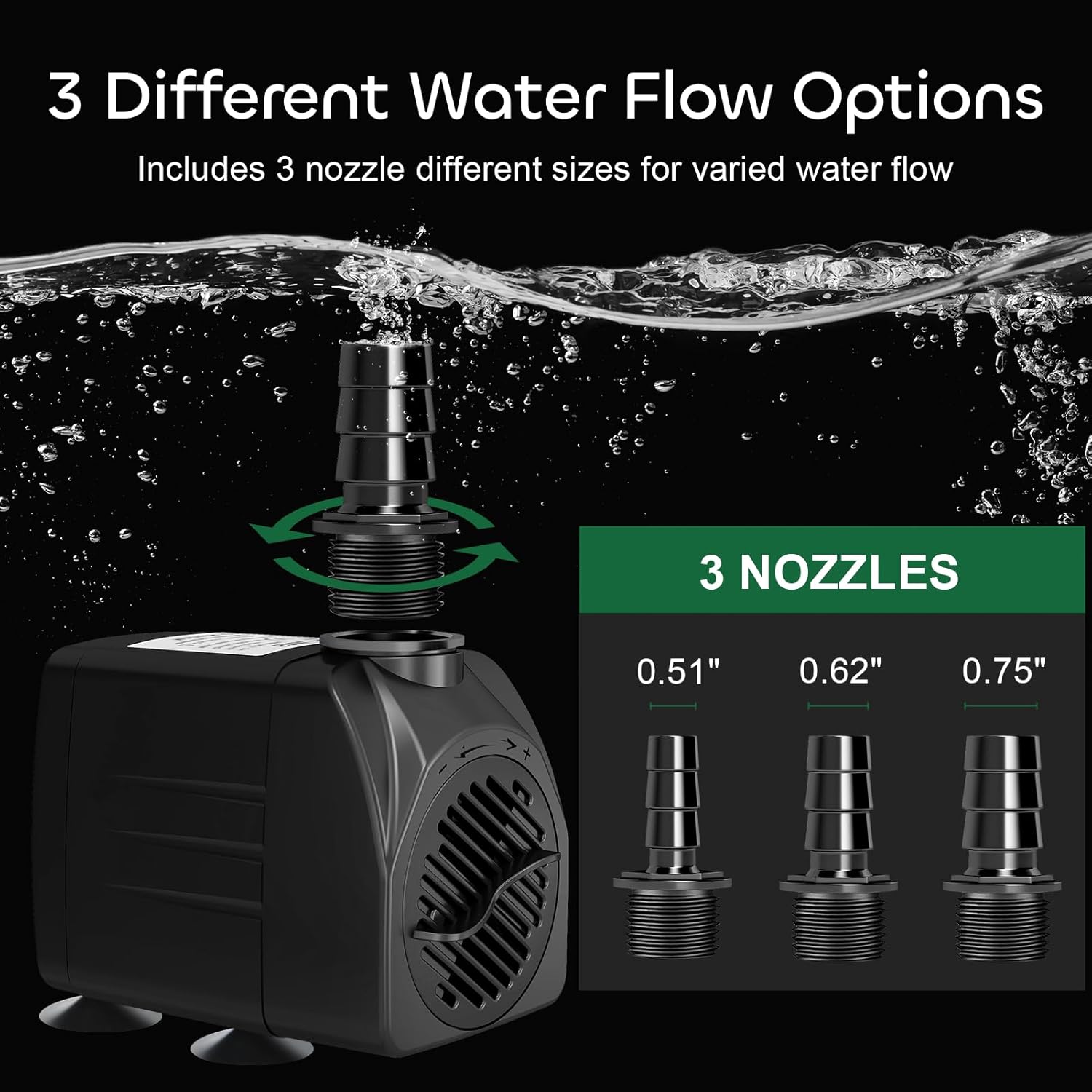
Image: The pump with three interchangeable nozzles, demonstrating the different sizes available for varied water flow.

Image: A view of the pump's base, highlighting the four strong suction cups designed for stable placement in water.
Operating Instructions
The GROWNEER pump is designed for continuous operation once properly set up and submerged. It features a control knob to adjust the water flow rate.
- Adjusting Water Flow: Locate the control knob on the front of the pump.
- Turn the knob counter-clockwise to decrease the water flow rate (towards minimum flow).
- Turn the knob clockwise to increase the water flow rate (towards maximum flow).
- Monitoring Performance: Observe the water flow and adjust as needed for your specific application. The pump is designed to be ultra-quiet during operation.
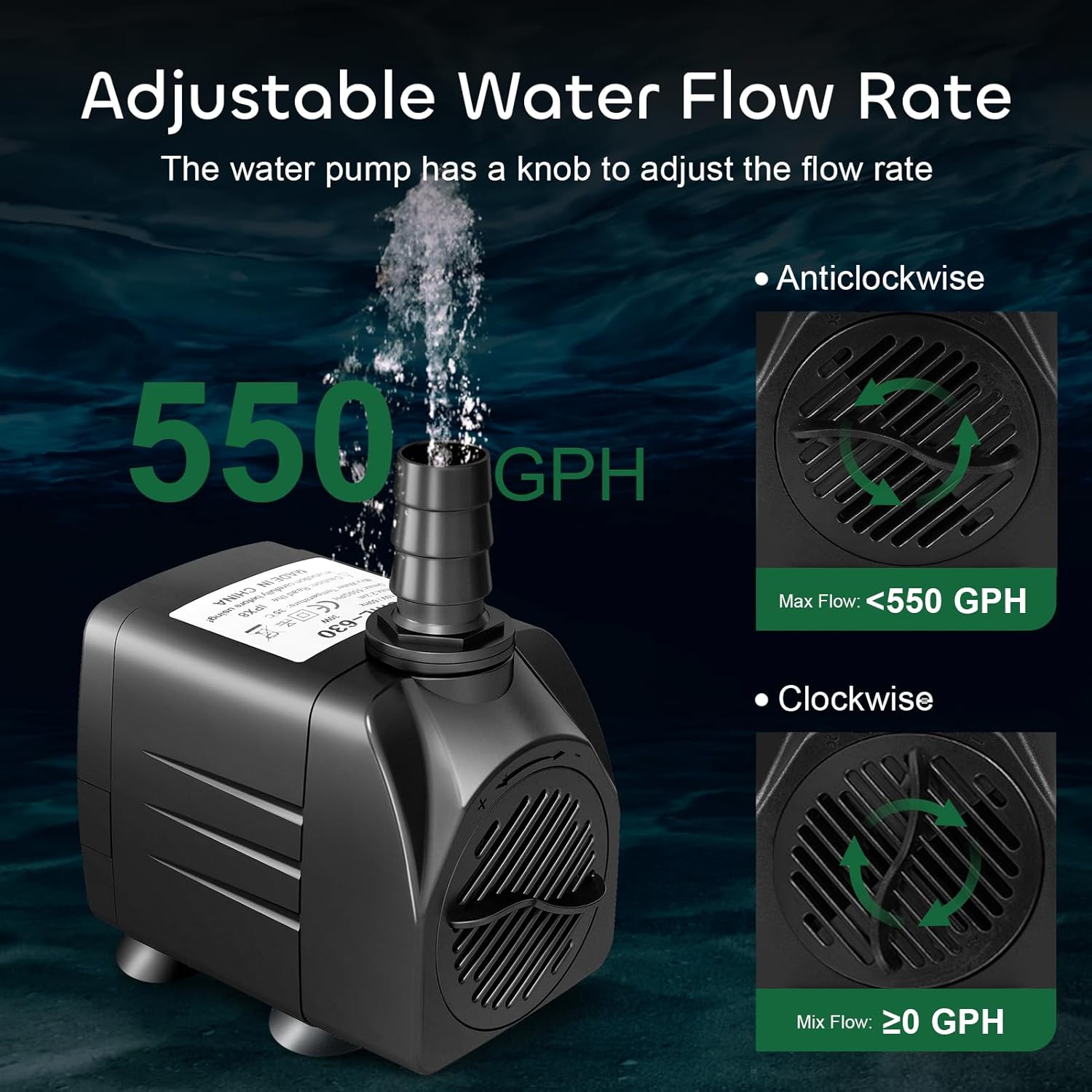
Image: A visual guide illustrating the adjustable water flow rate feature of the pump, showing clockwise and counter-clockwise adjustments.
Maintenance
Regular cleaning of your GROWNEER pump is essential to ensure its longevity and optimal performance. A clogged pump can lead to reduced flow, noise, and potential damage.
- Disassembly for Cleaning:
- Disconnect the pump from the power supply.
- Remove the front plate and impeller cover.
- Carefully remove the impeller assembly.
- Cleaning the Components: Use a small brush or a stream of water to remove any debris, algae, or mineral buildup from the impeller, impeller housing, and filter. Ensure all parts are thoroughly clean.
- Reassembly: Reassemble the pump by reversing the disassembly steps. Ensure all parts are securely in place before reconnecting to power.

Image: An exploded diagram of the pump, clearly labeling the outlet nozzle, pump housing, filter, impeller, and control valve, indicating its easy-to-detach and clean design.
Official Product Video: Disassemble, Clean & Reinstall Submersible Pump
Video: A step-by-step guide on how to disassemble, clean, and reinstall the GROWNEER submersible pump, demonstrating the ease of maintenance.
Troubleshooting
| Problem | Possible Cause | Solution |
|---|---|---|
| Pump not operating | No power; Clogged impeller; Impeller damaged. | Check power connection; Clean impeller and housing; Replace impeller if damaged. |
| Reduced water flow | Clogged filter/impeller; Kinked tubing; Flow control knob set too low. | Clean filter and impeller; Straighten tubing; Adjust flow control knob clockwise. |
| Pump is noisy | Debris in impeller; Not fully submerged; Impeller worn. | Clean impeller; Ensure pump is fully submerged; Replace impeller. |
Specifications
| Feature | Detail |
|---|---|
| Model Number | SML-630 (WP550-3) |
| Power | 30W |
| Voltage | 110-120V |
| Maximum Flow Rate | 550 GPH (2000 L/H) |
| Maximum Lift Height | 7.2 ft (2.2 m) |
| Power Cord Length | 5.9 ft (1.8 m) |
| Product Dimensions | 3.3"L x 2.2"W x 2.7"H |
| Material | Plastic |
| Color | Black |
| Included Nozzles | 0.51", 0.62", 0.75" |
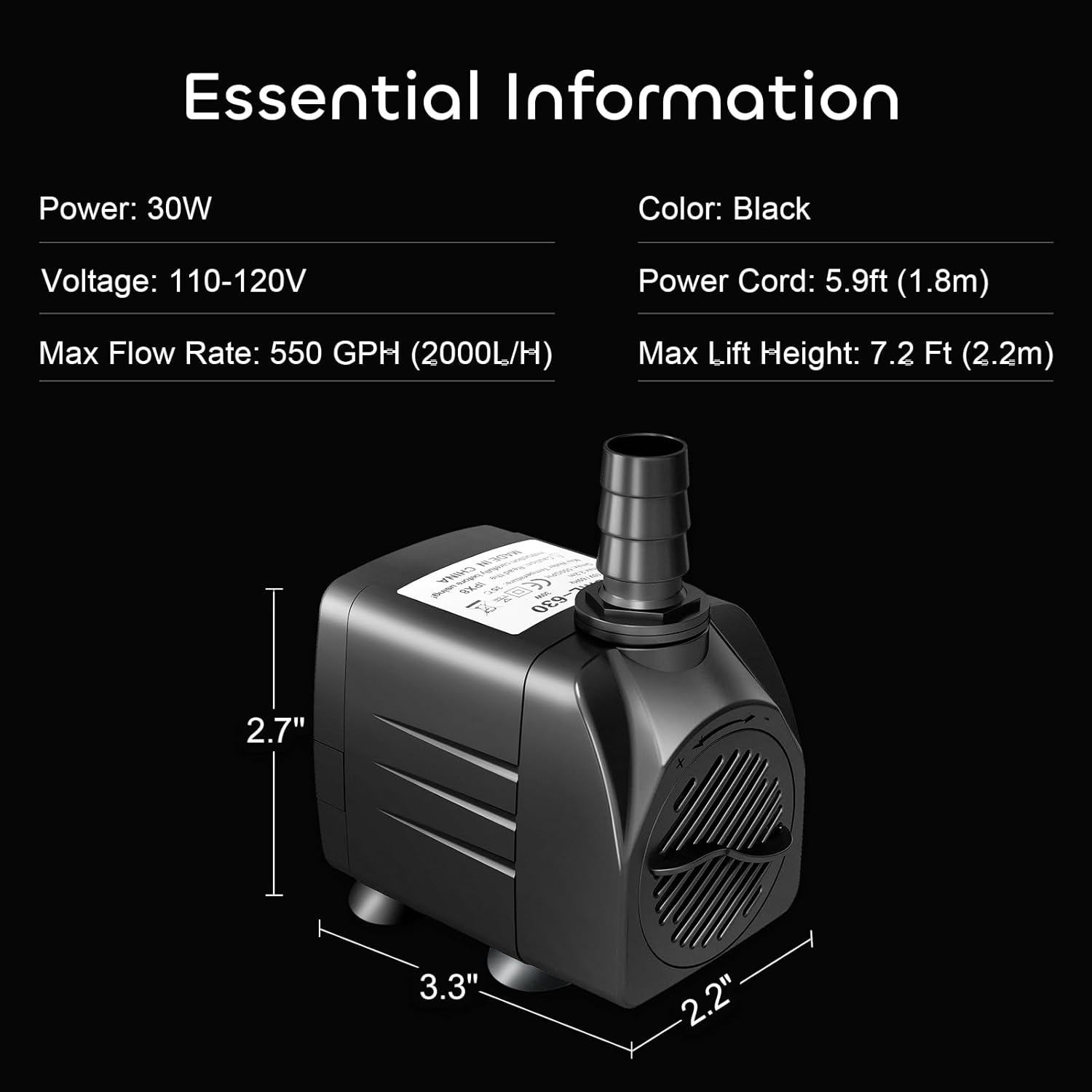
Image: Essential information and dimensions of the GROWNEER 550GPH Submersible Pump.
Warranty & Support
GROWNEER products are backed by a manufacturer's warranty. For specific warranty details and duration, please refer to the product packaging or contact GROWNEER customer support directly.
If you encounter any issues or have questions regarding your GROWNEER 550GPH Submersible Pump, please contact our customer support team:
- Website: Visit the GROWNEER Store on Amazon
- Phone: 1 (855) 626-9888
Our dedicated support team is available to assist you with any product-related inquiries.
Ask a question about this manual
Ask about setup, troubleshooting, compatibility, parts, safety, or missing instructions. Manuals+ will review the question and use this page’s manual context to help answer it.