
Wayne Dalton 3973C
Wayne Dalton 372310 Garage Door Remote 3973C 372MHz 3 Button Instruction Manual
Model: 3973C | Frequency: 372 MHz
1. Introduction
This manual provides instructions for the Wayne Dalton 372310 (Model 3973C) 3-button garage door remote control. This remote operates on a 372 MHz frequency and is designed for use with compatible Wayne Dalton garage door opener systems. Please read these instructions carefully before attempting to set up or operate your new remote control.
2. Compatibility
The Wayne Dalton 372310 (3973C) remote control is compatible with Wayne Dalton garage door opener models that operate on a 372 MHz frequency. This includes, but is not limited to, the following models:
- Wayne Dalton Classic Drive: 3014, 3018, 3018DLX, 3514, 3522, 3522DLX
- Wayne Dalton Quantum: 3214, 3314, 3316, 3414
- Wayne Dalton iDrive: All models 3660-372, 3661-372, 3662-372, 3663-372, 3760-372, 3751-372, 3651-372, 3750-372, 3790-372, 3790-Z
- Wayne Dalton Prodrive: 3220C, 3221C, 3222C, 3224C, 3320B, 3322B, 3324B, 3220C-Z, 3221C-Z, 3222C-Z, 3224C-Z, 3320B-Z, 3322B-Z, 3324B-Z
- Wayne Dalton Doormaster: BDOR-2000 models using 372 Mhz with a yellow antenna wire
Please verify your existing garage door opener's frequency and model number to ensure compatibility.
3. Setup and Programming
To program your new Wayne Dalton 372310 remote control to your garage door opener, follow these steps:
- Locate the Learn Button: On your Wayne Dalton garage door opener motor head unit, locate the "Learn" button. The location may vary depending on your specific opener model. Refer to your garage door opener's manual if you cannot find it.
- Activate Learn Mode: Press and immediately release the "Learn" button on the garage door opener. The indicator light on the opener should illuminate, signaling that the opener is in programming mode. You typically have about 30 seconds to complete the next step.
- Program the Remote: Within the 30-second window, press and hold the desired button on your new Wayne Dalton 372310 remote control.
- Confirm Programming: Release the remote button once the garage door opener's light flashes or the opener activates (moves the door). This indicates successful programming.
- Test the Remote: Press the programmed button on your remote control to ensure it operates the garage door correctly.

This image shows the front of the remote control with its three distinct buttons for operation.
If the remote does not work after following these steps, repeat the process. Ensure you are within range of the opener when programming.
4. Operating the Remote Control
Once programmed, operating your Wayne Dalton 372310 remote control is straightforward:
- Opening/Closing the Door: Press the programmed button on the remote control once. The garage door will begin to open or close.
- Stopping the Door: Press the programmed button again while the door is in motion to stop it.
- Reversing the Door: If the door is stopped mid-cycle, pressing the button again will reverse its direction.
Ensure a clear line of sight between the remote and the garage door opener for optimal performance. Avoid pressing the button multiple times rapidly, as this may confuse the opener's signal.
5. Maintenance and Battery Replacement
The Wayne Dalton 372310 remote control requires a battery for operation. If the remote's range decreases or it stops responding, the battery may need replacement.
Battery Replacement Steps:
- Open the Remote Casing: Carefully locate the seam on the remote control casing. Use a small flathead screwdriver or a coin to gently pry open the two halves of the remote.
- Identify Battery Type: Note the type and orientation of the existing battery. The remote typically uses a 12V A23 battery or similar.
- Remove Old Battery: Carefully remove the old battery from its compartment.
- Insert New Battery: Insert a new battery of the same type, ensuring the positive (+) and negative (-) terminals are correctly aligned as indicated in the battery compartment.
- Close the Casing: Align the two halves of the remote control casing and press them firmly together until they snap securely into place.

This image displays the internal components of the remote, highlighting the battery compartment where the battery is installed.
Dispose of old batteries responsibly according to local regulations.
6. Troubleshooting
If you encounter issues with your remote control, refer to the following troubleshooting guide:
| Problem | Possible Cause | Solution |
|---|---|---|
| Remote does not work at all. | Dead or low battery. Remote is out of range. Remote is not programmed. Opener power issue. | Replace the battery (see Section 5). Move closer to the garage door opener. Re-program the remote (see Section 3). Check if the garage door opener has power. |
| Remote has reduced range. | Low battery. Interference. Opener antenna obstructed. | Replace the battery. Move away from sources of radio interference. Ensure the opener's antenna is hanging freely and not obstructed. |
| Garage door opens/closes by itself. | Stuck remote button. Interference. Faulty opener. | Check remote buttons for sticking. Identify and remove sources of interference. Contact a qualified garage door technician. |
7. Specifications
- Model: 3973C
- Part Number: 372310 (also known as 300643, 312962, 3BTM, 3BTM-0372, 3BTM-0372U, 3BTM-0372F, 3BTM-0372A, 327310, 302083)
- Frequency: 372 MHz
- Buttons: 3
- Battery Type: 12V A23 (or equivalent)
- Manufacturer: 3973C
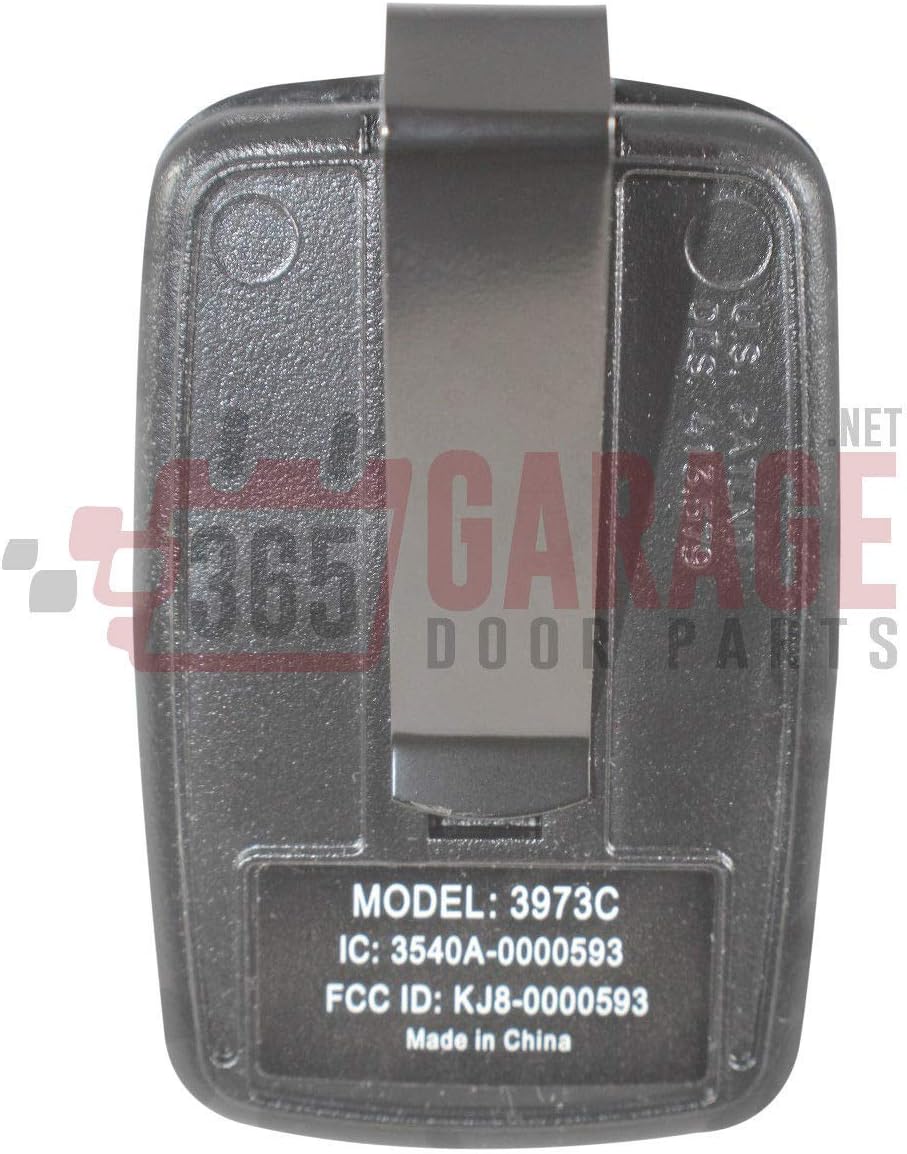
The back of the remote control, featuring the belt clip and identification labels including the model number 3973C.
8. Warranty Information
This product is typically covered by a manufacturer's limited warranty against defects in materials and workmanship. The duration and terms of the warranty may vary. Please refer to the original product packaging or contact the seller/manufacturer for specific warranty details. Keep your purchase receipt as proof of purchase.
9. Customer Support
For further assistance, technical support, or to inquire about replacement parts, please contact the retailer or the manufacturer directly. Have your product model number (3973C) and purchase information ready when contacting support.
Related documents3973C


Ask a question about this manual
Ask about setup, troubleshooting, compatibility, parts, safety, or missing instructions. Manuals+ will review the question and use this page’s manual context to help answer it.