
1. Product Overview
This manual provides instructions for the HITBOX 100A MIG Welding Gun, a 10-foot (3-meter) replacement torch designed for compatibility with various Miller M-series welders. This welding gun is suitable for MIG (GMAW) and Flux Cored (FCAW) processes, offering reliable performance for a range of welding applications.
Key Features:
- 10-foot (3m) cable length for extended reach.
- Rated for 100 Amperes.
- Compatible with Miller M-series consumables.
- Designed to feed .030-.035 inch (0.8-0.9 mm) diameter welding wire.
- Ergonomic handle for comfortable grip and reduced fatigue.
- Electrically insulated metal jacket on the gun tube for optimized fine wire welding.
- Abrasion-resistant extruded rubber jacket on the cable for durability.
Compatibility: This MIG gun is compatible with Miller M-100 (M-10) MIG guns and can be used with models such as Miller SideKick, SideKick XL/Cricket XL/Millermatic 90, Millermatic 130/130XP/135/140s/175/180s/DVIs /211, Challenger, Challenger 172, Passport/Passport Plus, or Hobart IronMan 210.

2. Safety Information
Always prioritize safety when operating welding equipment. Failure to follow safety guidelines can result in serious injury or death.
- Eye and Face Protection: Always wear a welding helmet with appropriate shade lenses to protect your eyes and face from arc rays and sparks.
- Protective Clothing: Wear flame-resistant clothing, heavy-duty gloves, and safety shoes to protect against burns and electrical shock.
- Ventilation: Ensure adequate ventilation to remove welding fumes and gases from the work area. If working in confined spaces, use a respirator.
- Fire Prevention: Keep a fire extinguisher nearby. Remove all flammable materials from the welding area. Sparks and hot metal can travel a significant distance.
- Electrical Safety: Ensure the welding machine is properly grounded. Do not touch live electrical parts. Inspect cables and connections for damage before each use.
- Work Area: Keep the work area clean and free of clutter. Ensure stable footing.
- Read Welder Manual: Always refer to your welding machine's instruction manual for specific safety precautions and operating procedures.
3. Setup
Proper setup is crucial for safe and effective welding. Follow these steps to prepare your HITBOX MIG Welding Gun for use.
3.1 Unpacking and Inspection
- Carefully remove the welding gun from its packaging.
- Inspect the gun, cable, and connector for any signs of shipping damage. Do not use if damaged.
- Ensure all components, including the nozzle, contact tip, and gas diffuser, are present.

3.2 Connecting the Welding Gun
- Power Off: Ensure your welding machine is turned off and unplugged from the power source.
- Locate Connection Port: Identify the MIG gun connection port on your welding machine. This is typically a multi-pin connector for power, gas, and trigger control.
- Insert Connector: Align the rear connector of the HITBOX MIG gun with the corresponding port on your welder. Push firmly until it is securely seated.
- Secure Connection: If your welder has a locking mechanism (e.g., a collar or nut), tighten it to ensure a stable connection.

3.3 Consumables Installation
The MIG gun uses Miller M-series consumables. Ensure you have the correct size for your welding wire.
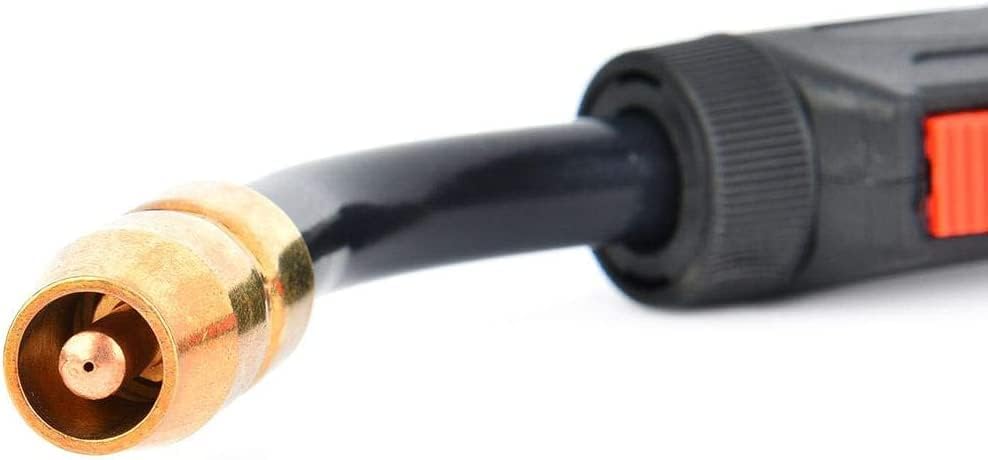
- Gas Diffuser: Screw the gas diffuser onto the gun neck.
- Contact Tip: Select the appropriate contact tip for your wire size (.030-.035 inch). Screw the contact tip firmly into the gas diffuser.
- Nozzle: Slide the nozzle over the contact tip and gas diffuser. Ensure it is securely seated.

3.4 Wire Feeding
Refer to your welding machine's manual for specific instructions on loading welding wire. Generally:
- Open the wire feeder compartment.
- Load the wire spool onto the spindle.
- Thread the wire through the drive rolls and into the gun liner.
- Close the drive roll tension arm and adjust tension as needed.
- With the gun pointed away from yourself and others, press the trigger to feed the wire through the gun until it exits the contact tip.
4. Operating Instructions
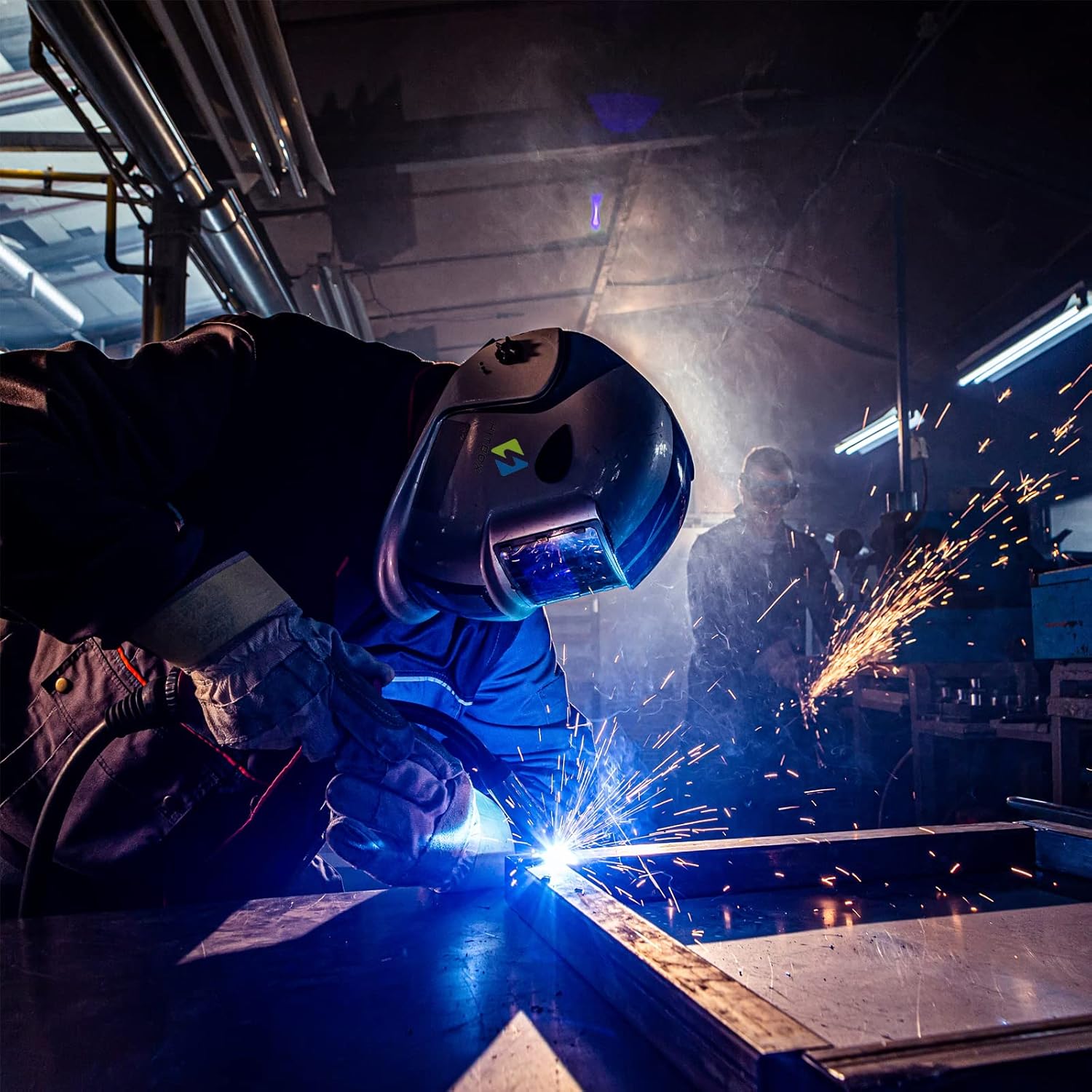
Once the MIG gun is properly set up, you can begin welding. Always wear appropriate personal protective equipment (PPE).
4.1 Basic Operation
- Power On: Turn on your welding machine.
- Gas Flow: Open the gas cylinder valve and set the gas flow rate (typically 15-25 CFH for MIG welding with shielding gas).
- Set Parameters: Adjust the voltage and wire feed speed on your welding machine according to the material thickness and wire type. Consult your welder's chart for recommended settings.
- Ground Clamp: Attach the ground clamp securely to the workpiece or welding table, ensuring good electrical contact.
- Position Gun: Position the MIG gun over the joint to be welded, maintaining the correct stick-out (distance from contact tip to workpiece).
- Initiate Arc: Press the trigger on the MIG gun to start the wire feed and initiate the welding arc.
- Weld: Maintain a consistent travel speed and gun angle to create a uniform weld bead.
- Release Trigger: Release the trigger to stop welding.
5. Maintenance
Regular maintenance ensures the longevity and optimal performance of your HITBOX MIG Welding Gun.
5.1 Daily Maintenance
- Clean Nozzle: Remove spatter from the nozzle using pliers or a nozzle reamer. Excessive spatter can obstruct gas flow.
- Inspect Contact Tip: Check the contact tip for wear, enlargement of the bore, or excessive spatter. Replace if necessary.
- Check Gas Diffuser: Ensure the gas diffuser is clean and free of obstructions.
5.2 Periodic Maintenance
- Inspect Cable: Check the entire length of the welding cable for cuts, abrasions, or kinks. Damaged cables can pose electrical hazards.
- Check Connections: Ensure all electrical and gas connections are tight and secure.
- Liner Inspection: If wire feeding issues occur, the gun liner may need cleaning or replacement. Consult your welder's manual for liner maintenance.
6. Troubleshooting
This section addresses common issues you might encounter during operation.
| Problem | Possible Cause | Solution |
|---|---|---|
| Poor Arc Starting / Unstable Arc |
|
|
| Wire Feeding Problems (Sticking, Erratic Feed) |
|
|
| Porosity (Holes in Weld) |
|
|
| Overheating Gun |
|
|
7. Specifications
| Parameter | Value |
|---|---|
| Model Number | HP000059 |
| Cable Length | 10 feet (3 meters) |
| Rated Current | 100 Amperes |
| Processes Supported | MIG (GMAW), Flux Cored (FCAW) |
| Compatible Wire Size | 0.030 - 0.035 inches (0.8 - 0.9 mm) |
| Torch Handle Type | Single Piece |
| Torch Type | MIGmatic M Series |
| Item Weight | 6.93 pounds |
| Product Dimensions | 180 x 2.4 x 2.4 inches |
8. Warranty and Support
For warranty information, technical support, or replacement parts, please contact HITBOX customer service through their official website or the retailer where the product was purchased. Keep your purchase receipt as proof of purchase.