
1. Introduction
This manual provides instructions for the Easytry123 Replacement Remote Control, designed to operate various Onkyo A/V receivers and compatible devices. As a replacement unit, its functionality is intended to replicate the primary features of your original remote. Please review this guide to ensure proper setup and operation.
Important: This remote is an infrared (IR) replacement. Ensure your device is compatible with IR remote controls and that the remote has a clear line of sight to your device's IR receiver.
2. Product Overview
The Easytry123 Replacement Remote Control features a standard layout for A/V receiver functions. Key buttons include power, source selection, volume control, menu navigation, and playback controls. Familiarize yourself with the button layout as shown in the image below.

Figure 2.1: Front view of the Easytry123 Replacement Remote Control, displaying its array of function buttons.
3. Setup
3.1 Battery Installation
To begin using your remote control, you must install two AA batteries. Follow these steps:
- Locate the battery compartment cover on the back of the remote control.
- Press down on the tab and slide the cover downwards to remove it.
- Insert two (2) AA batteries, ensuring the positive (+) and negative (-) terminals align correctly with the markings inside the compartment.
- Slide the battery compartment cover back into place until it clicks securely.
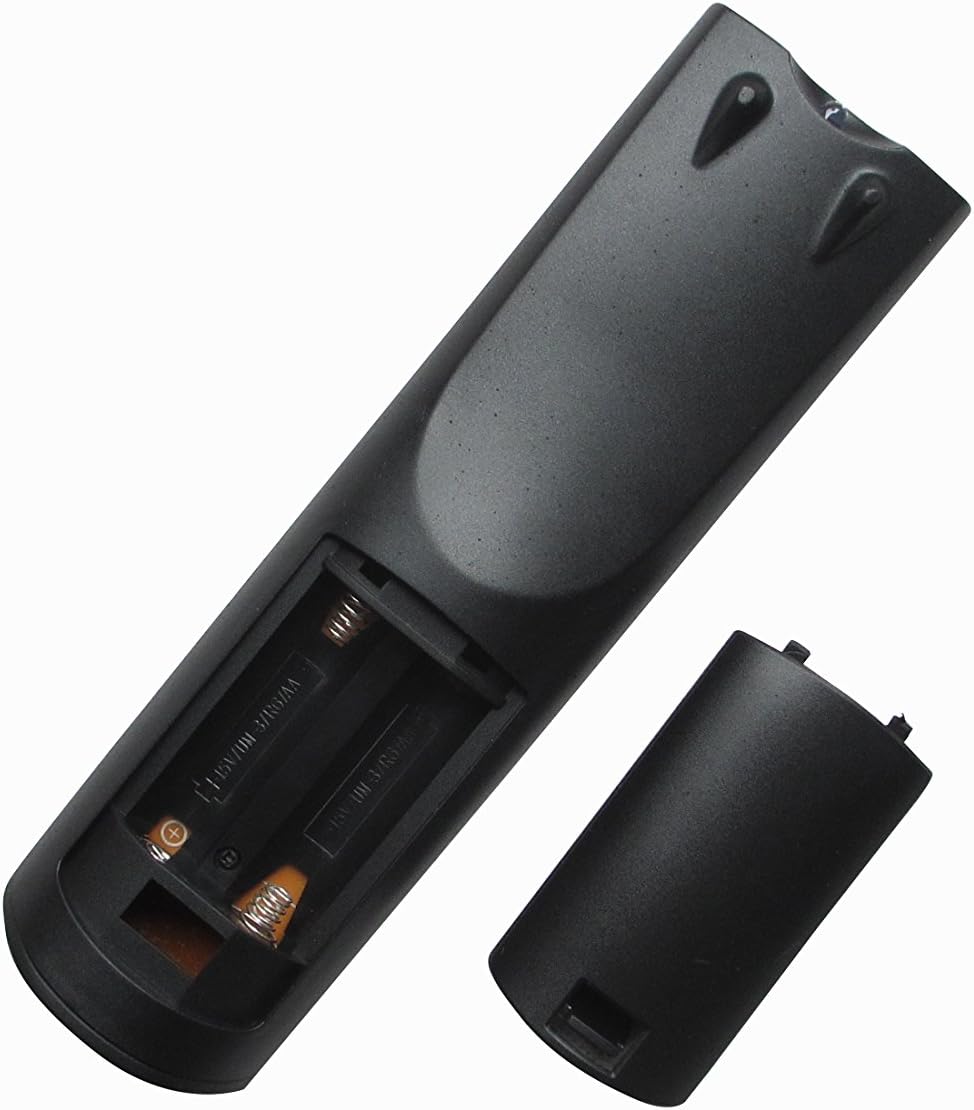
Figure 3.1: Back view of the remote control, illustrating the battery compartment for AA battery installation.
Note: Always replace both batteries at the same time with new ones. Do not mix old and new batteries, or different types of batteries.
4. Operating Instructions
This remote control operates via infrared signals. For optimal performance, ensure a clear line of sight between the remote's IR emitter and your device's IR receiver.
4.1 Basic Functions
- Power (SOURCE button): Press to turn your Onkyo A/V receiver or compatible device ON or OFF.
- Source Selection: Use the dedicated buttons (e.g., CD/DVD, USB, FM, NET, TV, PC, GAME, AUX) to select the desired input source on your receiver.
- Volume Control (VOL +/-): Adjust the master volume level of your receiver.
- Mute: Temporarily silence the audio output.
- Navigation (Arrow buttons & ENTER): Use the directional arrows to navigate through menus and the ENTER button to confirm selections.
- Menu: Access the main menu of your connected device or receiver.
- Playback Controls (PLAY, PAUSE, STOP, SKIP): Control media playback on compatible devices connected to your receiver.
Note: As a replacement remote, some advanced or device-specific functions may not be fully supported or may require specific setup on your receiver. Refer to your Onkyo receiver's original manual for detailed function descriptions.
5. Maintenance
5.1 Battery Replacement
Replace batteries when the remote's response becomes sluggish or stops working. Follow the battery installation steps in Section 3.1.
5.2 Cleaning
To clean the remote control, wipe it with a soft, dry cloth. For stubborn dirt, slightly dampen the cloth with water. Do not use abrasive cleaners, solvents, or alcohol, as these can damage the remote's surface or internal components.
5.3 Storage
If the remote control will not be used for an extended period, remove the batteries to prevent leakage and potential damage.
6. Troubleshooting
- Remote not working:
- Check if the batteries are inserted correctly with the correct polarity.
- Replace old batteries with new AA batteries.
- Ensure there is a clear line of sight between the remote and the device's IR sensor. Remove any obstructions.
- Make sure you are within the effective operating range (typically 15-20 feet).
- Some functions do not work:
- Verify that your specific Onkyo receiver model is listed as compatible.
- As a replacement remote, some advanced or unique functions of your original remote may not be replicated. This is normal for universal or replacement remotes.
- Ensure the correct input source is selected on your receiver for the function you are trying to perform (e.g., playback controls for a connected DVD player).
7. Specifications
- Brand: Easytry123
- Connectivity Technology: Infrared (IR)
- Power Source: 2 x AA Batteries (not included)
- Compatible Devices: Onkyo A/V Receivers (e.g., RC-687M, RC-567M, TX-NR905S, HT-RC560, TX-NR838, RC-717M, TX-SR875, HT-S7500, TX-SR805S), DVD/Blu-ray Players (when connected to compatible receivers).
- Special Feature: Ergonomic, Replacement Remote
8. Warranty and Support
This Easytry123 Replacement Remote Control is designed to provide a functional alternative to your original remote. For any issues, questions, or support inquiries regarding this product, please contact the seller directly through your purchase platform. Specific warranty details, if any, are typically provided by the seller at the time of purchase.