
Introduction
This document provides instructions for the Easytry123 General Replacement Remote Control. This remote is designed as a direct replacement for specific Integra A/V Receiver models. It operates using infrared (IR) technology.
Important Compatibility Note: Before use, please ensure that your original remote control visually matches the replacement remote shown in this manual. This replacement remote may not offer all the exact functions or advanced features of your original equipment manufacturer (OEM) remote. If your specific model number is not listed in the title of this product, please contact the seller for compatibility verification before attempting to use.
Setup
1. Battery Installation
The remote control requires two (2) AA batteries for operation. Follow these steps to install the batteries:
- Locate the battery compartment cover on the back of the remote control.
- Press down on the tab and slide the cover downwards to open the compartment.
- Insert two new AA batteries, ensuring the positive (+) and negative (-) terminals align correctly with the markings inside the compartment.
- Slide the battery compartment cover back into place until it clicks securely.
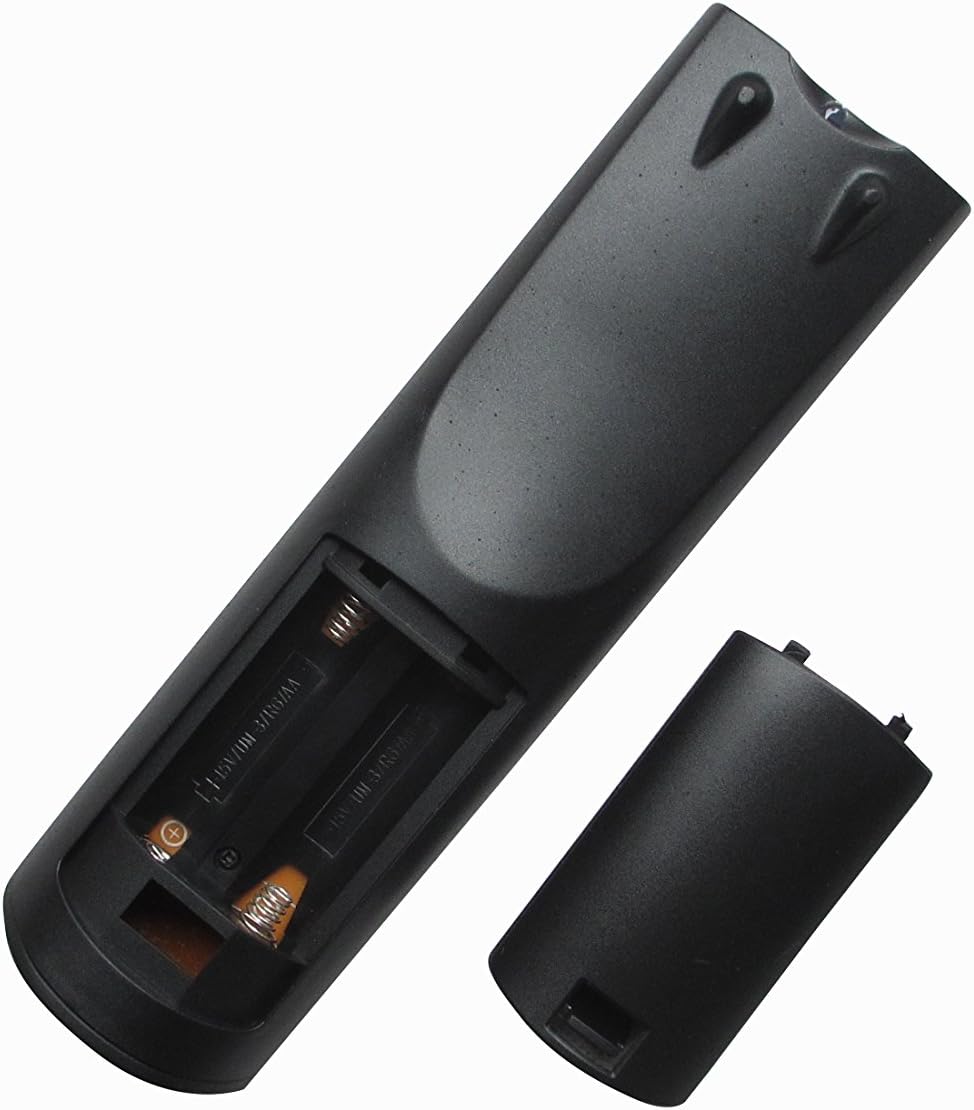
Image: Rear view of the remote control with the battery cover removed, illustrating the correct orientation for inserting two AA batteries.
Operating Instructions
This remote control operates via infrared (IR) signals. For proper functionality, ensure a clear line of sight between the remote control and the IR receiver on your Integra A/V Receiver.
- Point and Press: Aim the remote control directly at your Integra A/V Receiver.
- Button Functions: Press the desired button for the corresponding function (e.g., Power, Volume Up/Down, Input Select, Channel Up/Down).
- Response Time: Allow a brief moment for your receiver to respond to commands.
Note: As a replacement remote, some advanced or specific functions unique to your original remote or receiver model might not be fully supported or may require a different button combination. Refer to your Integra A/V Receiver's original manual for detailed function descriptions.
Maintenance
Cleaning
To clean the remote control, use a soft, dry cloth. For stubborn dirt, lightly dampen the cloth with water or a mild, non-abrasive cleaner. Avoid using harsh chemicals or solvents, as these can damage the remote's surface or internal components.
Battery Replacement
Replace batteries when the remote's performance degrades or if it stops responding. Always replace both AA batteries at the same time with new ones. Do not mix old and new batteries, or different types of batteries, as this can lead to leakage or improper operation. Dispose of used batteries according to local regulations.
Storage
If the remote control will not be used for an extended period, it is recommended to remove the batteries to prevent potential leakage and damage to the remote.
Troubleshooting
- Remote Not Responding:
- Check if the batteries are installed correctly with the correct polarity (+/-).
- Replace old batteries with new AA batteries.
- Ensure there is a clear line of sight between the remote's IR emitter and the receiver's IR sensor. Obstructions can block the signal.
- Verify that the remote is pointed directly at the A/V receiver.
- Some Functions Do Not Work:
- This is a replacement remote. It may not support all functions of your original remote, especially advanced or unique features.
- Consult your Integra A/V Receiver's original manual to confirm if the function is supported by the receiver itself.
- Remote Does Not Control My Device:
- Confirm that your Integra A/V Receiver model is explicitly listed as compatible (RC-744M, DTR-70.1, DTR-80.1, DTR-40.1, DTR-8.8, DTR-5.6, DTR-6.5).
- Ensure your original remote looked identical to this replacement remote. Visual similarity is key for this type of replacement.
Specifications
- Brand: Easytry123
- Compatible Models: Integra RC-744M, DTR-70.1, DTR-80.1, DTR-40.1, DTR-8.8, DTR-5.6, DTR-6.5 A/V Receivers
- Connectivity Technology: Infrared (IR)
- Controller Type: Button Control
- Power Source: 2 x AA Batteries (not included)
- Special Feature: Ergonomic, Replacement remote (ensure visual match with original)
Warranty and Support
This product is typically covered by a limited manufacturer's warranty. For specific warranty details, return policies, or technical support, please refer to the information provided by your retailer or contact the seller (Easytry123) directly through your purchase platform. Please have your order details and product information readily available when contacting support.