
Introduction
This manual provides essential instructions for the setup, operation, and maintenance of your Easytry123 replacement remote control for Perfect AIRE air conditioning units. Please ensure your air conditioner model matches the compatible models listed to guarantee proper functionality.
1. Setup
1.1. Battery Installation
The remote control requires two AAA batteries (not included). Follow these steps to install them:
- Locate the battery compartment cover on the back of the remote control.
- Slide the cover downwards or press the latch and lift to open.
- Insert two AAA batteries, ensuring the positive (+) and negative (-) terminals align correctly with the markings inside the compartment.
- Replace the battery compartment cover by sliding it back into place until it clicks securely.

Image: Rear view of the remote control with the battery cover removed, showing the battery compartment for two AAA batteries.
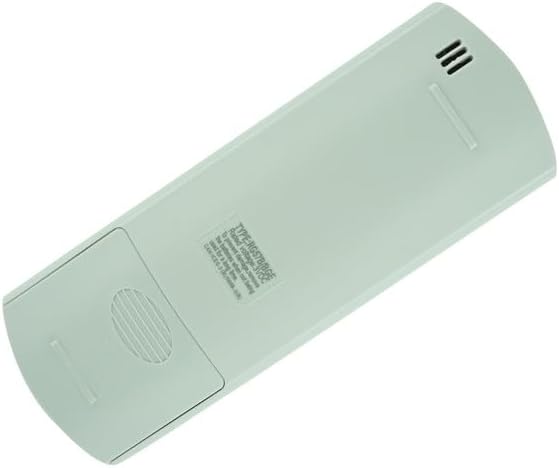
Image: Rear view of the remote control with the battery cover in place.
2. Operating Instructions
This remote control is designed for direct use with compatible Perfect AIRE air conditioner models. No programming is typically required.
2.1. Remote Control Layout

Image: Front view of the remote control, displaying the LCD screen and various function buttons.
2.2. Button Functions
- ON/OFF (Yellow button): Press to turn the air conditioner unit on or off.
- MODE: Cycles through operating modes: Auto, Cool, Dry, Heat (if applicable), Fan.
- FAN: Adjusts the fan speed (Auto, Low, Medium, High).
- TEMP ▲ / ▼: Increases or decreases the set temperature.
- SHORT CUT: Activates a pre-set favorite setting.
- TIMER ON: Sets a timer for the unit to turn on automatically.
- TIMER OFF: Sets a timer for the unit to turn off automatically.
- SLEEP: Activates sleep mode for quiet operation and energy saving.
- SWING: Controls the louver swing function for air direction.
- FOLLOW ME: Activates a function where the remote's sensor measures the temperature at its location and adjusts the AC accordingly.
- LED: Turns the display light on the indoor unit on or off.
Note: Not all functions may be available on every air conditioner model. Refer to your air conditioner's manual for specific feature compatibility.
3. Maintenance
3.1. Cleaning
Wipe the remote control with a soft, dry cloth. Do not use liquid cleaners or abrasive materials.
3.2. Battery Replacement
Replace batteries when the remote's response becomes sluggish or the display fades. Always replace both batteries simultaneously with new AAA batteries.
3.3. Storage
If the remote control will not be used for an extended period, remove the batteries to prevent leakage and damage.
4. Troubleshooting
- Remote not responding: Ensure batteries are correctly installed and not depleted. Point the remote directly at the air conditioner's receiver. Remove any obstructions between the remote and the unit.
- Display issues: If the remote's display is dim or blank, replace the batteries.
- Unit not responding to specific functions: Verify that your air conditioner model supports the specific function. Some buttons may be specific to certain AC models.
If issues persist, contact the seller for further assistance.
5. Specifications
- Model Numbers: RG57H4/BGEFU1, RG57H4B/BGEFU1
- Compatible Devices: Perfect AIRE Air Conditioners (specific models as listed)
- Power Source: 2 x AAA Batteries (not included)
- Special Features: Fahrenheit display, Infrared Replacement
- Brand: Easytry123
Note: Specifications are subject to change without notice.
6. Warranty and Support
This product is a replacement remote control. Specific warranty information is not provided with the product. For any support inquiries or issues, please contact the original seller directly.