
LifePro LP-TRB-BLU
LifePro Turbo 3D Vibration Plate Exercise Machine User Manual
Model: LP-TRB-BLU
1. Introduction
Welcome to the LifePro Turbo 3D Vibration Plate Exercise Machine user manual. This guide provides essential information for the safe and effective operation, maintenance, and troubleshooting of your new fitness equipment. Please read this manual thoroughly before first use and retain it for future reference.
2. Safety Information
Before using the LifePro Turbo 3D Vibration Plate, please observe the following safety precautions:
- Consult a physician before starting any new exercise program, especially if you have pre-existing medical conditions.
- Keep children and pets away from the machine during operation.
- Ensure the machine is placed on a flat, stable surface.
- Do not use the machine if you are pregnant, have a pacemaker, or suffer from severe osteoporosis, epilepsy, or acute thrombosis.
- Always wear appropriate athletic footwear.
- Do not exceed the maximum weight recommendation of 330 lbs (150 kg).
- Unplug the machine from the power outlet when not in use or before cleaning.
3. Package Contents
Verify that all components are present in the package:
- LifePro Turbo 3D Vibration Plate
- Remote Control
- Resistance Bands (typically 2)
- Power Cord
- User Manual (this document)

Image: The LifePro Turbo 3D Vibration Plate shown with its remote control, resistance bands, and power cord, illustrating the complete package contents.
4. Product Features and Components
The LifePro Turbo 3D Vibration Plate is designed for comprehensive body wellness. Key features include:
- Dual Motor Technology: Offers 3D pulsating movement (oscillation, pulsation, and combination modes) for enhanced pain relief and muscle activation.
- 99 Speed/Resistance Levels: Allows for precise intensity adjustment.
- 8 Preset Programs: Provides varied workout routines.
- LCD Display: Shows program, time, and speed settings.
- Remote Control: For convenient operation.
- Built-in Wheels: For easy portability and storage.
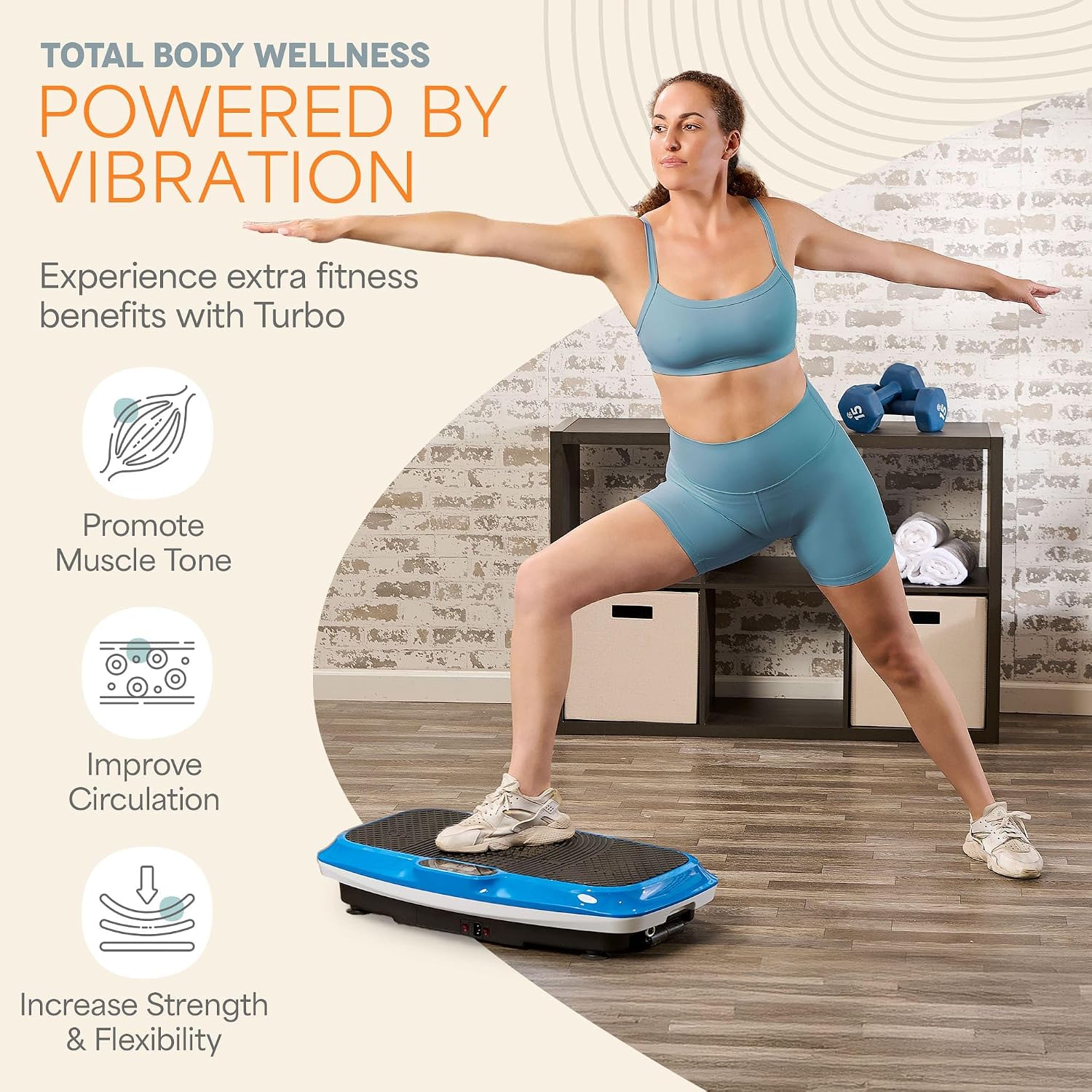
Image: Close-up view of the LifePro Turbo 3D Vibration Plate's control panel and the remote control, highlighting the LCD display and various buttons.

Image: A man standing on the LifePro Turbo 3D Vibration Plate, holding resistance bands, demonstrating the use of the machine for full-body exercise.
5. Setup
- Unpack: Carefully remove all components from the packaging.
- Placement: Place the vibration plate on a firm, level surface, ensuring there is ample space around it for safe operation. Avoid placing it on thick carpets that might obstruct ventilation.
- Power Connection: Insert the power cord into the machine's power port and then into a grounded electrical outlet.
- Remote Control: Ensure batteries are installed in the remote control (batteries not included).

Image: A man demonstrating the compact storage of the LifePro Turbo 3D Vibration Plate by sliding it under a couch, highlighting its built-in wheels.
6. Operating Instructions
6.1. Basic Operation
- Power On: Press the power button on the machine or remote control. The LCD display will illuminate.
- Select Mode: Use the mode buttons on the remote or control panel to choose between Oscillation, Pulsation, or Combination modes.
- Adjust Speed: Use the speed +/- buttons to set your desired intensity level (1-99).
- Start/Stop: Press the Start/Stop button to begin or pause the vibration.
- Time Setting: The default workout time is typically 10 minutes. Some models allow adjustment.
6.2. Using Preset Programs
The machine comes with 8 preset programs (P1-P8) that automatically adjust speed and mode for varied workouts.
- Press the "Program" button on the remote or control panel to cycle through the preset programs.
- Once a program is selected, press Start to begin.
6.3. Exercise Poses
Vary your stance and incorporate resistance bands for different muscle groups. Examples include:
- Standing: For full body vibration.
- Squats: To engage leg and glute muscles.
- Push-ups: With hands on the plate for upper body.
- Calf Raises: For lower leg muscles.

Image: A woman demonstrating a yoga-like pose on the LifePro Turbo 3D Vibration Plate, illustrating how the machine can be used for various fitness exercises.
7. Maintenance
- Cleaning: Wipe the machine with a soft, damp cloth after each use. Do not use abrasive cleaners or solvents.
- Storage: Store the machine in a cool, dry place away from direct sunlight and moisture. Utilize the built-in wheels for easy movement.
- Inspection: Regularly check the power cord for any damage. If damaged, contact customer support.
8. Troubleshooting
| Problem | Possible Cause | Solution |
|---|---|---|
| Machine does not power on. | Power cord not properly connected; no power from outlet. | Ensure power cord is securely plugged in. Check outlet with another device. |
| Remote control not working. | Batteries are dead or incorrectly inserted. | Replace batteries; ensure correct polarity. |
| Vibration is weak or inconsistent. | Incorrect mode selected; machine overloaded. | Check mode settings. Ensure user weight is within limits. |
9. Specifications
| Attribute | Value |
|---|---|
| Model Number | LP-TRB-BLU |
| Brand | LifePro |
| Maximum Weight Recommendation | 330 Pounds (150 kg) |
| Control Type | Remote Control |
| Display Type | LCD |
| Max Speed | 99 RPM (Levels) |
| Number of Programs | 8 |
| Power Source | Corded Electric |
| Product Dimensions (L x W x H) | 45.72 x 78.74 x 17.78 cm (18 x 31 x 7 inches) |
| Item Weight | 17.01 kg (37.5 Pounds) |
| Material | Plastic |
| Color | Blue |
| UPC | 842893116877 |
10. Warranty and Support
LifePro offers a comprehensive warranty for its products. For specific warranty details, registration, or technical support, please visit the official LifePro website or contact their customer service directly.
Website: www.lifeprofitness.com
Customer Service: Refer to the LifePro website for contact information (phone, email, or live chat).
Ask a question about this manual
Ask about setup, troubleshooting, compatibility, parts, safety, or missing instructions. Manuals+ will review the question and use this page’s manual context to help answer it.