
1. Introduction
This manual provides essential information for the setup, operation, maintenance, and troubleshooting of your Jackson JS Series Dinky JS22 electric guitar. Please read this manual thoroughly to ensure proper use and care of your instrument.

Front view of the Jackson JS Series Dinky JS22 electric guitar, showcasing its natural oil finish and dual humbucking pickups.
2. Setup
2.1 Initial Inspection
Upon unboxing, carefully inspect your guitar for any signs of damage. Ensure all components are securely attached. It is normal for new strings to require frequent tuning during the initial break-in period.
2.2 Tuning
The Jackson JS22 Dinky features six strings. Use an electronic tuner to accurately tune your guitar. Standard tuning is E-A-D-G-B-e (from thickest to thinnest string). Turn the tuning machines slowly to reach the desired pitch.

Close-up of the Jackson JS Series Dinky JS22 headstock, showing the tuning machines and Jackson logo.
2.3 Connecting to an Amplifier
Connect one end of a standard 1/4-inch instrument cable to the output jack on your guitar and the other end to the input of your guitar amplifier. Ensure your amplifier's volume is set to a low level before playing to avoid sudden loud noises.
3. Operating
3.1 Controls
- Volume Knob: Controls the overall output level of the guitar. Turn clockwise to increase volume, counter-clockwise to decrease.
- Tone Knob: Adjusts the treble response. Turn clockwise for a brighter sound, counter-clockwise for a warmer, darker tone.
- 3-Way Blade Pickup Selector: Selects which pickup(s) are active.
- Position 1 (Bridge): Activates the bridge humbucker for a sharp, aggressive tone.
- Position 2 (Middle): Activates both bridge and neck humbuckers for a balanced, full sound.
- Position 3 (Neck): Activates the neck humbucker for a warm, smooth tone.
3.2 Playing Techniques
The JS22 Dinky features a maple speed neck and a compound-radius amaranth fingerboard with 24 jumbo frets, designed for comfortable and fast playing across the entire fretboard. Experiment with different picking styles, strumming patterns, and finger positions to explore the guitar's tonal capabilities.
3.3 Tremolo System
Your guitar is equipped with a tremolo bridge system. The tremolo arm can be used to momentarily lower or raise the pitch of the strings, creating vibrato effects. Use it gently to avoid excessive stress on the strings and bridge components.

Front view of the Jackson JS Series Dinky JS22 electric guitar, illustrating the tremolo arm and control knobs.
4. Maintenance
4.1 Cleaning
Regularly wipe down your guitar with a soft, lint-free cloth after each use to remove sweat and fingerprints. For the natural oil finish, use a guitar-specific cleaning product designed for matte or oil finishes. Avoid abrasive cleaners.
4.2 String Replacement
Strings should be replaced periodically, depending on usage, to maintain optimal tone and playability. Replace strings one at a time to maintain neck tension. Use nickel-plated steel strings for best performance.
4.3 Fretboard Care
The amaranth fretboard should be cleaned and conditioned occasionally to prevent drying and cracking. Use a specialized fretboard cleaner and conditioner, applying sparingly and wiping off any excess.
4.4 Storage
Store your guitar in a stable environment, away from extreme temperature changes and humidity fluctuations. A guitar case or gig bag provides protection from physical damage and environmental factors.

Back view of the Jackson JS Series Dinky JS22 electric guitar, showing the control cavity and tremolo spring cover.
5. Troubleshooting
5.1 Buzzing Strings
If you experience string buzzing, check the following:
- Fret Level: Ensure no frets are uneven.
- Neck Relief: The neck may need adjustment. This is best performed by a qualified technician.
- Action Height: The string height at the bridge may be too low.
5.2 No Sound Output
If there is no sound from your amplifier, check these common issues:
- Cable Connection: Ensure the instrument cable is securely plugged into both the guitar and amplifier.
- Volume Controls: Check that the guitar's volume knob and amplifier's volume are turned up.
- Amplifier Power: Confirm the amplifier is powered on and functioning correctly.
5.3 Tuning Instability
If your guitar struggles to stay in tune:
- New Strings: New strings require stretching and will settle after a few playing sessions.
- Tuning Machines: Ensure tuning machines are not loose.
- Nut Friction: The strings may be binding in the nut slots. Lubrication or professional adjustment may be needed.
6. Specifications
| Feature | Detail |
|---|---|
| Model Number | 2910121557 |
| Body Material | Nato Wood |
| Neck Material | Maple |
| Fretboard Material | Amaranth |
| Number of Frets | 24 |
| Scale Length | 25.5 Inches |
| Pickup Configuration | Humbucker-Humbucker (HH) |
| Bridge System | Tremolo |
| Number of Strings | 6 |
| Item Weight | 12.25 pounds |
| Product Dimensions | 44.88 x 19.61 x 5.51 inches |
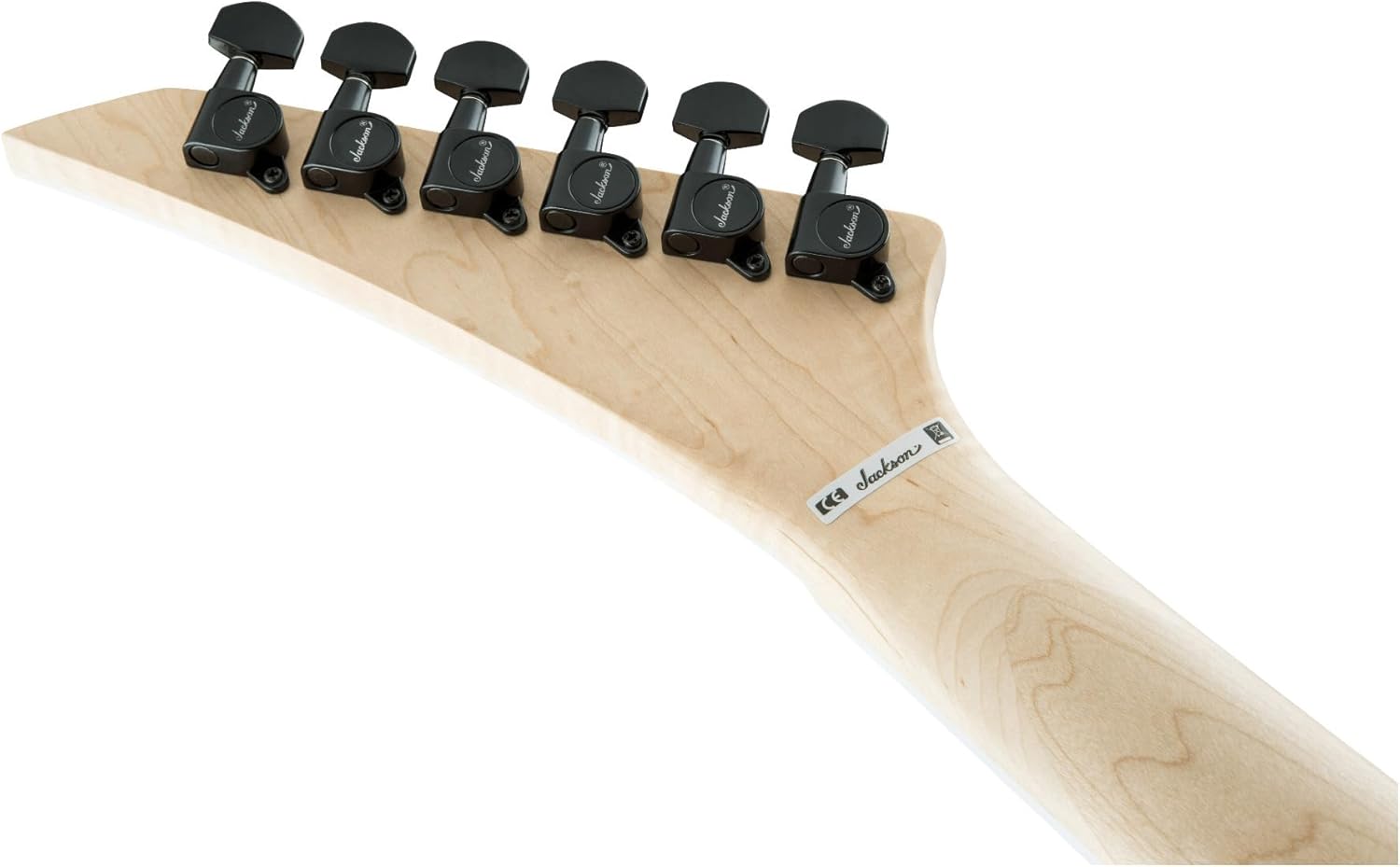
Back view of the Jackson JS Series Dinky JS22 headstock, showing the tuning machines and neck joint.
7. Warranty and Support
Your Jackson JS Series Dinky JS22 electric guitar is covered by a manufacturer's warranty against defects in materials and workmanship. For specific warranty terms and conditions, please refer to the documentation included with your purchase or visit the official Jackson website.
For technical assistance, service, or replacement parts, please contact Jackson customer support. Have your model number (JS22) and serial number ready when contacting support.


