
MINELAB GO-FIND 11
Minelab GO-FIND 11 Ultra-Light Collapsible Metal Detector User Manual
Model: GO-FIND 11
1. Introduction
This manual provides essential instructions for the safe and effective operation of your Minelab GO-FIND 11 Ultra-Light Collapsible Metal Detector. The GO-FIND 11 is designed for ease of use and portability, making it suitable for both adults and children interested in metal detecting. Please read this manual thoroughly before using your device.

Image 1.1: The Minelab GO-FIND 11 metal detector in its extended, ready-to-use configuration.
2. Product Components
The Minelab GO-FIND 11 metal detector consists of several key components:
- Control Unit: Houses the display, control buttons, and electronics.
- Shaft: The main body of the detector, which is collapsible and adjustable.
- Search Coil: The 8-inch waterproof coil at the end of the shaft, responsible for detecting metal.
- Armrest: Provides support and comfort during use.
- Speaker: Integrated into the control unit for audio alerts.

Image 2.1: Close-up of the GO-FIND 11 control unit, showing the display and buttons.
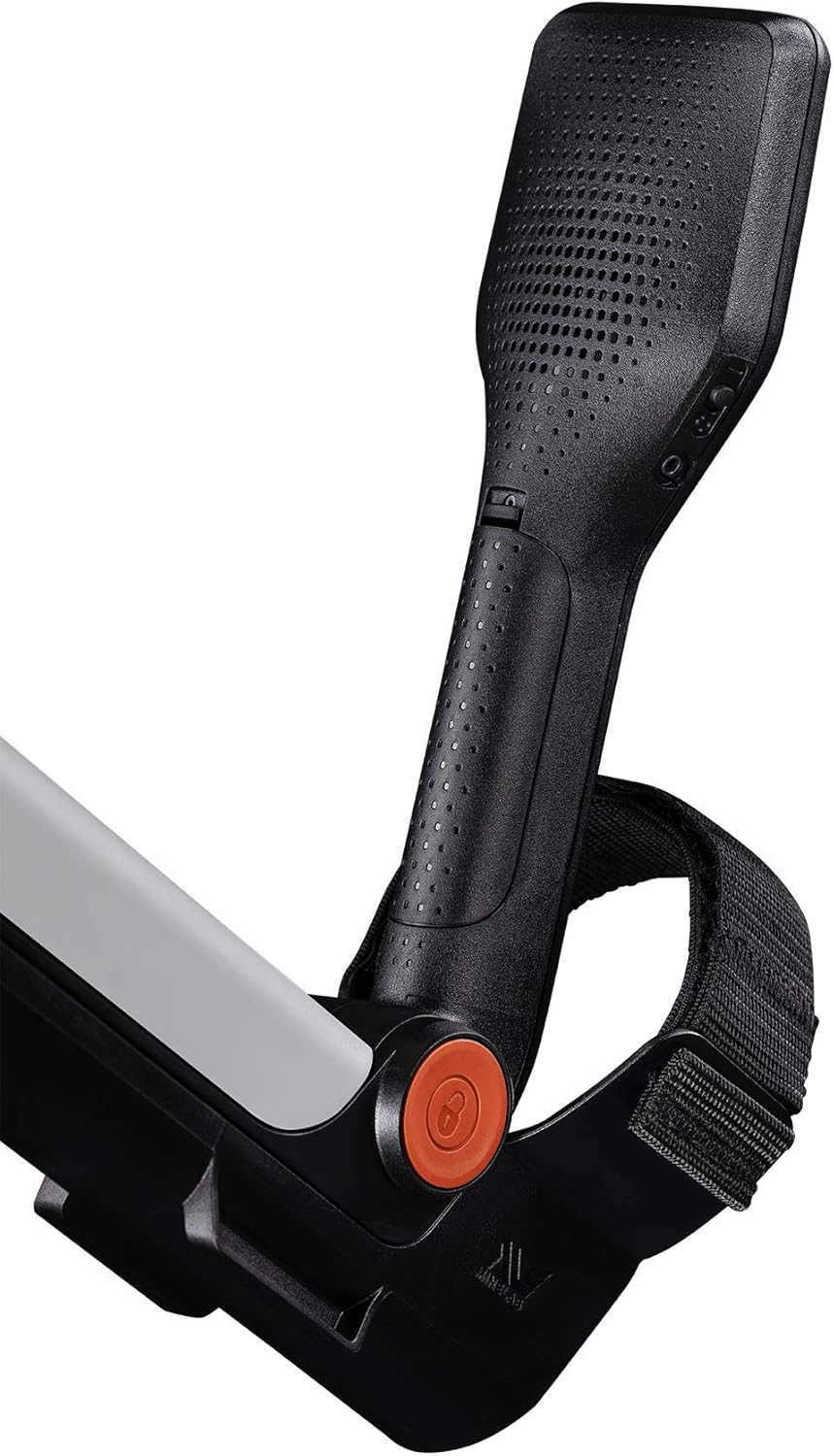
Image 2.2: View of the GO-FIND 11 armrest and integrated speaker.
3. Setup and Assembly
The GO-FIND 11 is designed for quick setup. No complex assembly is required.
3.1 Unfolding the Detector
- Gently unfold the detector from its collapsed position until it locks into place.
- Ensure all sections of the shaft are securely extended.

Image 3.1: The Minelab GO-FIND 11 in its compact, collapsed state for transport.
3.2 Adjusting Length
The detector's length is adjustable to suit different users. Adjust the shaft to a comfortable length where the search coil is parallel to the ground when you are standing upright.
3.3 Battery Installation
The GO-FIND 11 requires 4 AA batteries. Locate the battery compartment, typically on the control unit, and insert the batteries according to the polarity indicators (+/-).
4. Operating Instructions
4.1 Power On/Off
Press and hold the power button on the control unit to turn the detector on or off.
4.2 Find Modes
The GO-FIND 11 features 2 preset find modes. These modes help in identifying different types of metals. The display will show large icons indicating the type of item detected and signal strength.

Image 4.1: The GO-FIND 11 display showing different target identification icons for various find modes.
4.3 Sensitivity Adjustment
There are 3 levels of sensitivity. Adjusting the sensitivity can help in different environments. Higher sensitivity may detect smaller or deeper targets but can also increase false signals in mineralized ground.

Image 4.2: Close-up of the GO-FIND 11 control panel, highlighting the sensitivity adjustment buttons.
4.4 Sweeping Technique
Hold the detector with the search coil parallel to the ground, about 1-2 inches above the surface. Sweep the coil from side to side in a slow, overlapping motion. Listen for audio signals and observe the display for target identification.

Image 4.3: A child demonstrating the use of the Minelab GO-FIND 11 metal detector on a sandy beach.

Image 4.4: An adult using the Minelab GO-FIND 11 metal detector on a beach with dunes in the background.
5. Care and Maintenance
- Cleaning: After each use, wipe down the detector with a damp cloth. Avoid harsh chemicals. The search coil is waterproof and can be rinsed, but ensure the control unit remains dry.
- Storage: Store the detector in a cool, dry place. Remove batteries if storing for extended periods to prevent leakage.
- Battery Care: Use high-quality AA batteries. Replace all batteries at the same time.
- Transport: The collapsible design allows for easy transport. Ensure the detector is fully collapsed and secured when moving it.

Image 5.1: A person carrying the Minelab GO-FIND 11 in its collapsed, portable form.
6. Troubleshooting
| Problem | Possible Cause | Solution |
|---|---|---|
| Detector does not power on. | Dead or incorrectly installed batteries. | Check battery polarity. Replace with fresh AA batteries. |
| False signals or erratic behavior. | High sensitivity in mineralized ground; electrical interference; nearby metal objects. | Reduce sensitivity. Move away from power lines or other electronics. Ensure no personal metal items are interfering. |
| No detection of metal. | Low sensitivity; coil not sweeping correctly; target too deep. | Increase sensitivity. Ensure proper sweeping technique. Targets may be beyond detection depth. |
7. Specifications
- Brand: MINELAB
- Model: GO-FIND 11 (3231-0022)
- Search Coil Size: 8 Inches (Waterproof)
- Operating Frequency: 7.7 KHz
- Power Source: 4 AA batteries (required)
- Item Weight: 2.2 Pounds (1 kg)
- Product Dimensions (Extended): 51.4"L x 7.25"W x 4"H
- Adjustable Length: Yes
- International Protection Rating: IP54
- Find Modes: 2
- Sensitivity Levels: 3
- Material: Metal
- UPC: 650414946175, 811493016900
8. Warranty Information
Your Minelab GO-FIND 11 metal detector is covered by a manufacturer's warranty. Please refer to the warranty card included with your product for specific terms, conditions, and duration. Retain your proof of purchase for any warranty claims.
9. Customer Support
For technical assistance, troubleshooting beyond this manual, or inquiries regarding your Minelab GO-FIND 11, please visit the official Minelab website or contact their customer support directly. Contact details can typically be found on the product packaging or the Minelab official website.
Related documentsGO-FIND 11


Ask a question about this manual
Ask about setup, troubleshooting, compatibility, parts, safety, or missing instructions. Manuals+ will review the question and use this page’s manual context to help answer it.