1. Introduction
This manual provides essential information for the safe and effective operation, setup, and maintenance of your TEN-HIGH 3020 40W CO2 Laser Engraving Machine. This offline version features a 128MB onboard memory, USB2.0 interface, and U disk support for independent operation without a PC, offering enhanced stability and convenience for production tasks.
1.1 Safety Warnings
- Laser Radiation: This machine uses a Class 4 laser. Direct exposure to the laser beam can cause severe eye and skin damage. Never look directly into the laser beam or its reflection.
- Ventilation: Ensure adequate ventilation during operation to remove fumes and particulate matter generated by engraving and cutting.
- Fire Hazard: Certain materials are flammable when exposed to a laser. Always supervise the machine during operation and have appropriate fire suppression equipment readily available.
- Electrical Safety: Ensure the machine is properly grounded. Do not operate with wet hands or in damp environments.
- Emergency Stop: Familiarize yourself with the location and function of the emergency stop button.

2. Machine Components
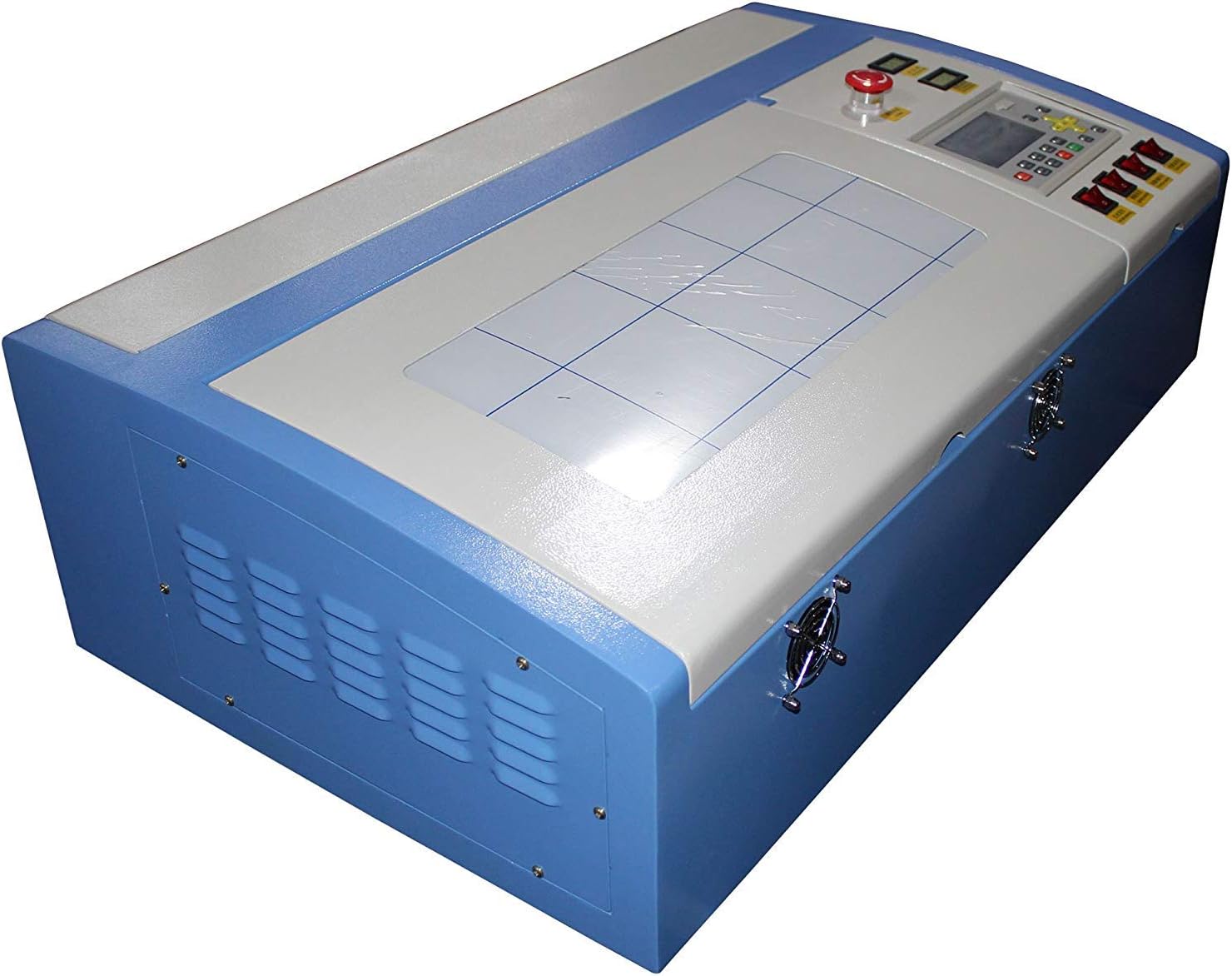
Understanding the main components of your laser engraver is crucial for proper setup and operation.
2.1 Overview of Main Parts
- Laser Tube: The CO2 laser source.
- Laser Head: Directs the laser beam onto the material.
- Work Bed: The area where materials are placed for engraving or cutting. This model features a 300x200mm (12"x8") engraving area.
- Control Panel: Interface for machine settings, job control, and status display.
- Emergency Stop Button: Immediately cuts power to the laser and machine.
- Cooling System Ports: Connections for external water cooling.
- Exhaust Fan Ports: Connections for fume extraction.
- USB Port: For connecting to a computer or U disk for file transfer.

3. Setup Instructions
Follow these steps to prepare your TEN-HIGH 3020 laser engraver for first use.
3.1 Unpacking and Placement
- Carefully remove the machine from its packaging. It is recommended to have assistance due to the machine's weight and size.
- Place the machine on a stable, level surface in a well-ventilated area, away from flammable materials.
- Remove all protective packaging materials from inside the machine, including any tape or foam securing the laser head and rails.
3.2 Connecting External Systems

- Water Cooling: Connect an external water pump and reservoir to the 'Water In' and 'Water Out' ports. Ensure the water flow direction is correct (some units may have reversed labels, verify with manufacturer guidelines or by testing flow). The water cooling system is critical for the laser tube's longevity.
- Exhaust System: Connect an exhaust fan and ducting to the exhaust port to remove smoke and fumes.
- Air Assist (Optional): If your model includes air assist, connect an air compressor to the 'Air In' port. Air assist helps prevent flare-ups and keeps the lens clean.
- Power Connection: Connect the machine to a grounded 110V power outlet.
3.3 Software Installation and Focal Length Adjustment
- Software: Install the provided LaserDRW software on your computer. While the machine supports offline operation, initial setup and complex designs often benefit from PC-based software.
- Focal Length: The laser's focal length must be correctly set for optimal engraving and cutting results. This typically involves adjusting the distance between the laser lens and the material surface. A common method is to use a focal tool or measure the distance. For this model, a distance of approximately 39mm from the workpiece to the bottom of the laser carriage is often effective, but precise adjustment may vary.
- Mirror Alignment: The laser mirrors are typically aligned at the factory. However, if engraving quality is poor, mirror alignment may need to be checked and adjusted. Refer to advanced setup guides or contact support if necessary.
4. Operating the Machine
This section outlines the basic steps for operating your TEN-HIGH 3020 laser engraver.
4.1 Basic Engraving/Cutting Process
- Power On: Ensure all external systems (water cooling, exhaust) are running before powering on the laser engraver.
- Material Placement: Place your material securely on the work bed.
- Focus Adjustment: Adjust the focal length as described in Section 3.3.
- Job Preparation:
- PC Connection: Create or import your design in the LaserDRW software, set parameters (power, speed), and send the job to the machine.
- Offline Operation: Load your design file onto a U disk and insert it into the machine's USB port. Use the control panel to select the file and set parameters.
- Start Engraving/Cutting: Initiate the job from the software or control panel. Monitor the process closely.
- Power Off: Once the job is complete, power off the laser engraver, then the external cooling and exhaust systems.
4.2 Offline Version Features
The offline version of the TEN-HIGH 3020 offers enhanced capabilities:
- Independent Operation: The machine can run engraving and cutting jobs without a continuous PC connection, ideal for repetitive tasks.
- U Disk Support: Easily transfer design files via USB flash drive.
- Perfect Continuous Engraving: In case of a power interruption, the machine can resume engraving from the exact point it stopped once power is restored, preventing material waste and saving time.
4.3 Compatible Materials
The TEN-HIGH 3020 is capable of marking and cutting a wide range of non-metal materials, including:
- Bamboo
- Leather
- Wood
- Acrylic
- Plastics (ensure they do not emit toxic fumes when laser processed)
- Glass (engraving only)
- Cloth
- Paper

5. Maintenance
Regular maintenance ensures optimal performance and extends the lifespan of your laser engraver.
5.1 Daily/Weekly Checks
- Clean Work Bed: Remove debris and dust from the work bed.
- Check Water Cooling: Ensure the water level in the reservoir is adequate and the water is clean. Replace water regularly.
- Clean Optics: Carefully clean the laser lens and mirrors using lens cleaning solution and specialized wipes to maintain beam quality.
- Inspect Rails: Check the linear rails for dust or debris and clean if necessary. Lubricate according to manufacturer recommendations.
5.2 Long-Term Maintenance
- Laser Tube Inspection: Periodically inspect the laser tube for any signs of damage or degradation.
- Exhaust System: Clean or replace exhaust filters as needed to maintain efficient fume extraction.
- Electrical Connections: Ensure all electrical connections are secure and free from corrosion.
6. Troubleshooting
This section addresses common issues you might encounter and their potential solutions.
| Problem | Possible Cause | Solution |
|---|---|---|
| Machine does not engrave/cut | Water cooling not flowing or connected incorrectly; Laser power too low; Focal length incorrect; Laser tube failure. | Verify water pump operation and correct water inlet/outlet connections. Increase laser power settings. Adjust focal length. Contact support if laser tube is suspected. |
| Poor engraving quality / blurry lines | Incorrect focal length; Dirty lens or mirrors; Misaligned mirrors; Material not flat. | Re-adjust focal length. Clean lens and mirrors. Check mirror alignment. Ensure material is flat on the work bed. |
| Machine stops mid-job (Offline version) | Power interruption. | The 'Perfect Continuous Engraving' function should allow resumption. If not, check power supply and job file integrity. |
| Fumes not clearing | Exhaust fan not working; Blocked ducting; Dirty filter. | Check exhaust fan power and operation. Clear any blockages in ducting. Clean or replace exhaust filter. |
If you encounter issues not listed here or cannot resolve a problem, please contact TEN-HIGH customer support.
7. Specifications
Key technical specifications for the TEN-HIGH 3020 40W CO2 Laser Engraving Machine.
| Feature | Specification |
|---|---|
| Model | TH-CO2-JK3020TJ-40W |
| Laser Power | 40W |
| Engraving Area | 300mm x 200mm (12" x 8") |
| Voltage | 110V |
| Engraving Accuracy | 0.01mm |
| Engraving Speed | Up to 600mm/s |
| Interface | USB2.0 |
| Offline Memory | 128MB |
| Certifications | CE Certified |

8. Warranty and Support
Your TEN-HIGH 3020 CO2 Laser Engraving Machine comes with a commitment to quality and customer satisfaction.
8.1 Warranty Information
The machine includes a one-year warranty from the date of purchase. This warranty covers manufacturing defects and ensures proper after-sale service. Please retain your proof of purchase for warranty claims.
8.2 Technical Support
TEN-HIGH is dedicated to providing excellent technical support. If you have questions regarding setup, operation, maintenance, or troubleshooting, please contact our customer service team. Our support staff can assist with technical inquiries and guide you through solutions.
For support, please refer to the contact information provided with your purchase or visit the official TEN-HIGH website.


