Introduction
This manual provides essential instructions for the safe and efficient use of your GreatPowerDirect AC DC Adapter. This power supply is specifically designed to provide reliable power to Ambir DS685 and DS685-SS Duplex ID Scanners.
Safety Information
Please read and understand all safety instructions before using this product. Failure to follow these instructions may result in electric shock, fire, or damage to the product or connected devices.
- Ensure the adapter is compatible with your device's power requirements before connecting.
- Do not expose the adapter to water, moisture, or extreme temperatures.
- Avoid dropping or subjecting the adapter to strong impacts.
- Do not attempt to open, modify, or repair the adapter. Refer servicing to qualified personnel.
- Unplug the adapter from the power outlet when not in use for extended periods.
- Keep out of reach of children.
- Ensure proper ventilation around the adapter during operation to prevent overheating.
Package Contents
Verify that all items are present in your package:
- 1 x GreatPowerDirect AC DC Adapter (Model GPD081213-22189)
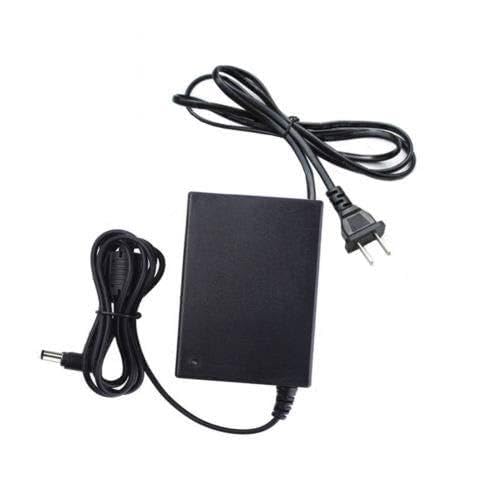
Image showing the black GreatPowerDirect AC DC adapter with its attached power cord and DC output plug, ready for connection.
Setup
Follow these steps to connect your AC DC Adapter to your Ambir DS685 or DS685-SS Duplex ID Scanner:
- Prepare the Scanner: Ensure your Ambir DS685 or DS685-SS scanner is powered off and disconnected from any previous power source.
- Connect to Scanner: Take the DC output plug (the smaller, round connector) of the GreatPowerDirect adapter and securely insert it into the power input port on your Ambir scanner.
- Connect to Power Outlet: Plug the AC input plug (the larger, two-prong connector) of the adapter into a standard, functional wall power outlet.
- Power On Scanner: Once both connections are secure, you may power on your Ambir DS685 or DS685-SS scanner.
Operating Instructions
The GreatPowerDirect AC DC Adapter is designed for continuous operation to power your compatible Ambir scanner. Once properly connected as described in the Setup section, the adapter will supply the necessary electrical current to your device.
- Ensure all connections remain firm during scanner operation.
- If the scanner is not functioning, verify the adapter is receiving power from the wall outlet and is correctly plugged into the scanner.
Maintenance
Proper care will extend the life of your AC DC Adapter.
- Cleaning: Disconnect the adapter from all power sources before cleaning. Use a soft, dry cloth to wipe the exterior. Do not use liquid cleaners or solvents.
- Storage: When not in use, store the adapter in a cool, dry place, away from direct sunlight and excessive heat. Avoid tightly coiling the cables to prevent damage.
- Inspection: Periodically inspect the adapter and cables for any signs of damage, such as frayed wires or cracked casing. Discontinue use if damage is found.
Troubleshooting
If you encounter issues with your adapter, refer to the following common problems and solutions:
- No Power to Scanner:
- Ensure the adapter's AC plug is fully inserted into a working wall outlet.
- Verify the DC output plug is securely connected to the scanner's power input.
- Check if the wall outlet is functional by plugging in another device.
- Confirm the scanner's power switch is in the 'ON' position.
- Adapter Overheating:
- Immediately unplug the adapter from the wall outlet and the scanner.
- Ensure the adapter is in an area with adequate ventilation and not covered.
- If overheating persists after allowing it to cool and ensuring ventilation, discontinue use and contact support.
- Loose Connection:
- If the connection feels loose, gently re-seat both the AC and DC plugs. Avoid forcing connections.
Specifications
| Model Number | GPD081213-22189 |
| Compatible Devices | Ambir DS685, Ambir DS685-SS Duplex ID Scanners |
| Power Source | Corded Electric |
| Item Weight | 6 ounces (approximately 170 grams) |
| Manufacturer | GreatPowerDirect |
| ASIN | B07LBY2PSM |
Warranty Information
For specific warranty terms and conditions, please refer to the documentation included with your purchase or visit the official GreatPowerDirect website. Warranty coverage typically includes defects in materials and workmanship under normal use.
Support
If you require technical assistance, have questions about your product, or need to report an issue, please contact GreatPowerDirect customer service. Please have your product model number (GPD081213-22189) and purchase information ready when contacting support.
Contact information can typically be found on the manufacturer's website or your purchase receipt.