1. Introduction
This manual provides essential instructions for the setup, operation, and maintenance of your VINABTY RM-GD019 replacement remote control. This remote is designed to be compatible with various Sony TV models, offering a direct replacement experience without complex programming.
2. Product Overview
The VINABTY RM-GD019 is a dedicated replacement remote control for a range of Sony televisions. It is engineered to function immediately upon battery insertion, replicating the functionality of the original remote for seamless control of your TV.
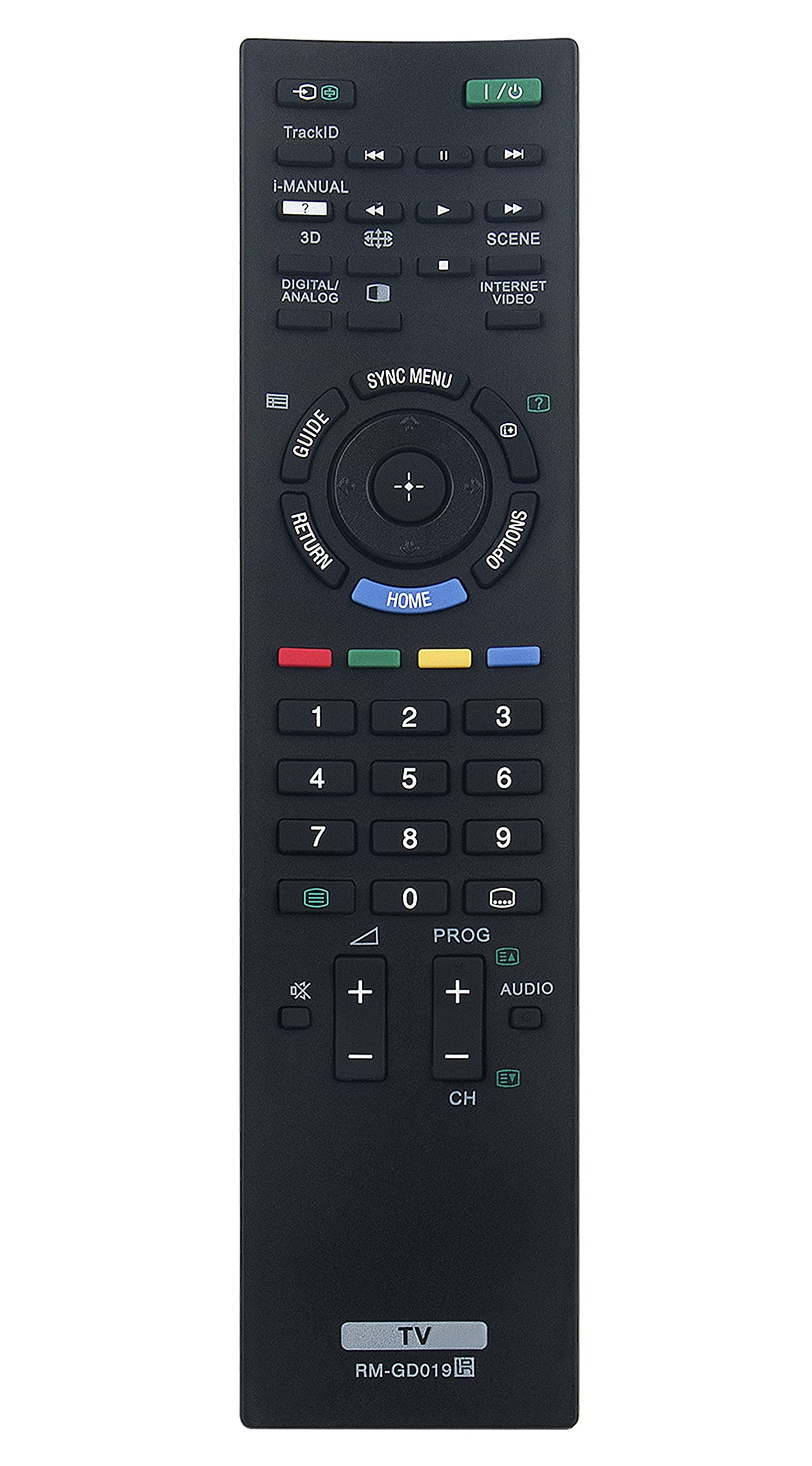
Image 2.1: Front view of the VINABTY RM-GD019 remote control.
2.1 Compatible Sony TV Models:
- KDL-46EX720, KDL-40EX720, KDL-40EX520, KDL-40CX520
- KDL-32EX720, KDL-32EX520, KDL-32CX520, KDL-32CX523, KDL-32EX723, KDL-32EX420, KDL-32EX523
- KDL-26EX420, KDL-26EX423
- KDL-22EX420, KDL-22CX520, KDL-22EX423
- KDL-55EX720, KDL-55EX723
- KDL-40CX523, KDL-46EX723, KDL-46CX520, KDL-40EX523, KDL-46EX520, KDL-40EX723, KDL-46EX523, KDL-46CX523
- KDL-60EX720
2.2 Package Contents:
- 1 x VINABTY RM-GD019 Remote Control
3. Setup
The VINABTY RM-GD019 remote control is designed for immediate use with compatible Sony TV models. No programming or pairing is required.
3.1 Battery Installation:
- Locate the battery compartment on the back of the remote control.
- Slide the battery compartment cover downwards or press the latch and lift to open.
- Insert two (2) AA batteries, ensuring the positive (+) and negative (-) terminals align correctly with the markings inside the compartment.
- Replace the battery compartment cover, ensuring it clicks securely into place.

Image 3.1: Back view of the remote control with the battery compartment.
Once batteries are installed, the remote control is ready for use.
4. Operating Instructions
Point the remote control directly at your Sony TV's infrared receiver. Ensure there are no obstructions between the remote and the TV. The remote provides standard functions for TV operation.
4.1 Basic Functions:
- Power (I/O): Turns the TV on or off.
- Number Buttons (0-9): Selects channels directly.
- CH +/-: Changes channels sequentially.
- VOL +/-: Adjusts the volume level.
- Mute: Silences the TV audio.
- Home: Accesses the TV's main menu or smart features.
- Options: Displays context-sensitive options.
- Guide: Opens the electronic program guide.
- Return: Goes back to the previous screen or menu.
- Directional Pad (Up/Down/Left/Right) & Enter: Navigates menus and confirms selections.

Image 4.1: Example of remote control in use.
5. Maintenance
5.1 Battery Replacement:
If the remote control becomes unresponsive or its range decreases, it may be time to replace the batteries. Follow the battery installation steps in Section 3.1. Always replace both batteries simultaneously with new ones of the same type (AA).
5.2 Cleaning:
To clean the remote control, gently wipe its surface with a soft, dry cloth. For stubborn dirt, slightly dampen the cloth with water or a mild, non-abrasive cleaner. Avoid using harsh chemicals or excessive moisture, as these can damage the remote's electronics.
6. Troubleshooting
6.1 Remote Not Responding:
- Check Batteries: Ensure batteries are inserted correctly with the correct polarity (+/-) and are not depleted. Replace if necessary.
- Line of Sight: Make sure there are no objects blocking the path between the remote control and the TV's infrared sensor.
- Distance: Ensure you are within the effective operating range of the remote control (typically up to 20 feet).
- TV Compatibility: Verify that your Sony TV model is listed as compatible in Section 2.1.
7. Specifications
| Feature | Specification |
|---|---|
| Model Number | RM-GD019 |
| Brand | VINABTY |
| Product Dimensions | 8 x 2 x 0.45 inches |
| Item Weight | 3 ounces |
| Batteries Required | 2 AA batteries (not included) |
| Color | Black |
| Special Feature | Ergonomic design |
| Max Number of Supported Devices | 1 (Television) |
| Compatible Devices | Television |
8. Warranty and Support
For any issues or inquiries regarding your VINABTY RM-GD019 remote control, please refer to the seller or manufacturer for warranty information and customer support. Keep your purchase receipt as proof of purchase.