
Product Overview
The Incipio Clarion Folio Case is designed to provide protection and functionality for your Apple 12.9-inch iPad Pro (2018). It features a high-quality nylon cover and a clear, impact-resistant Flex2O TPU shell. This design ensures your iPad is protected from dust and scratches while allowing the device's original design to remain visible through the transparent back.
Key features include:
- Durable Construction: High-quality nylon cover and impact-resistant Flex2O TPU shell.
- Multiple Viewing Angles: Provides versatile positioning for media consumption, typing, or presentations.
- Screen Protection: Soft microfiber interior lining protects the screen from scratches.
- Secure Closure: Integrated closure mechanism keeps the case securely shut.
- Full Accessibility: Precision cutouts ensure all ports and functions remain fully accessible.
- Smart Cover Functionality: Fully compatible with the iPad's automatic wake/sleep function.
Note: This case is NOT compatible with the magnetic attachment of Apple Pencil 2.
Setup and Installation
Follow these steps to properly install your iPad Pro into the Incipio Clarion Folio Case:
- Ensure your iPad Pro is clean and free of dust or debris.
- Align your 12.9-inch iPad Pro (2018 model) with the Flex2O TPU shell.
- Gently press the iPad into the shell, starting from one corner and working your way around, ensuring all edges are securely seated within the case. The flexible TPU material will conform to your device.
- Verify that all ports, buttons, and camera cutouts align correctly with your iPad.
- Close the front cover over the iPad screen. The integrated closure will secure it.

Image: iPad Pro securely installed in the Incipio Clarion Folio Case, showcasing the transparent back shell.
Operating Instructions
The Incipio Clarion Folio Case offers several functionalities to enhance your iPad experience:
- Stand Function: To use the stand feature, open the front cover and fold it back to create a triangular support. The case is designed to provide multiple viewing angles for comfortable use.

Image: iPad Pro positioned in landscape viewing mode using the integrated stand feature of the case.
- Automatic Wake/Sleep: Opening the front cover will automatically wake your iPad, and closing it will put your iPad to sleep, conserving battery life.
- Secure Closure: The integrated closure mechanism ensures the front cover stays closed when not in use, protecting your screen.
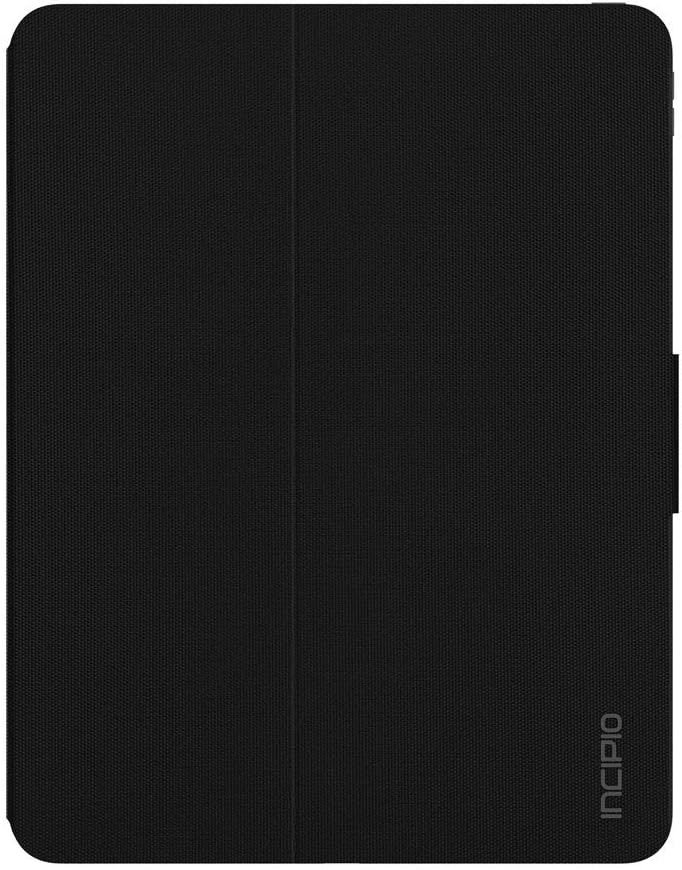
Image: The Incipio Clarion Folio Case in its closed position, providing full screen protection.
Maintenance
To keep your Incipio Clarion Folio Case in optimal condition:
- Cleaning the Exterior: Use a soft, damp cloth with mild soap and water to clean the nylon exterior. Avoid harsh chemicals or abrasive cleaners.
- Cleaning the Interior: For the microfiber interior, gently wipe with a dry, lint-free cloth. If necessary, a slightly damp cloth can be used, ensuring it is not overly wet.
- Cleaning the TPU Shell: The Flex2O TPU shell can be cleaned with a damp cloth.
- Avoid Extreme Temperatures: Do not expose the case to extreme heat or cold, as this may affect the material's integrity.
Troubleshooting
If you encounter issues with your Incipio Clarion Folio Case, consider the following:
- iPad Not Seating Properly: Ensure the iPad model is compatible (Apple 12.9-inch iPad Pro 2018). Remove the iPad and re-insert it, making sure all corners are fully engaged in the TPU shell.
- Stand Instability: Ensure the case is placed on a flat, stable surface. Adjust the fold of the front cover to achieve the desired viewing angle and stability.
- Wake/Sleep Function Not Working: Verify that your iPad's settings for 'Lock/Unlock' are enabled. Ensure the front cover is fully closed for the sleep function to activate.
- Ports or Buttons Obstructed: Double-check that the iPad is correctly aligned within the case. If misaligned, remove and re-install the iPad.
Specifications
| Brand | Incipio |
| Model Number | IPD-401-BLK |
| Compatible Devices | iPad Pro 12.9 (2018) |
| Color | Black |
| Form Factor | Case |
| Shell Type | Soft (Flex2O TPU) |
| Item Weight | 1 pound |
| Product Dimensions (LxWxH) | 5.04 x 3.62 x 2.05 inches |
Warranty and Support
For information regarding product warranty, please refer to the documentation included with your purchase or visit the official Incipio website. For further assistance or technical support, please contact Incipio customer service.
Incipio Customer Support: Please visit www.incipio.com/support for contact options and FAQs.