Introduction
This manual provides detailed instructions for the safe and efficient operation of your Fuzion Digital Kitchen Scale, model PT3000-SLV. Please read this manual thoroughly before use and retain it for future reference.
Setup
1. Unpacking
Carefully remove all components from the packaging. Ensure all items listed in the package contents are present.
2. Battery Installation
The scale requires 2 AAA batteries (included). Open the battery compartment located on the underside of the scale. Insert the batteries according to the polarity indicators (+/-). Close the compartment securely.
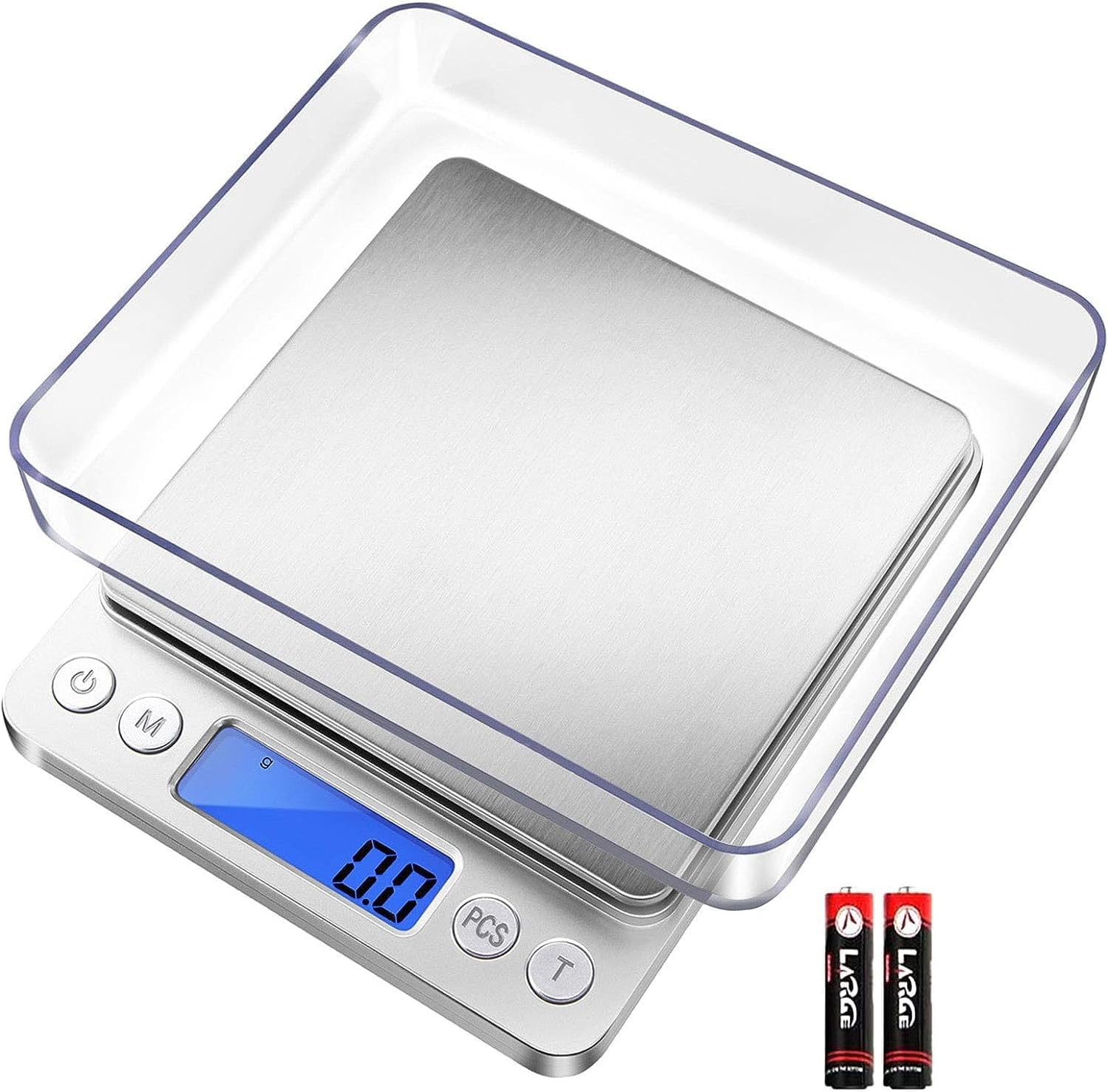
Image Description: A silver Fuzion Digital Kitchen Scale is shown with two clear plastic trays and two AAA batteries. The scale has a stainless steel weighing platform and a blue backlit LCD display. The trays can be used as protective covers or weighing containers.
3. Placement
Place the scale on a hard, flat, and stable surface to ensure accurate readings. Avoid placing it on soft or uneven surfaces, or near sources of vibration or extreme temperature changes.
Operating Instructions
1. Power On/Off
- Press the ⑂ (Power) button to turn the scale on. The LCD display will show "88888" then "0.0 g" (or the last used unit).
- To turn off the scale, press and hold the ⑂ (Power) button for a few seconds, or wait for the automatic 180-second auto-off function to engage.
2. Unit Conversion
- Press the M (Mode) button to cycle through the available measurement units: grams (g), ounces (oz), grains (gn), carats (ct), troy ounces (ozt), and pennyweights (dwt).

Image Description: A close-up of the scale's blue backlit LCD display. It shows "0.0" with "g" (grams) selected, and an illustration of the six available measurement units: g, oz, gn, ct, ozt, dwt.
3. Tare Function
- To weigh items in a container, place the empty container on the scale.
- Press the T (Tare) button. The display will reset to "0.0".
- Add the items you wish to weigh into the container. The display will show only the net weight of the items.

Image Description: A sequence of three images demonstrating the tare function. First, the scale is on with "0.0" displayed. Second, an empty clear tray is placed on the scale, and the "T" button is pressed to reset the display to "0.0". Third, peppercorns are added to the tray, and their net weight is displayed.
4. Piece Counting (PCS) Function
- Turn the scale on and place a sample quantity (25, 50, 75, or 100 pieces) of the items you wish to count on the platform.
- Press and hold the PCS button until "PCS" appears on the display.
- Press the M (Mode) button to select the sample quantity you placed (e.g., "25").
- Press the PCS button again to confirm. The scale is now calibrated for piece counting.
- You can now add any quantity of the same items, and the scale will display the number of pieces.
Key Features
- High Precision: Equipped with a high-precision sensor system, providing accurate measurements from 0.5g up to 3000g in 0.1g increments.
- Multiple Units: Supports 6 different measurement modes: g, oz, gn, ct, ozt, dwt.
- Compact Design: Designed for easy storage and portability, with dimensions of 5 x 4.1 x 0.8 inches.
- Durable Construction: Features a high-quality stainless steel platform and an ABS plastic frame.
- Included Trays: Comes with two trays that can be used as protective covers or as containers for weighing items.

Image Description: The compact Fuzion Digital Kitchen Scale is displayed alongside a smartphone to illustrate its small, portable size. Dimensions are provided for both the scale (5.0 x 4.1 x 0.8 inches) and a typical smartphone (5.8 x 2.8 inches).
Maintenance & Care
- Clean the scale with a soft, damp cloth. Do not use abrasive cleaners or immerse the scale in water.
- Store the scale in a cool, dry place.
- Remove batteries if the scale will not be used for an extended period to prevent leakage.
- Avoid exposing the scale to extreme temperatures or sudden temperature changes.
Troubleshooting
- Inaccurate Readings: Ensure the scale is on a flat, stable surface. Check battery levels. Avoid overloading the scale.
- Display Errors: If the display shows "EEEE", the scale is overloaded. Remove items immediately. If "Lo" is displayed, replace the batteries.
Specifications
| Attribute | Detail |
|---|---|
| Brand | Fuzion |
| Model Number | PT3000-SLV |
| Weight Limit | 3000 Grams (6.6 lbs) |
| Readout Accuracy | 0.1 Grams |
| Minimum Weight | 0.5 Grams |
| Display Type | LCD with Backlight |
| Measurement Modes | g, oz, gn, ct, ozt, dwt |
| Auto Shut-Off | 180 seconds |
| Power Source | 2 x AAA Batteries (included) |
| Product Dimensions | 5 x 4.1 x 0.8 inches |
| Item Weight | 6.8 ounces |
| Material | Stainless Steel Platform, ABS Plastic Frame |
Warranty & Support
Fuzion offers a 2-year warranty and lifetime technical support for this digital scale. For any issues or inquiries, please contact Fuzion customer service directly through your Amazon order page.


