
BlissLights 900-00047_A
BlissLights Sky Lite LED Laser Star Projector Instruction Manual
Model: 900-00047_A
Introduction
Thank you for choosing the BlissLights Sky Lite LED Laser Star Projector. This device is designed to transform any room into a mesmerizing celestial experience, projecting drifting stars and a transforming nebula cloud. Please read this manual carefully to ensure proper setup, operation, and maintenance of your projector.
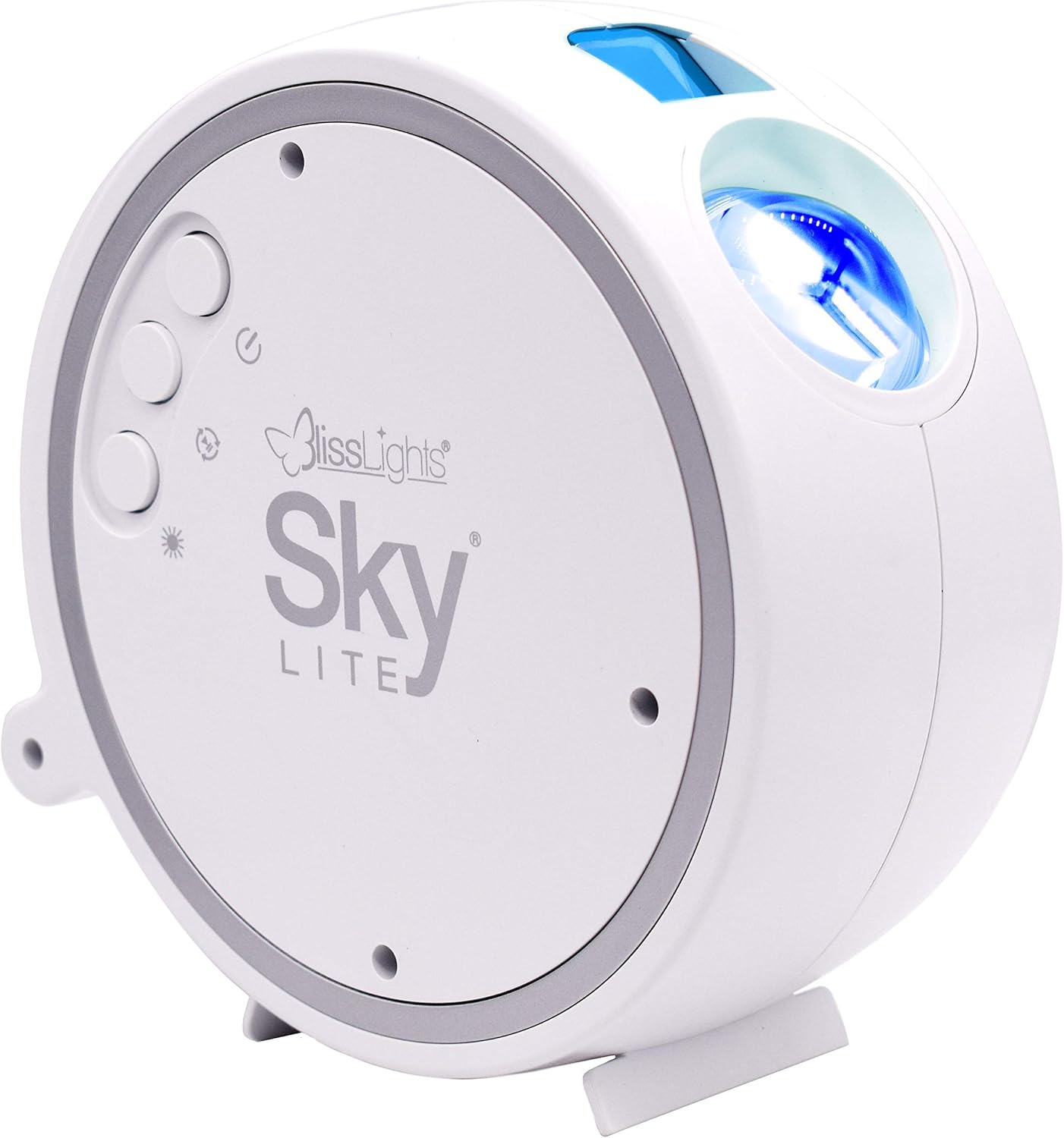
Image: The BlissLights Sky Lite projector, a compact white spherical unit designed to project celestial light effects.
Important Safety Information
- Laser Safety: This product uses a laser. Avoid direct eye exposure to the laser beam. Do not stare into the aperture.
- Indoor Use Only: This device is intended for indoor use in dry locations. Do not expose to water or moisture.
- Power Source: Use only the provided power adapter. Ensure the voltage is compatible with your local power supply (120 Volts AC).
- Ventilation: Do not block ventilation openings. Ensure adequate airflow around the device to prevent overheating.
- Children: Keep out of reach of small children. This is not a toy.
- Cleaning: Unplug the device before cleaning. Use a soft, dry cloth. Do not use liquid cleaners.
Package Contents
Verify that all items are present in your package:
- BlissLights Sky Lite LED Laser Star Projector
- Power Adapter (Corded Electric)
- Instruction Manual (this document)
Setup
- Unpack: Carefully remove the Sky Lite projector and all accessories from the packaging.
- Placement: Place the projector on a stable, flat surface. For optimal projection, position it in a corner or against a wall, aiming towards the ceiling or desired projection area. The device is designed for table mount or free-standing placement.
- Power Connection: Connect the power adapter to the projector's power input port. Plug the adapter into a standard 120V AC electrical outlet.
- Power On: Press the power button located on the side of the unit to turn on the projector.

Image: Detail of the projector's control panel, featuring buttons for power, brightness, and effect selection.
Operating Instructions
The Sky Lite projector features simple push-button controls to customize your visual experience.
- Power Button (⏻): Press to turn the projector ON or OFF.
- Star Button (✶): Cycles through different star effects (e.g., stars only, stars with nebula, no stars).
- Nebula Button (∿): Cycles through different nebula cloud effects and colors.
- Brightness Button (☀): Adjusts the brightness level of the projection.
- Rotation Button (↻): Starts or stops the rotating motion of the nebula and/or stars.
The projector includes a 6-hour auto-timer feature, automatically turning off after six hours of continuous operation to conserve energy and prevent overheating.
Visual Effects
The Sky Lite projects a field of drifting blue stars against a transforming blue nebula cloud, creating a dynamic and immersive environment.

Image: An example of the Sky Lite's projection filling a room with blue stars and nebula.
Official Product Videos
BlissLights Sky Lite 2.0 Projector Overview
Video: A detailed look at the BlissLights Sky Lite 2.0 projector, demonstrating its features and effects.
Room Projection Example
Video: This video showcases the beautiful starry room projection, ideal for creating a space-themed ambiance.
Maintenance
- Cleaning: To clean the projector, first unplug it from the power source. Use a soft, dry, lint-free cloth to wipe the exterior. Do not use abrasive cleaners, solvents, or harsh chemicals.
- Lens Care: Gently wipe the projection lenses with a microfiber cloth to remove dust or smudges. Avoid touching the lenses directly with your fingers.
- Storage: When not in use, store the projector in a cool, dry place, away from direct sunlight and extreme temperatures.
Troubleshooting
| Problem | Possible Cause | Solution |
|---|---|---|
| Projector does not turn on. | No power or loose connection. | Ensure the power adapter is securely plugged into both the projector and a working electrical outlet. Check if the outlet is functional. |
| Projection is dim or unclear. | Ambient light interference or dirty lens. | Operate in a darker room. Clean the projection lenses with a microfiber cloth. Adjust brightness settings using the Brightness button. |
| Stars or nebula are not moving. | Rotation feature is off. | Press the Rotation button to activate the motion feature. |
| Device turns off unexpectedly. | Auto-timer activated. | The projector has a 6-hour auto-timer. Turn the unit back on if you wish to continue use. |
Specifications
| Model Number | 900-00047_A |
| Color | Blue/Blue - White Housing |
| Light Source Type | LED, Laser |
| Power Source | Corded Electric |
| Voltage | 120 Volts (AC) |
| Wattage | 5 watts |
| Item Weight | 1.65 pounds |
| Product Dimensions | 5.91"L x 2.95"W x 5.91"H |
| Special Features | 6 Hour Auto Timer, Dimmable, Adjustable Light Direction |
| Mounting Type | Table Mount or None |
Warranty and Support
For warranty information, technical support, or customer service inquiries, please refer to the official BlissLights website or contact their customer support directly. Keep your purchase receipt for warranty claims.
Official BlissLights Website: www.blisslights.com
Related documents900-00047_A


Ask a question about this manual
Ask about setup, troubleshooting, compatibility, parts, safety, or missing instructions. Manuals+ will review the question and use this page’s manual context to help answer it.