
1. Introduction
Thank you for choosing the Rocktile GA-5 Jimi Mini Guitar Amplifier. This portable 5-watt amplifier is designed for convenient practice sessions, offering both clean and overdriven tones. Its compact size and versatile power options make it an ideal companion for musicians on the go. This manual provides essential information for the safe and effective use of your amplifier.
2. Safety Instructions
- Read all instructions before operating the amplifier.
- Do not expose the unit to rain or moisture to prevent fire or electric shock.
- Do not open the amplifier casing. There are no user-serviceable parts inside. Refer all servicing to qualified personnel.
- Use only the specified power source (9V block battery or optional compatible power adapter).
- Keep the amplifier away from heat sources such as radiators, heat registers, stoves, or other apparatus (including amplifiers) that produce heat.
- Unplug the amplifier during lightning storms or when unused for long periods.
- Avoid placing heavy objects on the amplifier.
3. Package Contents
- Rocktile GA-5 Jimi Mini Guitar Amplifier
- Removable Belt Clip (pre-attached or included separately)
- Removable Shoulder Strap
Note: A 9V block battery and power adapter are not included and must be purchased separately.
4. Product Overview
Familiarize yourself with the controls and features of your GA-5 Jimi amplifier.

Figure 4.1: Front Panel Controls
This image displays the front panel of the Rocktile GA-5 Jimi amplifier, highlighting the input jack, volume knob, tone knob, mode switch (OFF/ON/OD), and power indicator LED.
- INPUT Jack: Connect your guitar here using a 6.35 mm (1/4 inch) instrument cable.
- VOLUME Control: Adjusts the overall output volume of the amplifier.
- TONE Control: Adjusts the tonal characteristics, from darker to brighter sounds.
- MODE Switch (OFF/ON/OD):
- OFF: Turns the amplifier off.
- ON: Activates the clean/normal amplifier mode.
- OD (Overdrive): Activates the distorted/overdrive amplifier mode.
- POWER Indicator LED: Illuminates when the amplifier is turned on.
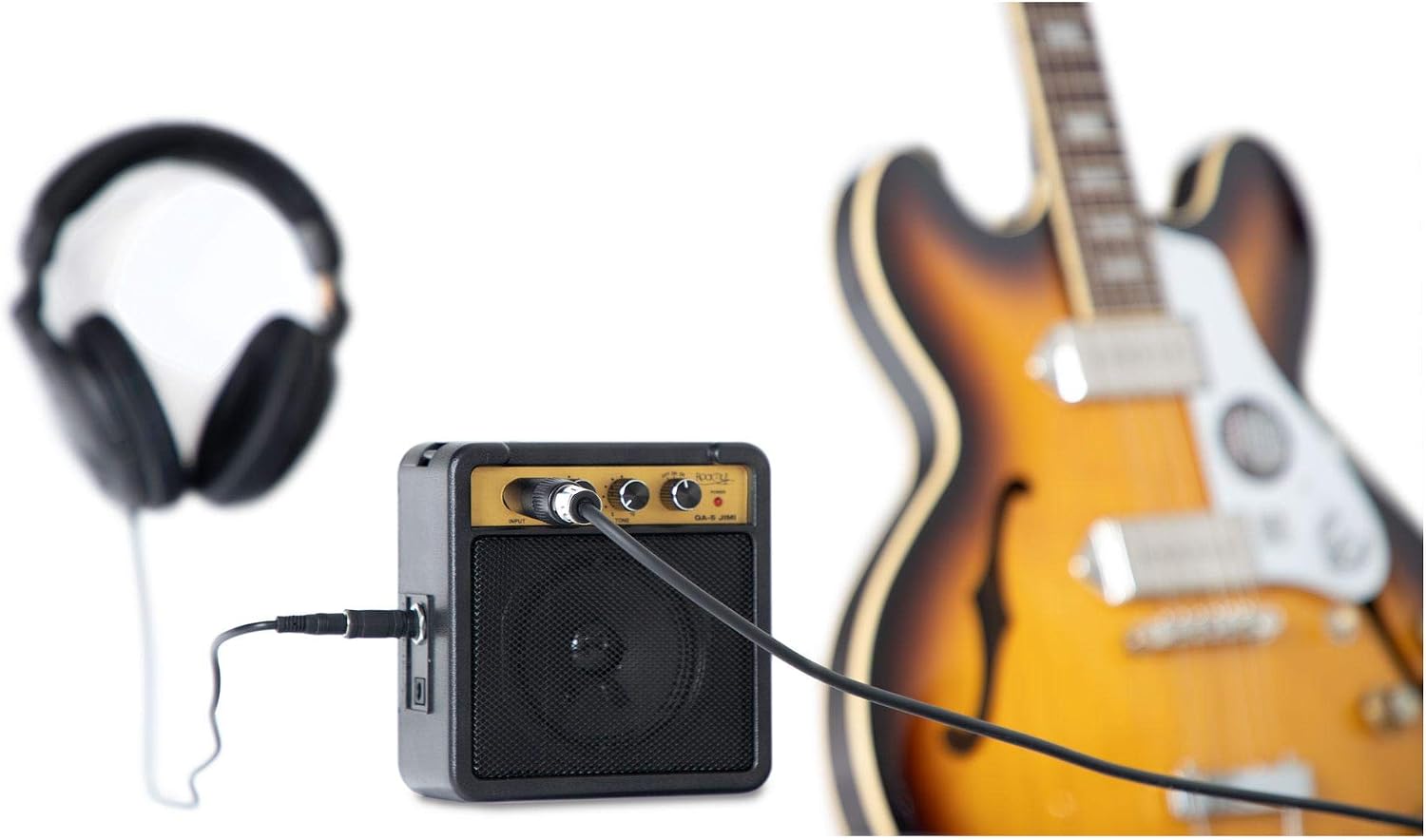
Figure 4.2: Headphone Output
This image shows the side of the amplifier with a pair of headphones connected to the headphone output jack.
- HEADPHONE Output: A 6.35 mm (1/4 inch) stereo jack for connecting headphones. Connecting headphones automatically mutes the internal speaker.

Figure 4.3: Rear Panel Features
This image displays the rear of the Rocktile GA-5 Jimi amplifier, showing the removable belt clip and the battery compartment cover.
- BATTERY Compartment: Located on the rear, holds a 9V block battery.
- BELT CLIP: Removable clip for attaching the amplifier to a belt or strap.
- SHOULDER STRAP Mounts: Points on the amplifier for attaching the removable shoulder strap.
5. Setup
5.1 Powering the Amplifier
The GA-5 Jimi can be powered by a 9V block battery or an optional power adapter.
Using a 9V Battery:
- Ensure the amplifier is switched to the OFF position.
- Locate the battery compartment cover on the rear of the amplifier (refer to Figure 4.3).
- Slide or unclip the cover to open the compartment.
- Connect a 9V block battery to the battery clip, observing correct polarity (+/-).
- Place the battery inside the compartment and close the cover securely.
Using an Optional Power Adapter:
If using a power adapter (not included), ensure it is a 9V DC adapter with the correct polarity (center negative) and sufficient current rating. Connect the adapter to the DC input jack on the amplifier (usually located on the side or rear, not explicitly shown in provided images but standard for such devices).
5.2 Connecting Your Guitar
- Ensure the amplifier's MODE switch is in the OFF position.
- Connect one end of a 6.35 mm (1/4 inch) instrument cable to your guitar's output jack.
- Connect the other end of the instrument cable to the INPUT jack on the front panel of the GA-5 Jimi amplifier (refer to Figure 4.1).

Figure 5.1: Guitar Connection
This image shows the Rocktile GA-5 Jimi amplifier with a guitar cable connected to its input jack, ready for use.
5.3 Attaching the Strap or Belt Clip
The GA-5 Jimi comes with a removable shoulder strap and a belt clip for easy portability.
- Belt Clip: The belt clip is typically pre-attached to the rear of the amplifier. To use, simply slide it onto your belt. It can be removed by carefully detaching it from its mounting points.
- Shoulder Strap: Attach the ends of the shoulder strap to the designated strap mounts on the sides of the amplifier. Adjust the strap length for comfortable carrying.

Figure 5.2: Amplifier with Shoulder Strap
This image shows the Rocktile GA-5 Jimi amplifier with its shoulder strap attached, demonstrating its portability.
6. Operating Instructions
6.1 Turning On and Selecting Mode
- After connecting your guitar and ensuring power, set the VOLUME and TONE controls to their minimum positions.
- Slide the MODE switch from OFF to ON for a clean tone, or to OD for an overdriven tone. The POWER LED will illuminate.
6.2 Adjusting Volume and Tone
- Slowly increase the VOLUME control to your desired listening level.
- Adjust the TONE control to shape your sound. Turning it clockwise generally increases treble, while counter-clockwise increases bass.
6.3 Using the Headphone Output
For silent practice, connect a pair of headphones to the HEADPHONE output jack on the side of the amplifier (refer to Figure 4.2). The internal speaker will automatically mute when headphones are connected.
6.4 Turning Off the Amplifier
When you are finished playing, turn the VOLUME control down, then slide the MODE switch to the OFF position. Disconnect your guitar and headphones.

Figure 6.1: Amplifier in Use
This image shows a person playing an electric guitar, with the Rocktile GA-5 Jimi mini amplifier positioned for convenient use, demonstrating its practical application.
7. Maintenance
- Cleaning: Use a soft, dry cloth to clean the amplifier's exterior. Do not use liquid cleaners or abrasive materials.
- Battery Replacement: If the sound becomes weak or distorted, or the power LED dims, it's time to replace the 9V battery. Follow the steps in Section 5.1. Always dispose of used batteries responsibly.
- Storage: When not in use for extended periods, remove the battery to prevent leakage and store the amplifier in a cool, dry place away from direct sunlight and extreme temperatures.
8. Troubleshooting
| Problem | Possible Cause | Solution |
|---|---|---|
| No sound | Amplifier not powered on Low or dead battery Guitar cable not connected or faulty Volume control set to minimum Headphones connected (mutes speaker) | Slide MODE switch to ON or OD Replace 9V battery or connect power adapter Check guitar cable connections; try a different cable Increase VOLUME control Disconnect headphones if using speaker |
| Weak or distorted sound (in ON mode) | Low battery Faulty guitar cable or guitar output | Replace 9V battery Try a different guitar cable or guitar |
| No overdrive sound (in OD mode) | MODE switch not fully in OD position | Ensure MODE switch is firmly in the OD position |
| Excessive noise/hum | Interference from other electronic devices Faulty cable Ground loop issues (if using power adapter) | Move amplifier away from other electronics Try a different guitar cable Try battery power instead of adapter, or use a grounded outlet |
9. Specifications
| Feature | Specification |
|---|---|
| Model Name | GA-5 Jimi |
| Output Power | 5 Watts |
| Speaker Size | 3 inches |
| Modes | ON (Clean), OD (Overdrive) |
| Controls | Volume, Tone |
| Input | 6.35 mm (1/4 inch) Instrument Jack |
| Output | 6.35 mm (1/4 inch) Headphone Jack |
| Power Supply | 9V Block Battery or Optional 9V DC Power Adapter (center negative) |
| Dimensions (L x W x H) | 12.8 cm x 6.8 cm x 13 cm (5.04" x 2.68" x 5.12") |
| Weight (without battery) | 320 g (0.71 lbs) |
| Additional Features | Removable Belt Clip, Removable Shoulder Strap |

Figure 9.1: Amplifier Dimensions
This image provides a visual representation of the Rocktile GA-5 Jimi amplifier's dimensions, indicating its length, width, and height.
10. Warranty and Support
This product is covered by a standard manufacturer's warranty. Please refer to the warranty card included with your purchase or contact your retailer for specific warranty terms and conditions. For technical support or service inquiries, please contact the Rocktile customer service department or your authorized dealer.
