
1. Introduction
Welcome to the user manual for your new TCL 50P65US 4K UHD Smart LED TV. This manual provides essential information to help you set up, operate, and maintain your television. Please read it thoroughly to ensure proper use and to maximize your viewing experience.
2. Important Safety Information
Before operating the TV, please read all safety instructions carefully. Keep this manual for future reference.
- Do not block ventilation openings. Ensure adequate space around the TV for proper airflow.
- Do not place the TV near heat sources such as radiators, heat registers, stoves, or other apparatus (including amplifiers) that produce heat.
- Protect the power cord from being walked on or pinched, particularly at plugs, convenience receptacles, and the point where they exit from the apparatus.
- Only use attachments/accessories specified by the manufacturer.
- Unplug this apparatus during lightning storms or when unused for long periods of time.
- Refer all servicing to qualified service personnel. Servicing is required when the apparatus has been damaged in any way.
3. Package Contents
Please check the box for the following items:
- TCL 50P65US 4K UHD Smart LED TV
- Base stand
- Wall mount kit (Note: For TVs above 55 inches, wall mount is provided at installation)
- Remote control (with 2 AAA batteries included)
- 1 AV cable
- User Manual (this document)

Front view of the TCL 50P65US television, featuring a large display with a vibrant landscape image and slim bezels. The TV is supported by two V-shaped stands at the bottom corners.
4. Setup Guide
4.1 Attaching the Base Stand
- Carefully place the TV screen-down on a soft, flat surface to prevent damage.
- Align the base stands with the screw holes on the bottom of the TV.
- Secure the stands using the provided screws. Ensure they are firmly attached.

This image displays the TCL 50P65US TV with a series of icons below it, highlighting its key features such as 4K UHD resolution, HDR support, Micro Dimming technology, Dynamic Picture Enhancement, Stereo Box Speaker, Dolby Audio, access to the TV+ App Store, T-Cast for wireless sharing, and pre-installed Netflix and YouTube applications.
4.2 Wall Mounting
If you prefer to wall mount your TV, please contact TCL customer service for installation assistance. A wall mount kit is included. For TVs above 55 inches, the wall mount is provided at the time of installation.
4.3 Connecting Peripherals
Your TCL 50P65US TV offers multiple connectivity options:
- HDMI: Connect up to 3 HDMI devices (e.g., set-top box, gaming console, Blu-ray player) for high-definition audio and video.
- USB: Connect up to 2 USB devices (e.g., USB drive) for media playback.
- AV: Use the provided AV cable for older devices.
- Wi-Fi: Connect to your home network for smart TV features.

A side profile view of the TCL 50P65US TV, highlighting the various input and output ports located on the side panel, including HDMI and USB connections, for easy access.
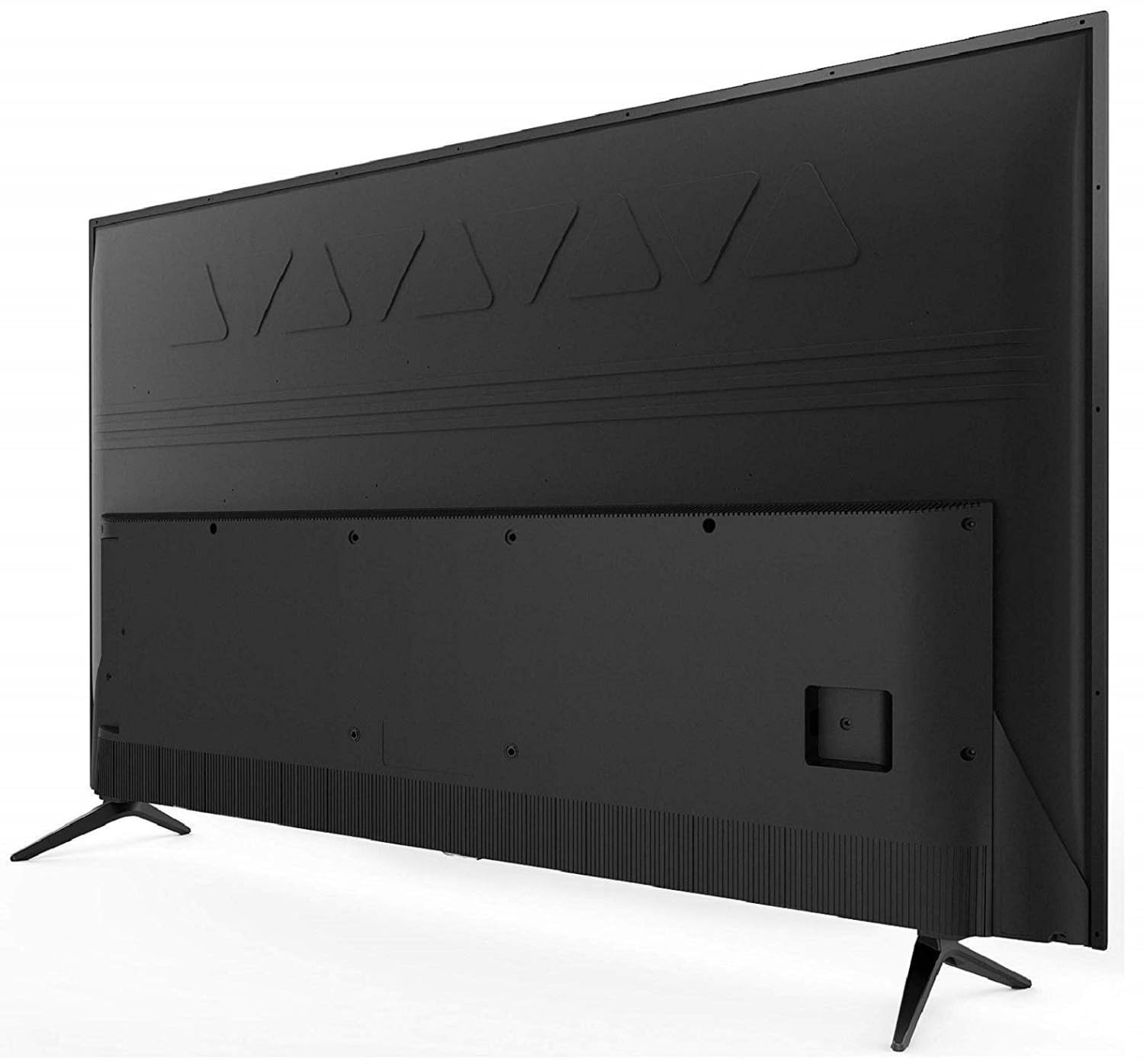
The rear view of the TCL 50P65US TV, illustrating the back panel where additional connectivity ports and mounting points are located. The design includes a textured finish on the back casing.
5. Operating Your TV
5.1 Basic Functions
- Power On/Off: Press the power button on the remote control or on the TV.
- Input Selection: Use the 'Source' button on your remote to switch between HDMI, USB, AV, and TV inputs.
- Volume Control: Use the 'Volume +/-' buttons to adjust the sound level.
- Channel Selection: Use the 'Channel +/-' buttons to change channels.
5.2 Smart TV Features (Linux OS)
Your TCL 50P65US TV runs on a Linux-based operating system, offering a range of smart features:
- Built-in Wi-Fi: Connect to the internet to access online content.
- Pre-installed Apps: Enjoy popular streaming services like Netflix and YouTube directly on your TV.
- T-Cast: Utilize T-Cast for wireless sharing of content from your mobile devices to the TV screen.
- TCL App Store: Explore and download additional applications from the TCL App Store.

This image presents a table detailing the features of the TCL 50P65US TV. It lists the screen size as 50 inches with 4K Ultra HD resolution, connectivity options including 3 HDMI and 2 USB ports, display characteristics like A+ Grade Panel, 60 Hertz refresh rate, and Micro dimming. Sound features include 20 Watts output with DTS-Dolby digital sound. Smart TV capabilities include built-in Wi-Fi, T-Cast for wireless sharing, and the TCL App store. Warranty information is also noted.
5.3 Audio Settings
The TV features 10W audio output with DTS-Dolby Digital sound. You can adjust audio modes and settings through the TV's menu to suit your preferences.
6. Maintenance
Proper maintenance ensures the longevity and optimal performance of your TV.
- Cleaning the Screen: Gently wipe the screen with a soft, lint-free cloth. For stubborn marks, use a screen cleaner specifically designed for TVs, applied to the cloth, not directly to the screen.
- Cleaning the Cabinet: Use a soft, dry cloth to wipe the TV cabinet. Do not use abrasive cleaners or solvents.
- Ventilation: Ensure the ventilation openings are clear of dust and debris.
- Power Cord: Regularly check the power cord for any damage.
7. Troubleshooting
If you encounter any issues, refer to the table below for common problems and solutions. If the problem persists, contact customer support.
| Problem | Possible Cause | Solution |
|---|---|---|
| No power | Power cord not connected; no power from outlet. | Ensure power cord is securely plugged in. Check power outlet with another device. |
| No picture, but sound is present | Incorrect input source selected; faulty cable connection. | Press 'Source' button on remote to select correct input. Check HDMI/AV cable connections. |
| No sound, but picture is present | Volume muted or too low; external audio system issue. | Unmute volume or increase level. Check connections to external audio devices. |
| Remote control not working | Batteries depleted; obstruction between remote and TV. | Replace batteries. Remove any obstructions. Ensure remote is pointed at the TV's IR sensor. |
| Smart features not working (e.g., Wi-Fi, apps) | No internet connection; app error. | Check Wi-Fi connection in TV settings. Restart TV and router. Try reinstalling the app if possible. |
8. Technical Specifications
| Feature | Specification |
|---|---|
| Brand | TCL |
| Model | 50P65US |
| Screen Size | 50 inches (125.64 cm) |
| Display Technology | LED |
| Resolution | 4K UHD (3840 x 2160 pixels) |
| Refresh Rate | 60 Hz |
| Operating System | Linux |
| Connectivity | 3 x HDMI, 2 x USB, Wi-Fi, Bluetooth |
| Audio Output | 10 Watts (DTS-Dolby Digital) |
| Special Features | HDR PRO, Micro Dimming, T-Cast |
| Product Dimensions (with stand) | 127 x 112.4 x 71.4 cm |
| Item Weight | 10.2 kg |
| Power Source | AC |
9. Warranty and Support
Your TCL 50P65US TV comes with an 18-month warranty provided by the manufacturer from the date of purchase. For any installation requests, wall mounting, demo, or service inquiries, please contact TCL customer service at 18004190622 or 18001020622.
For more information about TCL products, visit the official TCL Store on Amazon.


