
Introduction
The EHX Flatiron Fuzz is a classic op-amp powered fuzz/distortion pedal. Featuring a late '70s style circuit and symmetrical hard clipping, it offers a versatile range of tones. From mild distortion at lower drive settings to thick, meaty fuzz for arena rock sounds, the Flatiron Fuzz provides extensive sonic possibilities. Its unique Filter control, a low-pass filter with a movable cut-off frequency, allows precise high-end adjustment from dark to raunchy tones.
The pedal is named after the historic Flatiron Building in New York City, an iconic landmark near EHX headquarters in the 1970s, which is also pictured on the pedal itself.
Key Features:
- Delivers symmetrical hard clipping
- Dynamic response: cleans up when guitar volume is turned down
- Unique Filter control for tone shaping
- Compact, pedalboard-friendly design
- Includes a 9V battery

Image: The Electro-Harmonix Flatiron Fuzz Pedal, showcasing its compact design and control knobs.
Setup
Power Requirements:
The Flatiron Fuzz operates on a 9V battery (included) or an optional 9V DC power adapter (center-negative). For optimal performance and to avoid noise, use a regulated power supply.
Connections:
- Input Jack: Connect your guitar or other instrument to the 1/4-inch INPUT jack on the right side of the pedal.
- Output Jack: Connect the 1/4-inch AMP jack on the left side of the pedal to your amplifier or the next effect in your signal chain.
- Power Input: If using a power adapter, connect it to the 9V DC jack located at the top of the pedal.

Image: The rear view of the Flatiron Fuzz Pedal, showing the 9V DC power input jack.
Operating the Flatiron Fuzz
Controls:
- VOLUME Knob: This control sets the overall output level of the pedal. Adjust it to balance the effect's volume with your bypassed signal or to boost your signal.
- DRIVE Knob: The Drive knob adjusts the amount of sustain and distortion. Lower settings provide a mild, fairly clean distortion, while higher settings deliver thick, meaty fuzz tones.
- FILTER Knob: This unique control is a low-pass filter with a movable cut-off frequency. Turning it allows you to dial in the desired amount of high-end, ranging from dark and smooth to bright and raunchy.
Tone Characteristics:
The Flatiron Fuzz is known for its symmetrical hard clipping, which contributes to its distinctive fuzz/distortion character. It offers a dynamic response, allowing the pedal's gain to effectively lower when you roll back your guitar's volume knob, providing cleaner rhythm tones.
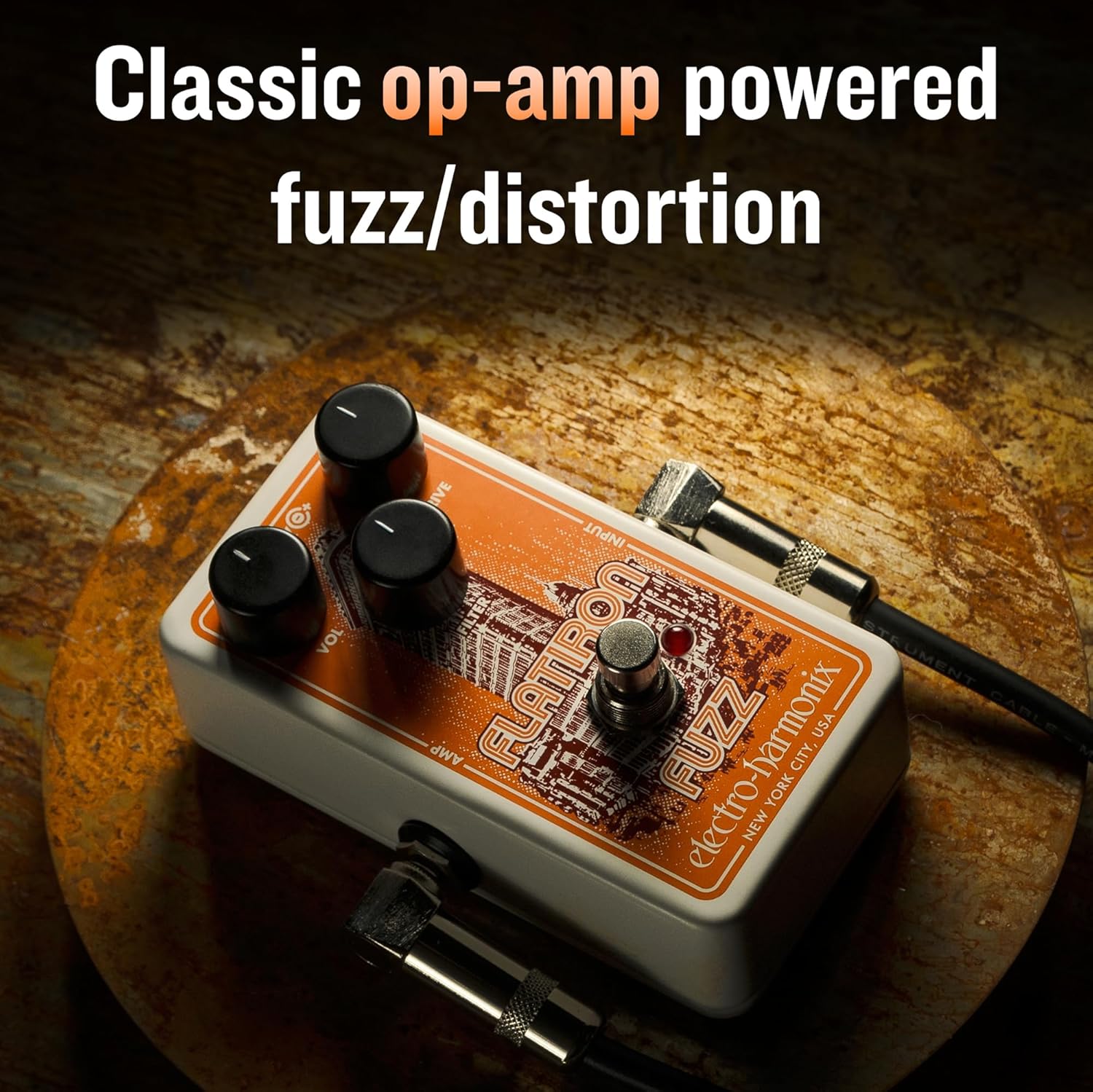
Image: The Flatiron Fuzz Pedal, highlighting its classic op-amp powered fuzz/distortion capabilities.

Image: The Flatiron Fuzz Pedal, emphasizing the versatility of its unique Filter control.

Image: The Flatiron Fuzz Pedal, illustrating its dynamic response to guitar volume for cleaner tones.
Product Demonstration Video:
Video: Official demonstration of the Electro-Harmonix Flatiron Fuzz Distortion Pedal, showcasing its various tones and features.
Maintenance
Battery Replacement:
To replace the 9V battery, unscrew the four screws on the bottom plate of the pedal. Carefully remove the bottom plate and replace the old battery with a new 9V battery, ensuring correct polarity. Reattach the bottom plate and screws.
Cleaning:
Wipe the pedal's exterior with a soft, dry cloth. Avoid using liquid cleaners or abrasive materials, as these may damage the finish or internal components.
Troubleshooting
- No Sound: Ensure all cables (input, output, power) are securely connected. Check the battery level or power adapter. Verify that your guitar and amplifier are functioning correctly.
- Weak or Distorted Sound: Check the battery level. Ensure the correct power adapter is being used. Adjust the VOLUME, DRIVE, and FILTER knobs to find the desired sound.
- Excessive Noise: Ensure you are using a regulated 9V DC power supply. Try isolating the pedal from other power sources or effects to identify potential interference.
Specifications
| Feature | Detail |
|---|---|
| Model Number | FLATIRON |
| Item Weight | 10.4 ounces (295 Grams) |
| Product Dimensions | 4.5"L x 2.75"W x 2.1"H (approx. 3 x 8 x 10 inches) |
| Power Source | 9V Battery Powered (1 x 9V battery required) |
| Voltage | 9 Volts |
| Connector Type | 1/4 inch (6.35mm) audio jack |
| Hardware Interface | 1/4-inch Audio |
| Signal Format | Analog |
| Material Type | Plastic, Metal |
| Style | Compact |
Warranty & Support
Electro-Harmonix products are designed for durability and performance. For warranty information and customer support, please refer to the official Electro-Harmonix website or contact your authorized dealer. Keep your purchase receipt as proof of purchase for any warranty claims.
For further assistance or technical inquiries, please visit the Electro-Harmonix Store or consult the product's official documentation.
