
ANNKE AE-KI71GK0203
Contents
ANNKE WiFi Security Camera User Manual
Model: AE-KI71GK0203
Introduction
This manual provides comprehensive instructions for the installation, operation, and maintenance of your ANNKE WiFi Security Camera. Designed for both indoor and outdoor use, this 3MP Super HD camera offers advanced features such as 100-foot night vision, 15-foot audio recording, and IP66 weatherproof rating, ensuring reliable surveillance for your property.

Figure 1: ANNKE WiFi Security Camera Kit Contents. This image displays two white bullet-style security cameras, each with two antennas, along with their power adapters and mounting hardware (screws and wall anchors).
Setup and Installation
Follow these steps to properly set up and install your ANNKE WiFi Security Camera.
1. Physical Installation
The camera is designed for versatile placement, suitable for both indoor and outdoor environments due to its IP66 weatherproof rating.
- Choose a Location: Select a location that provides optimal viewing angles and is within range of your Wi-Fi network. Consider areas that require constant monitoring, such as entry points or vulnerable spots.
- Mounting: Use the provided screws and wall anchors to securely mount the camera. The bullet form factor allows for easy ceiling or wall mounting.
- Power Connection: Connect the camera to a power outlet using the supplied power adapter. The camera operates on 12 Volts and consumes 7 Watts.

Figure 2: Outdoor Installation Example. This image shows an ANNKE WiFi security camera mounted on a brick wall, demonstrating its IP66 weatherproof design, capable of withstanding various weather conditions.

Figure 3: Camera Dimensions. This diagram illustrates the physical dimensions of the ANNKE WiFi security camera, including its length (178mm) and height (65mm), useful for planning installation space.
2. Network Connection and Pairing
The ANNKE WiFi cameras are designed for easy integration with ANNKE WiFi NVRs (models N44WEE & N48WHR, sold separately).
- Power On: Plug both the camera(s) and your ANNKE NVR into power outlets.
- Automatic Pairing: The IP cameras will automatically connect to the NVR's Wi-Fi network. No manual configuration is typically required for initial pairing.
- App Setup: Download the ANNKE app on your smartphone or tablet (available on Google Play and App Store) to manage and view your cameras remotely.
Operating Your Camera
1. Remote Access and Viewing
Access your camera feed and recordings from anywhere using the ANNKE app on your phone, tablet, or computer, provided the camera is connected to an ANNKE NVR.
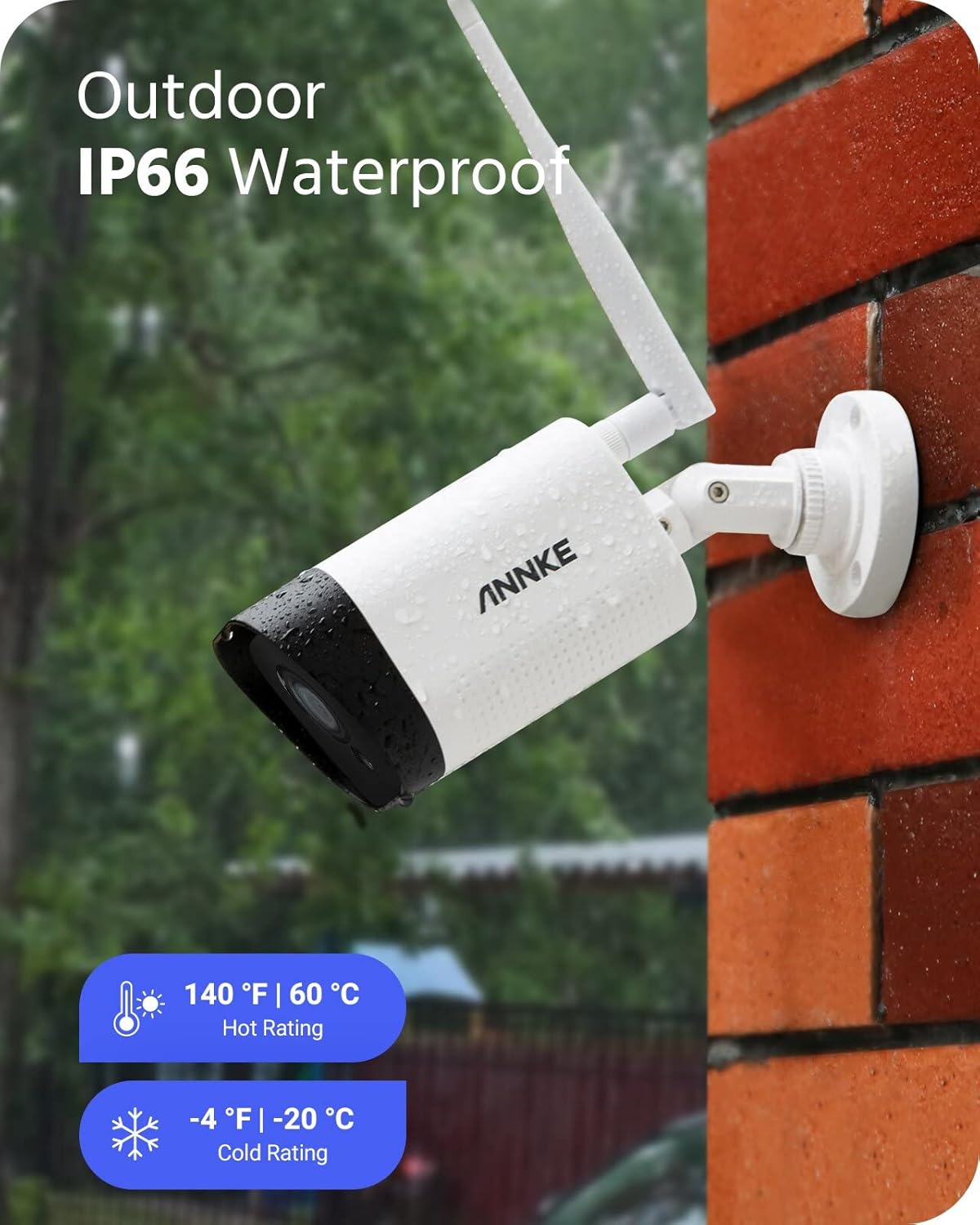
Figure 4: Remote Access Across Devices. This image illustrates the capability to access the camera feed remotely from various devices, including smartphones, tablets, and desktop computers, via the ANNKE app.
2. Audio Recording
The integrated noise-cancelling microphone allows the camera to capture clear audio up to 15 feet away, enhancing your surveillance capabilities by providing both visual and auditory evidence.

Figure 5: Noise-Cancelling Microphone Feature. This image demonstrates the effectiveness of the camera's noise-cancelling microphone, showing a clear audio message ("Your express arrived.") compared to a noisy, unclear recording from another device.
3. Night Vision
Equipped with intelligent IR LEDs, the 3MP Super HD camera provides clear night vision up to 100 feet, ensuring detailed monitoring even in complete darkness.
4. Smart AI Person Detection
Benefit from advanced AI algorithms that can distinguish between human figures and other moving objects, reducing false alarms and focusing on relevant events.

Figure 6: Smart AI Person Detection in Action. This image illustrates the camera's ability to accurately detect a human figure (highlighted) while ignoring a pet (dog), showcasing its intelligent person detection feature.
5. Hands-Free Control with Alexa
Integrate your ANNKE camera with Amazon Alexa for convenient voice control. You can request to view camera feeds on compatible Alexa-enabled devices.

Figure 7: Alexa Integration for Hands-Free Control. This image shows a user interacting with an Echo Show device, demonstrating how to use voice commands with Alexa to display the live feed from the ANNKE security camera.
Maintenance
Regular maintenance ensures optimal performance and longevity of your ANNKE security camera.
- Lens Cleaning: Periodically clean the camera lens with a soft, lint-free cloth to ensure clear image quality. Avoid abrasive materials or harsh chemicals.
- Housing Inspection: Check the camera housing and mounting bracket for any signs of wear, damage, or loose connections, especially for outdoor installations.
- Firmware Updates: Check the ANNKE official website or app for available firmware updates. Keeping your camera's firmware up-to-date can improve performance, add new features, and enhance security.
Troubleshooting
This section addresses common issues you might encounter with your ANNKE WiFi Security Camera.
| Problem | Possible Cause | Solution |
|---|---|---|
| No image/video feed |
|
|
| Poor image quality |
|
|
| Audio not clear or absent |
|
|
| Frequent disconnections |
|
|
If you encounter issues not listed here or require further assistance, please contact ANNKE customer support.
Specifications
| Feature | Detail |
|---|---|
| Brand | ANNKE |
| Model Number | AE-KI71GK0203 (also AE-WLAN) |
| Wireless Communication Technology | Wi-Fi |
| Form Factor | Bullet |
| Effective Video Resolution | 3 Megapixels (3MP Super HD) |
| Voltage | 12 Volts |
| Power Consumption | 7 Watts |
| Dimensions & Weight | Approx. 178mm (Length) x 65mm (Height); 1.17 kilograms |
| Weatherproof Rating | IP66 |
| Night Vision Range | Up to 100 feet |
| Audio Recording Range | Up to 15 feet |
| Special Features | Noise Reduction, Motion Detector, Weather Resistant, HD Resolution, AI Person Detection, Alexa Integration |
| Recommended Use | Surveillance |
| Connectivity Protocol | Wi-Fi |
| Mounting Type | Ceiling Mount |
| Number of Channels | 2 (for the kit) |
Warranty and Support
ANNKE is committed to providing excellent customer service and support for its products.
- Technical Support: ANNKE offers lifelong technical assistance for its products. For any technical queries or assistance with setup and operation, please refer to the official ANNKE support channels.
- Returns Policy: The product typically comes with a 30-day return/replacement policy. Please refer to your purchase documentation for specific details regarding warranty and returns.
- Contact Information: For support, visit the official ANNKE website or contact their customer service team directly.
Ask a question about this manual
Ask about setup, troubleshooting, compatibility, parts, safety, or missing instructions. Manuals+ will review the question and use this page’s manual context to help answer it.