
Logitech G 910-005565
Logitech G502 Lightspeed Wireless Gaming Mouse User Manual
Model: 910-005565
Introduction
The Logitech G502 Lightspeed Wireless Gaming Mouse is a high-performance peripheral designed for competitive gaming. It features Lightspeed wireless technology for ultra-fast 1ms connectivity, a Hero 25K sensor for precise tracking, and PowerPlay compatibility for continuous wireless charging. With 11 programmable buttons, tunable weights, and Lightsync RGB lighting, this mouse offers extensive customization to optimize your gameplay experience.
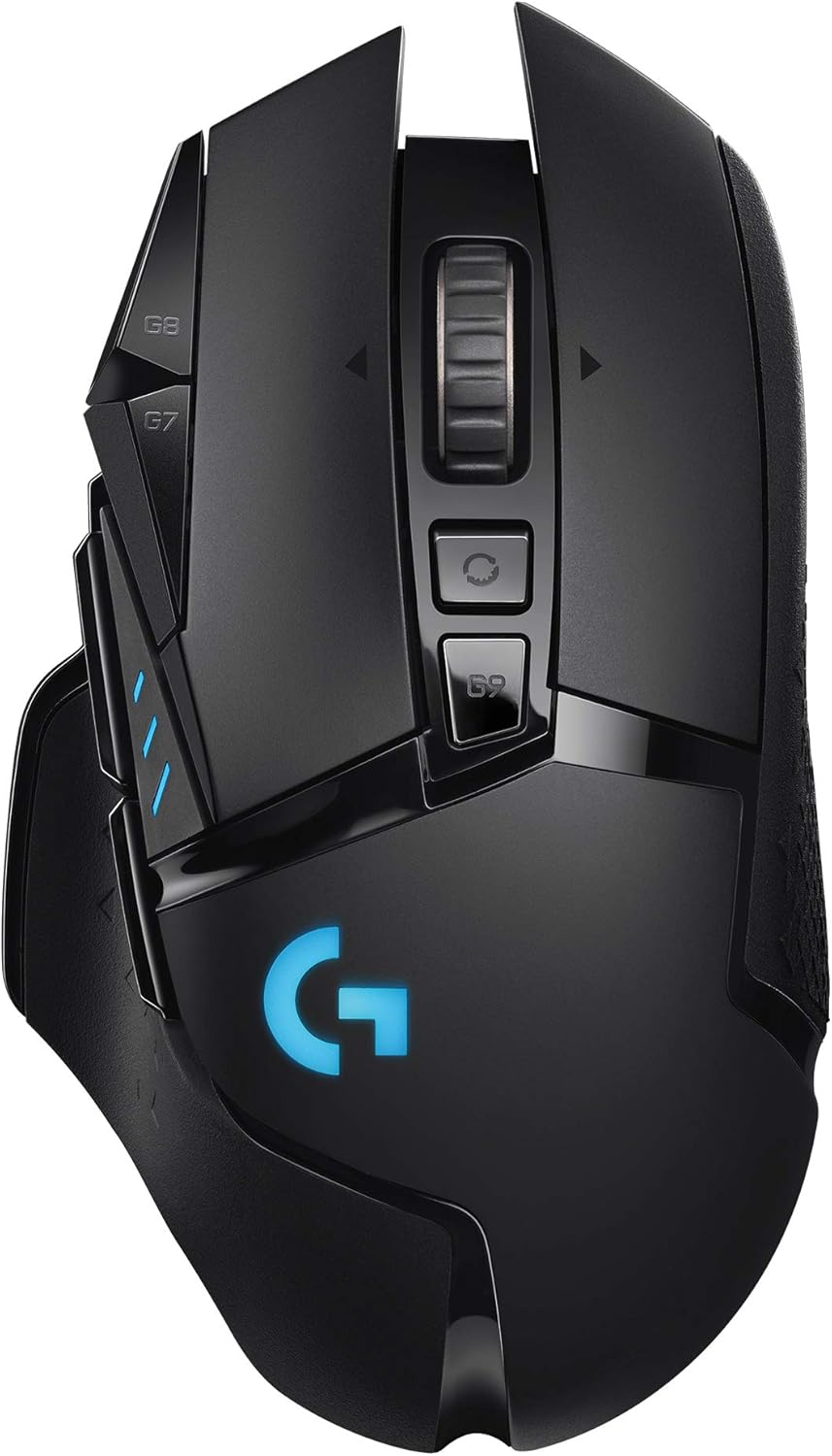
Figure 1: Logitech G502 Lightspeed Wireless Gaming Mouse
What's in the Box
Verify that all items are present in the package:
- G502 LIGHTSPEED Wireless Gaming Mouse
- LIGHTSPEED™ Wireless Receiver
- Receiver Extension Adapter
- Charging/Data Cable
- Accessory Box
- 4 x 2g Weights
- 2 x 4g Weights
- User Documentation

Figure 2: Included components in the G502 Lightspeed package
Setup
1. Initial Connection
- Locate the LIGHTSPEED Wireless Receiver. It is typically found inside the mouse or within the accessory box.
- Insert the USB receiver into an available USB port on your computer. For optimal signal strength, use the included receiver extension adapter to position the receiver closer to the mouse.
- Turn on the mouse using the power switch located on the underside. The mouse should automatically connect to the receiver.
2. Software Installation (Logitech G HUB)
For full customization of buttons, DPI settings, and RGB lighting, install the Logitech G HUB software.
- Visit the official Logitech G website (logitechg.com/ghub) to download the latest version of G HUB.
- Follow the on-screen instructions to complete the installation.
- Once installed, launch G HUB to detect your G502 Lightspeed mouse and begin customization.
3. Charging the Mouse
The G502 Lightspeed mouse comes with a rechargeable battery.
- Connect the charging/data cable to the front port of the mouse and to a USB power source (e.g., computer USB port, USB wall adapter).
- The mouse can be used in wired mode while charging.
- For continuous wireless charging, consider purchasing the Logitech G PowerPlay Wireless Charging System (sold separately).
Operating the Mouse
Basic Functions
The G502 Lightspeed operates as a standard mouse for basic navigation. Its advanced features enhance productivity and gaming performance.
Key Features and Customization
Lightspeed Wireless Technology
Experience pro-grade wireless performance with a 1ms report rate, ensuring virtually no lag between your mouse movements and on-screen actions.

Robust, reliable 1ms wireless connectivity.
Hero 25K Sensor
The advanced Hero 25K sensor provides pixel-precise tracking up to 25,600 DPI with zero smoothing, filtering, or acceleration. DPI settings can be adjusted via dedicated buttons on the mouse or through G HUB software.
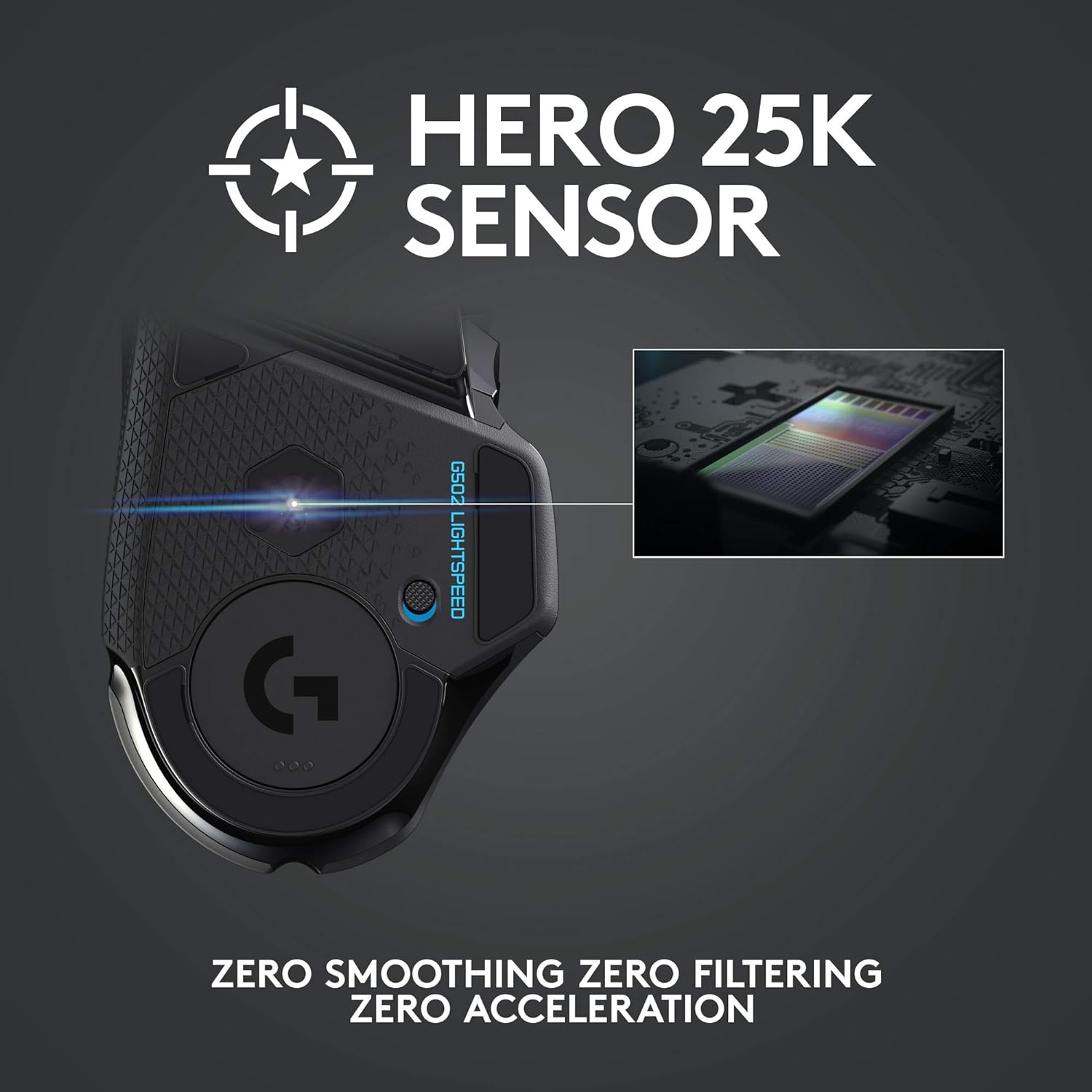
Zero smoothing, zero filtering, zero acceleration for precise control.
11 Programmable Buttons
Customize each of the 11 buttons with macros, keybinds, and system commands using Logitech G HUB. This allows for personalized control in games and applications.

Assign in-game, app, and system commands via G HUB.
PowerPlay Compatibility
When paired with the Logitech G PowerPlay Wireless Charging System (sold separately), the G502 Lightspeed can charge continuously while in use or at rest, eliminating battery concerns.

Continuous wireless charging with PowerPlay.
Tunable Weight System
Adjust the mouse's balance and weight to your preference using the included 2g and 4g weights. The weights can be placed in various configurations on the underside of the mouse.

Adjust balance and weight to suit your playstyle.
Lightsync RGB Lighting
Customize the mouse's RGB lighting with 16.8 million colors and various effects using Logitech G HUB. Synchronize lighting with other Logitech G devices for an immersive experience.

Full spectrum RGB with ~16.8M colors.
Hyper-Fast Scroll Wheel
The dual-mode hyper-fast scroll wheel allows you to switch between precise, click-to-click scrolling and ultra-fast free-spinning mode for quickly navigating long documents or web pages.

Detailed view of mouse features including the hyper-fast scroll wheel.
Maintenance
Cleaning
- Use a soft, lint-free cloth to wipe the surface of the mouse.
- For stubborn dirt, slightly dampen the cloth with water or a mild cleaning solution. Avoid harsh chemicals.
- Use a cotton swab or compressed air to clean around buttons and the scroll wheel.
- Ensure the optical sensor on the underside is clean and free of debris for optimal tracking.
Battery Care
- To maximize battery lifespan, avoid fully discharging the mouse frequently.
- Store the mouse at room temperature when not in use for extended periods.
- If using the PowerPlay system, ensure the mouse is properly aligned on the mat for continuous charging.
Troubleshooting
If you encounter issues with your Logitech G502 Lightspeed mouse, try the following steps:
- No Connection/Lag: Ensure the USB receiver is securely plugged in. Try a different USB port. If using the extension adapter, ensure it is properly connected. Move the receiver closer to the mouse. Check for interference from other wireless devices.
- Mouse Not Responding: Check the power switch on the underside of the mouse to ensure it is ON. Recharge the mouse if the battery is low.
- Inaccurate Tracking: Clean the optical sensor on the underside of the mouse. Ensure you are using the mouse on a suitable surface (a mouse pad is recommended).
- Buttons Not Working/Customization Issues: Ensure Logitech G HUB software is installed and up to date. Check button assignments within G HUB. Try resetting the mouse profile in G HUB.
- Lightsync RGB Issues: Verify RGB settings in Logitech G HUB. Ensure the software is running in the background.
- Firmware Update: Periodically check for firmware updates via Logitech G HUB, as these can resolve performance issues.
For further assistance, refer to the Logitech G support website or contact customer service.
Specifications
| Attribute | Value |
|---|---|
| Brand | Logitech G |
| Series | G502 Lightspeed Wireless Gaming Mouse |
| Item Model Number | 910-005565 |
| Hardware Platform | PC |
| Operating System Compatibility | Mac OS X 10.7 Lion, Chrome OS, Windows 7 or later |
| Item Weight | 7.1 ounces (approx. 201g) |
| Product Dimensions (LxWxH) | 5.19 x 2.95 x 1.57 inches (approx. 132 x 75 x 40 mm) |
| Color | Black |
| Power Source | Battery Powered |
| Battery Type | 1 Lithium Polymer battery (included) |
| Average Battery Life | 60 Hours |
| Connectivity Technology | LIGHTSPEED Wireless |
| Special Features | Wireless, Programmable Buttons, Lightweight, Rechargeable |
| Movement Detection Technology | Optical |

Figure 3: Mouse dimensions and weight.
Warranty and Support
For detailed warranty information and technical support, please refer to the official Logitech G website or the user documentation included with your product.
- Official User Manual (PDF): Download PDF
- Official User Guide (PDF): Download PDF
- Visit the Logitech G Store: Logitech G Store on Amazon
Related documents910-005565


Ask a question about this manual
Ask about setup, troubleshooting, compatibility, parts, safety, or missing instructions. Manuals+ will review the question and use this page’s manual context to help answer it.