1. Introduction
The COOSPO USB ANT+ Stick (Model RC401) is a device designed to facilitate the transmission of workout data from indoor cycling trainers and compatible Garmin fitness devices to various cycling software applications on Mac and Windows computers. This dongle enables your computer to receive data such as bike cadence (CAD), bike speed (SPD), bike speed and cadence (S&C), bicycle power (PWR), heart rate (HR), and Fitness Equipment Control (FE-C) signals, enhancing your indoor training experience.
2. What's in the Box
Please verify that all components are present:
- ANT Dongle x 1
- Extension cable x 1
3. Setup Guide
Follow these steps to set up your COOSPO USB ANT+ Stick:
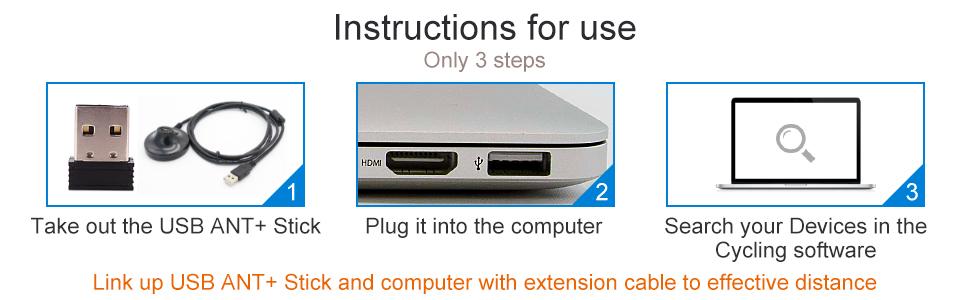
- Unpack the USB ANT+ Stick: Carefully remove the ANT+ dongle from its packaging.
- Connect to your Computer: Plug the USB ANT+ Stick directly into an available USB port on your Mac or Windows computer. For optimal signal reception, especially if your fitness devices are not in close proximity to your computer, use the provided extension cable. Connect the dongle to one end of the extension cable and the other end of the cable to your computer's USB port.
- Driver Installation: The device is typically plug-and-play. Your operating system (Windows or Mac OS) should automatically install the necessary drivers. If you are using Windows 10 and encounter issues with automatic driver installation, please refer to the troubleshooting section or check your device manager for driver updates.
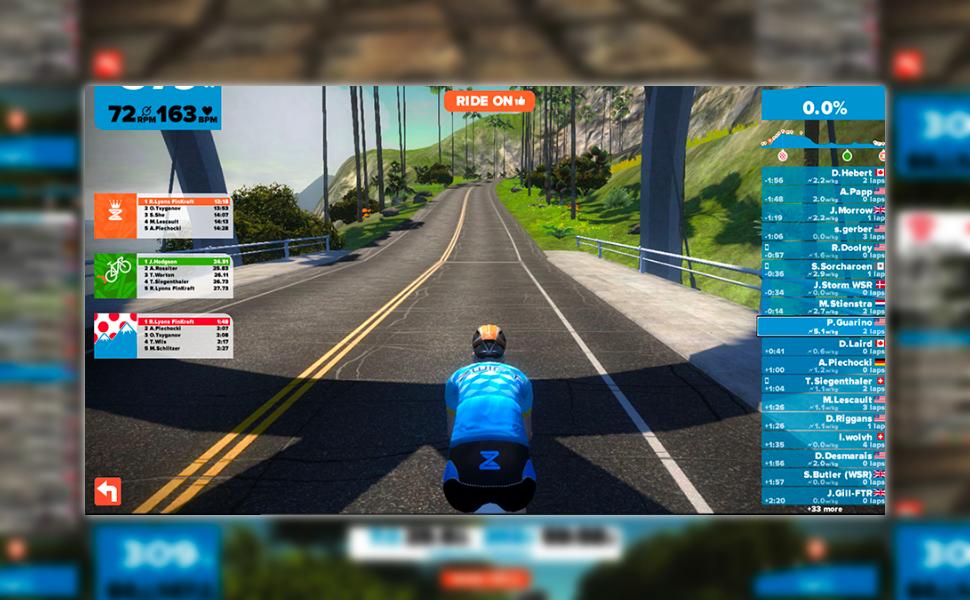
- Launch Cycling Software: Open your preferred indoor cycling application (e.g., Zwift, TrainerRoad, Rouvy).
- Search for Devices: Within your cycling software, navigate to the device pairing or sensor search menu. The application should detect your ANT+ enabled fitness devices (e.g., heart rate monitor, speed/cadence sensor, power meter, smart trainer) via the COOSPO USB ANT+ Stick.


4. Operating Instructions
Once the COOSPO USB ANT+ Stick is set up and your devices are paired, it will automatically receive workout data. Ensure your fitness devices are powered on and within range of the dongle for continuous data transmission.
Supported Data Types:
- Bike Cadence (CAD)
- Bike Speed (SPD)
- Bike Speed and Cadence (S&C)
- Bicycle Power (PWR)
- Heart Rate (HR)
- Fitness Equipment Controls (FE-C)
Compatible Cycling Software:
The COOSPO ANT+ Stick works with a variety of popular indoor cycling platforms:
- Zwift
- Rouvy
- BKOOL Cycling Simulator
- PerfPRO Studio
- Spivi
- TrainerRoad
- Sufferfest
- Tacx Vortex
Compatible Bike Trainers:
This dongle is compatible with most indoor bike trainers, including but not limited to:
- BKOOL
- WAHOO
- TACX
- ELITE
- THINKRIDER
- MAGENE
- Garmin
- Kinetic
- Giant
- Cycleops
- Saris
Compatible Garmin Devices:
The COOSPO ANT Dongle functions similarly to Garmin 010-01058-00 & 010-10999-00 and supports data transmission from devices such as:
- Edge series: 1030, 130, 25, 520, 530, 820, 830
- Forerunner series: 310XT, 405, 410, 50, 610, 910XT
- Vivofit
5. Maintenance
The COOSPO USB ANT+ Stick requires minimal maintenance. To ensure its longevity and proper function:
- Keep the device clean and dry.
- Avoid exposing it to extreme temperatures or excessive moisture.
- Store it in a safe place when not in use to prevent physical damage.
6. Troubleshooting
If you encounter issues with your COOSPO USB ANT+ Stick, consider the following solutions:
Device Not Detected / Driver Issues:
- Check USB Connection: Ensure the dongle is firmly plugged into a working USB port. Try a different USB port.
- Windows 10 Specifics: If the ANT+ dongle does not work automatically on Windows 10, open Device Manager, locate the device (it might appear as an unknown device), right-click, and select 'Update driver'. You may need to manually browse for drivers or allow Windows to search online.
- Restart Computer: A simple restart can often resolve driver recognition issues.
Connection Dropouts / Unstable Signal:
- Use Extension Cable: Position the ANT+ dongle closer to your fitness devices using the provided extension cable. This reduces interference and improves signal strength.
- Minimize Interference: Keep other wireless devices (Wi-Fi routers, Bluetooth devices, microwaves) away from the dongle and your fitness sensors.
- Check Battery Levels: Ensure your ANT+ fitness sensors (heart rate monitor, speed/cadence sensor, etc.) have sufficient battery power.
- Restart Application: Close and reopen your cycling software.
Devices Not Pairing in Software:
- Enable ANT+ in Software: Verify that your cycling application is configured to search for ANT+ devices, not just Bluetooth.
- Wake Up Sensors: Ensure your fitness sensors are active (e.g., spin pedals for speed/cadence, wear heart rate monitor).
- One Application at a Time: Ensure only one cycling application is trying to connect to your ANT+ devices at any given time, as multiple connections can cause conflicts.
7. Specifications
| Feature | Detail |
|---|---|
| Model Number | RC401 |
| Wireless Communication | ANT+ |
| Connectivity Technology | ANT+ |
| Operating System Compatibility | Mac OS, Windows (32/64 Bit, Windows 10, 8, 7, XP, Vista) |
| Included Components | ANT Dongle x 1, Extension cable x 1 |
| Item Weight | 3.52 ounces (approximately 100 grams) |
| Package Dimensions | 8.07 x 3.46 x 1.34 inches (approximately 20.5 x 8.8 x 3.4 cm) |


8. Warranty Information
Specific warranty details for the COOSPO USB ANT+ Stick (Model RC401) may vary depending on your region and the retailer from whom you purchased the product. For comprehensive warranty information, please refer to the documentation included with your purchase or contact CooSpo customer support directly.
9. Customer Support
For further assistance, technical support, or inquiries regarding your COOSPO USB ANT+ Stick, please visit the official CooSpo website or contact their customer support team. You can also find more information and products on the CooSpo Amazon Store.


