
Tronsmart Force
Tronsmart Force 40W Bluetooth Speaker User Manual
Introduction

Image: The Tronsmart Force 40W Bluetooth Speaker, showcasing its robust design and portable form factor.
Thank you for choosing the Tronsmart Force 40W Bluetooth Speaker. This manual provides essential information for setting up, operating, and maintaining your device. Please read it thoroughly before use to ensure optimal performance and longevity.
Product Overview
Package Contents
- 1x Tronsmart Element Force Bluetooth Speaker
- 1x USB-C Charging Cable
- 1x 3.5mm AUX Cable
- 1x User Manual
Speaker Features
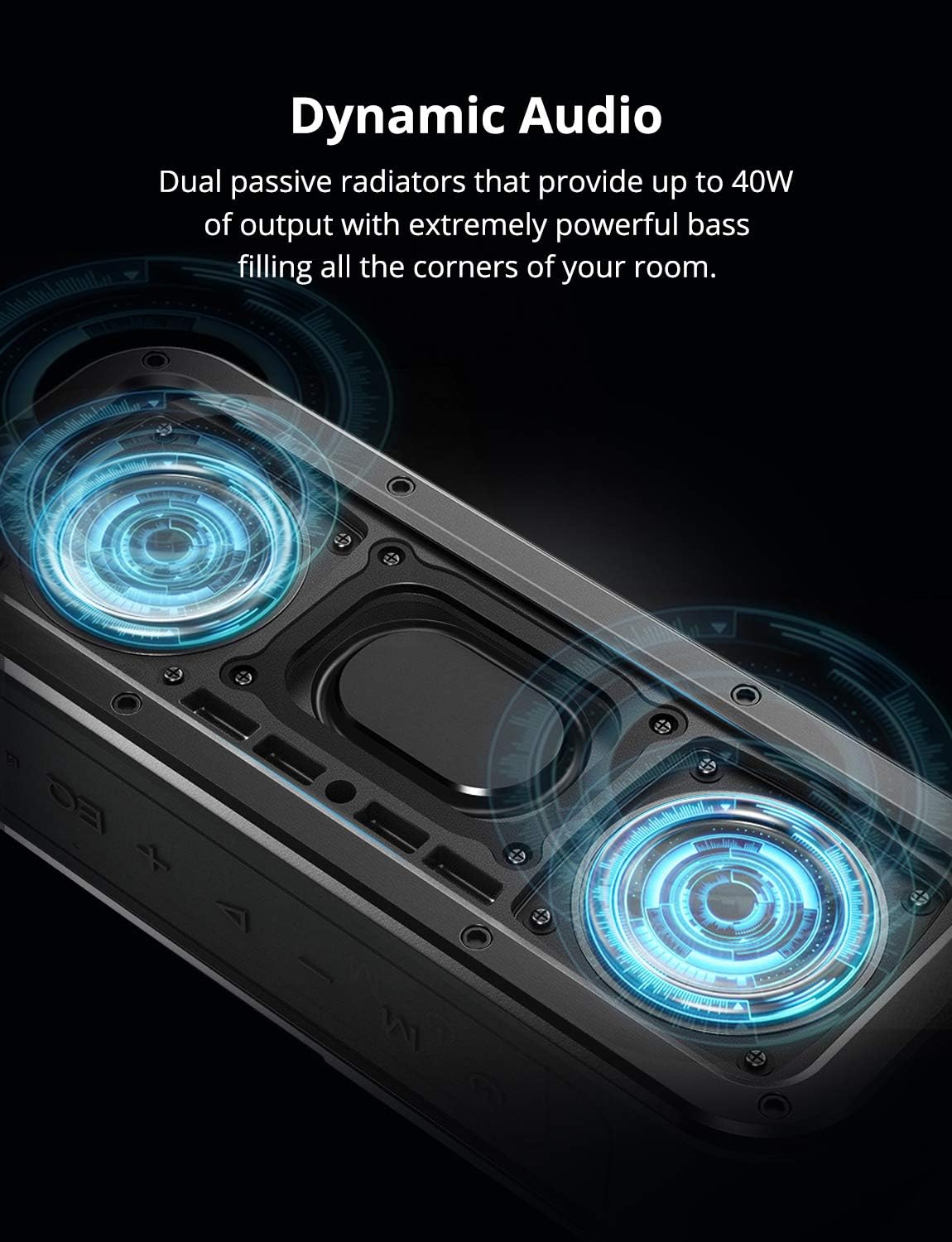
Image: An internal view of the Tronsmart Force speaker, highlighting its dual passive radiators designed for dynamic audio and powerful bass output.
- Dynamic Audio: Dual passive radiators deliver up to 40W output with powerful bass.
- Waterproof: IPX7 rating ensures protection against water immersion.
- Long Playtime: Up to 15 hours of music playback on a single charge.
- True Wireless Stereo (TWS): Connect two Force speakers for enhanced stereo sound.
- NFC Connectivity: Quick pairing with NFC-enabled devices.
- Tri-Bass Effects: Three equalizer audio modes to suit various music genres.

Image: The Tronsmart Force speaker placed poolside, symbolizing its extended 15-hour playtime suitable for outdoor activities.
Controls and Indicators
The Tronsmart Force speaker features intuitive controls for easy operation. Refer to the image below for button identification.

Image: Top view of the Tronsmart Force speaker showing the control buttons: Power, Mode (M), Volume Down (-), Play/Pause, Volume Up (+), and Equalizer (EQ).
- Power Button: Press and hold to power on/off.
- Mode (M) Button: Press to switch between Bluetooth, AUX, and Micro SD card modes.
- Volume Down (-) Button: Press to decrease volume. Hold to skip to the previous track.
- Play/Pause Button: Press to play or pause music. Press to answer/end calls. Hold to reject calls.
- Volume Up (+) Button: Press to increase volume. Hold to skip to the next track.
- Equalizer (EQ) Button: Press to cycle through different audio equalizer modes (3D Stereo, Extra Bass, Standard).
Setup
Charging the Speaker
Before first use, fully charge the speaker. The charging time is approximately 3 hours.
- Connect the USB-C charging cable to the speaker's charging port.
- Connect the other end of the cable to a DC 5V/2.4A power adapter (not included) or a computer's USB port.
- The LED indicator will show charging status and turn off when fully charged.
Power On/Off
- Power On: Press and hold the Power button for 2 seconds until the LED indicator lights up.
- Power Off: Press and hold the Power button for 2 seconds until the LED indicator turns off.
Bluetooth Pairing
- Ensure the speaker is powered on and in Bluetooth mode (blue LED blinking).
- Enable Bluetooth on your device (smartphone, tablet, etc.).
- Search for "Tronsmart Force" in your device's Bluetooth list and select it to connect.
- Once connected, the blue LED will remain solid, and you will hear an audible confirmation.
NFC Pairing (Near Field Communication)
For NFC-enabled devices, pairing is even simpler:
- Ensure the speaker is powered on and NFC is enabled on your device.
- Place your NFC-enabled device near the NFC area on the speaker (usually indicated by an NFC logo).
- Confirm the pairing request on your device.
True Wireless Stereo (TWS) Pairing
To achieve a true stereo sound experience, you can pair two Tronsmart Force speakers together.
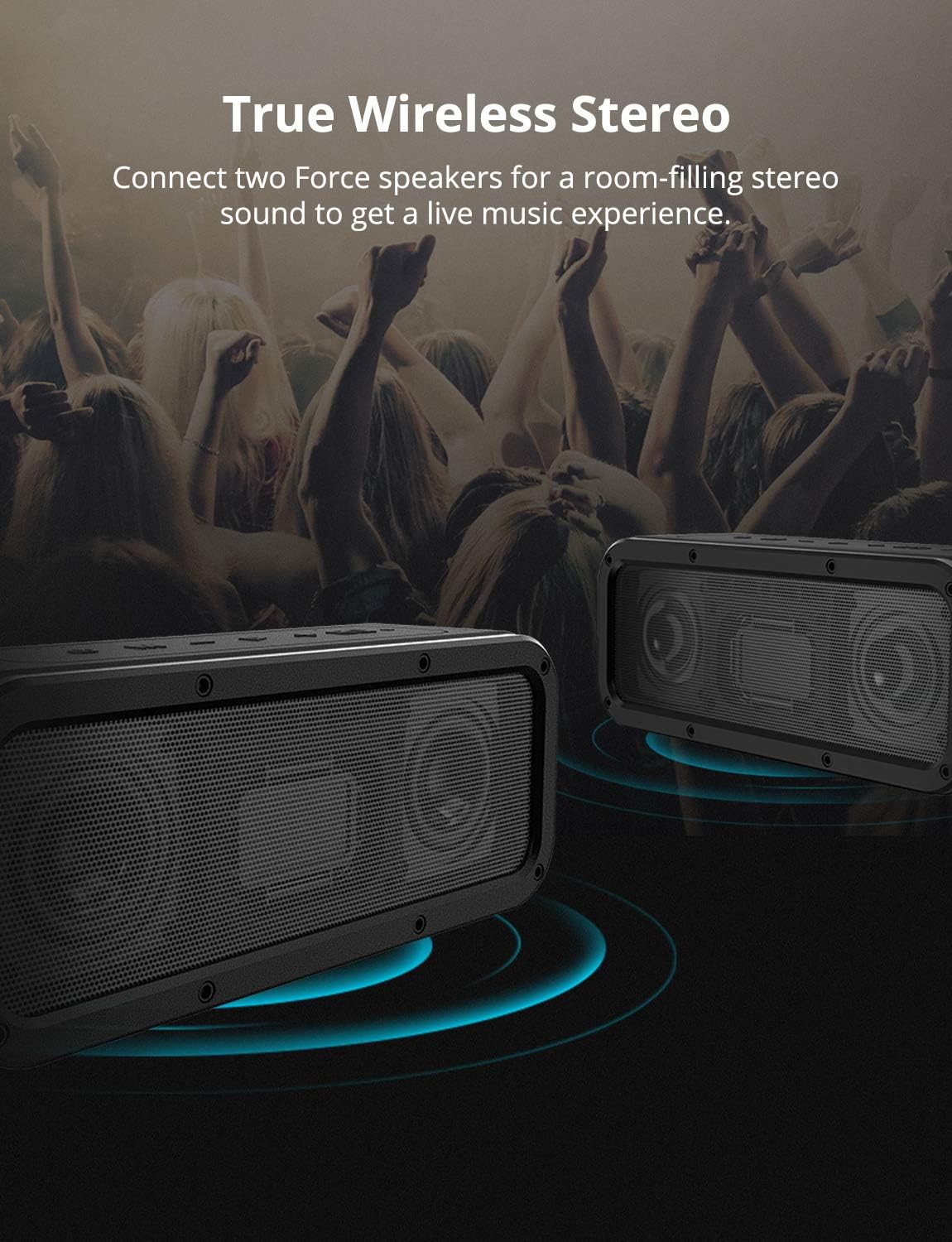
Image: Two Tronsmart Force speakers positioned to illustrate True Wireless Stereo pairing, creating a wider soundstage.
- Ensure both Tronsmart Force speakers are powered on and disconnected from any Bluetooth devices.
- On one speaker (this will be the primary speaker), press the Power button twice. You will hear a prompt, and the LED indicator will flash white and blue.
- The two speakers will automatically connect to each other. Once connected, the primary speaker's LED will flash blue, and the secondary speaker's LED will remain solid blue.
- Now, connect your device to the primary speaker via Bluetooth as described in the "Bluetooth Pairing" section.
Operating Instructions
Music Playback
- Play/Pause: Press the Play/Pause button.
- Volume Up/Down: Press the '+' or '-' buttons.
- Next Track: Hold the '+' button.
- Previous Track: Hold the '-' button.
Call Handling
- Answer/End Call: Press the Play/Pause button.
- Reject Call: Hold the Play/Pause button for 2 seconds.
Equalizer (EQ) Modes
The Tronsmart Force offers three distinct audio modes to enhance your listening experience:
Image: Close-up of the Tronsmart Force speaker's control panel, highlighting the EQ button and illustrating the three equalizer modes: 3D Stereo (blue LED), Extra Bass (no LED), and Standard (white LED).
- 3D Stereo (Blue LED): Provides an immersive, wide soundstage.
- Extra Bass (No LED): Enhances low-frequency response for deeper bass.
- Standard (White LED): Offers a balanced audio profile suitable for most genres.
Press the EQ button to cycle through these modes.
Maintenance
To ensure the longevity and optimal performance of your Tronsmart Force speaker, follow these maintenance guidelines:
- Cleaning: Wipe the speaker with a soft, damp cloth. Do not use harsh chemicals or abrasive cleaners.
- Water Resistance (IPX7): The speaker is IPX7 waterproof, meaning it can be immersed in water up to 1 meter for 30 minutes. Ensure the charging port cover is securely closed before exposing it to water. After exposure to water, dry the speaker thoroughly before charging.
- Storage: Store the speaker in a cool, dry place away from direct sunlight and extreme temperatures.
- Battery Care: To preserve battery life, charge the speaker at least once every three months if not used regularly.

Image: The Tronsmart Force speaker partially submerged in water, illustrating its IPX7 waterproof capability. This highlights its durability and suitability for outdoor use.
Troubleshooting
If you encounter issues with your Tronsmart Force speaker, refer to the following common solutions:
| Problem | Possible Cause | Solution |
|---|---|---|
| Speaker does not power on. | Low battery. | Charge the speaker fully. |
| Cannot pair via Bluetooth. | Speaker is not in pairing mode or already connected to another device. Device's Bluetooth is off. | Ensure speaker is in pairing mode (blue LED blinking). Disconnect from other devices. Turn on Bluetooth on your device. |
| No sound. | Volume is too low. Speaker is paused. Incorrect input mode. | Increase volume on both speaker and device. Press Play/Pause. Press 'M' button to cycle through modes (Bluetooth, AUX, Micro SD). |
| TWS pairing fails. | Speakers are already connected to a device. Incorrect pairing procedure. | Ensure both speakers are disconnected from any Bluetooth devices. Follow TWS pairing steps precisely. |
Specifications
| Feature | Detail |
|---|---|
| Model Name | Force |
| Bluetooth Version | 5.0 |
| Transmission Range | Up to 30m / 100ft (open area) |
| Waterproof Rating | IPX7 |
| Power Input | DC 5V / 2.4A |
| Charging Time | Approximately 3 hours |
| Speaker Driver Size | 53mm |
| Distortion | ≤1.0% |
| Frequency Response | 80Hz-18KHz |
| Product Weight | 780 ± 5 g / 27.51 ± 0.2 oz |
| Product Dimensions (L x W x H) | 204 x 64 x 80 mm / 8.03 x 2.51 x 3.14 inches |
| Battery Life | Up to 15 hours |
| Max Output Power | 40 Watts |
| Connectivity Technology | Bluetooth, NFC |
| Audio Output Mode | Stereo |
Warranty and Support
The Tronsmart Force speaker comes with a limited warranty. Please refer to the warranty card included in your package for specific terms and conditions.
For further assistance or technical support, please visit the official Tronsmart website or contact their customer service.
Online Resources: www.tronsmart.com
Related documentsForce


Ask a question about this manual
Ask about setup, troubleshooting, compatibility, parts, safety, or missing instructions. Manuals+ will review the question and use this page’s manual context to help answer it.