
1. Introduction
This manual provides instructions for the Minn Kota Ultrex 1368881 Freshwater Bow-Mount Trolling Motor. The Ultrex motor integrates responsive power steering with advanced GPS-powered boat control features, including Spot-Lock and i-Pilot Link, to enhance your fishing experience. It also features built-in MEGA Down Imaging for clear underwater views. Please read this manual thoroughly before installation and operation to ensure proper use and maintenance of your trolling motor.

Image 1: Overview of the Minn Kota Ultrex Trolling Motor, highlighting its extruded aluminum mono-arm design, patented lift-assist, indestructible composite shaft, built-in MEGA Down Imaging, responsive heel/toe power steering, Spot-Lock GPS anchor, and MKP-33 prop.
2. Included Components
Verify that all components listed below are present in your package:
- Ultrex 112 lb. 52" trolling motor with Built-In MEGA Down Imaging
- Corded Foot Pedal
- i-Pilot Link Remote
- Remote Charging Cable
- USB DC Adapter
- Lanyard
- Heading Sensor
- 30' Ethernet Extension Cable
- Stabilizer
- Hold Down Strap
- MKP-38 Prop
- Mounting Hardware
3. Setup and Installation
Proper installation is crucial for the performance and longevity of your Minn Kota Ultrex trolling motor. Follow these general guidelines for setup.
3.1 Mounting the Motor
The Ultrex is a bow-mount trolling motor. Securely attach the motor to the bow of your boat using the provided mounting hardware. Ensure the mounting surface is flat and strong enough to support the motor's weight and operational forces. Refer to the detailed mounting template included with your product for precise hole placement.
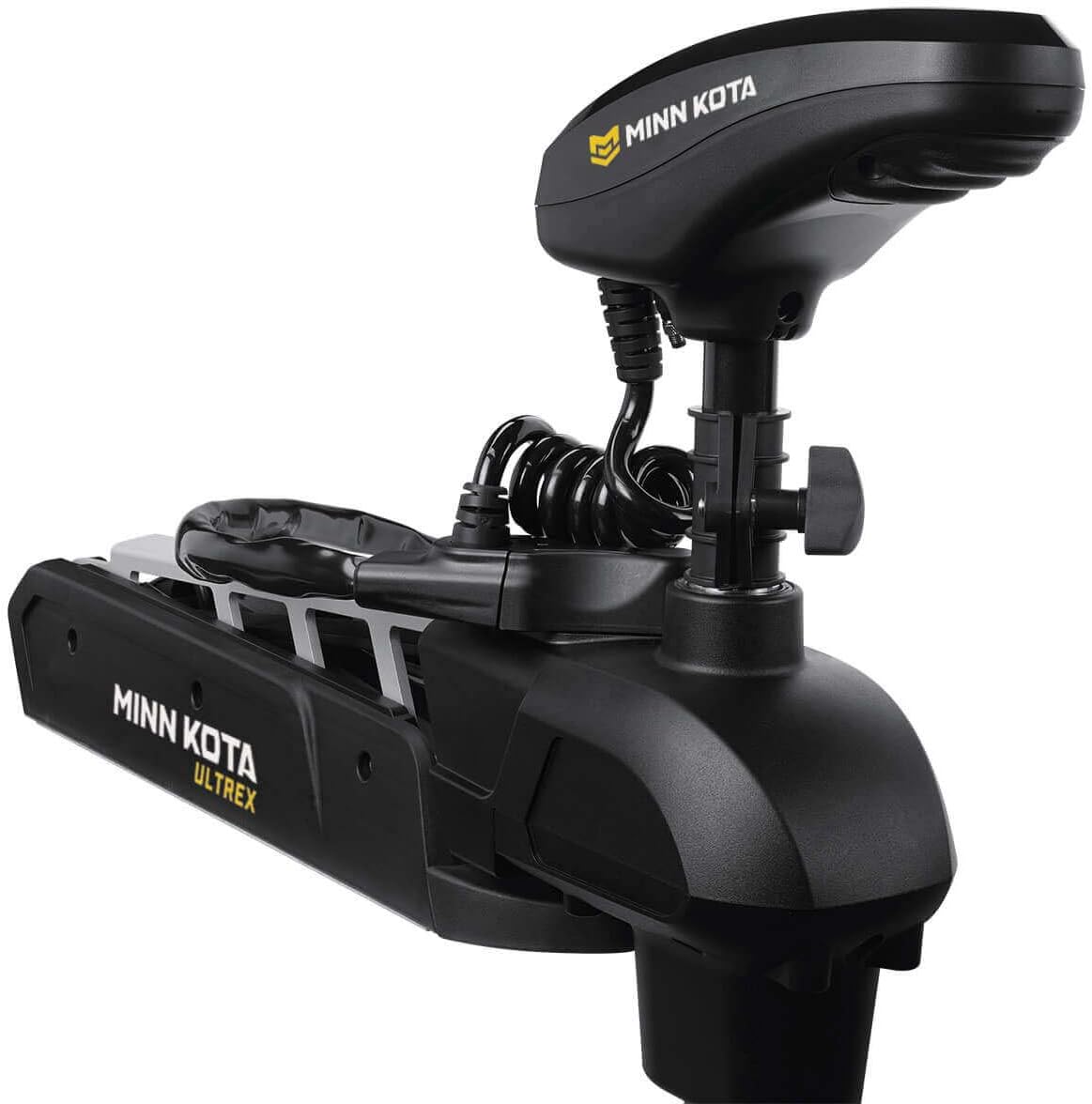
Image 2: The Minn Kota Ultrex Trolling Motor shown in its stowed position on a boat's bow, ready for transport or storage.
3.2 Electrical Connection
The Ultrex 112 lb thrust motor operates on a 36-volt system. Connect the motor to three 12-volt deep cycle marine batteries wired in series. Use appropriate gauge wiring and circuit protection as specified in the full installation guide to prevent damage and ensure safety. Ensure all connections are tight and corrosion-free.
3.3 Deploying and Stowing
The patented Lift-Assist Design significantly reduces the effort required to deploy and stow the motor. To deploy, release the motor from its stowed position and gently lower it into the water. To stow, lift the motor using the handle until it locks into the stowed position. The nitrogen gas-charged spring assists in this process.

Image 3: A detailed view of the Lift-Assist mechanism on the Minn Kota Ultrex, showing the internal spring and components that aid in deploying and stowing the motor.
4. Operating Instructions
Familiarize yourself with the controls and features of your Ultrex motor for optimal performance.
4.1 Foot Pedal Control
The Ultrex foot pedal provides responsive power steering and motor control. Press the heel or toe of the pedal to steer the motor left or right. The motor head remains pointed in the last direction set when your foot is removed from the pedal, thanks to the Steering Lock feature.

Image 4: The Minn Kota Ultrex foot pedal, illustrating its various controls including Momentary On, High-Impact Composite Material, Speed Control knob, Heel/Toe Steering, Spot-Lock button, AutoPilot On/Off, and Constant On switch.
- Momentary On: Press the button to activate the propeller temporarily.
- Constant On: Flip the switch to keep the propeller running continuously.
- Speed Control: Rotate the knob to adjust the propeller speed.
- Spot-Lock Button: Press to activate the electronic anchor feature.
- AutoPilot On/Off: Engage or disengage the AutoPilot navigation feature.
4.2 i-Pilot Link GPS Trolling System
The i-Pilot Link system provides advanced GPS-powered boat control, allowing integration with compatible Humminbird fish finders. Control your motor from the i-Pilot Link remote or your Humminbird unit.

Image 5: The Minn Kota i-Pilot Link remote control, featuring a color touch-screen display and various buttons for navigation, Spot-Lock, AutoPilot, and other functions.
- Spot-Lock with Jog: Activates an electronic anchor to hold your boat in a precise GPS location. Use the Jog feature (with heading sensor) to move your boat five feet in any direction from the Spot-Lock position.
- AutoPilot: Automatically navigates your boat in a set direction, correcting for wind and current.
- Record Paths: Save and retrace your fishing paths.
- Follow Depth Contours: Navigate along specific depth contours when linked to a Humminbird fish finder.
- Speed and Steering Control: Adjust motor speed and direction directly from the remote.
4.3 Digital Maximizer
The Digital Maximizer technology provides variable speed control, delivering only the necessary power to the motor. This results in up to five times longer run time on a single battery charge compared to fixed-speed motors.
4.4 Built-in MEGA Down Imaging
The motor features a transducer built directly into the lower unit, providing clear Humminbird MEGA Down Imaging sonar views. This integrated design offers a clean, protected look and eliminates external transducer mounting.
5. Maintenance
Regular maintenance ensures the longevity and optimal performance of your trolling motor.
- After Each Use: Rinse the motor with fresh water, especially after use in saltwater or brackish water. Inspect the propeller for fishing line, weeds, or debris. Remove any obstructions to prevent damage to the prop or motor shaft seal.
- Propeller Inspection: Periodically check the propeller for nicks, cracks, or bends. Replace damaged propellers (MKP-38) to maintain efficiency and prevent vibration.
- Battery Care: Ensure batteries are fully charged before each use. Store batteries in a cool, dry place and keep terminals clean and free of corrosion.
- Shaft and Mount: Inspect the composite shaft for any signs of damage. Check the mounting bolts for tightness and ensure the mount operates smoothly.
- Electrical Connections: Regularly inspect all electrical connections for corrosion or loose wiring. Apply dielectric grease to connections to prevent corrosion.
6. Troubleshooting
If you encounter issues with your Ultrex trolling motor, refer to the following common troubleshooting steps:
- Motor Not Responding:
- Check all battery connections for tightness and corrosion.
- Verify that batteries are fully charged.
- Inspect the circuit breaker or fuse for tripping or damage.
- Propeller Not Turning:
- Ensure the Momentary or Constant On switch is engaged.
- Check for debris wrapped around the propeller shaft.
- Inspect the propeller for damage that might prevent rotation.
- Inaccurate GPS/Spot-Lock:
- Ensure the i-Pilot Link remote has a clear view of the sky.
- Check for any electronic interference from other devices.
- Update the i-Pilot Link software if available.
- Steering Issues:
- Verify the foot pedal cable is securely connected and undamaged.
- Ensure no obstructions are preventing the motor head from turning freely.
For more detailed troubleshooting or issues not listed here, please refer to the comprehensive troubleshooting guide on the Minn Kota website or contact customer support.
7. Specifications
| Feature | Specification |
|---|---|
| Brand | Minn Kota |
| Model Number | 1368881 |
| Thrust | 112 lbs |
| Shaft Length | 52 inches |
| Voltage | 36 volts |
| Mounting Type | Bow Mount |
| Engine Type | Electric |
| Operation Mode | Electric |
| Material | Stainless Steel (components), Composite (shaft) |
| Color | Black |
| Recommended Use | Fresh Water |
| Included Components | Ultrex 112 lb. 52" trolling motor with Built-In MEGA Down Imaging, Corded Foot Pedal, i-Pilot Link Remote, Remote Charging Cable, USB DC Adapter, Lanyard, Heading Sensor, 30' Ethernet Extension Cable, Stabilizer, Hold Down Strap, MKP-38 Prop and Mounting Hardware. |
| Item Weight | 85 pounds |
| UPC | 029402047185 |
8. Warranty Information
The Minn Kota Ultrex 1368881 Trolling Motor is covered by a Three-Year Warranty from the date of purchase. This warranty covers defects in materials and workmanship under normal use. For full warranty terms and conditions, please refer to the warranty documentation included with your product or visit the official Minn Kota website.
9. Customer Support
For technical assistance, replacement parts, or further inquiries, please contact Minn Kota customer support. You can find contact information and additional resources, including detailed installation guides and FAQs, on the official Minn Kota website: www.minnkotamotors.com.


