
1. Product Overview
The Axis P3225-V MK II is a high-quality fixed dome IP camera designed for professional surveillance. It offers HDTV 1080p resolution with a 3-10.5mm P-Iris varifocal lens, capable of recording at 30fps or 60fps (with WDR on/off). Based on open IP standards, this network camera connects to various IP networks, enabling remote viewing and recording from any location. It also integrates advanced video analytics features such as motion detection, audio detection, and tampering alarms to enhance security monitoring.
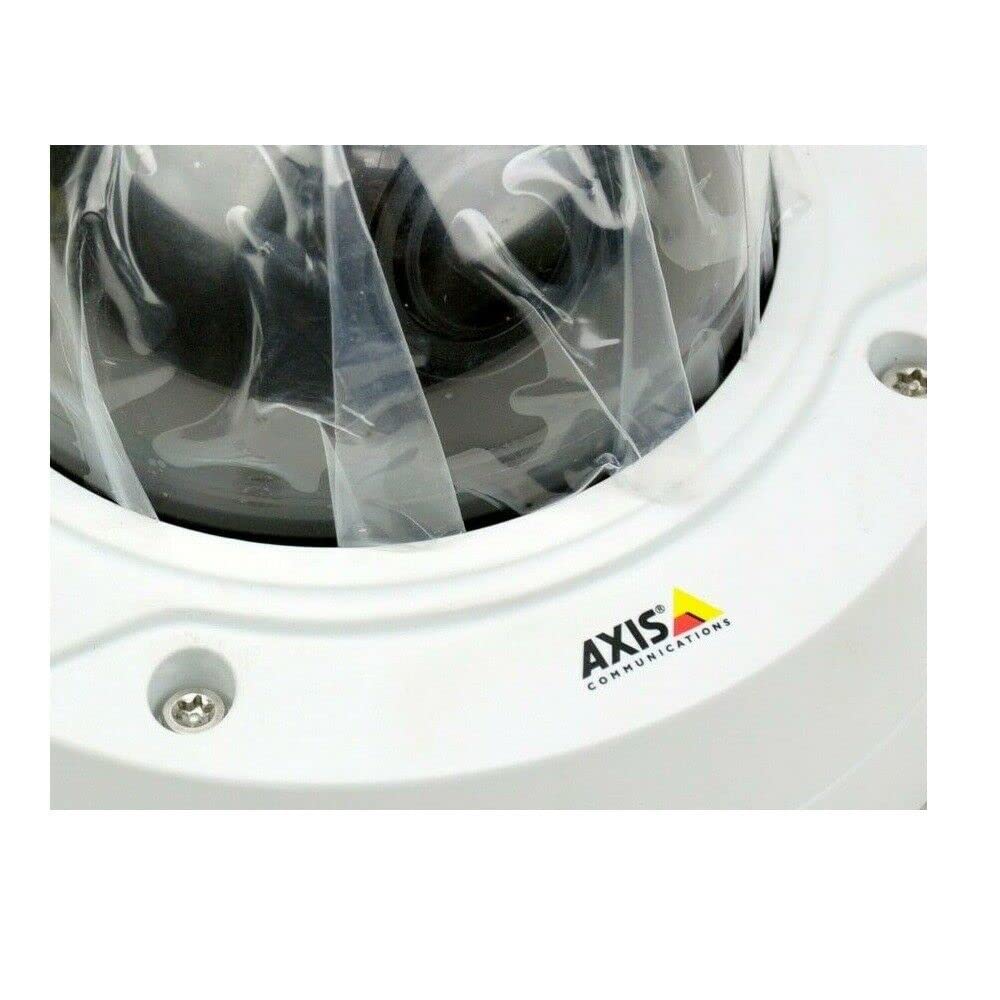
Figure 1: AXIS P3225-V MK II Fixed Dome IP Camera. This image shows the compact dome design of the camera, suitable for discreet installation.
2. Setup and Installation
This section provides instructions for the physical installation and initial setup of your AXIS P3225-V MK II camera.
2.1 Package Contents
- AXIS P3225-V MK II Fixed Dome IP Camera (1 unit)
- Installation Guide
- Mounting hardware
- Power cable
2.2 Mounting the Camera
The camera is designed for outdoor use and features an IP65 waterproof rating. It is typically installed using a ceiling mount. Ensure the mounting surface is strong enough to support the camera's weight.
- Choose a suitable outdoor location for optimal surveillance coverage.
- Securely attach the mounting bracket to the ceiling using the provided hardware.
- Attach the camera to the mounting bracket, ensuring it is firmly locked in place.
2.3 Power and Network Connection
The camera operates on corded electric power. It supports wireless (Wi-Fi) connectivity for network integration.
- Connect the power cable to the camera and a suitable power outlet.
- For network connection, the camera can connect wirelessly via Wi-Fi. Refer to the detailed network configuration guide for specific steps to connect to your local network.
- Ensure the camera is powered on and the network connection is established.
3. Operating Instructions
This section covers the basic operation of your AXIS P3225-V MK II camera, including remote viewing and video analytics.
3.1 Remote Viewing and Recording
The camera supports remote management and viewing. Once connected to your IP network, you can access the camera feed and recordings from anywhere using compatible software or a web browser. The camera adheres to the ONVIF connection protocol, ensuring compatibility with various network video management systems.
- Video Resolution: The camera captures video at 1080p (1920x1080 pixels).
- Frame Rate: Video is recorded at 30 frames per second.
- Field of View: The camera offers a 135-degree field of view.
- Optical Zoom: Utilize the optical zoom feature for detailed viewing of specific areas.
- Night Vision: The camera includes night vision capabilities, providing clear images in low-light conditions.
- Video Format: Video is captured in MPEG-4 format.
3.2 Advanced Video Analytics
The AXIS P3225-V MK II features advanced analytics to enhance surveillance efficiency:
- Motion Detection: The camera can detect movement within its field of view and trigger alerts or recordings.
- Audio Detection: Detects unusual sounds in the monitored area.
- Tampering Alarms: Notifies you if the camera is being obstructed or moved.
Configure these features through the camera's web interface or your video management software.
4. Maintenance
Regular maintenance ensures optimal performance and longevity of your camera.
4.1 Cleaning
- Gently wipe the camera lens and exterior with a soft, damp cloth.
- Avoid using harsh chemicals or abrasive materials that could damage the lens or casing.
- Ensure the camera is powered off before cleaning.
4.2 Firmware Updates
Periodically check the Axis Communications website for firmware updates. Keeping your camera's firmware up-to-date ensures access to the latest features, security enhancements, and bug fixes.
5. Troubleshooting
This section addresses common issues you might encounter with your AXIS P3225-V MK II camera.
| Problem | Possible Cause | Solution |
|---|---|---|
| No image/video feed | Power issue, network disconnection, incorrect software settings. | Check power connection. Verify Wi-Fi connectivity. Ensure correct IP address and port settings in viewing software. |
| Motion detection not triggering | Incorrect sensitivity settings, detection area not configured, firmware outdated. | Adjust motion detection sensitivity. Define detection zones. Update camera firmware. |
| Poor image quality | Dirty lens, improper focus, low light conditions, network bandwidth issues. | Clean the lens. Adjust the varifocal lens for optimal focus. Ensure adequate lighting or verify night vision settings. Check network bandwidth. |
| Cannot connect to Wi-Fi | Incorrect Wi-Fi password, out of range, network interference. | Verify Wi-Fi password. Move camera closer to the router or use a Wi-Fi extender. Check for other wireless devices causing interference. |
If you continue to experience issues, please refer to the detailed support documentation on the Axis Communications website or contact technical support.
6. Technical Specifications
| Feature | Specification |
|---|---|
| Brand | Axis Communications |
| Model Number | 0952-001 (P3225-V MK II) |
| Product Type | Fixed Dome IP Camera |
| Video Capture Resolution | 1080p (HDTV 1080p, 1920x1080 pixels) |
| Frame Rate | 30 frames per second (up to 60fps with WDR on/off) |
| Lens | 3-10.5mm P-Iris Varifocal Lens |
| Field of View | 135 degrees |
| Connectivity Technology | Wireless (Wi-Fi) |
| Connection Protocol | ONVIF |
| Power Source | Corded Electric (3.7 W) |
| Batteries Required | No |
| Channel Count | 1 |
| Unit Count | 1 |
| Indoor/Outdoor Use | Outdoor |
| Waterproof Rating | IP65 |
| Mounting Type | Ceiling Mount |
| Features | Motion Sensor, Optical Zoom, Night Vision (Infrared), Audio Detection, Tampering Alarms |
| Video Capture Format | MPEG-4 |
| Photo Sensor Technology | CMOS |
| Exterior Material | Metal |
| UPC | 745558709844 |
| ASIN | B07L3761K4 |
7. Warranty and Support
For detailed warranty information and technical support, please visit the official Axis Communications website or contact their customer service. Keep your purchase receipt for warranty claims.
Website: www.axis.com


