
Introduction
This manual provides essential information for the safe and efficient use of your ASUS ZenBook UX333FA-DH51 laptop. Please read this guide thoroughly before operating your device to ensure proper setup, operation, and maintenance.

Image: The ASUS ZenBook UX333FA-DH51 laptop in its royal blue finish, showcasing its sleek, closed design.
What's in the Box
Verify that all items are present in your product packaging. If any item is missing or damaged, contact your retailer or ASUS support.
- ASUS ZenBook UX333FA-DH51 Notebook
- Power Adapter
- Power Cord
- Documentation (Quick Start Guide, Warranty Card)
Setup
1. Connecting the Power Adapter
Before first use, or if the battery is low, connect the power adapter to the laptop and a power outlet.
- Plug the AC adapter into the power connector on the side of your ZenBook.
- Plug the power cord into the AC adapter.
- Plug the other end of the power cord into a wall power outlet.

Image: Side view of the laptop, highlighting the various ports including the power input, USB ports, and HDMI.
2. Initial Power On and Windows Setup
Once connected to power, open the laptop lid and press the power button. Follow the on-screen instructions to complete the Windows 10 setup process. This includes selecting your region, language, accepting terms, and setting up user accounts.
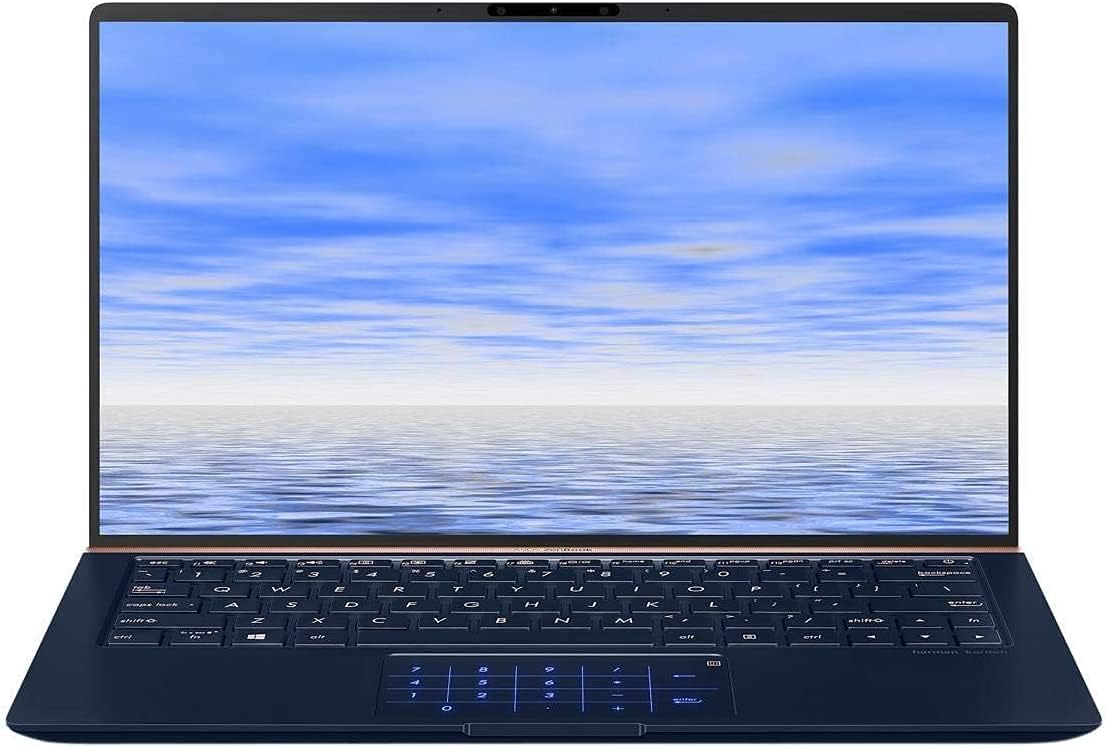
Image: The ASUS ZenBook UX333FA-DH51 with its display open, ready for initial setup or use.
Operating the Laptop
Keyboard and Touchpad
Your ZenBook features a full-sized keyboard and a precision touchpad. The unique ErgoLift hinge automatically tilts the keyboard for a more comfortable typing experience when the lid is opened.

Image: A close-up view of the laptop's keyboard and the innovative NumberPad integrated into the touchpad.
- Function Keys: Use the Fn key in combination with the F1-F12 keys for quick access to system functions like volume control, brightness adjustment, and Wi-Fi toggle.
- NumberPad: The touchpad can transform into an LED-illuminated numeric keypad for data entry. Refer to the on-screen instructions or the ASUS utility for activation and usage.
Display Features
The ZenBook UX333FA-DH51 features a 13.3-inch Full HD (1920x1080) NanoEdge display with ultra-slim bezels, providing an immersive visual experience.

Image: The laptop open, emphasizing the expansive, near-borderless NanoEdge display.
Power Management
Manage your laptop's power settings through Windows 10 to optimize battery life or performance.
- Sleep Mode: Close the lid or press the power button briefly to enter sleep mode.
- Shut Down: Go to Start > Power > Shut down to completely turn off the laptop.
- Restart: Go to Start > Power > Restart to reboot the system.
Maintenance
Cleaning Your Laptop
- Use a soft, lint-free cloth dampened with water or a specialized screen cleaner for the display.
- For the keyboard and chassis, use a soft, dry cloth. Avoid harsh chemicals or abrasive materials.
- Ensure the laptop is powered off and unplugged before cleaning.
Battery Care
- Avoid fully discharging the battery frequently.
- Store the laptop in a cool, dry place if not used for extended periods.
- Periodically calibrate the battery by fully discharging and recharging it.
Software Updates
Regularly update your Windows operating system and ASUS drivers to ensure optimal performance and security.
- Windows Updates: Go to Settings > Update & Security > Windows Update.
- ASUS Driver Updates: Visit the official ASUS support website for your model to download the latest drivers and utilities.
Troubleshooting
This section addresses common issues you might encounter. For more complex problems, refer to the ASUS support website or contact customer service.
| Problem | Possible Solution |
|---|---|
| Laptop does not power on. |
|
| Screen is blank or black. |
|
| Touchpad is unresponsive or erratic. |
|
| Battery drains quickly. |
|
Specifications
Key technical specifications for the ASUS ZenBook UX333FA-DH51.
| Feature | Detail |
|---|---|
| Model Name | ZenBook UX333FA-DH51 |
| Display | 13.3-inch Full HD (1920x1080) |
| Processor | Intel Core i5-8265U (1.6GHz, Turbo up to 3.9GHz) |
| RAM | 8GB LPDDR3 (On Board) |
| Storage | 256GB PCIe G3x2 SSD + TPM |
| Graphics | Intel HD Graphics (Integrated) |
| Operating System | Windows 10 (64bit) |
| Wireless Connectivity | 802.11g |
| USB Ports | 1x USB 2.0, 1x USB 3.0 (Note: Specific port types may vary, refer to physical device) |
| Item Weight | 2.6 pounds |
| Dimensions (LxWxH) | 15 x 1 x 10 inches |
| Color | Royal Blue |
Warranty Information
Your ASUS ZenBook UX333FA-DH51 comes with a limited manufacturer's warranty. The specific terms and duration of the warranty may vary by region and retailer. Please refer to the warranty card included in your product packaging or visit the official ASUS website for detailed warranty information. Keep your proof of purchase for warranty claims.
Support
For technical assistance, driver downloads, or further information regarding your ASUS ZenBook UX333FA-DH51, please visit the official ASUS support website:
You may also find helpful resources and contact information for customer service on the website.