1. Introduction
The DS leddess 11-Port ARGB Splitter Hub (Model DS-SX03) is designed to expand your system's Addressable RGB (ARGB) connectivity, allowing you to synchronize up to 10 ARGB devices with your motherboard's 5V ARGB header. This hub provides a centralized solution for managing multiple ARGB components such as LED fans and light strips, ensuring consistent lighting effects across your PC build. It features a magnetic design for easy installation within your computer case and includes a SATA power connector for stable power delivery to all connected devices.
2. Product Features
- 1-to-10 ARGB Connectivity: Connects up to 10 Addressable RGB (5V 3-pin) devices simultaneously.
- Motherboard Synchronization: Compatible with major motherboard ARGB software including ASUS Aura Sync, MSI Mystic Light Sync, GIGABYTE RGB Fusion, and ASRock Polychrome Sync.
- SATA Power Input: Ensures stable power delivery for multiple ARGB devices, especially when using 6 or more devices, preventing power insufficiency from the motherboard header.
- Magnetic Mounting: Features a magnetic back for secure and flexible installation on any iron surface within your PC case, eliminating the need for adhesives.
- Compact Design: All-black exterior with a compact form factor for discreet integration into your system.
3. Package Contents
Please verify that all items are present in your package:
- 1x DS leddess 11-Port ARGB Splitter Hub (Model DS-SX03)
- 1x ARGB Extension Cable

Image: The DS leddess ARGB Splitter Hub shown alongside its included ARGB extension cable.
4. Setup Instructions
Follow these steps to properly install and connect your ARGB Splitter Hub:
- Mount the Hub: Position the DS leddess ARGB Splitter Hub inside your PC case. Utilize its magnetic back to securely attach it to any suitable iron surface. This allows for flexible placement without permanent adhesive.
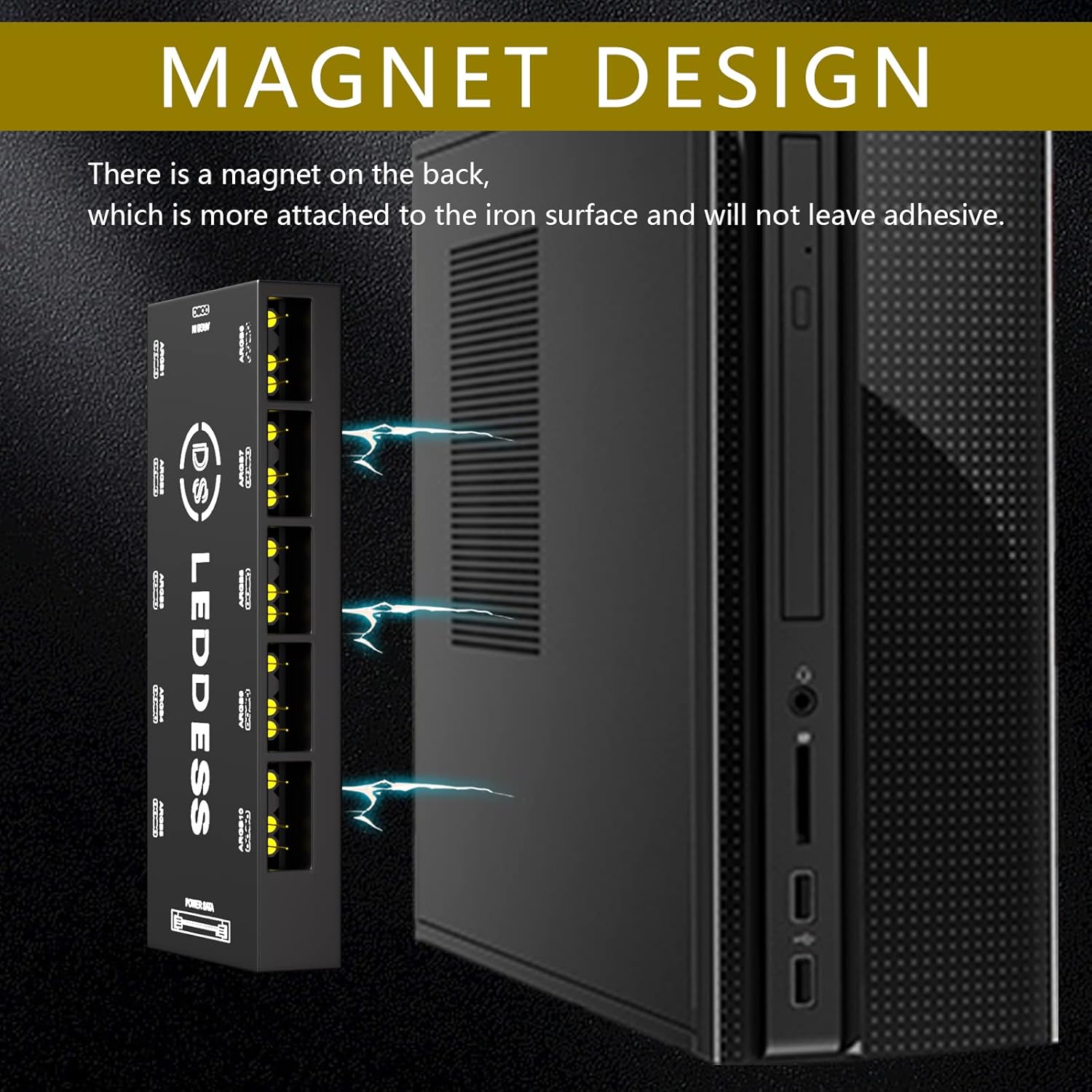
Image: The ARGB Splitter Hub demonstrating its magnetic attachment to a computer case.
- Connect ARGB Devices: Connect your 5V 3-pin ARGB LED fans, light strips, or other compatible devices to any of the ARGB 1 through ARGB 10 ports on the hub. The ports do not need to be used in any specific sequence.

Image: A detailed view of the hub's interfaces, highlighting the ARGB IN port, the 10 ARGB output ports, and the Power SATA connector.
- Connect to Motherboard: Use the provided ARGB extension cable to connect the "ARGB IN" header on the splitter hub to your motherboard's 5V 3-pin Addressable RGB header. This is the sole signal input for the hub.

Image: A close-up view emphasizing the ARGB IN port, which connects to the motherboard, and the SATA Power input.
- Connect SATA Power: Connect a SATA power cable from your Power Supply Unit (PSU) to the "POWER SATA" port on the splitter hub. This connection is crucial for providing sufficient power to all connected ARGB devices. The motherboard's ARGB port typically provides a maximum of 15W. If you are using 6 or more ARGB devices, or if your motherboard's ARGB header cannot supply enough power, the SATA power connection is mandatory to prevent power insufficiency and ensure stable operation.
5. Operating Instructions
Once the DS leddess ARGB Splitter Hub is correctly installed and powered, you can control the lighting effects of your connected ARGB devices through your motherboard's software. Ensure your motherboard's ARGB software (e.g., ASUS Aura Sync, MSI Mystic Light Sync, GIGABYTE RGB Fusion, ASRock Polychrome Sync) is installed and up to date.
- Software Control: Launch your motherboard's ARGB control software. The software should detect the connected ARGB devices as a single unit or multiple units depending on the software's implementation.
- Customize Lighting: Use the software interface to select desired lighting modes, colors, and effects. All devices connected to the hub will synchronize with the settings applied through the motherboard software.
- Power Cycling: The hub is designed to retain its last known ARGB setting after a power cycle, provided it is receiving a signal from the motherboard.

Image: Visual representation of the hub's compatibility with motherboard ARGB synchronization software from brands like ASRock, MSI, ASUS, and GIGABYTE.
6. Troubleshooting
If you encounter issues with your DS leddess ARGB Splitter Hub, please refer to the following common troubleshooting steps:
- No Lighting or Incorrect Colors:
- Ensure the "ARGB IN" cable is securely connected to both the hub and the motherboard's 5V 3-pin ARGB header.
- Verify that the SATA power cable is firmly connected from your PSU to the hub. Insufficient power can lead to incorrect lighting or no lighting at all.
- Check that your ARGB devices are 5V 3-pin compatible. This hub does NOT support 12V 4-pin RGB devices.
- Confirm that your motherboard's ARGB software is installed, updated, and correctly configured.
- Some versions of this hub may require a specific initialization step if they default to an internal lighting mode. If your hub is displaying only a rainbow effect and not responding to motherboard software, locate two small pins (sometimes labeled PWM or similar) on the hub. Briefly short these two pins together for approximately 2-3 seconds (e.g., using a metal object like a screwdriver tip) while the system is powered on. This action can switch the hub from an internal control mode to motherboard sync mode.
- Flickering or Dim Lights:
- This often indicates insufficient power. Double-check the SATA power connection to the hub.
- Reduce the number of connected ARGB devices if you are not using the SATA power, or ensure the SATA power is connected and functional.
- Hub Not Detected by Software:
- Ensure the "ARGB IN" cable is connected to the correct 5V 3-pin ARGB header on your motherboard, not a 12V 4-pin RGB header.
- Restart your computer and motherboard ARGB software.
- If the hub has the JST connector variant, ensure it's in motherboard sync mode as described in the "No Lighting" section above.
7. Specifications
| Brand | DS leddess |
| Model Number | DS-SX03 |
| Connector Type | 3-pin (ARGB) |
| Number of ARGB Ports | 10 |
| Power Input | SATA Power |
| Maximum Voltage | 5 Volts |
| Wattage | 15 watts (Motherboard ARGB port max) |
| Compatible Devices | Personal Computer (5V ARGB devices) |
| Dimensions (LxWxH) | 3.94 x 1.97 x 0.59 inches |
| Item Weight | 0.634 ounces |
8. Warranty and Support
DS leddess is committed to providing quality products and customer satisfaction. If you have any questions or require assistance with your ARGB Splitter Hub, please contact DS leddess customer support. We aim to respond to all inquiries within 24 hours.
For support, please refer to the contact information provided with your purchase or visit the official DS leddess store page on Amazon.


