Introduction
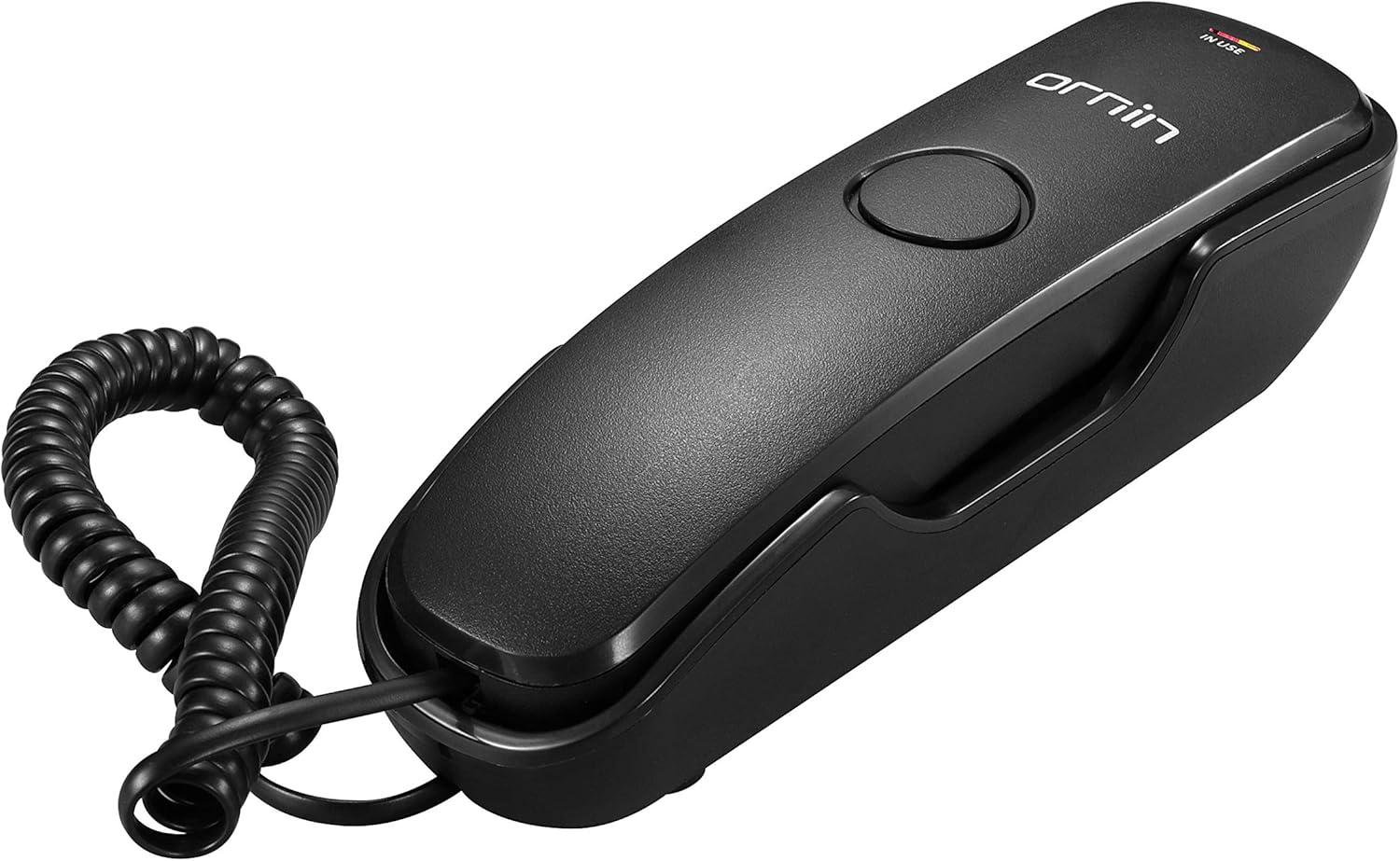
This manual provides comprehensive instructions for the Ornin T102 Trimline Wired Phone. It covers setup, operation, maintenance, and troubleshooting to ensure optimal performance and longevity of your device. Please read this manual thoroughly before using your phone.
Box Contents
Upon unpacking, please verify that all the following items are included:
- Handset
- Base Unit
- Coiled Handset Cord
- Line Cord (RJ11)
- User Manual (this document)
Product Features
The Ornin T102 Trimline Phone is designed with essential features for reliable communication:
- Pulse/Tone Switch
- Redial / Mute / Flash Function
- One-Touch Memory (M1/M2)
- Selectable Hi/Lo Ringer Volume
- Desk and Wall Mountable (mounting nail included)
Setup
Connecting the Phone
Follow these steps to connect your Ornin T102 phone:
- Connect one end of the coiled handset cord to the handset and the other end to the handset jack on the base unit.
- Connect one end of the line cord to the LINE jack on the base unit and the other end to your telephone wall jack.

Operating Instructions
Making a Call
- Lift the handset.
- Wait for a dial tone.
- Dial the desired phone number.
Receiving a Call
- When the phone rings, lift the handset to answer.
- To end the call, place the handset back on the base unit.
Redial Function
To redial the last number called, lift the handset and press the REDIAL button.
Mute Function
During a call, press the MUTE button to temporarily disable your microphone. The other party will not hear you. Press MUTE again to resume conversation.
One-Touch Memory Dial (M1/M2)
The phone features two one-touch memory buttons (M1 and M2) for quick dialing of frequently used numbers.
Storing a Number
- Lift the handset.
- Press the STORE button.
- Dial the phone number you wish to store (up to 16 digits).
- Press either M1 or M2 to save the number to that memory location.
- Place the handset back on the base.
Dialing from Memory
- Lift the handset.
- Press either M1 or M2. The stored number will be dialed automatically.
Ringer Volume Adjustment
The ringer volume can be set to High (HI) or Low (LO) using the switch located on the side or bottom of the phone base.
Pulse/Tone Switch
The phone supports both Pulse and Tone dialing modes. Use the P/T switch on the base to select the appropriate mode for your telephone line. Most modern lines use Tone dialing.
Wall Mounting
The Ornin T102 phone can be conveniently mounted on a wall to save desk space.
- Identify a suitable location on the wall near a telephone jack.
- Use the provided mounting nail (or appropriate screws) to secure the phone base to the wall. Refer to the dimensions image for screw hole placement.
- Ensure the phone is securely attached before use.


Specifications
| Feature | Detail |
|---|---|
| Brand | ORNIN |
| Model Number | T102 |
| Color | Black |
| Phone Type | Corded |
| Material | Plastic |
| Power Source | Corded Electric (Line Powered) |
| Dialer Type | Keypad |
| Item Dimensions (LxWxH) | 20.3 x 6.1 x 6.1 cm (approx. 8.0 x 2.4 x 2.4 inches) |
Troubleshooting
No Dial Tone
- Check if the line cord is securely connected to both the phone and the wall jack.
- Ensure your telephone service is active.
- Try connecting another working phone to the same wall jack to rule out line issues.
Cannot Hear or Be Heard
- Ensure the handset cord is securely connected.
- Check if the MUTE function is active; press the MUTE button to deactivate it.
- Adjust the ringer volume switch to a higher setting.
Phone Not Ringing
- Check the ringer volume switch (HI/LO) and ensure it's not set to LO if you expect a loud ring.
- Verify the phone line is active and receiving incoming calls.
Maintenance
To ensure the longevity and proper functioning of your Ornin T102 phone, follow these maintenance guidelines:
- Clean the phone regularly with a soft, slightly damp cloth. Do not use abrasive cleaners, solvents, or strong chemicals.
- Keep the phone away from excessive moisture, dust, and direct sunlight.
- Avoid dropping the phone or subjecting it to strong impacts.
Warranty and Support
For warranty information or technical support, please refer to the contact details provided by the manufacturer at the time of purchase or visit the official ORNIN website. Keep your purchase receipt as proof of purchase for any warranty claims.


