
DEWENWILS TLA-60-12DW
Contents
DEWENWILS 60W Low Voltage Transformer User Manual
Brand: DEWENWILS
Model: TLA-60-12DW
1. Introduction
This manual provides detailed instructions for the installation, operation, and maintenance of your DEWENWILS 60W 120V AC to 12V DC Outdoor Low Voltage Transformer. Designed specifically for LED landscape lighting, this weatherproof transformer features a dusk-to-dawn photocell sensor and a countdown timer for automated control of your outdoor lights. Its robust design ensures reliable performance and safety for various landscape lighting applications.

Figure 1: Front view of the DEWENWILS 60W Low Voltage Transformer.
2. Important Safety Instructions
To reduce the risk of fire, electric shock, or injury to persons, please adhere to the following safety guidelines:
- Do not install the transformer within 10 feet (3 meters) of a pool, spa, or fountain.
- There are no serviceable parts inside the power supply unit. Do NOT disassemble.
- Do not repair or tamper with the cord or plug.
- Do not submerge the transformer in water. The unit is weatherproof but not submersible.
- Do not mount the transformer onto combustible materials.
- Do not connect two or more transformers in parallel.
- Do not use this transformer with a dimmer switch.
- Plug the power supply unit directly into a GFCI (Ground Fault Circuit Interrupter) wet location outlet for safety.
- This transformer is designed for low voltage outdoor landscape lighting systems only.
- The maximum output of this transformer is 60 watts. Do not overload the transformer; ensure the total cumulative wattage of all 12-volt fixtures connected does not exceed 60 watts.
- Mount the transformer at least 1 foot (30 cm) above ground.
3. What's in the Box
Your DEWENWILS 60W Low Voltage Transformer package includes:
- 1 x DEWENWILS 60W Low Voltage Transformer (Model TLA-60-12DW)
- 1 x User Manual
- Mounting hardware (screw and drywall anchor)
4. Product Specifications
| Feature | Detail |
|---|---|
| Brand | DEWENWILS |
| Model Number | TLA-60-12DW |
| Input Voltage | 120V AC, 60Hz, 2A |
| Output Voltage | 12V DC, 5.0A |
| Maximum Output | 60 Watts |
| Power Source | DC |
| Product Dimensions | 4 x 4 x 2 inches; 1.28 Pounds (2"D x 4"W x 4"H) |
| Mounting Type | Wall Mount |
| Current Rating | 5 Amps |
| Certifications | ETL Listed |
| Features | Dusk to Dawn Sensor, Countdown Timer, Memory Function, Automatic Circuit Breaker, Weatherproof |
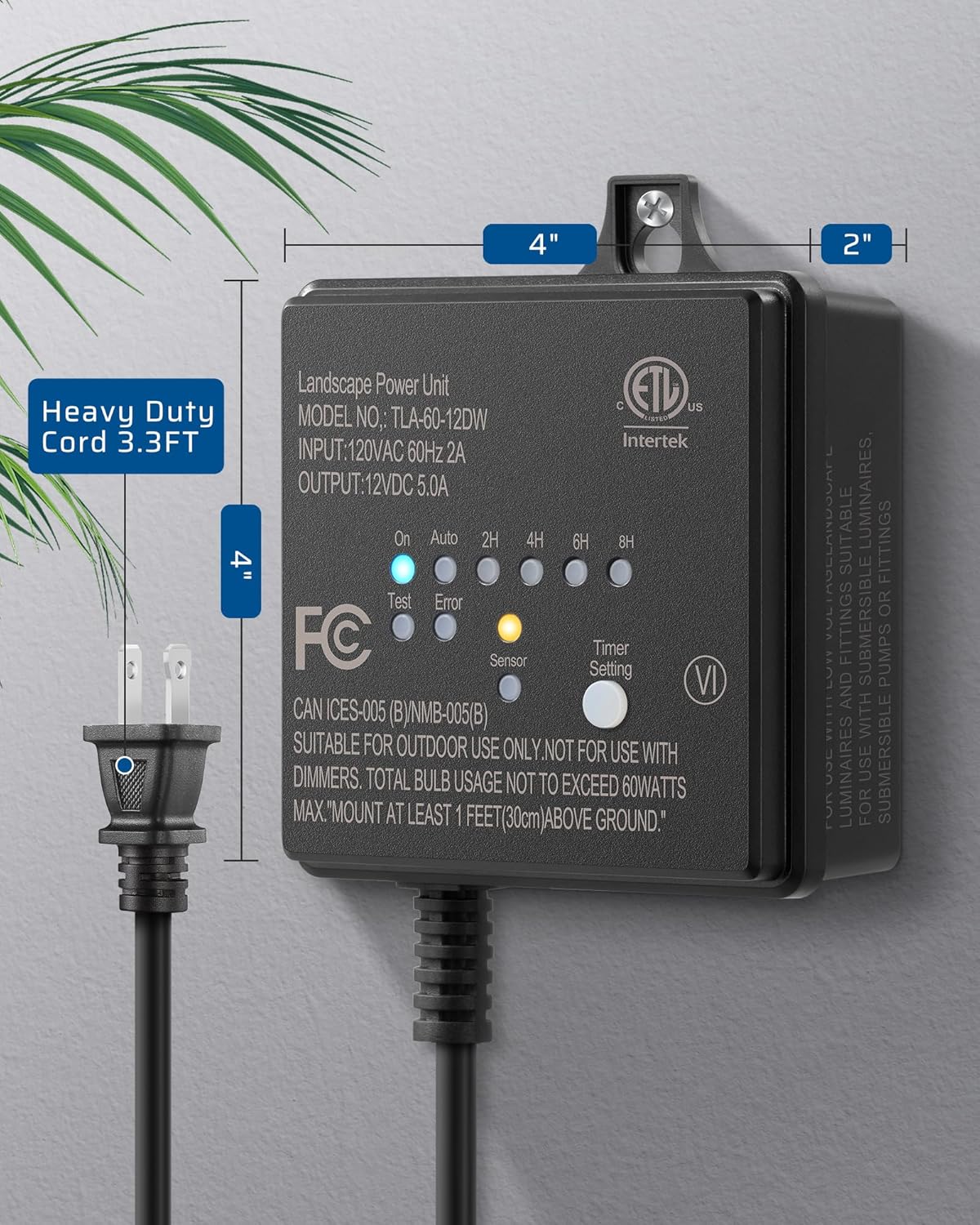
Figure 2: Product dimensions for installation planning.
5. Setup and Installation
Follow these steps to properly install your low voltage transformer:
5.1 Mounting the Transformer
Choose a suitable outdoor location for mounting, ensuring it is at least 1 foot (30 cm) above ground and away from combustible materials. Use the provided screw and drywall anchor (if needed) to securely mount the transformer to a wall or sturdy surface.
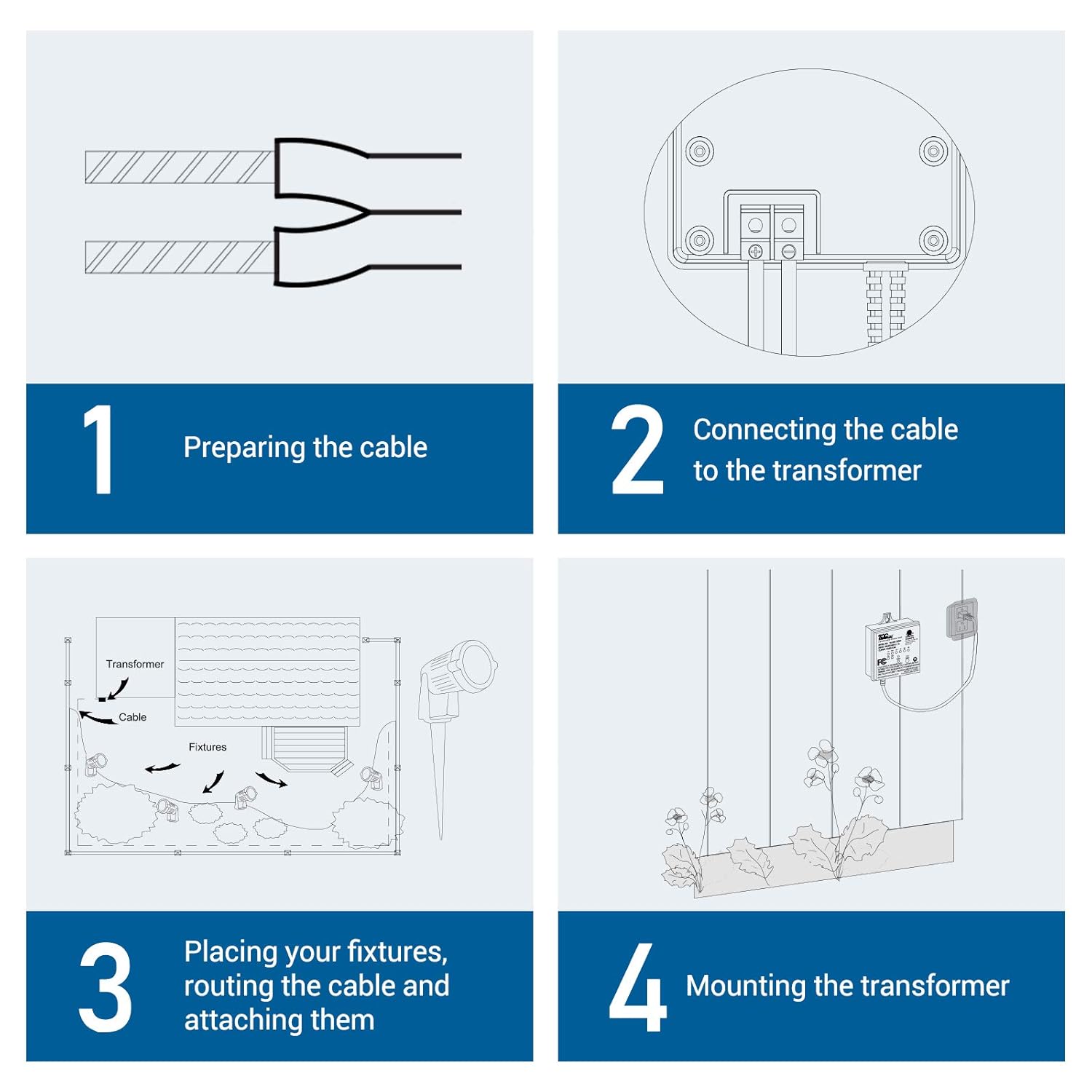
Figure 3: Overview of installation process including cable preparation, connection, fixture placement, and mounting.
5.2 Wiring Landscape Lights
Prepare your landscape lighting cables by stripping about 1/2 inch (12.7mm) of insulation from the ends of the copper wires. Connect the stripped ends of your landscape lighting cables to the positive (+) and negative (-) terminals on the transformer using a Phillips head screwdriver to loosen and tighten the clamping plates. Gently pull on the cables to ensure a strong connection.
Ensure the total wattage of all connected fixtures does not exceed the transformer's 60-watt capacity. Lay your fixtures in your desired location and route the cables. Coil any excess cable neatly after the last fixture.
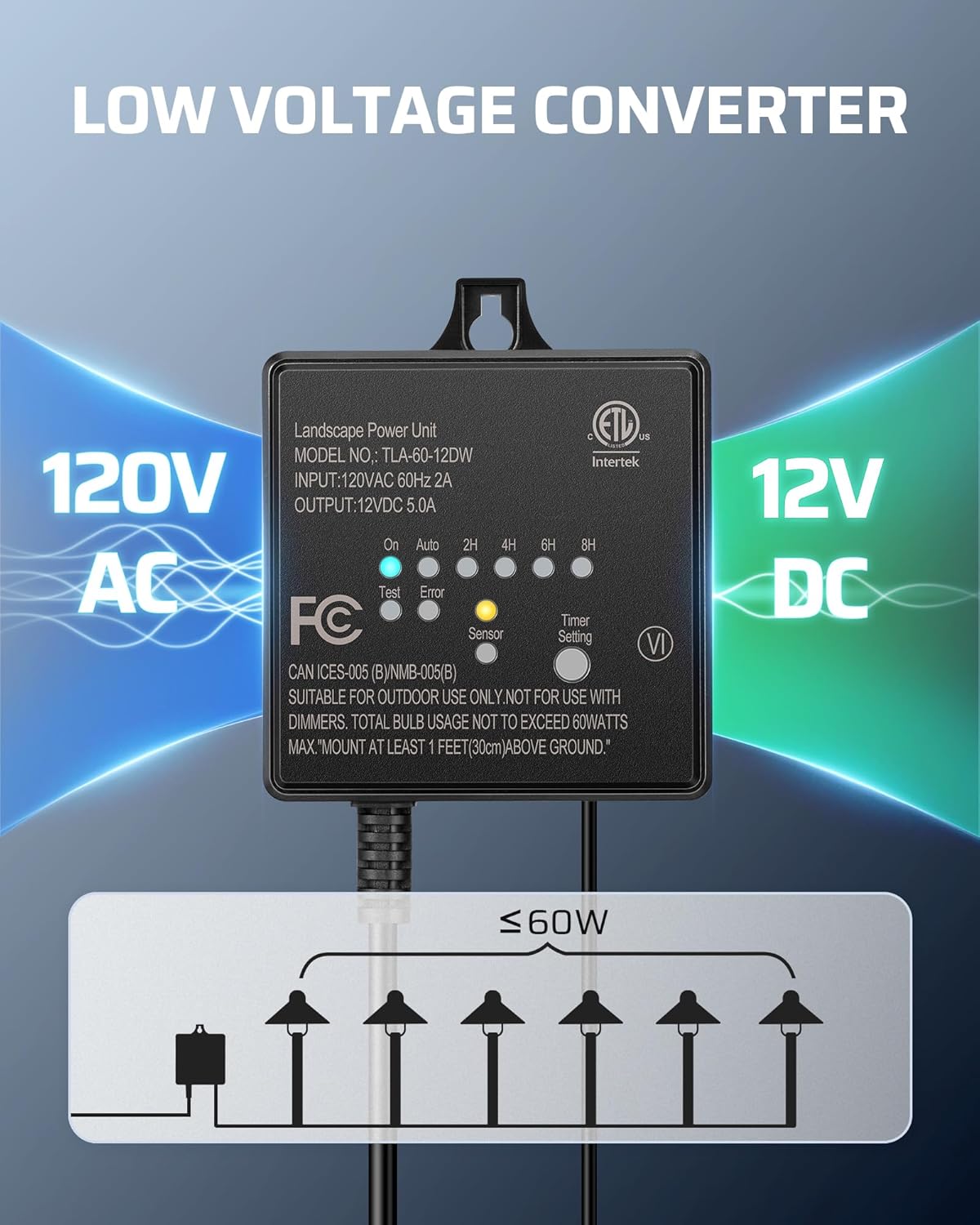
Figure 4: The transformer converts 120V AC household voltage to 12V DC safety voltage for landscape lighting.
5.3 Power Connection
Once all landscape lights are wired, plug the transformer's power cord directly into a GFCI (Ground Fault Circuit Interrupter) wet location outdoor outlet. The unit is now ready for operation.
5.4 Setup Video (Seller)
Video 1: Official DEWENWILS 60W DC Low Voltage Transformer overview. This video provides a brief visual demonstration of the product.
6. Operating Instructions
The DEWENWILS transformer offers multiple operating modes controlled by a single button:
6.1 Mode Selection
Press the "Timer Setting" button repeatedly to cycle through the following modes:
- ON: Lights remain continuously on.
- AUTO (Dusk to Dawn): The built-in photocell sensor automatically turns lights on at dusk and off at dawn.
- 2H/4H/6H/8H (Countdown Timer): Lights turn on at dusk and automatically turn off after the selected duration (2, 4, 6, or 8 hours). The transformer retains the last selected timer mode even after a power outage (memory function).

Figure 5: The single "Timer Setting" button controls all operating modes.
6.2 Photocell Sensor
The integrated photocell sensor detects ambient light levels. In AUTO mode, it ensures your landscape lights illuminate only when needed, saving energy. Avoid placing the sensor in direct light sources (e.g., porch lights) that might interfere with its operation.

Figure 6: The photocell sensor automatically activates lights at dusk and deactivates them at dawn.
7. Maintenance
Regular maintenance ensures optimal performance and longevity of your transformer:
- Cleaning: Periodically wipe the transformer's exterior with a soft, damp cloth to remove dirt and debris. Ensure the photocell sensor is clean and unobstructed for accurate light detection.
- Connection Check: Annually inspect all wiring connections to ensure they are secure and free from corrosion.
- Weather Protection: Although weatherproof, avoid prolonged exposure to extreme conditions or direct water jets. The molded weatherproof body protects against rain, snow, dust, and abrasion.

Figure 7: The transformer is designed to be weatherproof, corrosion resistant, and includes overload/short circuit protection.
8. Troubleshooting
If you encounter issues with your transformer, refer to the following common problems and solutions:
| Problem | Possible Cause / Solution |
|---|---|
| Lights do not turn on. |
|
| Lights turn off randomly in ON mode. |
|
| Lights do not turn off at dawn. |
|
| Lights flicker. |
|
If problems persist after attempting these solutions, contact a qualified electrician or DEWENWILS customer support.
9. Warranty and Support
DEWENWILS products are designed for reliability and performance. For specific warranty information, including duration and coverage details, please refer to the warranty card included with your product or visit the official DEWENWILS website. For technical support, troubleshooting assistance, or inquiries about your product, please contact DEWENWILS customer service through their official channels.
Manufacturer: DEWENWILS
First Available: February 3, 2019
Ask a question about this manual
Ask about setup, troubleshooting, compatibility, parts, safety, or missing instructions. Manuals+ will review the question and use this page’s manual context to help answer it.