
Sanus SLT3-B1
SANUS Simplicity Tilting TV Mount SLT3-B1 User Manual
Model: SLT3-B1
Introduction
This manual provides comprehensive instructions for the safe and efficient installation and operation of your SANUS Simplicity Tilting TV Mount SLT3-B1. Please read this manual thoroughly before beginning installation to ensure proper setup and to maximize the performance and longevity of your product.
The SANUS Simplicity SLT3-B1 is designed to securely mount 37" to 90" televisions weighing up to 150 lbs. It features fingertip tilting technology for optimal viewing angles and extends up to 5.8" from the wall for easy cable access.
Important Safety Information
WARNING: Failure to read and follow all instructions, warnings, and cautions in this manual can result in serious personal injury, property damage, or voiding of the warranty.
- Do not install this product if you do not understand these instructions. Contact customer support for assistance.
- Verify that the mounting surface can safely support the combined weight of the mount and the television.
- Always use a stud finder to locate wood studs accurately.
- Ensure all screws are securely tightened but do not overtighten.
- This product is intended for indoor use only.
- Keep children and pets away during installation.
Package Contents
Verify that all components are present and undamaged before installation. If any parts are missing or damaged, do not attempt to install. Contact SANUS customer service.
- Wall Plate Assembly
- TV Brackets (2)
- Mounting Hardware Kit (various screws, washers, spacers)
- Installation Template
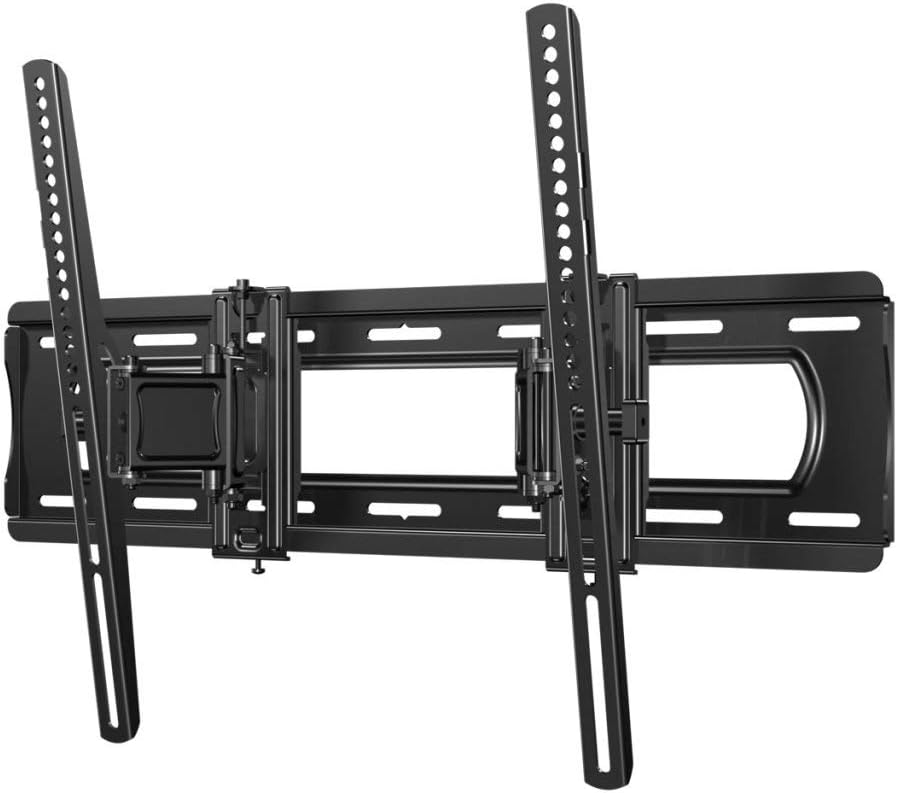
Image: Overview of the SANUS Simplicity Tilting TV Mount SLT3-B1, showing the wall plate and TV brackets.
Setup and Installation
Before you begin, gather the necessary tools:
- Phillips screwdriver
- Stud finder (for wood stud installation)
- Tape measure
- Level
- Drill with appropriate drill bits (for wood studs or concrete/masonry)
- Socket wrench
- Pencil
Step 1: Attach TV Brackets to the TV
Carefully place your TV face down on a soft, clean surface. Identify the mounting holes on the back of your TV. Select the appropriate screws, washers, and spacers from the hardware kit that fit your TV's mounting holes. Attach the two TV brackets to the back of the TV using a Phillips screwdriver. Ensure the brackets are centered and securely fastened.
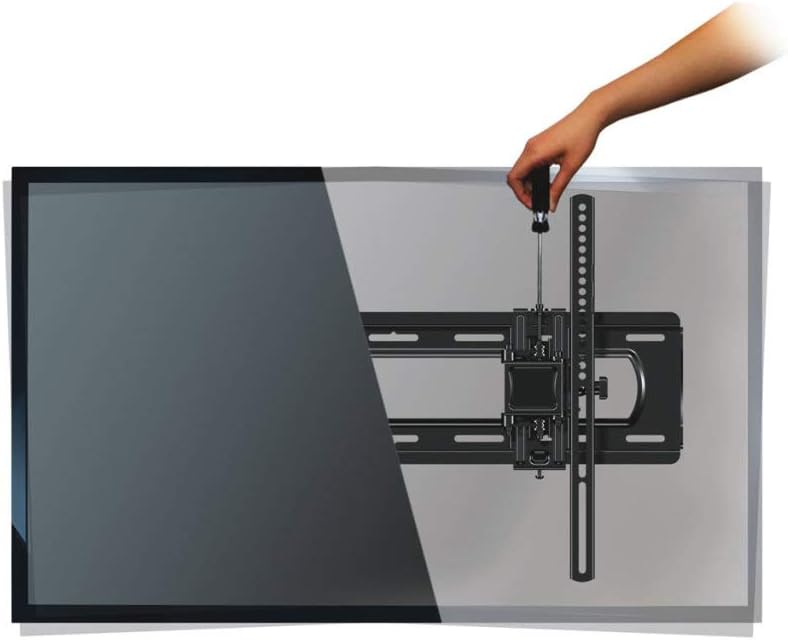
Image: A hand using a screwdriver to attach one of the TV brackets to the back of a television.
Step 2: Attach Wall Plate to the Wall
Determine the desired height for your TV. Use a stud finder to locate the center of two adjacent wood studs for wood stud installation. For solid concrete or concrete block walls, mark the desired drilling locations. Use the provided installation template to mark the pilot holes. Drill pilot holes according to the template and wall type. Securely attach the wall plate to the wall using the appropriate lag bolts and washers. Ensure the wall plate is level using a spirit level.
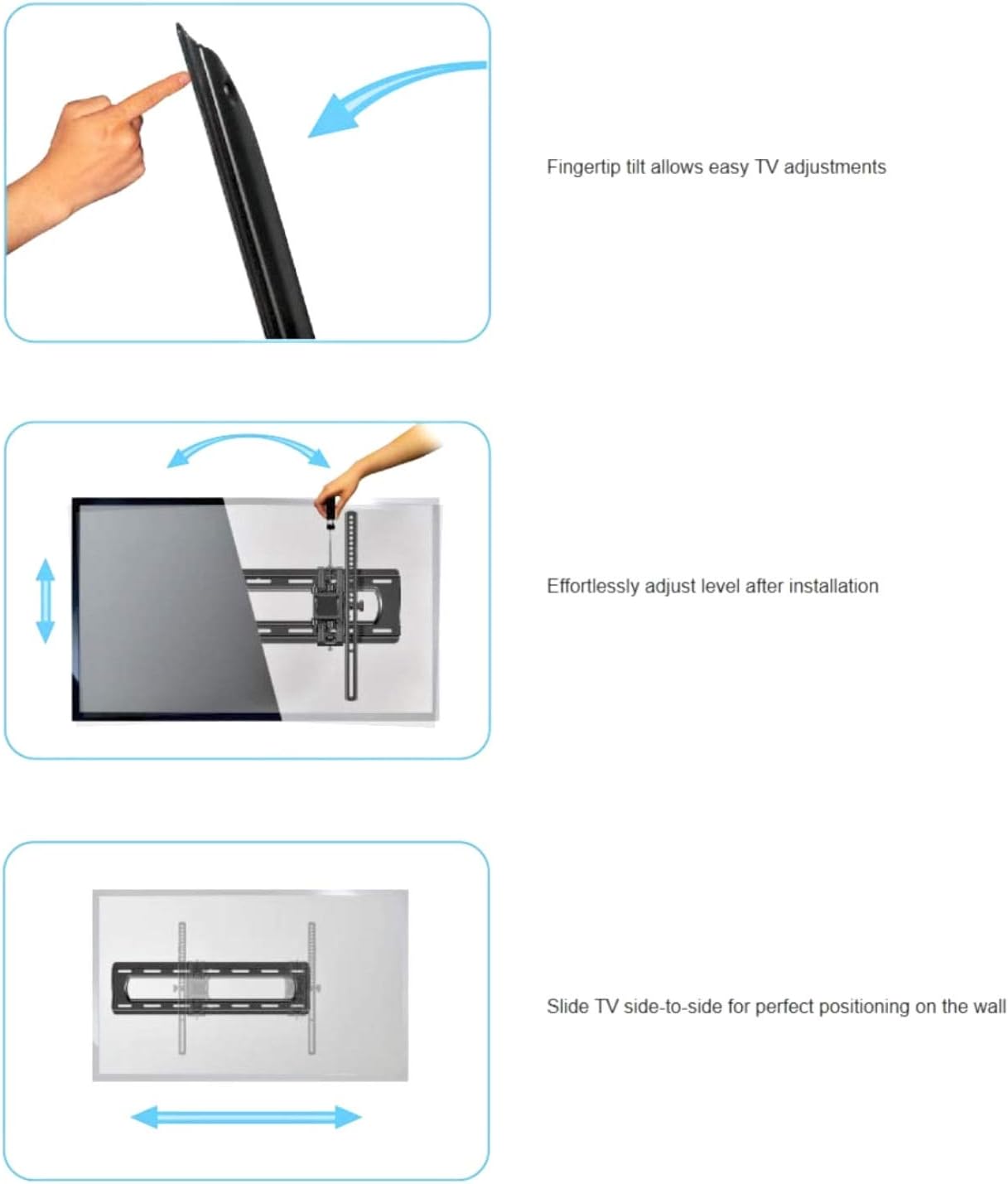
Image: The wall plate mounted on a wall, with a hand reaching behind a mounted TV to access cables, demonstrating the mount's extension capability.
Step 3: Mount TV to Wall Plate
With assistance, carefully lift the TV with the attached brackets and hook them onto the wall plate. Ensure the brackets are properly seated on the wall plate. Secure the TV to the wall plate using the safety screws or locking mechanisms provided. Refer to the specific instructions for your model to engage the locking feature.
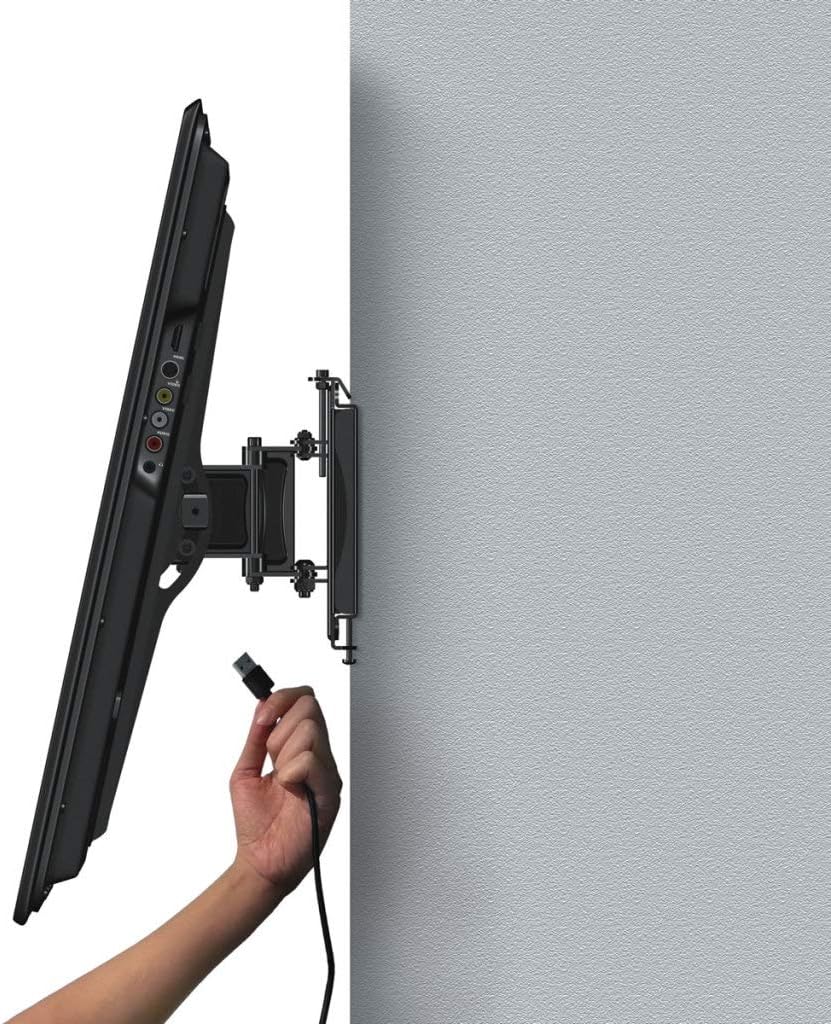
Image: A hand plugging a cable into the back of a television that is already mounted on the wall, illustrating the ease of access provided by the mount's design.
Operating Instructions
Tilting the TV
The SANUS Simplicity mount features fingertip tilting technology, allowing you to easily adjust the viewing angle of your TV. Gently push or pull the bottom or top of the TV to achieve the desired tilt. The mount supports tilting up to 12 degrees.

Image: A diagram illustrating the range of vertical tilt motion available for the mounted television.
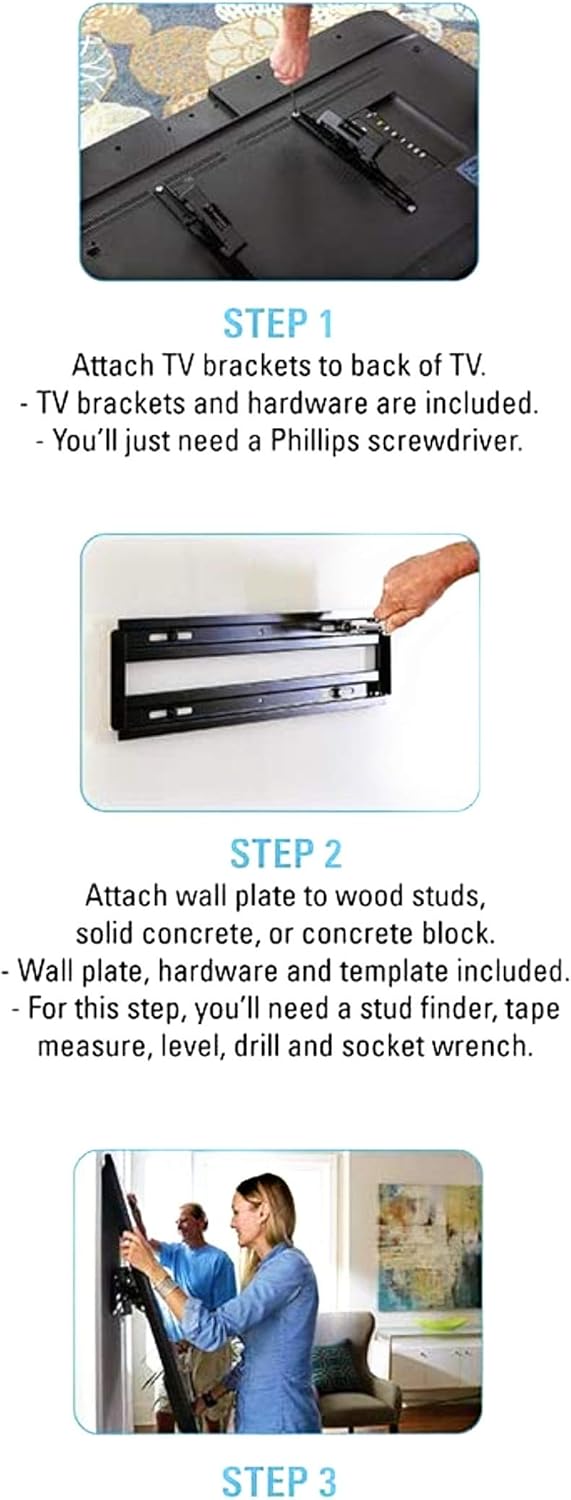
Image: A diagram demonstrating how to tilt the TV for optimal viewing from various positions, such as a couch or floor.
Adjusting Level and Side-to-Side Positioning
After installation, you can effortlessly adjust the level of your TV. The mount also allows for side-to-side sliding to achieve perfect positioning on the wall.
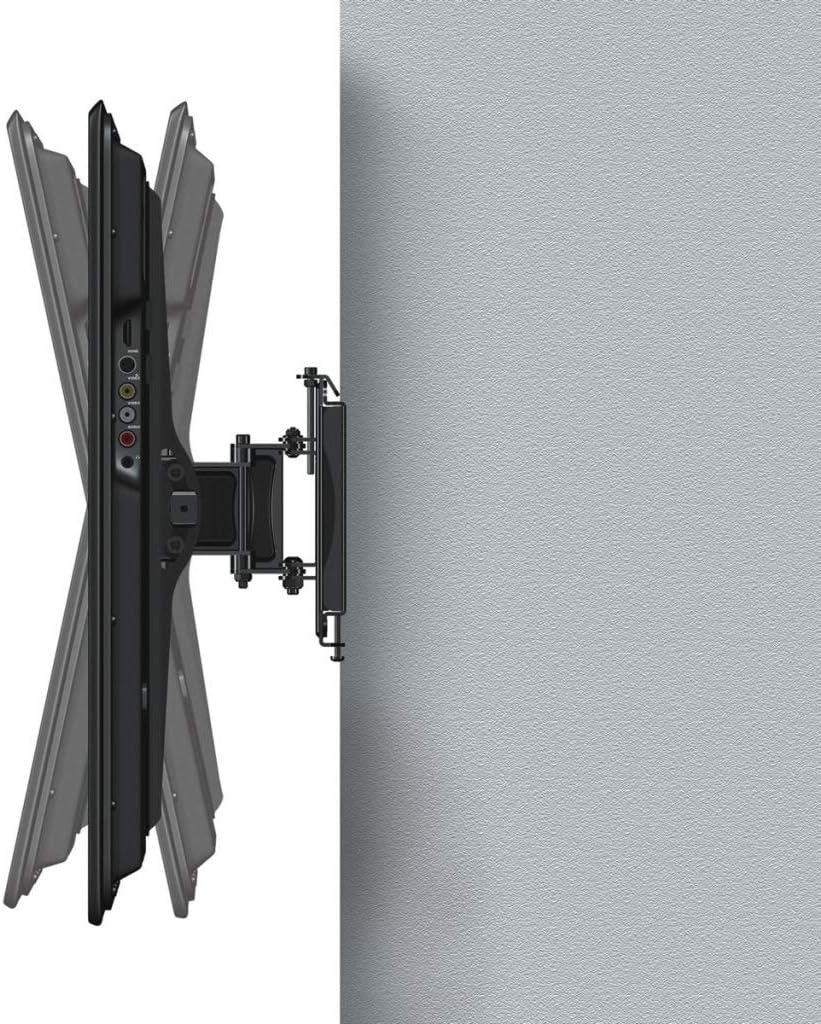
Image: A composite diagram illustrating three features: fingertip tilt for easy adjustments, effortless level adjustment after installation, and side-to-side sliding for perfect positioning on the wall.
Maintenance
The SANUS Simplicity TV mount requires minimal maintenance. Periodically check all connections and fasteners to ensure they remain secure. Do not use abrasive cleaners or solvents on the mount. A soft, damp cloth is sufficient for cleaning.
Troubleshooting
| Problem | Possible Cause | Solution |
|---|---|---|
| TV not level after installation. | Wall plate not perfectly level, or TV not adjusted. | Utilize the post-installation leveling feature of the mount. Gently adjust the TV until level. |
| Difficulty tilting the TV. | Friction screws may be too tight. | Loosen the tilt tension screws slightly (refer to diagram in package for location). Do not loosen excessively. |
| Mount feels unstable. | Improper installation or loose fasteners. | Immediately remove TV. Re-check all wall plate and TV bracket fasteners. Ensure wall studs/anchors are secure. Consult a professional if unsure. |
Specifications
| Feature | Detail |
|---|---|
| Model Number | SLT3-B1 |
| TV Size Range | 37" - 90" |
| Maximum Weight Capacity | 150 lbs (68 kg) |
| Tilt Range | Up to 12 degrees |
| Extension from Wall | Up to 5.8" (14.7 cm) |
| Mounting Type | Wall Mount |
| Color | Black |
| UPC | 793795531599 |
Warranty Information
SANUS products are designed and manufactured with quality and durability in mind. For specific warranty details and terms, please refer to the warranty card included with your product or visit the official SANUS website. Keep your purchase receipt as proof of purchase for warranty claims.
Customer Support
If you have any questions, require assistance with installation, or need to report missing/damaged parts, please contact SANUS customer support. For the most up-to-date contact information, please visit the official SANUS website:
Please have your model number (SLT3-B1) and purchase information ready when contacting support.
Related documentsSLT3-B1


Ask a question about this manual
Ask about setup, troubleshooting, compatibility, parts, safety, or missing instructions. Manuals+ will review the question and use this page’s manual context to help answer it.