D1D9 Burglar Alarm System
User Manual
Introduction
This manual provides detailed instructions for the installation, operation, and maintenance of your D1D9 Burglar Alarm System. This 18-piece kit offers robust home security with features like WiFi connectivity, mobile app control, and RFID functionality. When triggered, the system activates an alarm to deter intruders and sends notifications to pre-configured phone numbers.
Key features include:
- SCARE BURGLAR AWAY: When someone triggers this system, it will alarm to scare the thief away and also make a phone call or send a message to someone whose phone number is saved on the main unit.
- GSM+WIFI: Connect WiFi easily, no monthly fee. Only supports 2.4GHz.
- RFID CARD: Very easy for old people or children to arm or disarm this system.
- REMOTE CONTROL: You can control this GSM alarm system (Arm/Disarm/Voice Monitoring/Intercom) by cellphone anywhere.
Components Overview
Your D1D9 Burglar Alarm System kit includes the following components:
- Main Control Panel
- Remote Controls
- Siren
- Door/Window Sensors
- Motion Sensors
- RFID Cards
- Power Adapter

Figure 1: Complete D1D9 Burglar Alarm System Kit

Figure 2: Main Control Panel installed on a wall.

Figure 3: Motion Sensor for detecting movement.

Figure 4: Door/Window Sensor for securing entry points.

Figure 5: Example layout of security components in a home.
Setup Guide
1. Initial Power-Up
Connect the main control panel to a power source using the provided adapter. Ensure the internal Lithium Ion battery is charged for backup power.
2. SIM Card Installation (Optional)
If you intend to use GSM features for calls and SMS alerts, insert a compatible SIM card into the designated slot on the main unit. Ensure the SIM card is active and has sufficient balance/plan for calls and messages.
3. Wi-Fi Connection
Navigate to the settings menu on the control panel to connect to your home Wi-Fi network. The system supports 2.4GHz Wi-Fi only. Follow the on-screen prompts to enter your network credentials.
4. Pairing Sensors and Devices
The system allows you to add various wireless sensors and devices. Refer to the video below for a visual guide on programming sensors.
Video: Demonstrates how to program sensors and devices with the D1D9 alarm system, including remote controls, door sensors, motion detectors, and RFID cards.
Adding Remote Controls:
Follow the steps in the video to put the system into learning mode and then activate your remote control to pair it with the main panel.

Figure 6: Remote control with SOS button.
Adding Door/Window Sensors:
Place the main part of the sensor on the door/window frame and the magnetic part on the moving door/window, ensuring they are aligned and close when the door/window is closed. Follow the video instructions to pair them.
Adding Motion Detectors:
Install motion detectors in areas where movement is expected, such as hallways or living rooms. Follow the video instructions to pair them with the system.
Adding RFID Cards:
RFID cards provide a convenient way to arm and disarm the system. Follow the video instructions to register your RFID cards with the main panel.
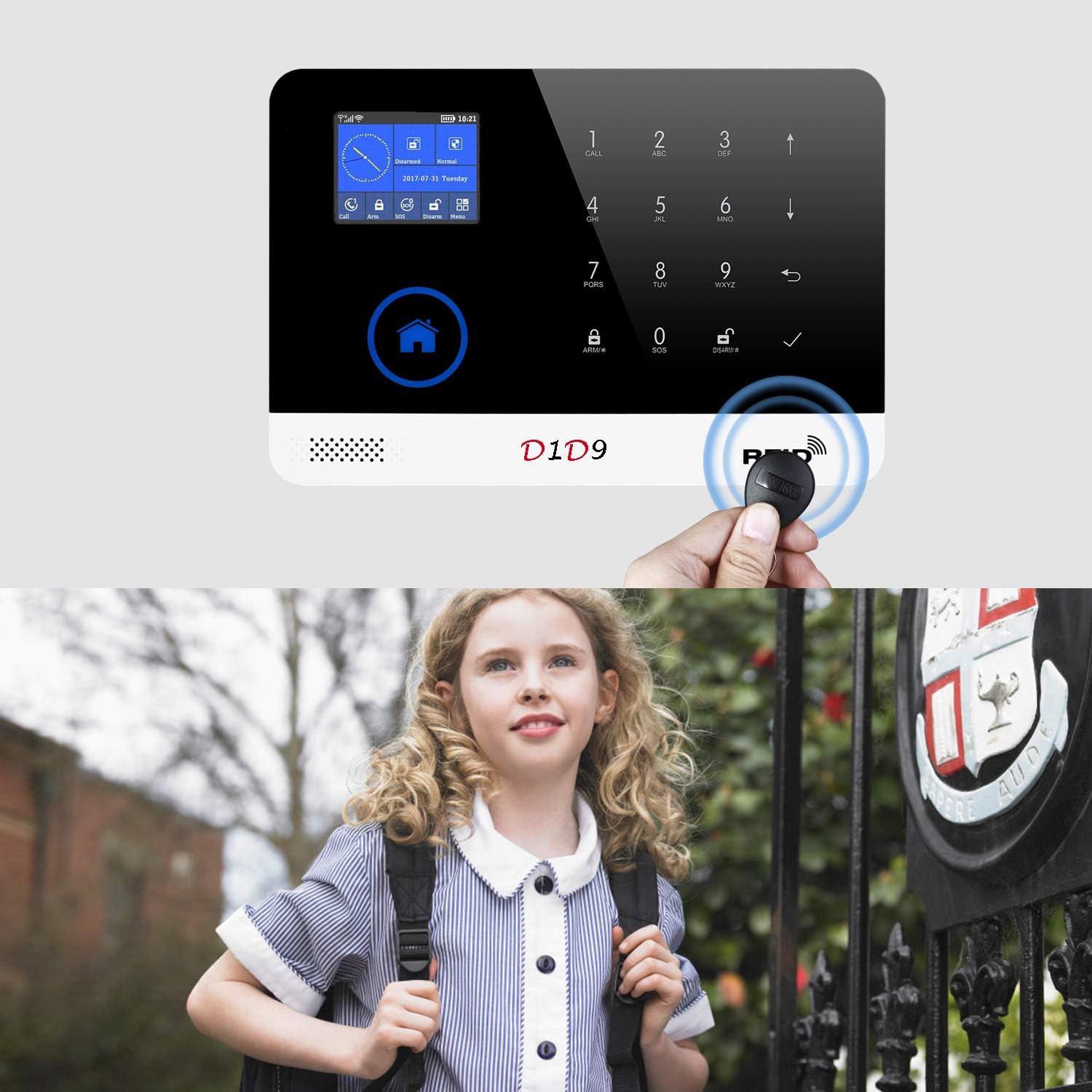
Figure 7: Using an RFID card to interact with the alarm panel.
5. Mobile App Setup
Download the official D1D9 mobile application from your device's app store. Register an account and follow the in-app instructions to connect your alarm system. This allows for remote control, monitoring, and receiving notifications.
Operating Instructions
Arming the System
- Remote Control: Press the 'Arm' button on your remote control.
- RFID Card: Tap your registered RFID card on the designated area of the main panel.
- Mobile App: Use the 'Arm' function within the D1D9 mobile application.
Disarming the System
- Remote Control: Press the 'Disarm' button on your remote control.
- RFID Card: Tap your registered RFID card on the designated area of the main panel.
- Mobile App: Use the 'Disarm' function within the D1D9 mobile application.
Alarm Activation
When a sensor is triggered while the system is armed, the siren will sound loudly to deter intruders. Simultaneously, the system will initiate phone calls and send SMS messages to the emergency contact numbers you have saved in the main unit's settings.
Voice Monitoring and Intercom
Through the mobile application, you can remotely activate voice monitoring to listen to sounds in your home. The intercom feature allows for two-way communication through the main panel.
Maintenance
Battery Care
The main control panel includes a built-in Lithium Ion battery for backup power during outages. Ensure the panel remains connected to power to keep the battery charged. Periodically check the battery status via the mobile app or control panel display.
General Cleaning
Wipe the control panel and sensors with a soft, dry cloth. Avoid using abrasive cleaners or solvents that could damage the surfaces.
Troubleshooting
- Difficulty with Programming: If you encounter issues programming sensors or settings, review the setup video and ensure you are following each step precisely. Double-check all inputs on the control panel.
- SIM Card Not Working / No Calls/Texts: Verify that the SIM card is correctly inserted and active. Ensure it has a valid plan for calls and SMS. Note that 2G network support varies by region and may be obsolete in some areas, which could affect GSM functionality.
- System Locks Up / Unresponsive: If the system becomes unresponsive, try restarting the main control panel by disconnecting and reconnecting the power.
- Alarm Volume Low: Ensure the siren is properly connected to the main panel. Check the volume settings on the control panel.
Specifications
| Feature | Detail |
|---|---|
| Brand | D1D9 |
| Model Number | PG-103 |
| Power Source | Corded Electric |
| Compatible Devices | Smartphone |
| Item Dimensions (L x W x H) | 10 x 8 x 3.35 inches |
| Connectivity Technology | Wireless, Wired |
| Installation Type | Self-Adhesive |
| Alert Type | Motion |
| Battery Cell Composition | Lithium Ion (1 included) |
| Recommended Uses | Home Security |
| Item Weight | 2.59 pounds |
| UPC | 794604995229 |
Warranty and Support
For any issues or inquiries regarding your D1D9 Burglar Alarm System, please contact the seller directly through Amazon. The manufacturer, Chenghelichuang CO.LTD, is committed to resolving any problems to your satisfaction.


