Introduction
This manual provides essential information for the safe and effective use of your BCXY Replacement Battery, model CS-VC200SL. This high-quality Li-Polymer battery is designed as a direct replacement for Voice Caddie VC200 and VC200 Voice devices, ensuring reliable performance.
The battery is RoHS approved for toxic-free materials and holds CE and ISO9001 certificates, ensuring quality and safety standards are met.
Safety Information
Please read and understand all safety instructions before using this product. Failure to follow these instructions may result in fire, electric shock, explosion, or other hazards.
- Do not attempt to disassemble, open, or service the battery pack. This battery is a sealed unit.
- Do not attempt to replace only the cells within the battery pack. The entire battery pack must be replaced.
- Do not crush, puncture, short external contacts, or dispose of in fire or water. These actions can lead to severe damage, fire, or explosion.
- Do not store above 60°C (140°F). High temperatures can degrade battery performance and pose a safety risk.
- New battery packs must be fully charged before use. Refer to your device's operating guide for initial charging instructions.
- To reduce the risk of fire or burns, read instructions in the operating guide before using the battery.
- Dispose of used batteries according to local regulations. Do not dispose of with household waste.
Compatibility
This replacement battery is compatible with the following models and part numbers:
- Compatible Models:
- VOICE CADDIE VC200
- VOICE CADDIE VC200 Voice
- Compatible Battery Part Number:
- VOICE CADDIE GN452528
Tip: Before purchase, please confirm the compatible model and battery part number carefully. If unsure, consult the product listing or contact customer support with your battery details or pictures for professional suggestions.
Setup and Installation
Replacing the battery in your Voice Caddie device requires careful handling. It is recommended to refer to your device's original instruction manual for specific battery replacement procedures. The following are general guidelines:
- Power Off Device: Ensure your Voice Caddie device is completely powered off before beginning the replacement process.
- Locate Battery Compartment: Identify the battery compartment on your Voice Caddie device. This may require opening the device casing.
- Disconnect Old Battery: Carefully disconnect the old battery from the device's internal connectors. Note the orientation of the wires (red for positive, black for negative).
- Insert New Battery: Connect the new BCXY replacement battery, ensuring the wires are connected correctly (red to positive, black to negative).
- Secure Battery: Place the new battery securely within the compartment.
- Reassemble Device: Carefully reassemble your Voice Caddie device, ensuring all screws and clips are properly secured.
- Initial Charge: After installation, fully charge the new battery before its first use.

This image displays the BCXY replacement battery, model CS-VC200SL, from a top-down perspective. The battery is rectangular with a metallic casing and a black label detailing specifications like model number, part number, rating (3.7VDC, 0.99Wh, 270mAh), and safety warnings. Red and black wires extend from one side, ready for connection.
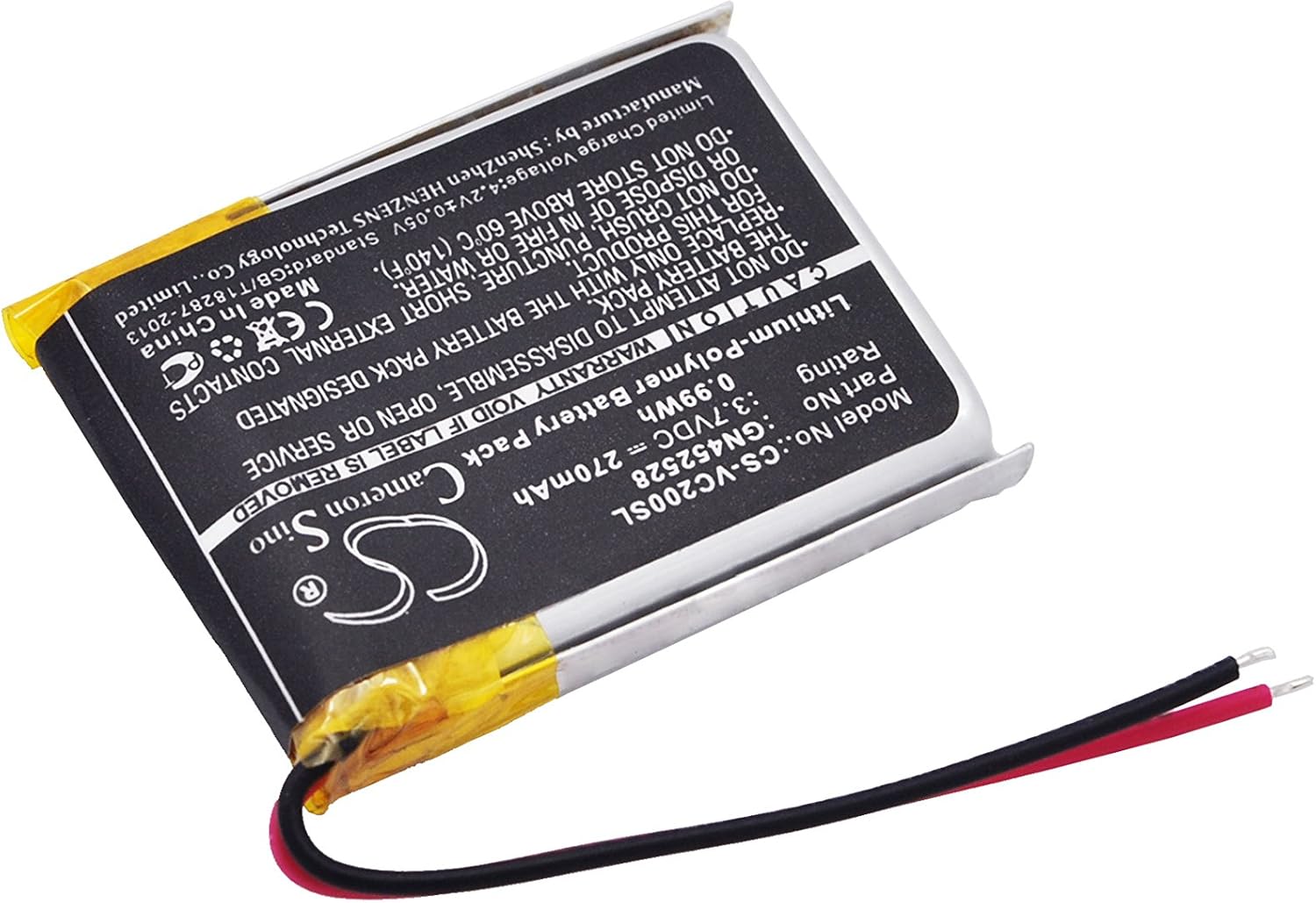
An angled shot of the BCXY replacement battery, providing a better view of its thickness and the connection point for the red and black wires. The label with product information and warnings is clearly visible on the top surface.
Operating Guidelines
Once installed, the battery operates in conjunction with your Voice Caddie device. Follow your device's instructions for charging and usage.
- Charging: Always use the original charger or a certified compatible charger provided with your Voice Caddie device. Avoid using unapproved chargers, as this can damage the battery or device.
- First Use: For optimal performance, fully charge the battery before its initial use after installation.
- Discharging: It is generally recommended to avoid completely draining the battery frequently, as this can reduce its overall lifespan.
- Temperature: Operate your device within its recommended temperature range. Extreme cold or heat can affect battery performance and longevity.
Maintenance
Proper maintenance can extend the life of your battery and ensure consistent performance.
- Storage: If storing the device for an extended period, ensure the battery is charged to about 50-70% capacity. Store in a cool, dry place away from direct sunlight.
- Regular Use: For best results, use and charge the battery regularly.
- Cleaning: Keep the battery and device contacts clean and free of dust or debris. Use a dry, soft cloth for cleaning.

This image shows the reverse side of the BCXY replacement battery. A prominent barcode and serial number are visible, along with an "ATTENTION!" warning indicating that the new battery must be fully charged before use to reduce the risk of fire or burns, and to read the operating guide.

An angled view of the back of the BCXY replacement battery, similar to Figure 3, but providing a slightly different perspective that highlights the battery's slim design and the yellow protective tape on one edge.
Troubleshooting
If you experience issues with your replacement battery, consider the following common solutions:
| Problem | Possible Cause | Solution |
|---|---|---|
| Device does not power on after battery installation. | Battery not properly connected or not charged. | Ensure battery wires are securely connected. Fully charge the battery before attempting to power on the device. |
| Battery drains quickly. | New battery not fully conditioned; high device usage; extreme temperatures. | Perform a few full charge/discharge cycles. Reduce device usage. Ensure device is used within recommended temperature range. |
| Battery not charging. | Faulty charger or charging cable; dirty charging port; battery issue. | Try a different charger/cable. Clean the device's charging port. If issues persist, contact customer support. |
If troubleshooting steps do not resolve the issue, please contact customer support for further assistance.
Specifications
| Feature | Detail |
|---|---|
| Model Number | CS-VC200SL |
| Battery Type | Li-Polymer |
| Capacity | 270mAh |
| Voltage | 3.7V |
| Dimension | 29.00 x 23.30 x 4.60mm (0.92 x 0.18 x 1.14 inches) |
| Item Weight | 1.06 ounces |
| Manufacturer | Cameron Sino |
| Country of Origin | Hong Kong |
| Certifications | ISO9001, RoHS, CE |
Support
For any questions, concerns, or technical assistance regarding your BCXY Replacement Battery, please refer to the seller's contact information provided at the point of purchase or visit the official BCXY store on Amazon:
Visit the BCXY Store on Amazon
Please have your product model number (CS-VC200SL) and purchase details ready when contacting support.