1. Introduction
Thank you for purchasing the Intempo Geode Glitter Ball Bluetooth Speaker. This manual provides important information regarding the setup, operation, and maintenance of your new speaker. Please read this manual thoroughly before use and retain it for future reference.
2. Safety Information
- Do not expose the speaker to extreme temperatures, direct sunlight, or high humidity.
- Do not immerse the speaker in water. It is water-resistant, not waterproof.
- Keep the speaker away from heat sources and open flames.
- Do not attempt to disassemble or modify the speaker. This will void the warranty.
- Use only the provided USB charging cable.
- Clean the speaker with a soft, dry cloth. Do not use abrasive cleaners.
3. Package Contents
Please check the package contents to ensure all items are present:
- Intempo Geode Glitter Ball Bluetooth Speaker
- USB Charging Cable
- Auxiliary Cable
- User Manual (this document)
4. Product Features
- Bluetooth connectivity for wireless audio streaming.
- Colourful LED lights with galaxy effect.
- 5W speaker output for clear audio.
- Portable and rechargeable design.
- Auxiliary input for wired connections.
- TF Card slot for direct music playback.

Image: The Intempo Geode Glitter Ball Bluetooth Speaker, showcasing its black exterior and blue glitter effect when illuminated.
5. Controls and Ports Overview
Familiarize yourself with the speaker's controls and ports:

Image: Bottom view of the speaker, displaying the control panel. From left to right: DC 5V charging port, AUX input, OFF/ON switch, light mode button, volume down/previous track, play/pause, volume up/next track, and TF Card slot.
- DC 5V Port: For charging the speaker using the provided USB cable.
- AUX Input: Connect external audio devices via the auxiliary cable.
- OFF/ON Switch: Power the speaker on or off.
- Light Mode Button: Cycle through different LED light modes.
- - (Volume Down / Previous Track): Short press to decrease volume, long press for previous track.
- ► (Play/Pause): Press to play or pause audio.
- + (Volume Up / Next Track): Short press to increase volume, long press for next track.
- TF Card Slot: Insert a TF (MicroSD) card for direct music playback.
6. Setup
6.1 Charging the Speaker
- Connect the small end of the USB charging cable to the DC 5V port on the speaker.
- Connect the large end of the USB charging cable to a USB power adapter (not included) or a computer's USB port.
- The charging indicator light will illuminate. Once fully charged, the light may change color or turn off.
- A full charge typically takes approximately 2-3 hours.
6.2 Powering On/Off
- To power on, slide the OFF/ON switch to the "ON" position. The LED lights will activate.
- To power off, slide the OFF/ON switch to the "OFF" position.
7. Operating Instructions
7.1 Bluetooth Pairing
- Ensure the speaker is powered on and within 10 meters of your Bluetooth-enabled device.
- The speaker will automatically enter Bluetooth pairing mode, indicated by a flashing LED light.
- On your device, enable Bluetooth and search for available devices.
- Select "Intempo EE3434GSTKEU" (or similar name) from the list.
- Once paired, the speaker will emit a confirmation sound, and the LED light will stop flashing.
- You can now play audio from your device through the speaker.
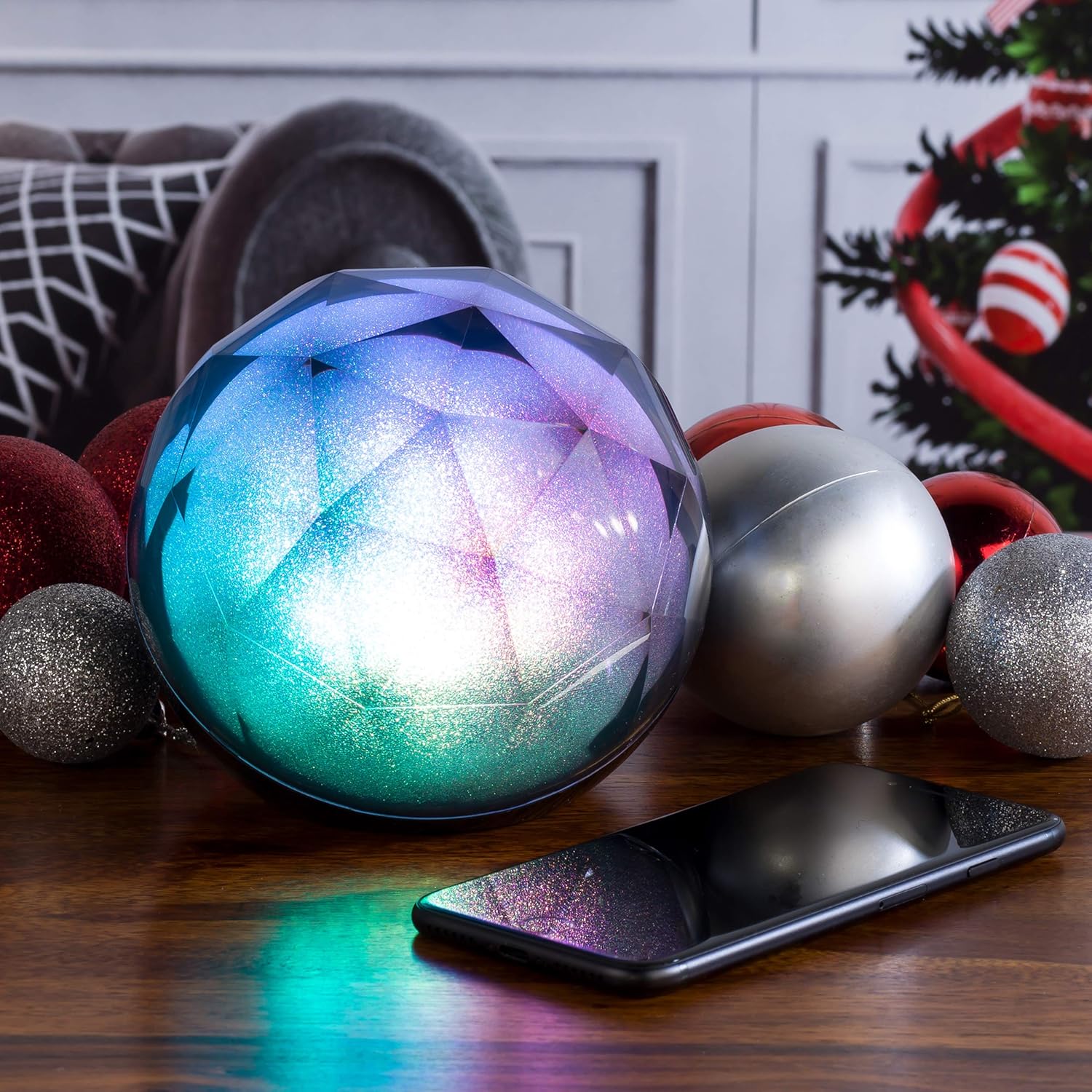
Image: The Intempo speaker glowing with multi-colored lights, positioned next to a smartphone, illustrating its use with a connected device.
7.2 Auxiliary (AUX) Mode
- Connect one end of the auxiliary cable to the AUX input on the speaker.
- Connect the other end of the auxiliary cable to the audio output jack of your external device (e.g., MP3 player, laptop).
- The speaker will automatically switch to AUX mode.
- Control audio playback and volume from your connected device.
7.3 TF Card Playback
- Insert a TF (MicroSD) card with pre-loaded MP3 audio files into the TF Card slot.
- The speaker will automatically detect the card and begin playing music.
- Use the Play/Pause, Volume Up/Next Track, and Volume Down/Previous Track buttons to control playback.
7.4 LED Light Modes
- Press the Light Mode button (light bulb icon) to cycle through different LED light patterns and colors.
- The speaker features a dynamic galaxy effect with various color transitions (blue, red, green, purple, etc.).

Image: The Intempo speaker illuminated with a vibrant purple light, highlighting its glitter effect.

Image: The Intempo speaker illuminated with a warm red light, showcasing another color option.

Image: The Intempo speaker illuminated with a bright green light, demonstrating its varied color display.
8. Maintenance
- Cleaning: Wipe the speaker with a soft, dry, lint-free cloth. Do not use liquid cleaners, aerosols, or solvents.
- Storage: When not in use for extended periods, store the speaker in a cool, dry place away from direct sunlight and extreme temperatures.
- Battery Care: To prolong battery life, avoid fully discharging the battery frequently. Charge the speaker regularly, even if not in use.
9. Troubleshooting
| Problem | Possible Cause | Solution |
|---|---|---|
| Speaker does not turn on. | Battery is depleted. | Charge the speaker using the provided USB cable. |
| Cannot pair via Bluetooth. | Speaker is not in pairing mode or too far from device. | Ensure speaker is on and within 10m. Turn Bluetooth off/on on your device and re-scan. |
| No sound from speaker. | Volume is too low or device is not connected properly. | Increase volume on both speaker and connected device. Check Bluetooth/AUX connection. |
| LED lights are not working. | Light mode is off or a malfunction. | Press the Light Mode button to activate. If still not working, contact support. |
10. Specifications
| Feature | Detail |
|---|---|
| Model Number | EE3434GSTKEU |
| Output Power | 5W |
| Connectivity | Bluetooth, Auxiliary, TF Card |
| Bluetooth Range | Up to 10 meters (33 feet) |
| Dimensions (L x W x H) | 11 x 11.5 x 11 cm |
| Weight | 0.51 Kilograms |
| Power Input | DC 5V (via USB) |
| Battery | Rechargeable |
11. Warranty and Support
For warranty information and customer support, please refer to the warranty card included with your purchase or visit the official Intempo website. Keep your proof of purchase for any warranty claims.
Website: www.intempo.co.uk
Email: support@intempo.co.uk


