
Introduction
This document serves as an instructional guide for the Easytry123 replacement remote control. This remote is designed to operate various Power Acoustik car stereo systems. As a replacement unit, some advanced or specific functions of your original device may not be fully supported. Please ensure your stereo system model is listed as compatible before use.
Note: This remote control does not include batteries or a printed manual. This digital guide provides all necessary instructions.
Package Contents
- 1 x Easytry123 Replacement Remote Control (Model: Easytry4552)
Batteries are not included and must be purchased separately. Typically, two AAA batteries are required.
Setup
Battery Installation
To begin using your remote control, you must first install the batteries. Follow these steps:
- Locate the battery compartment cover on the back of the remote control.
- Slide the cover downwards or press the release tab (if present) and lift to open the compartment.
- Insert two new AAA batteries, ensuring the positive (+) and negative (-) terminals align correctly with the markings inside the compartment. Incorrect insertion can prevent the remote from functioning.
- Slide the battery compartment cover back into place until it clicks securely.
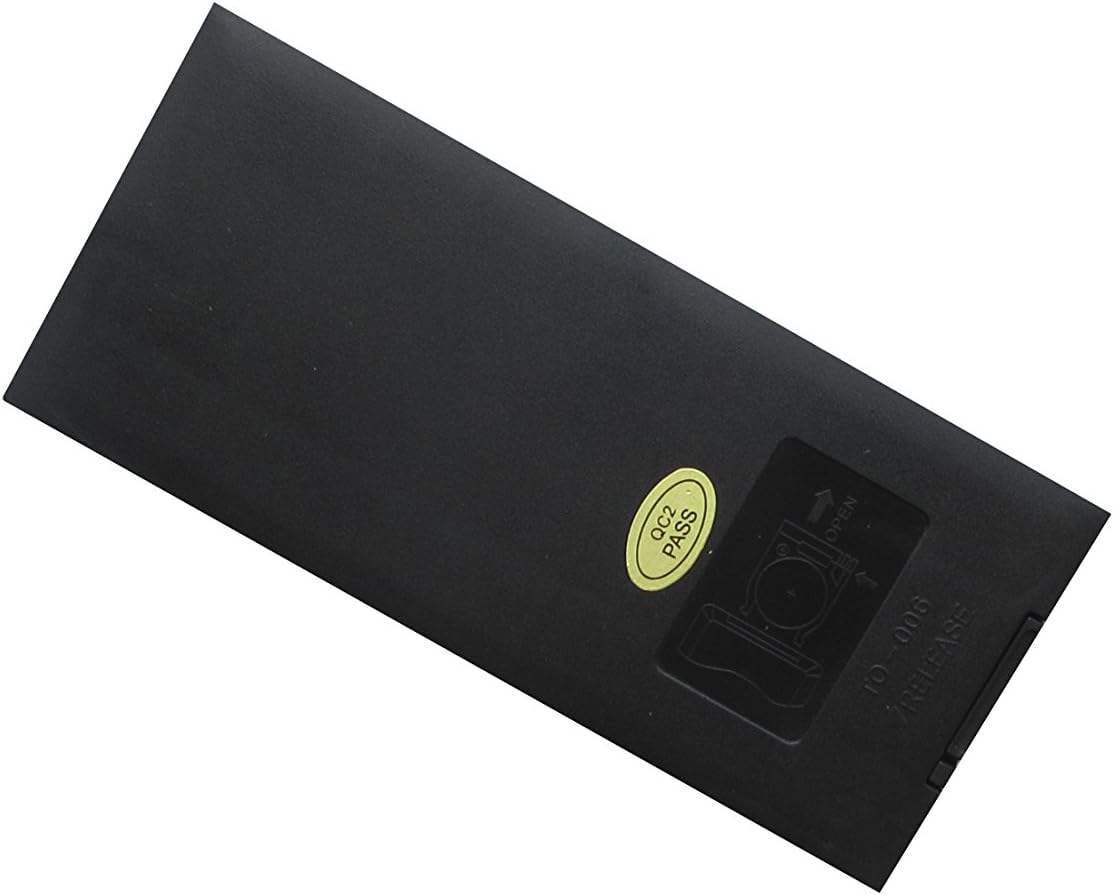
Figure 1: Rear view of the remote control, highlighting the battery compartment. The compartment cover slides open to allow for battery insertion.
Operating Instructions
The Easytry123 remote control operates using infrared (IR) technology. For optimal performance, ensure there is a clear line of sight between the remote's IR emitter (located at the front top) and the IR receiver on your car stereo system. Point the remote directly at the stereo unit.

Figure 2: Front view of the remote control, displaying all buttons and their typical layout.
Basic Functions
Below are common functions found on the remote control. Button labels may vary slightly, but their general purpose remains consistent:
- Power Button (Ⓘ): Turns the stereo system on or off.
- Volume Up/Down (VOL+/VOL-): Increases or decreases the audio volume.
- Mute: Silences the audio output. Press again to restore sound.
- Play/Pause (⏸/⏸⏸): Controls playback of media (e.g., CD, DVD, USB).
- Seek/Track Skip (⏮︎/⏭︎): Skips to the next or previous track/chapter, or seeks radio frequencies.
- Menu/Setup: Accesses the stereo system's main menu or setup options.
- Navigation Buttons (▲▼◄►): Used to navigate through menus and options.
- Enter/OK: Confirms a selection in menus.
- Number Pad (0-9): Direct input for track numbers, radio frequencies, or other numerical selections.
- Mode: Switches between different audio sources (e.g., Radio, CD, AUX, Bluetooth).
- Eject: Ejects a disc from the player.
For specific functions related to your Power Acoustik stereo model, refer to the original user manual of your stereo system.
Maintenance
Proper care will extend the life of your remote control:
- Cleaning: Wipe the remote with a soft, dry cloth. For stubborn dirt, slightly dampen the cloth with water. Do not use harsh chemicals or abrasive cleaners.
- Battery Replacement: Replace batteries when the remote's response becomes sluggish or it stops working. Always replace both batteries at the same time with new ones.
- Storage: Store the remote in a cool, dry place away from direct sunlight and extreme temperatures. If storing for an extended period, remove the batteries to prevent leakage.
Troubleshooting
If your remote control is not functioning as expected, try the following solutions:
- Remote not responding:
- Check if the batteries are inserted correctly with the correct polarity (+/-).
- Replace the batteries with new ones.
- Ensure there are no obstructions between the remote and the stereo system's IR receiver.
- Make sure you are pointing the remote directly at the stereo system.
- Some functions do not work:
- As a replacement remote, some specific or advanced functions of your original stereo system may not be supported. This is normal for universal or replacement remotes.
- Verify that your stereo model is listed as compatible with this remote.
Specifications
| Feature | Description |
|---|---|
| Model Number | Easytry4552 |
| Brand | Easytry123 |
| Compatible Devices | Power Acoustik PTID-3600T, PTID-3200, PTID-3200T, PTID-3600, PD-710T, PD-710BT, PD-344 Audio Car Stereo Systems |
| Connectivity Technology | Infrared (IR) |
| Controller Type | Button Control |
| Special Feature | Ergonomic design |
| Power Source | 2 x AAA Batteries (not included) |
| Country of Origin | China |
Warranty and Support
As a replacement part, this product typically follows the return and refund policies of the retailer from which it was purchased. For any issues or questions regarding the remote control, please contact the seller directly through your purchase platform. Keep your order information readily available for faster assistance.