Introduction
Thank you for choosing the Atomi Wireless Charging Stand 2-Pack. This product is designed to provide convenient and fast wireless charging for all Qi-enabled devices. Its stand design allows for an optimal viewing angle while charging. Please read this manual carefully to ensure proper use and maintenance of your charging stands.
What's Included
- 2 x Atomi Wireless Charging Stands
- 2 x QC 3.0 Wall Plugs

Image: The Atomi Wireless Charging Stand shown alongside its accompanying QC 3.0 Wall Plug.
Key Features
- Fast Wireless Charging: Supports 10W fast-charge for compatible devices.
- Universal Compatibility: Works with all Qi-enabled devices.
- Optimal Viewing Angle: Designed with a 45-degree viewing angle for comfortable use while charging.
- LED Indicator:
- Blue Light: Indicates the device is currently charging.
- Green Light: Indicates the device is fully charged.
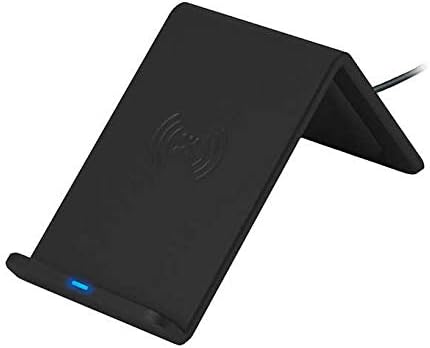
Image: The charging stand displaying a blue indicator light, signifying active charging.
Setup Instructions
- Connect the Wall Plug: Insert the USB cable from the wireless charging stand into the provided QC 3.0 Wall Plug.
- Plug into Power: Plug the QC 3.0 Wall Plug into a standard electrical outlet.
- Place the Stand: Position the wireless charging stand on a flat, stable surface, such as a desk or nightstand.
Operating Instructions
- Place Your Device: Carefully place your Qi-enabled smartphone or device onto the charging stand. Ensure the device is centered on the stand for optimal charging.
- Verify Charging: The LED indicator light on the front of the stand will illuminate blue, indicating that your device is charging.
- Charging Complete: Once your device is fully charged, the LED indicator light will turn green.
- Remove Device: You may remove your device from the stand at any time.
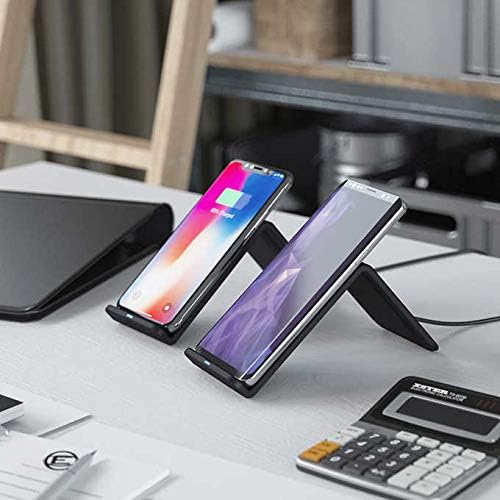
Image: Two smartphones positioned on separate Atomi Wireless Charging Stands, demonstrating simultaneous charging on a desk setup.
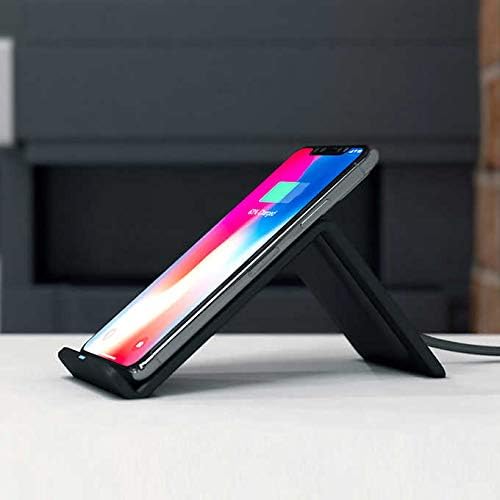
Image: A smartphone resting on the Atomi Wireless Charging Stand, viewed from the side, highlighting the 45-degree viewing angle.
Maintenance
- Keep the charging stand clean by wiping it with a soft, dry cloth.
- Avoid using harsh chemicals or abrasive cleaners.
- Ensure the charging stand is disconnected from power before cleaning.
- Do not expose the device to extreme temperatures or humidity.
Troubleshooting
| Problem | Possible Cause | Solution |
|---|---|---|
| Device not charging / Blue light not on |
|
|
| Slow charging |
|
|
| Intermittent charging |
|
|
Specifications
| Brand | Atomi |
| Model Number | 5228850585 |
| Connectivity Technology | Wireless |
| Connector Type | USB Type C (for power input to stand) |
| Compatible Devices | All Qi-enabled Cellular Phones |
| Special Feature | Fast Charging (10W) |
| Viewing Angle | 45 Degrees |
| Item Weight | 1.15 pounds (approx. 0.52 kg per stand) |
| Package Dimensions | 9.65 x 7.05 x 3.31 inches |
| Manufacturer | Atomi |
Support
For further assistance or inquiries, please refer to the official Atomi website or contact their customer support. Keep your purchase receipt for any warranty claims.


