
Introduction and Overview
The Epson WorkForce ES-55R Mobile Receipt and Document Scanner is designed for efficient organization of expense data from receipts, invoices, and various documents. It features the Epson ScanSmart Accounting Edition Software, which automatically extracts and categorizes key data without requiring an annual subscription.
This compact and lightweight scanner is ideal for professionals on the go, weighing under 10 oz and powered via USB. It offers fast single-page scanning and versatile document handling, including extra-long pages. Scanned images and data can be easily exported to popular accounting software like QuickBooks, Quicken, TurboTax, and Excel CSV, or uploaded to cloud storage services such as Dropbox, Evernote, and Google Drive. The included Nuance software allows for the creation, conversion, editing, and assembly of searchable PDFs, as well as annotation, highlighting, and redaction.

The Epson ES-55R Mobile Receipt and Document Scanner in action, processing a receipt.

Compact design of the ES-55R, demonstrating its ease of use for scanning receipts.
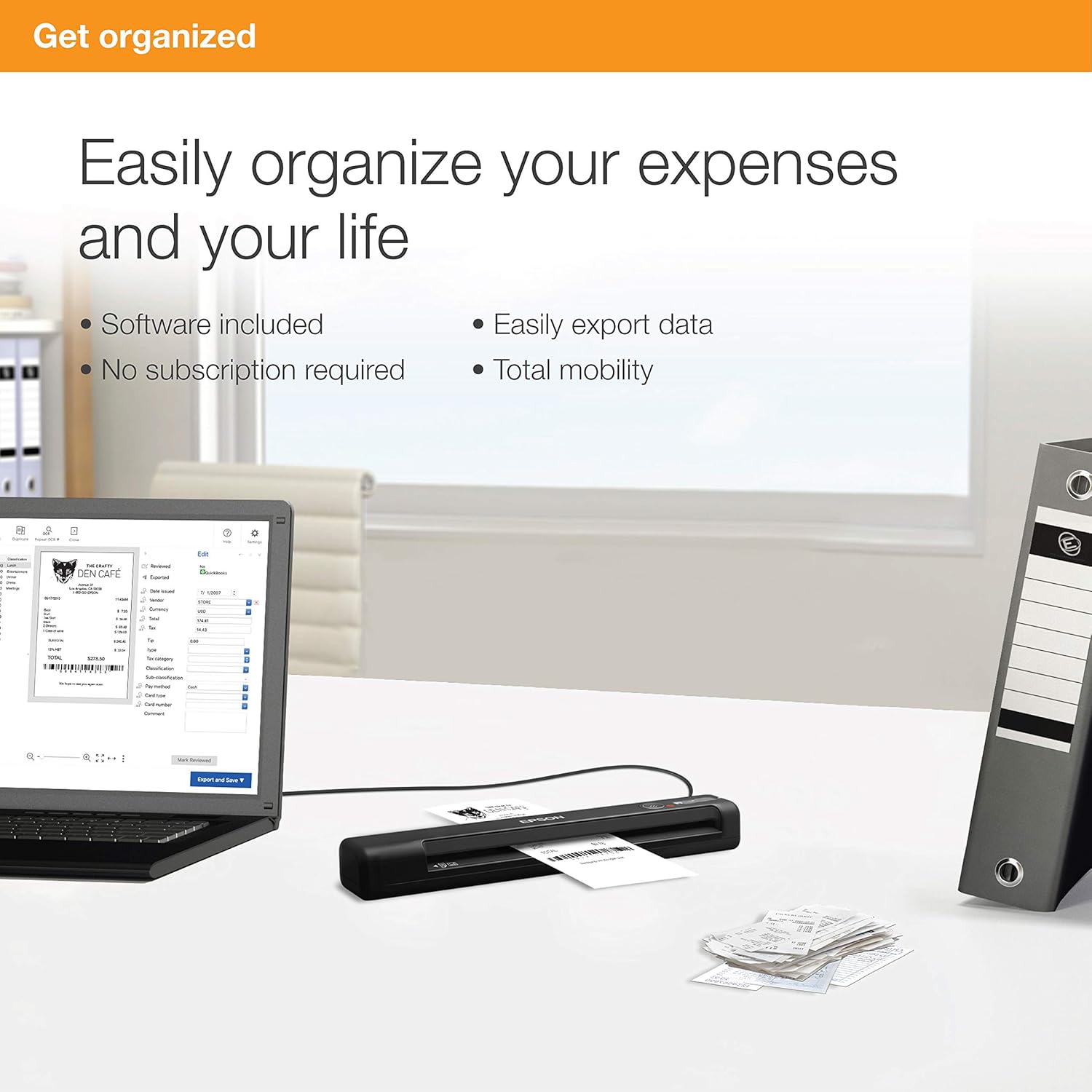
An organized workspace featuring the Epson ES-55R scanner connected to a laptop, highlighting its role in digital organization.
What's in the Box
Your Epson WorkForce ES-55R package includes the following components:
- WorkForce ES-55R document scanner
- Start Here poster
- USB cable
- Maintenance sheets
- Nuance software key card

Visual representation of the items included in the Epson ES-55R product box.
Setup
To set up your Epson ES-55R scanner, follow these steps:
- Connect the Scanner: Use the provided USB cable to connect the ES-55R scanner to your computer. The scanner is USB powered, eliminating the need for an external power adapter.
- Install Software: Insert the Nuance software key card and follow the instructions to download and install the Epson ScanSmart Accounting Edition Software and Nuance Power PDF (for Windows) or PDF Converter (for Mac). An internet connection is required for software download and installation.
- Prepare for First Use: Once the software is installed, ensure the scanner is properly connected and recognized by your computer. Refer to the 'Start Here' poster for initial setup guidance.
Operating Instructions
The Epson ES-55R is designed for simple and fast scanning. Here’s how to operate it:
- Power On: Ensure the scanner is connected to your computer via USB. The power indicator light will illuminate.
- Prepare Document: Straighten your receipt, invoice, document, business card, or ID card. The scanner supports single-page scanning of various sizes, including extra-long pages up to 8.5" x 72".
- Insert Document: Gently insert the document into the scanner's input slot. The automatic feeding mode will detect the document and pull it through.
- Initiate Scan: Press the scan button on the scanner or initiate the scan through the Epson ScanSmart Accounting Edition Software on your computer. The ES-55R scans a single page in as fast as 5.5 seconds.
- Review and Manage: The ScanSmart software will automatically extract and categorize key data from your scanned receipts. You can review, edit, and reorder scanned items within the software.
- Export Data: Easily export your scanned data to third-party accounting software such as QuickBooks, Quicken, TurboTax, or save it as an Excel CSV file. You can also store images and data by emailing them or uploading to cloud services like Dropbox, Evernote, and Google Drive.
- Create Searchable PDFs: Utilize the included Nuance software to create searchable PDFs and editable Word and Excel files from your scans.

The streamlined Scan, Extract, and Export workflow for efficient document processing.

The Epson ES-55R offers broad compatibility with popular accounting and productivity software.
Official video demonstrating the features and capabilities of the WorkForce ES-55R and ES-65WR Mobile Receipt Scanners, including software integration and scanning various document types.
Maintenance
To ensure optimal performance and longevity of your Epson ES-55R scanner, regular maintenance is recommended:
- Cleaning: Use the provided maintenance sheets to clean the scanner's internal components. Follow the instructions in the software or 'Start Here' poster for proper cleaning procedures.
- Dust Removal: Periodically wipe the exterior of the scanner with a soft, dry cloth to remove dust and debris.
- Handle with Care: Avoid inserting crumpled, torn, or excessively thick documents to prevent paper jams and damage to the scanner's mechanism.
Troubleshooting
If you encounter issues with your Epson ES-55R scanner, consider the following common troubleshooting steps:
- Connection Issues: Ensure the USB cable is securely connected to both the scanner and your computer. Try a different USB port or cable if problems persist.
- Software Not Launching: Verify that the Epson ScanSmart Accounting Edition Software is correctly installed. Restart your computer and try launching the software again.
- Scanning Problems: Make sure documents are inserted straight and are not creased or damaged. Check for any obstructions in the paper path.
- Image Quality: If scanned images are unclear or have lines, perform a cleaning cycle using the maintenance sheets.
- Long Receipts: For very long receipts, if the scanner jams or doesn't scan completely, you may need to carefully fold or cut the receipt into manageable sections and scan them individually, then merge them using the software if needed.
Specifications
| Feature | Detail |
|---|---|
| Product Dimensions | 1.8 x 10.7 x 1.3 inches |
| Item Weight | 9.4 ounces |
| Item Model Number | ES-55R |
| Scanner Type | Document |
| Media Type | Receipt |
| Connectivity Technology | USB |
| Resolution | 1200 dpi (Maximum) |
| Sheet Size | Letter, up to 8.5" x 72" (extra-long pages) |
| Standard Sheet Capacity | 1 |
| Color Depth | 1 bpp |

A visual summary of the Epson ES-55R's technical specifications.
Warranty and Support
The Epson WorkForce ES-55R Mobile Receipt and Document Scanner comes with a One-year limited warranty in the U.S. and Canada, providing coverage for manufacturing defects and malfunctions under normal use.
For detailed information, troubleshooting guides, and additional support, please refer to the official User Manual (PDF) available online. You can typically find this document on the Epson support website or via the link provided with your product documentation.
For further assistance, contact Epson customer support directly through their official website or designated support channels.
Official User Manual (PDF): Download Here


