
EinCar ZTT.1W.9505GNN+FCAM4
EinCar 7-inch Car GPS Navigation Stereo System User Manual
Model: ZTT.1W.9505GNN+FCAM4
1. Introduction
This manual provides comprehensive instructions for the installation, operation, and maintenance of your EinCar 7-inch Car GPS Navigation Stereo System. Please read this manual thoroughly before using the product to ensure proper functionality and safety.
2. Product Overview and Key Features
The EinCar 7-inch Car GPS Navigation Stereo System is a versatile 1-DIN car entertainment unit designed to enhance your driving experience with advanced features and a user-friendly interface.
Key Features:
- 7-inch High Digital Touch Screen: 800x480 resolution with auto-retractable capacitive touch screen, supporting 1080P video format.
- Bluetooth Functionality: Supports hands-free calling and Bluetooth music streaming.
- Built-in GPS Navigation: Integrated GPS module with an 8GB offline GPS map card and antenna included.
- Customizable Button Colors: New designed panel with optional LED button colors.
- Multi-format Media Playback: Supports DVD, USB, and SD card for video and audio playback. USB port provides large current output for mobile phone charging (compatibility may vary).
- Steering Wheel Control Support: Allows control of the unit via your car's steering wheel buttons for safer driving.
- Rear-view Camera Support: Automatically switches to the rear camera display when reversing the vehicle.
- Detachable Face Panel: For enhanced security.
- Adjustable Viewing Angles: Retractable screen design for optimal viewing and space-saving.

Figure 2.1: EinCar 7-inch Car GPS Navigation Stereo System with main unit and all included accessories.
3. Setup and Installation
This product is a universal 1-DIN car DVD player designed to fit most vehicles. Please verify the installation dimensions before purchase to ensure compatibility.
3.1 Package Contents:
- 1 x Car Stereo Player
- 1 x GPS Antenna
- 1 x Remote Control (Battery not included)
- 1 x Cable Set (Wiring Harnesses)
- 1 x Backup Camera

Figure 3.1: Rear view of the stereo unit showing connections (Radio Antenna, GPS, RCA In/Out, Power Harness, Fuse), detailed dimensions for installation, and a display of included accessories.
3.2 Installation Dimensions:
The installation size is approximately 178mm (width) x 53mm (height) x 166mm (length). Refer to Figure 3.1 for detailed measurements.
3.3 Wiring and Connections:
Connect the power harness, GPS antenna, RCA cables (for audio/video input/output), and the backup camera as per your vehicle's wiring diagram and the provided cable set. Professional installation is recommended.
4. Operating Instructions
4.1 Power On/Off and Screen Adjustment:
Press the power button to turn the unit on or off. The motorized screen can be adjusted for optimal viewing angles by pressing the OPEN button. The screen retracts for space-saving.

Figure 4.1: Demonstrates the motorized screen adjustment mechanism and various UI color options.
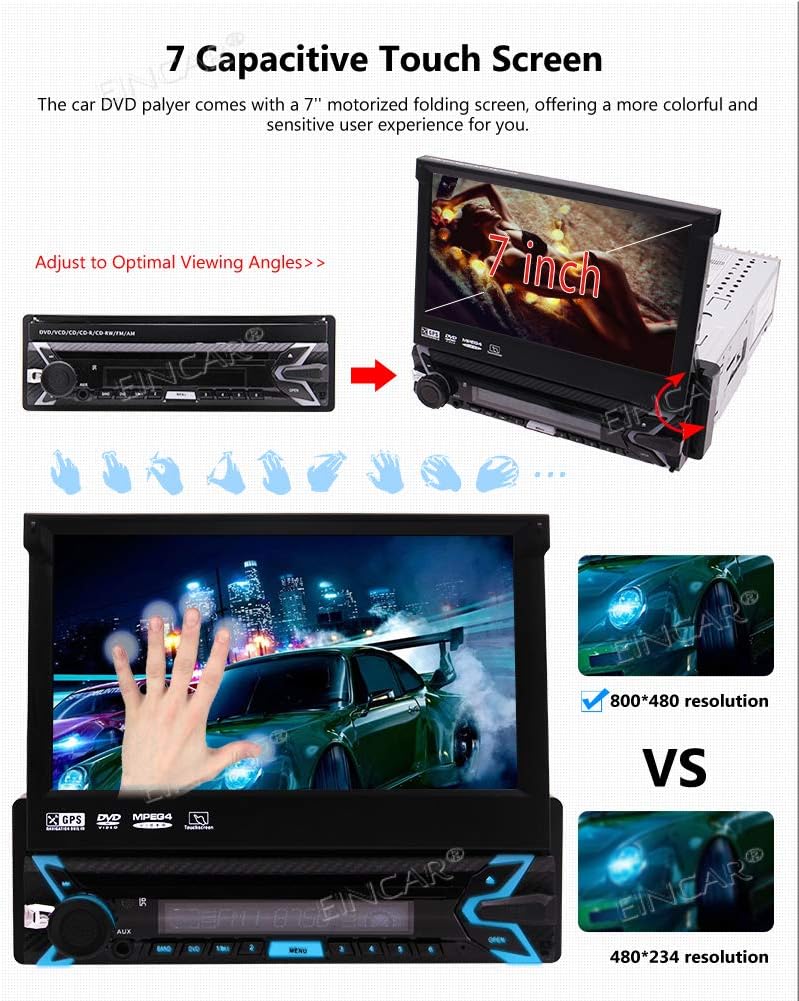
Figure 4.2: Illustrates the 7-inch capacitive touch screen and its adjustable viewing angles, highlighting the 800x480 resolution compared to 480x234.
4.2 User Interface and Settings:
The unit features a refreshing user interface with customizable themes and button LED colors. Access settings to personalize your experience.
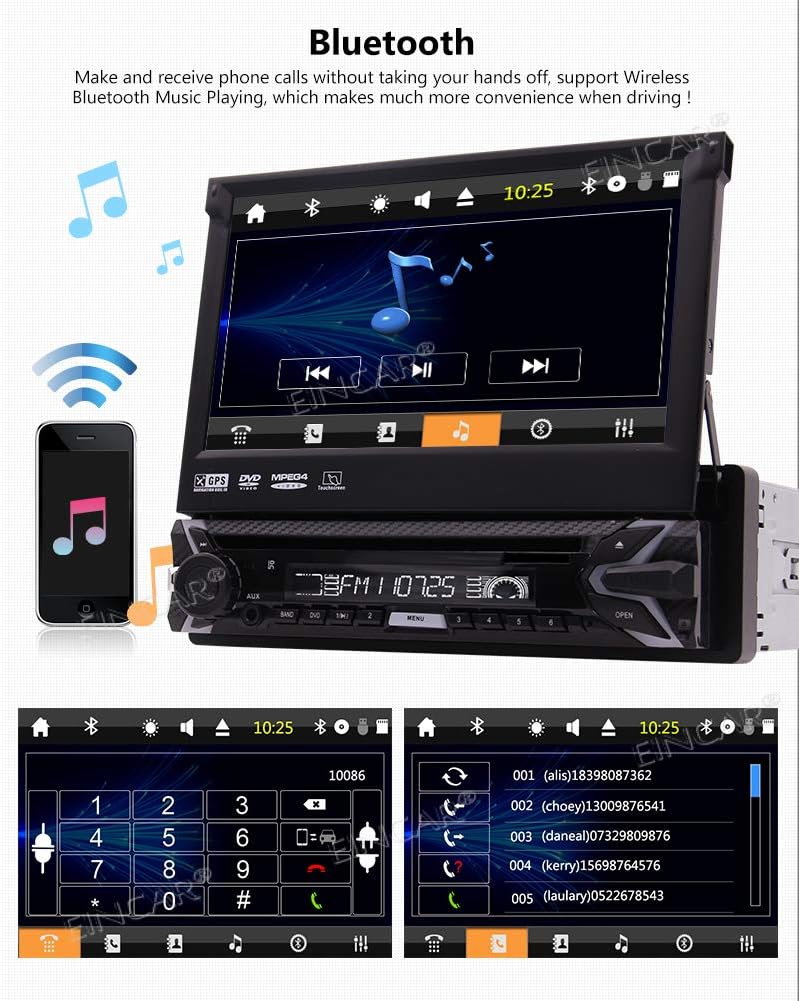
Figure 4.3: Shows the customizable user interface with various icons and steps to access UI settings.
4.3 Bluetooth Connectivity:
Pair your smartphone via Bluetooth for hands-free calling and wireless music streaming. Access your contacts and dial directly from the unit's screen.
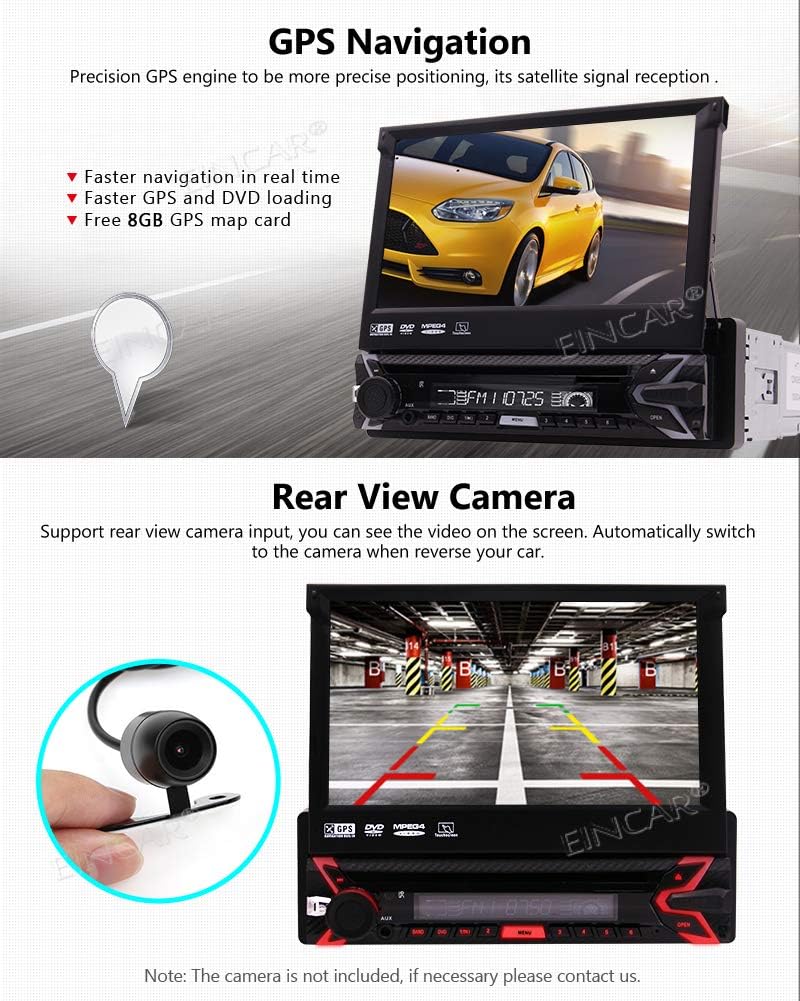
Figure 4.4: Depicts the Bluetooth interface for making calls, displaying contacts, and playing music wirelessly.
4.4 GPS Navigation:
Utilize the built-in GPS navigation system with the pre-loaded 8GB offline map card. The system provides precise positioning and fast navigation.

Figure 4.5: Shows the GPS navigation interface with a map display, emphasizing faster navigation and loading.
4.5 Rear View Camera:
Connect a compatible rear view camera (included in package) to automatically display the camera feed on the screen when shifting into reverse, aiding in safe parking and maneuvering.
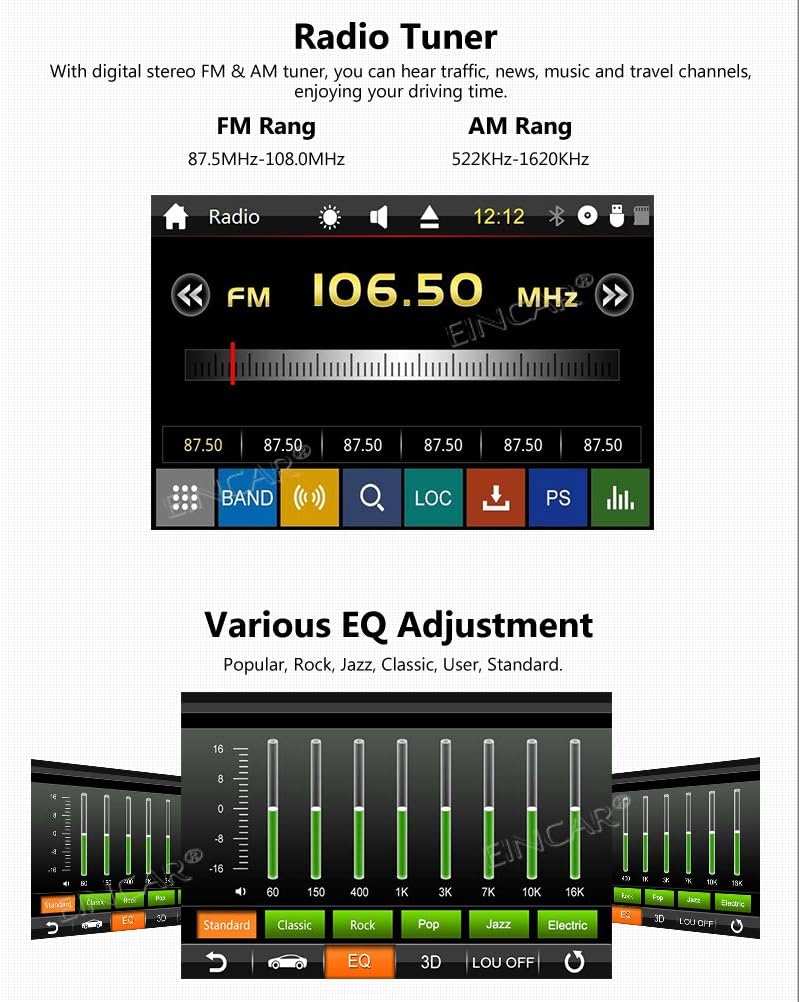
Figure 4.6: This image displays several key features of the EinCar stereo system, including the rear view camera display (top-left), radio tuner interface (middle), audio equalizer settings (bottom-left), remote control functionality (top-right), and AUX input port (bottom-right).
The unit supports a rear view camera input, automatically switching to the camera feed when reversing. (Refer to the top-left portion of Figure 4.6).
4.6 DVD Player:
The unit features a region-free DVD player compatible with most DVDs and CDs. Insert discs into the slot behind the retractable screen.

Figure 4.7: Displays the DVD playback interface and lists supported video, audio, and picture formats. This image also shows the USB and TF card slots.
4.7 USB & TF Card Playback:
Play media files from USB drives and TF (SD) cards. The unit includes dedicated slots for USB and TF cards, conveniently located on the front panel. (Refer to Figure 4.7 for a close-up of the slots and Figure 3.1 for their general location on the unit).
4.8 Radio Tuner:
Enjoy digital stereo FM and AM radio with 36 FM and 18 AM preset stations. Tune into your favorite traffic, news, and music channels. (Refer to the middle portion of Figure 4.6 for the radio interface).
4.9 Audio Adjustment (EQ):
Customize your audio experience with the built-in electronic sound (EQ) processing. Choose from various audio modes like Popular, Rock, Jazz, Classic, User, and Standard, and adjust high and low tones. (Refer to the bottom-left portion of Figure 4.6 for the graphical equalizer interface).
4.10 Remote Control Function:
Control the unit conveniently using the included remote control. Functions include start/stop, next/last track, radio tuning, and power on/off. (Refer to the top-right portion of Figure 4.6 for an illustration of remote control use).
4.11 AUX Input:
Connect external audio devices using the 3.5mm AUX input jack, located on the front panel, to play music from your iPod, smartphone, or other compatible devices. (Refer to the bottom-right portion of Figure 4.6 for the AUX input location).
5. Maintenance
To ensure the longevity and optimal performance of your EinCar Stereo System, follow these maintenance guidelines:
- Cleaning: Use a soft, dry cloth to clean the screen and unit. For stubborn smudges, a slightly damp cloth with a mild, non-abrasive cleaner can be used, but avoid excessive moisture.
- Dust Removal: Regularly remove dust from vents and openings to prevent overheating.
- Disc Care: Handle DVDs and CDs by their edges. Keep them clean and free of scratches to ensure smooth playback.
- Temperature: Avoid exposing the unit to extreme temperatures, both hot and cold, as this can affect performance and lifespan.
- Detachable Panel: When detaching the face panel, handle it carefully to avoid damage to the connectors. Store it in a safe place.
6. Troubleshooting
If you encounter issues with your EinCar Stereo System, refer to the following common troubleshooting steps:
| Problem | Possible Cause | Solution |
|---|---|---|
| No Power | Loose power connection, blown fuse, vehicle battery issue. | Check power wiring, inspect and replace fuse if necessary, ensure vehicle battery is charged. |
| No Sound | Volume too low, mute activated, speaker wiring issues, incorrect audio source. | Increase volume, check mute setting, verify speaker connections, select correct audio source (Radio, DVD, USB, BT). |
| Bluetooth Not Connecting | Bluetooth not enabled on unit or phone, device not in pairing mode, interference. | Ensure Bluetooth is on for both devices, put unit in pairing mode, try re-pairing, move closer to unit. |
| GPS Not Locating | GPS antenna not connected, poor satellite signal, map data issue. | Check GPS antenna connection, ensure clear view of sky, verify map card is inserted correctly. |
| Disc Playback Error | Dirty or scratched disc, unsupported disc format, disc inserted incorrectly. | Clean disc, try a different disc, ensure disc is inserted correctly with label facing up. |
If the problem persists after trying these steps, please contact customer support.
7. Specifications
| Feature | Specification |
|---|---|
| Type | Car DVD GPS Navigation player |
| Material | Metal + Plastic |
| Screen Size | 7 inches |
| Screen Resolution | 800 x 480 |
| Video Files Supported | RM/RMVB/MP4/FLV/MKV/3GP/AVI/ASF/SWF/MP1/MP2 (up to 720P) |
| Audio Files Supported | MP3/WMA/WAV/OGG/FLAC/APE |
| Picture Format | JPEG, BMP |
| Radio Tuner | Built-in RDS, 36 FM / 18 AM presets |
| Bluetooth | Yes |
| Wi-Fi | No |
| Supported Languages | 13 languages (French, Spanish, Russian, English, Chinese, etc.) |
| Power Supply | DC12V (24V requires transformer) |
| Working Temperature | -20°C to 70°C (-4°F to 158°F) |
| Memory Storage Capacity | 8 GB (for GPS map card) |
| Compatible Devices | Smartphone |
| Human Interface Input | Touchscreen, Buttons |
| Connector Type | Bluetooth, USB |
8. Warranty and Support
For warranty information and technical support, please refer to the documentation provided with your purchase or contact EinCar customer service directly. Keep your purchase receipt as proof of purchase.
EinCar Customer Service: Please visit the official EinCar website or contact your retailer for support.
Ask a question about this manual
Ask about setup, troubleshooting, compatibility, parts, safety, or missing instructions. Manuals+ will review the question and use this page’s manual context to help answer it.