
Ontel HEATDXR-MO12
Ontel Handy Heater Deluxe with Remote User Manual
Model: HEATDXR-MO12 | Brand: Ontel
1. Product Overview
The Ontel Handy Heater Deluxe is a compact, 400-watt plug-in personal heater designed for quick and easy heat in various spaces. It features a digital temperature display, a programmable 12-hour timer, and comes with a remote control for convenient operation. Its compact design allows it to be plugged directly into a wall outlet, freeing up floor space.
Key Features:
- 400-watt heating element for personal warmth.
- Plugs directly into any standard wall outlet.
- Digital temperature display for precise control.
- Programmable 12-hour timer for automatic shut-off.
- Includes a remote control for convenient adjustments.
- Compact and cool-to-the-touch design for portability.

Figure 1: Ontel Handy Heater Deluxe with Remote and Packaging
2. Important Safety Instructions
Please read all instructions before using this heater. Failure to follow these instructions may result in electric shock, fire, or serious injury.
- DO NOT use this heater with an extension cord or power strip. Plug directly into a wall outlet.
- DO NOT use this heater in bathrooms, laundry areas, or similar indoor locations where water is present.
- DO NOT cover the heater or block the air intake/outlet vents. This can cause overheating.
- Keep flammable materials such as furniture, pillows, bedding, papers, clothes, and curtains at least 3 feet (0.9 m) from the front of the heater and away from the sides and rear.
- Always unplug the heater when not in use.
- This heater is hot when in use. To avoid burns, do not let bare skin touch hot surfaces.
- Close supervision is necessary when any heater is used by or near children or invalids.
- Do not insert or allow foreign objects to enter any ventilation or exhaust opening as this may cause an electric shock or fire, or damage the heater.
3. Package Contents
- 1 x Ontel Handy Heater Deluxe Unit
- 1 x Remote Control
- 1 x Instruction Manual
4. Setup and Installation
The Ontel Handy Heater Deluxe is designed for simple plug-in operation. No assembly is required.
Plugging In the Heater:
- Identify a standard 120V AC wall outlet that is not shared with other high-power appliances.
- Ensure the outlet is in good condition and not damaged.
- Plug the Handy Heater Deluxe directly into the wall outlet. Ensure it is securely seated.
- The heater can be rotated 180 degrees to fit various outlet orientations.

Figure 2: Heater plugged into a bathroom outlet
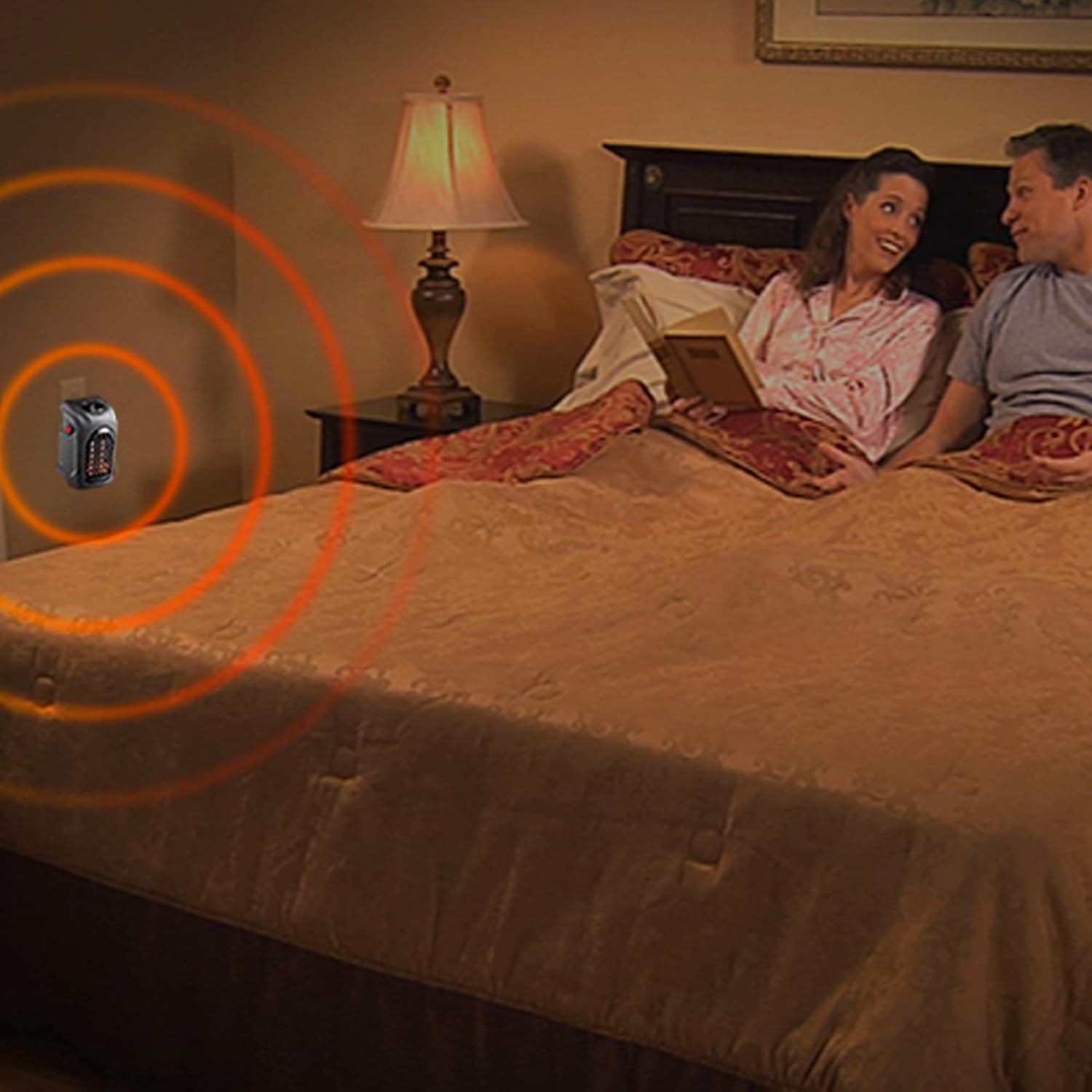
Figure 3: Heater plugged into a bedroom outlet
5. Operating Instructions
The Handy Heater Deluxe can be operated using the controls on the unit or the included remote control.

Figure 4: Heater Control Panel
Powering On/Off:
- Press the Power Button (red button on the side of the unit or on the remote) to turn the heater ON or OFF.
Setting the Temperature:
- Once powered on, use the + and - buttons on the unit or remote control to adjust the desired temperature.
- The digital display will show the set temperature. The temperature range is typically between 60°F (15°C) and 90°F (32°C).
Setting the Timer:
- Press the Timer Button on the unit or remote control to activate the programmable 12-hour timer.
- Each press will cycle through timer settings (1 hour, 2 hours, ..., up to 12 hours).
- The heater will automatically shut off after the set time has elapsed.
Adjusting Fan Speed:
- Press the Speed Button on the unit or remote control to cycle between High and Low fan speed settings.

Figure 5: Operating the heater with the remote control
6. Care and Maintenance
Proper care and maintenance will ensure the longevity and efficient operation of your Handy Heater Deluxe.
Cleaning:
- Always unplug the heater and allow it to cool completely before cleaning.
- Use a soft, damp cloth to wipe the exterior surfaces of the heater.
- Do not use abrasive cleaners, solvents, or harsh chemicals, as these may damage the heater's finish.
- Do not immerse the heater in water or any other liquid.
- Periodically clean the air intake and outlet vents with a soft brush or vacuum cleaner to remove dust and debris.
Storage:
- When not in use, store the heater in a cool, dry place, preferably in its original packaging.
- Avoid storing the heater in areas with extreme temperatures or high humidity.
7. Troubleshooting Guide
If you experience issues with your Handy Heater Deluxe, refer to the following table for common problems and solutions.
| Problem | Possible Cause | Solution |
|---|---|---|
| Heater does not turn on. | No power to the outlet. Heater not securely plugged in. Power button not pressed. | Check the circuit breaker. Ensure the heater is firmly plugged into a working wall outlet. Press the Power button on the unit or remote. |
| Heater turns off unexpectedly. | Overheat protection activated. Timer function is active. | Unplug the heater, allow it to cool for 30 minutes, then plug it back in. Ensure vents are not blocked. Check if the timer is set. Adjust or deactivate the timer if continuous operation is desired. |
| No heat is being produced. | Temperature setting is too low. Fan is running but heating element is off. | Increase the desired temperature setting using the '+' button. Ensure the heater is set to a temperature higher than the ambient room temperature. |
| Remote control is not working. | Dead battery. Obstruction between remote and heater. | Replace the battery in the remote control. Ensure there is a clear line of sight between the remote and the heater's sensor. |
8. Product Specifications
| Specification | Detail |
|---|---|
| Brand | Ontel |
| Model Number | HEATDXR-MO12 |
| Power Output | 400 Watts |
| Voltage | 120 Volts |
| Fuel Type | Electric |
| Dimensions (L x W x H) | 4.96 x 6.22 x 3.31 inches |
| Item Weight | 1.37 pounds |
| Special Features | Portable, Programmable Thermostat, Remote Control |
| Heating Coverage | Up to 250 square feet (approximate) |
9. Warranty and Customer Support
For information regarding product warranty, returns, or technical assistance, please contact Ontel customer service directly. Refer to the original product packaging or the official Ontel website for the most current contact details and warranty terms.
You can typically find support information on the manufacturer's website or by searching for 'Ontel customer service' online.
Related documentsHEATDXR-MO12


Ask a question about this manual
Ask about setup, troubleshooting, compatibility, parts, safety, or missing instructions. Manuals+ will review the question and use this page’s manual context to help answer it.