1. Introduction
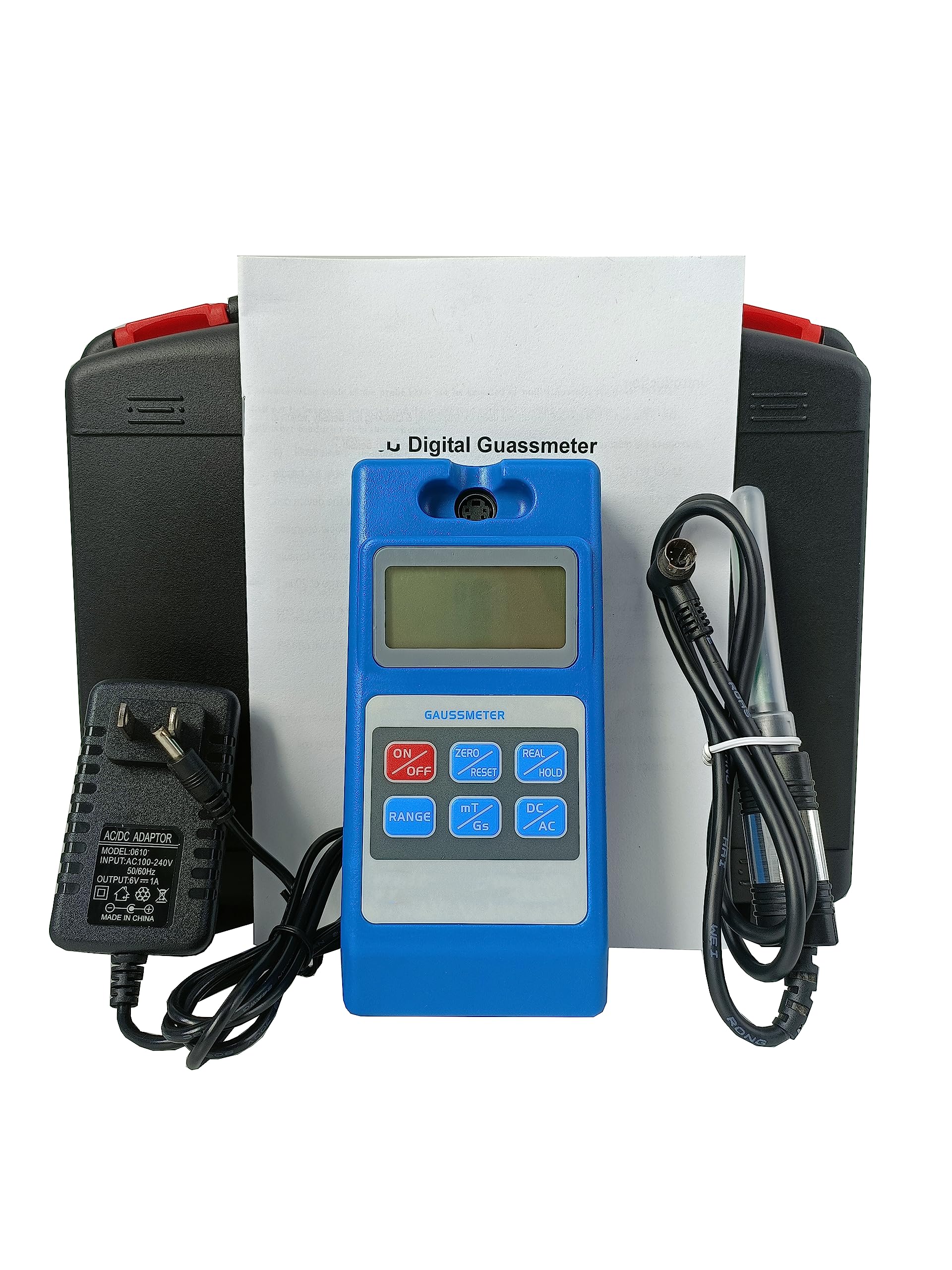
The VTSYIQI WT10C Digital Gauss Meter is a handheld device designed for measuring the surface magnetic field of permanent magnet materials, DC motors, speakers, and magnetic separators. It is also suitable for detecting residual magnetism after machining, analyzing pole distribution, and controlling electromagnetic fields in various applications.
2. Key Features
- Switchable units: Gauss (Gs) / milli-Tesla (mT).
- DC measurements include N/S polarity display (N for positive, S for negative).
- Quick auto-zero function via a dedicated button.
- Operating ambient temperature range: 5°C to 40°C.
- Relative humidity: 20% to 80% (non-condensing).
3. Technical Specifications
| Parameter | Value |
|---|---|
| Measuring Range | 0 ~ 200mT ~ 2000 mT |
| Accuracy | 0 ~ 100mT: 1%, >100mT: 2% (uniform magnetic field measurement) |
| Resolution (DC × 1) | 0.00 ~ 200.00mT: 0.01mT |
| Resolution (DC × 10) | 0.0 ~ 2000.0mT: 0.1mT |
| Resolution (AC × 1) | 0.00 ~ 200.00mT: 0.01mT |
| Resolution (AC × 10) | 0.0 ~ 2000.0mT: 0.1mT |
| Measured Magnetic Field | DC magnetic field (static), AC magnetic field (dynamic) |
| Power Supply | Six AA batteries or external 9V power supply |
| Dimensions (L × W × H) | 150mm × 70mm × 30mm |
| Instrument Weight | Approximately 450g |
| Display | 4 1/2 LCD |
| Display Unit | mT / Gs |
4. Setup Guide
Follow these steps to set up your VTSYIQI WT10C Digital Gauss Meter:
- Unboxing: Carefully remove all components from the carrying case. The package typically includes the Gauss meter unit, a Hall probe, and a power adapter.
- Battery Installation: The device requires six AA batteries (not included). Open the battery compartment on the back of the meter and insert the batteries, ensuring correct polarity. Alternatively, connect the external 9V power adapter to the meter and a power outlet.
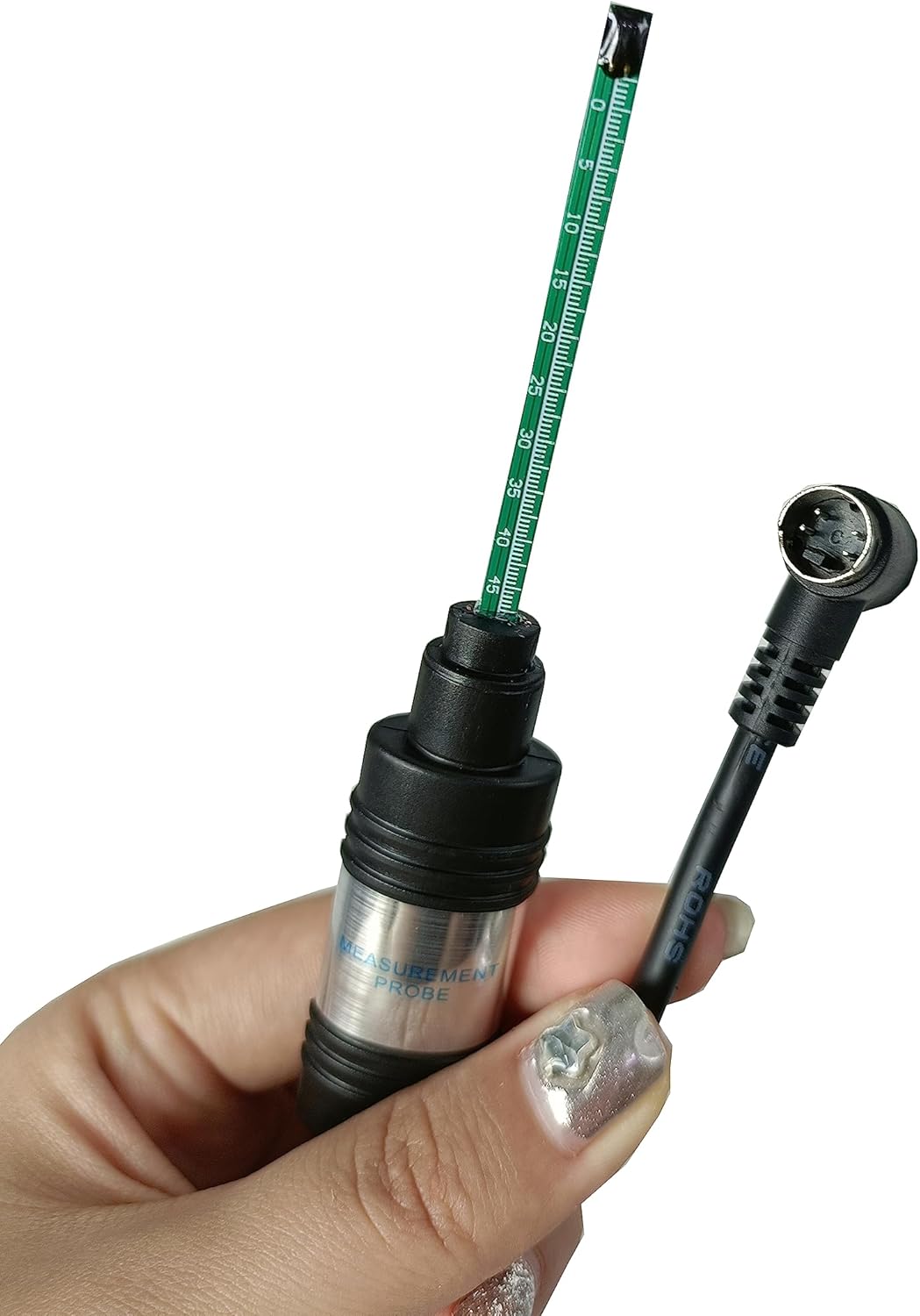
- Probe Connection: Locate the probe port at the top of the Gauss meter. Connect the Hall probe cable to this port and gently tighten the screw connector to secure it. Ensure the connection is firm to prevent measurement inaccuracies.


Video 1: This video demonstrates the unboxing of the Gauss meter, battery installation, and connecting the Hall probe to the main unit. It provides a visual guide for initial setup.
5. Operating Instructions
Familiarize yourself with the meter's controls and follow these steps for accurate measurements:
- Power On/Off: Press the 'ON/OFF' button to turn the device on or off.
- Zero Adjustment: Before taking any measurement, ensure the probe is away from any magnetic fields. Press the 'ZERO/RESET' button to automatically zero the display. This compensates for any ambient magnetic interference.
- Unit Selection: Use the 'mT/Gs' button to switch between milli-Tesla (mT) and Gauss (Gs) units as required for your measurement.
- AC/DC Mode: Select between AC (alternating current) and DC (direct current) magnetic field measurement modes using the 'AC/DC' button. For static magnetic fields, use DC mode.
- Measurement: Carefully position the Hall probe close to the surface of the material or field you wish to measure. Ensure the Hall element at the tip of the probe is oriented correctly and stable for an accurate reading. The display will show the magnetic field strength.
- Hold Function: Press the 'REAL/HOLD' button to freeze the current reading on the display. Press it again to return to real-time measurement.
- Backlight: If available, press the backlight button to illuminate the display in low-light conditions.
- Probe Protection: After use, always cover the Hall probe with its protective cap to prevent damage to the sensitive Hall element.
Video 2: This video demonstrates the operational steps of a similar digital Tesla meter, including connecting the probe, zeroing the device, switching between units (mT/Gs), using the hold function, and performing a measurement on a sample. It also shows how to protect the probe after use.
6. Maintenance
- Cleaning: Use a soft, dry cloth to clean the meter and probe. Do not use abrasive cleaners or solvents.
- Storage: Store the device in its protective carrying case in a dry, cool environment when not in use. Keep it away from strong magnetic fields, extreme temperatures, and high humidity.
- Battery Replacement: If using batteries, replace them promptly when the low battery indicator appears on the display to ensure accurate readings and prevent damage from battery leakage.
- Probe Care: Always keep the Hall probe protected with its cap when not in use. Avoid bending or applying excessive force to the probe tip, as this can damage the sensitive Hall element.
7. Troubleshooting
| Problem | Possible Cause | Solution |
|---|---|---|
| Meter does not power on | Low or dead batteries; power adapter not connected or faulty. | Replace batteries or check power adapter connection and functionality. |
| Inaccurate or unstable readings | Probe not properly connected; ambient magnetic interference; Hall element damaged; incorrect zero adjustment. | Ensure probe is securely connected. Perform zero adjustment away from magnetic fields. Check probe for visible damage. |
| Display shows 'OVER' or '---' | Magnetic field strength exceeds the selected range. | Switch to a higher measurement range (e.g., from 200mT to 2000mT). |
| No polarity display in DC mode | Device is in AC mode. | Switch to DC measurement mode using the 'AC/DC' button. |
8. Warranty & Support
This VTSYIQI product is covered by a standard manufacturer's warranty against defects in materials and workmanship. Please refer to the warranty card included with your product for specific terms and conditions, including the warranty period and coverage details.
For technical support, service, or warranty claims, please contact the manufacturer or your authorized dealer. Keep your purchase receipt as proof of purchase.


