
Introduction
This manual provides comprehensive instructions for the safe and effective use of your Sharper Image Tranquility Spa White Noise Sound Machine. Please read all instructions carefully before operation and retain this manual for future reference.
Safety Information
Keep out of reach of children due to potential choking hazard from small parts.
Package Contents
- Sharper Image Tranquility Spa White Noise Sound Machine (Model: Soother)
- USB Cable
- User Manual (this document)
Note: 4 AA batteries are required for battery-powered operation and are not included.
Setup
- Remove the sound machine from its packaging.
- For battery operation, open the battery compartment and insert 4 AA batteries (not included), ensuring correct polarity.
- Alternatively, connect the included USB cable to the device and a compatible USB power adapter (not included) or USB port for power.

Image: Rear view of the sound machine showing the USB port and the battery compartment with 4 AA batteries inserted.
Operating Instructions
Power On/Off
Press the Power button (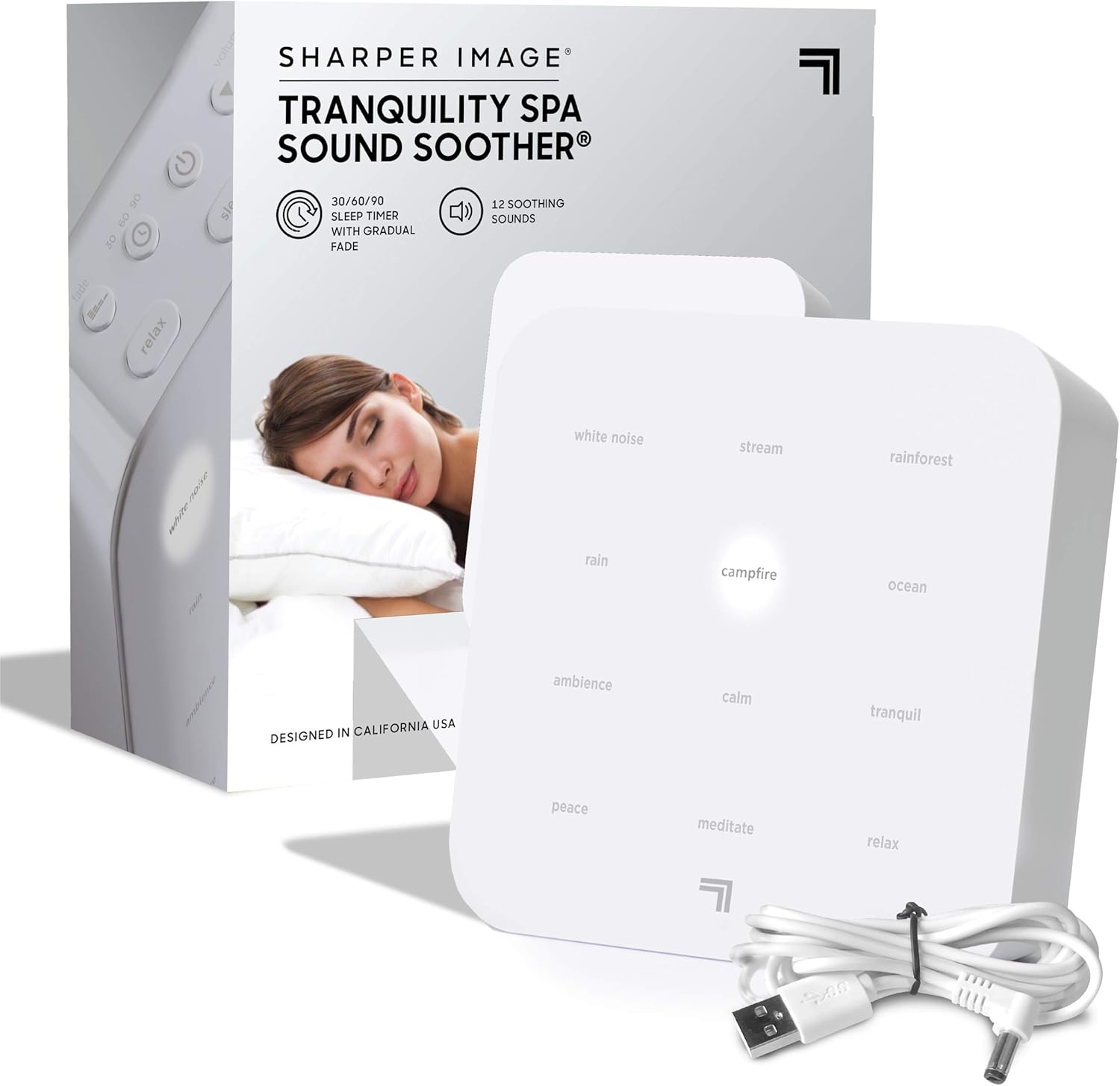 ) to turn the device on or off.
Selecting Soundscapes
The device offers 12 diverse soothing soundscapes. These are categorized into 'Relax', 'Sleep', and 'Renew' modes. Press the corresponding mode button (Relax, Sleep, or Renew) to cycle through the available sounds within that category.
- Relax: White Noise, Rain, Ambience, Peace
- Sleep: Stream, Campfire, Calm, Meditate
- Renew: Rainforest, Ocean, Tranquil, Relax

Image: Top view of the sound machine highlighting the sound selection buttons and backlit display.
Adjusting Volume
Use the Volume Up () and Volume Down () buttons to set your desired sound level.
Setting the Auto-Off Timer
Press the Timer button () to set the device to automatically power off after 30, 60, or 90 minutes. The volume will gradually decrease during the last 10 minutes of the program for a gentle transition.
Adjusting Backlight Brightness
Control the backlit brightness of the display to your preference using the dedicated control buttons (refer to device diagram for exact location).
Headphone Use
For a personal listening experience, plug your headphones into the headphone jack located on the device.
Product Overview

Image: Front view of the sound machine with key features labeled, including power options, earphone access, volume, backlight, and timer.
Image: Angled view of the sound machine showing the automatic timer, backlit display, and the 12 restful sound options.
Official Product Videos
Sharper Image Brand Video 2022
Video Description: An official brand video from Sharper Image, showcasing various products including the sound machine. This video provides an overview of the brand's offerings and design philosophy.
Sleep Therapy Sound Soother USB
Video Description: A short video demonstrating the Sleep Therapy Sound Soother, focusing on its USB power option and compact design.
SHARPER IMAGE Ultimate Sleep White Noise Sound Machine for Adults and Baby
Video Description: A brief preview video highlighting the Sharper Image Ultimate Sleep White Noise Sound Machine, suitable for both adults and babies. This video is 9 seconds long and provides a quick visual overview.
Maintenance
To maintain your sound machine, wipe the exterior with a soft, dry cloth. Do not use abrasive cleaners or immerse the device in water. Keep the device away from excessive heat or moisture.
Troubleshooting
| Problem | Solution |
|---|---|
| Device does not power on. | Ensure the USB cable is securely connected to both the device and a working power source. If using batteries, check that they are inserted correctly and are not depleted. |
| No sound is produced. | Check the volume level and increase it using the Volume Up button. Ensure headphones are not plugged in if you intend to use the built-in speaker. |
| Sound quality is poor or distorted. | Adjust the volume to a lower setting. Ensure the device is placed on a stable, flat surface and not obstructed. |
Specifications
- Model Name: Soother
- Item Depth: 2 inches
- Power Source: Battery Powered (4 AA batteries, not included) or USB Powered
- Brand: Sharper Image
- Color: White/Grey
- Manufacturer: MerchSource
- Package Dimensions: 6.22 x 5.98 x 2.64 inches
- Item Weight: 15.52 ounces
Warranty and Support
For warranty information or technical support, please refer to the contact details provided on the product packaging or visit the official Sharper Image website. Keep your purchase receipt for warranty claims.


