
1. Product Overview
The Dremel Micro 8050-15 multi-tool is designed for precision work on various DIY and craft projects. Its compact, cordless design allows for versatile use in any space, including hard-to-reach areas. An integrated LED light illuminates the workpiece, ensuring clear visibility even in low-light conditions. The ergonomic design, resembling a pen, provides comfortable handling for extended periods of use.
- Compact and cordless design for easy portability.
- Integrated LED light for enhanced visibility.
- Ergonomic, pen-like grip for comfortable use.
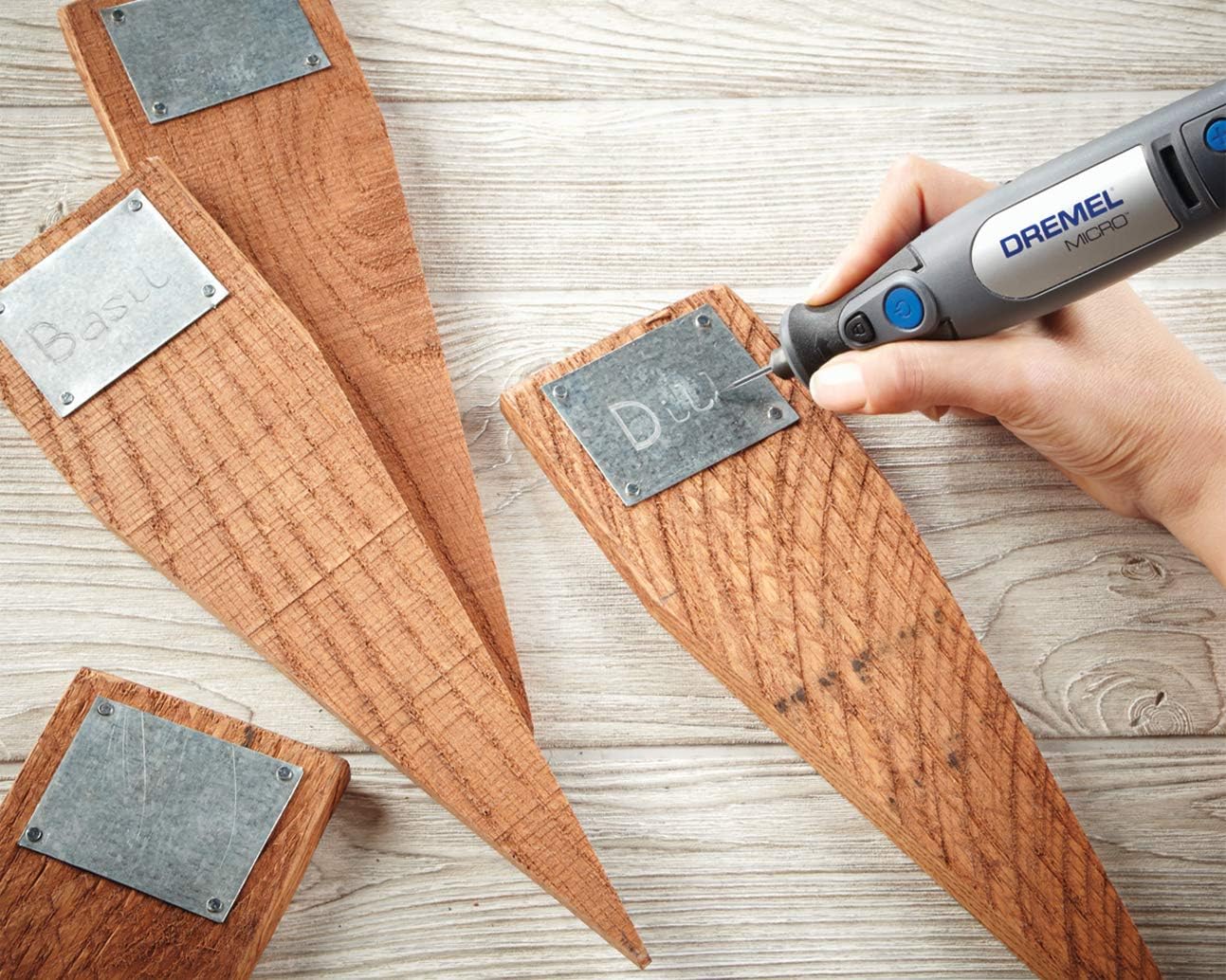
- Suitable for use on materials such as leather, wood, glass, stone, and metal.

2. Safety Information
Always observe basic safety precautions when using electric tools to reduce the risk of fire, electric shock, and personal injury. Read all instructions before operating this product.
- Eye Protection: Always wear safety glasses or goggles that comply with applicable standards.
- Respiratory Protection: Wear a dust mask when working with materials that produce dust.
- Secure Workpiece: Always secure the workpiece with clamps or a vise to prevent movement during operation.
- Proper Ventilation: Work in a well-ventilated area.
- Avoid Contact: Keep hands and body parts away from the rotating accessory.
- Unplug When Not In Use: Disconnect the tool from its charger before making any adjustments, changing accessories, or storing.
- Battery Safety: Use only the specified charger for the battery. Do not expose batteries to extreme temperatures or fire.
3. Package Contents
The Dremel Micro 8050-15 kit includes the following items:
- Dremel Micro 8050-15 Multi-tool
- 15-piece Accessory Kit
- Charging Base
- Quick Start Guide with Accessory Information
- User Manual
- Test Materials
4. Getting Started
4.1 Charging the Battery
Before first use, fully charge the Dremel Micro 8050-15 battery. Place the tool into the charging base. The charging indicator lights will show the charging status. A full charge typically takes approximately 3 hours.
4.2 Attaching Accessories
To attach an accessory:
- Ensure the tool is turned off.
- Press and hold the shaft lock button located near the collet.
- Unscrew the collet nut.
- Insert the accessory shank into the collet. Ensure the shank is fully inserted.
- Tighten the collet nut firmly by hand while still holding the shaft lock button. Do not overtighten.

5. Operating Instructions
5.1 Power On/Off
Press the power button to turn the tool on. Press it again to turn the tool off.
5.2 Adjusting Speed
The Dremel Micro 8050-15 features variable speed control. Use the '+' and '-' buttons to increase or decrease the rotational speed. The LED indicators will show the current speed setting. Select the appropriate speed for the accessory and material you are working with.
5.3 Using the LED Light
The integrated LED light automatically illuminates when the tool is powered on, providing clear visibility of your work area.
5.4 Recommended Applications
This multi-tool is suitable for a variety of tasks, including:
- Sanding
- Engraving
- Grinding
- Polishing
- Cutting (with appropriate accessories)


6. Maintenance
6.1 Cleaning
Regularly clean the tool's ventilation openings to prevent dust buildup, which can affect performance and motor life. Use a soft brush or compressed air. Do not use harsh chemicals or abrasive cleaners.
6.2 Battery Care
To maximize battery life, store the tool and battery in a cool, dry place. Avoid fully discharging the battery before recharging. If the tool will not be used for an extended period, charge the battery periodically.
6.3 Accessory Replacement
Replace worn or damaged accessories promptly to ensure optimal performance and safety. Refer to the accessory guide for compatible replacements.
7. Troubleshooting
| Problem | Possible Cause | Solution |
|---|---|---|
| Tool does not turn on | Battery is discharged | Charge the battery fully. |
| Tool loses power during use | Battery is low | Recharge the battery. |
| Accessory wobbles or vibrates excessively | Accessory not properly seated or damaged | Ensure accessory is fully inserted and collet nut is tightened. Replace damaged accessories. |
| Tool overheats | Blocked ventilation openings or prolonged heavy use | Clean ventilation openings. Allow tool to cool down. Reduce pressure during use. |
8. Technical Specifications
| Specification | Value |
|---|---|
| Manufacturer | Bosch |
| Item Model Number | F0138050HB |
| Voltage | 7.2 Volts |
| Power Source | Battery Powered |
| Battery Type | Lithium-ion |
| Number of Batteries | 1 (Included) |
| Maximum Rotational Speed | 28,000 RPM |
| Included Components | Dremel Micro 8050-15 Craft Kit |
| Package Dimensions | 30.8 x 16 x 9.2 cm |
| Item Weight | 820 grams |
| International Article Code (EAN) | 08710364080861 |
9. Warranty and Support
This Dremel product is manufactured by Bosch. For warranty information and customer support, please refer to the documentation provided with your purchase or visit the official Dremel website. Information regarding the availability of spare parts is not provided at this time.


